Navigation

    VectorStyler

    • Register
    • Login
    • Search
    • Categories
    • Unread
    • Recent
    • Tags
    • Popular
    1. Home
    2. Bugs in VectorStyler
    3. Resolved 1.2 bugs
    • Newest to Oldest
    • Oldest to Newest
    • Most Posts
    • Most Votes

    Resolved 1.2 bugs

    • Perforance settings bugs
      • XRAY  

      4
      1
      Votes
      4
      Posts
      657
      Views

      @VectorStyler Hi, this is on Windows 11 24H2 and the settings are "checked" inside of performance settings such as !"Direct Preview of Changes" or "GPU for Mesh" and "GPUfor Distortion" but don't seem to actually be working. Selecting ok seems to fix "Direct Preview of Changes" but no way to be sure about the GPU settings.
    • L

      Repeater's shift issue
      • Li Xiao  

      7
      0
      Votes
      7
      Posts
      6747
      Views

      @monsterfox said in Repeater's shift issue: In Inkscape, only one of the shift options can be selected. yes, in this case the pattern gap is not show.
    • B

      Issue with the interface
      • B-Vs-V  

      30
      0
      Votes
      30
      Posts
      46929
      Views

      @B-Vs-V The iconified panel column width can be resized (to show the name). I have to replicate the icon not opening issue.
    • A

      Huion Kamvas 22 inch tablet Pressure
      • artsquirrel  

      3
      1
      Votes
      3
      Posts
      5168
      Views

      A

      On Windows. I checked that setting and it worked better after that, thanks.
    • H

      A suggestion about alignment
      • hbalcic  

      8
      1
      Votes
      8
      Posts
      6970
      Views

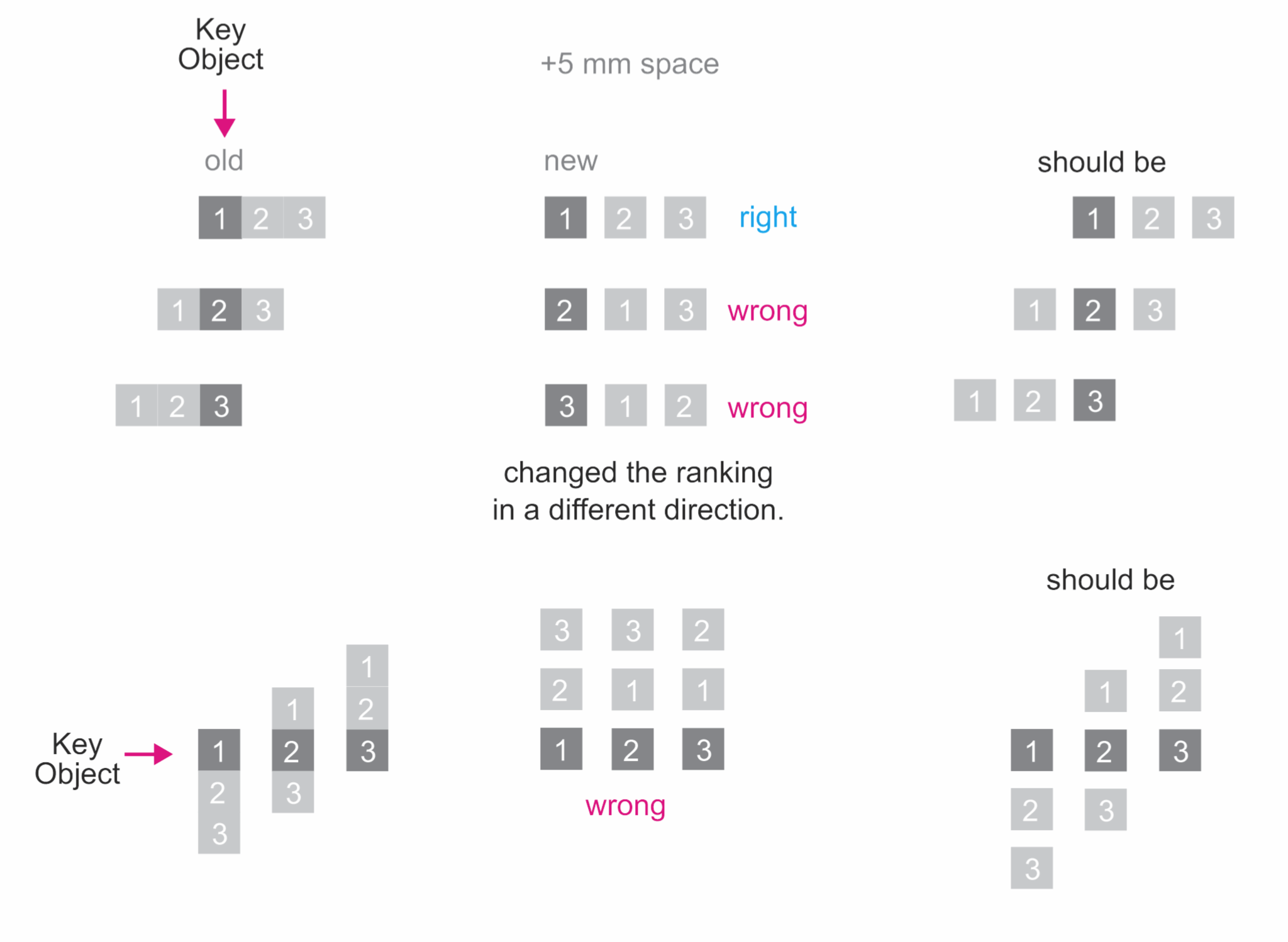
      @hbalcic said in A suggestion about alignment: ‘Key Objects’ commands belong to ‘Distribute’. Wrongly linked to ‘Align Positions’ commands. Works with the ‘Space’ command. The "Key Objects" option should also work with the align positions
    • Guide elements flicker when Snapping is Activated
      • debraspicher  

      4
      0
      Votes
      4
      Posts
      5308
      Views

      @debraspicher I will reopen this issue (it might be difficult to replicate).
    • H

      Paragraph Composer
      • hbalcic  

      7
      1
      Votes
      7
      Posts
      6162
      Views

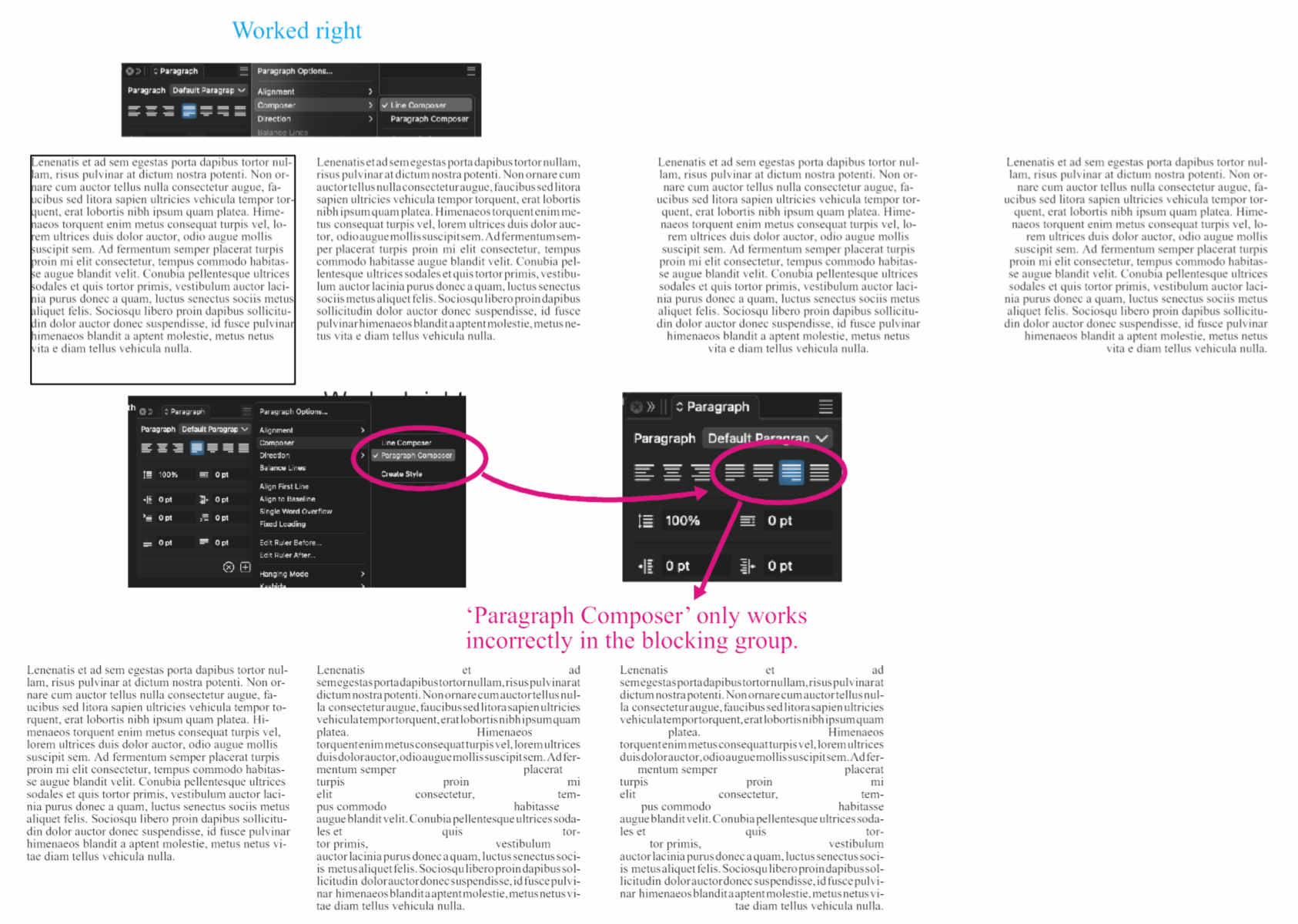
      @hbalcic I opened a bug on this.
    • H

      Canvas panel response time
      • hbalcic  

      2
      1
      Votes
      2
      Posts
      2730
      Views

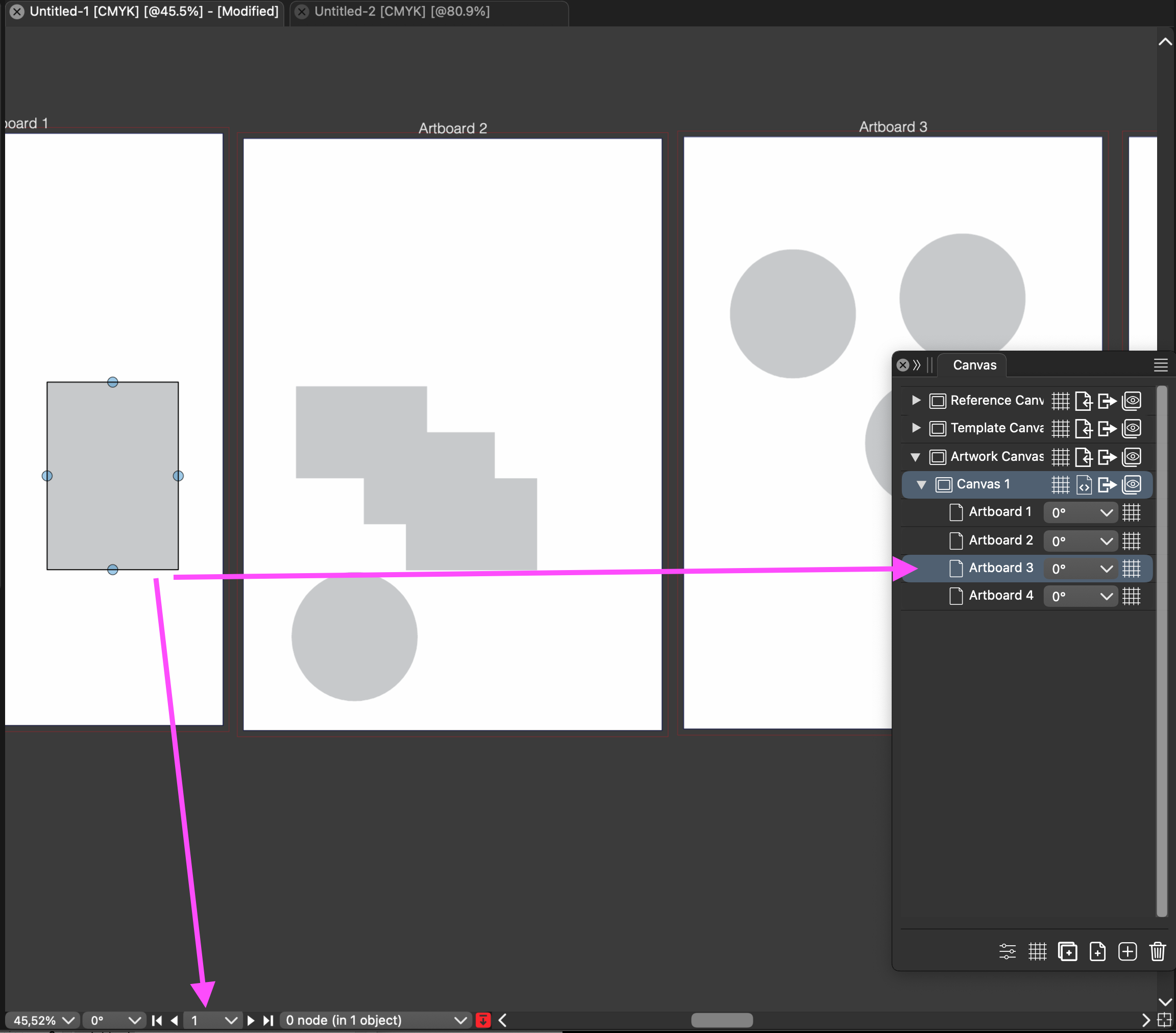
      @hbalcic I will try to find a solution for this.
    • H

      A suggestion about the ‘Scale’ slider in effects.
      • hbalcic  

      6
      0
      Votes
      6
      Posts
      5677
      Views

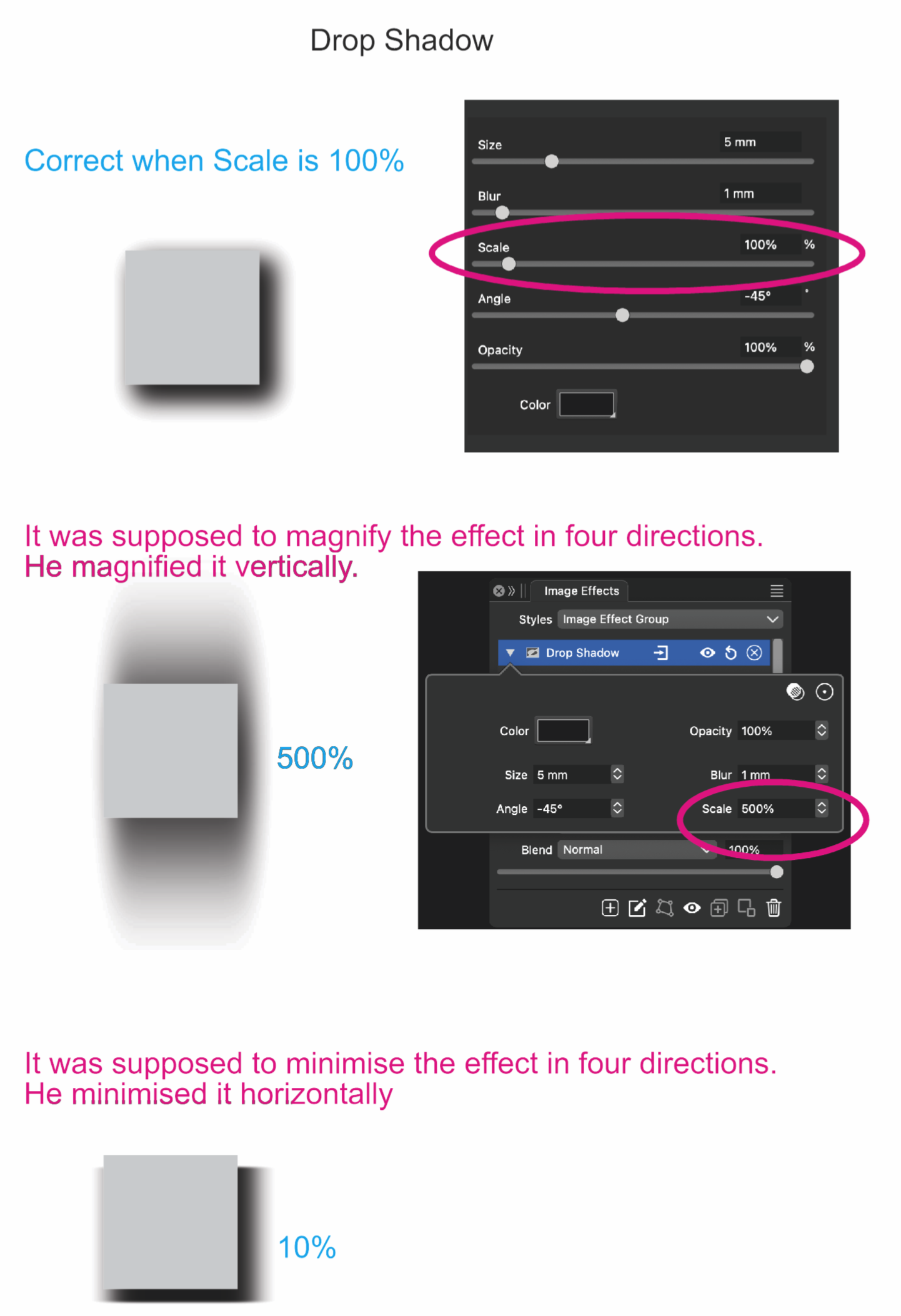
      @hbalcic Were the effects enlarged by scaling the objects? In VS, the scaling is non-destructive and it is added on top top the effect parameters. The effect panel will show the original (not scaled) sizes.
    • H

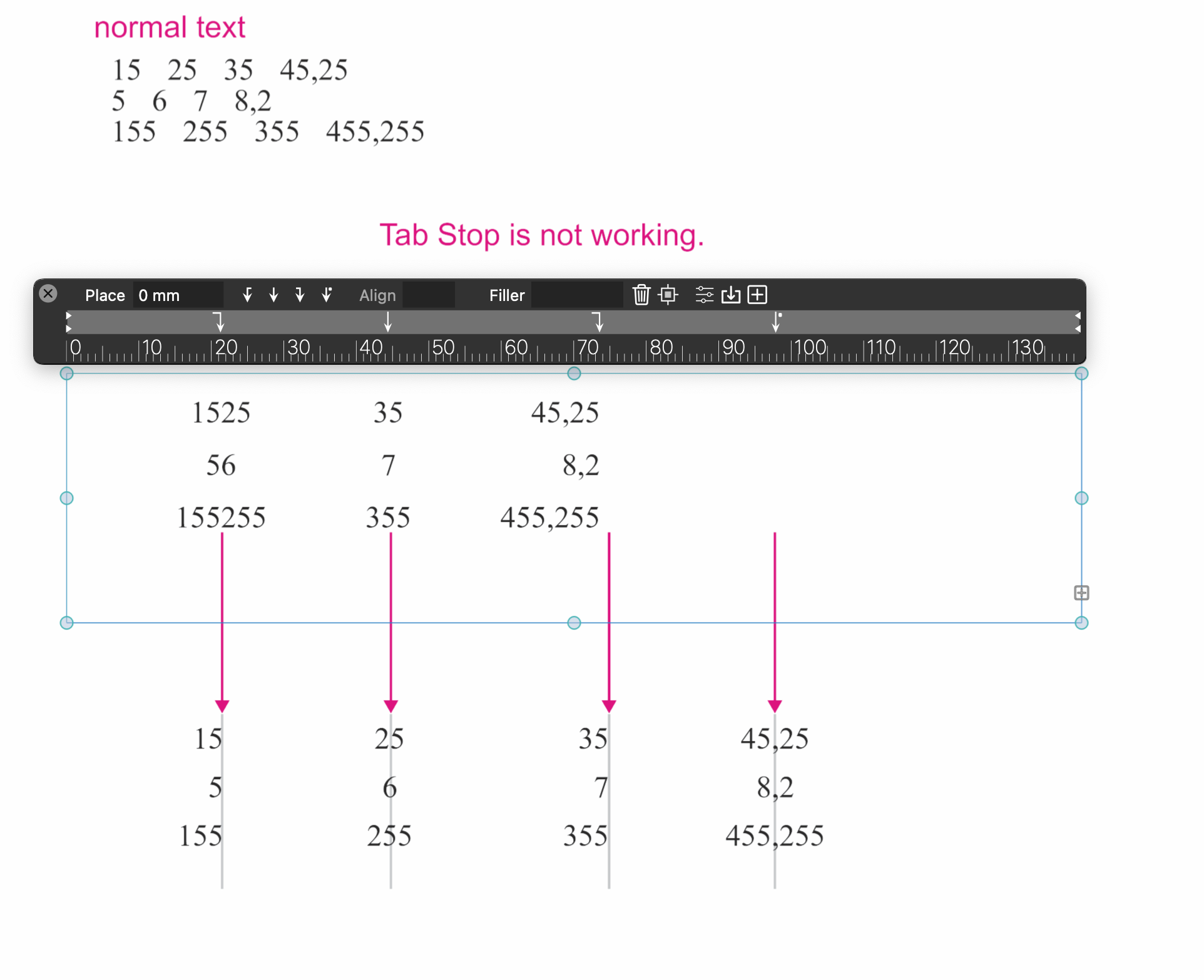
      Tab Stop is not working.
      • hbalcic  

      6
      0
      Votes
      6
      Posts
      6813
      Views

      @hbalcic said in Tab Stop is not working.: There were many fixes, how did you manage to fix them in such a short time? Short answer: He's a coding genius! lol. Don't let his modesty fool you
    • H

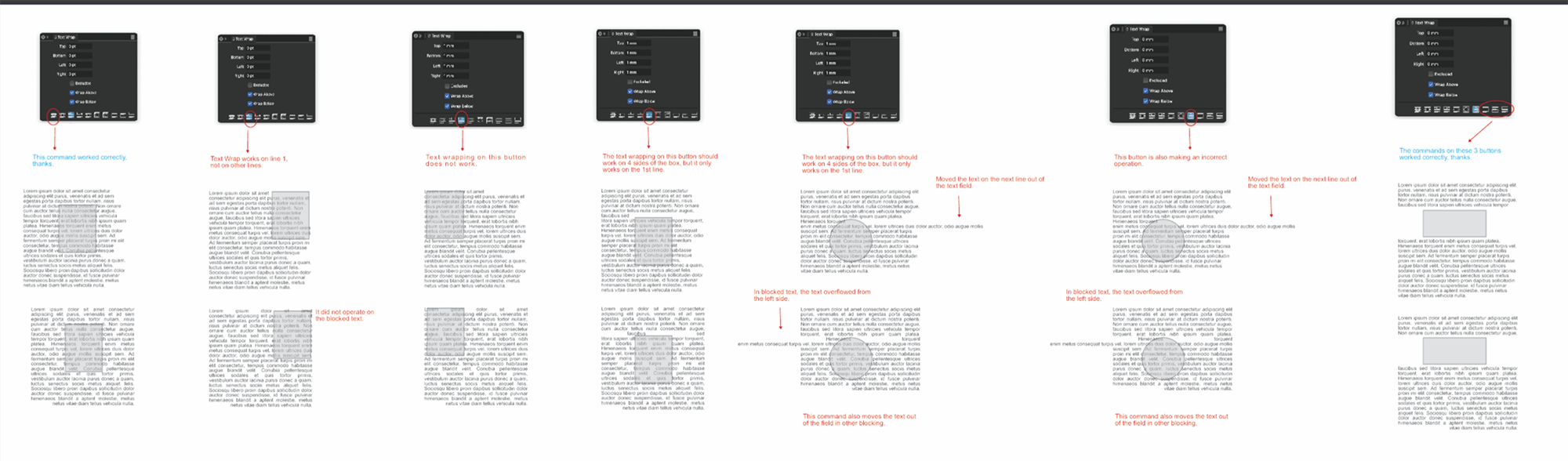
      A few suggestions for text wrapping
      • hbalcic  

      8
      2
      Votes
      8
      Posts
      7323
      Views

      @hbalcic That wrapping mode is use to flow text around the shape but also inside the holes of the shape, when we have shapes with holes. This is not the case for a single circle.
    • H

      A suggestion about Copy and Paste.
      • hbalcic  

      7
      1
      Votes
      7
      Posts
      6869
      Views

      @hbalcic said in A suggestion about Copy and Paste.: It doesn't paste it centred on the visible part of the page. I will reopen this issue.
    • H

      Correction request about the pallet group
      • hbalcic  

      4
      1
      Votes
      4
      Posts
      4190
      Views

      H

      I forgot to include the missing part of the palette group.
    • H

      Spaces between words
      • hbalcic  

      9
      1
      Votes
      9
      Posts
      8375
      Views

      @hbalcic The default "minimum" word spacing for justified text is changed to -20%
    • H

      Suggestion file related to Text Fill Stroke
      • hbalcic  

      3
      1
      Votes
      3
      Posts
      3183
      Views

      @hbalcic This issue should be fixed in build 1.2.046
    • H

      Recommendations on the Drop Capitals palette.
      • hbalcic  

      3
      1
      Votes
      3
      Posts
      3536
      Views

      @hbalcic This issue should be fixed in build 1.2.046
    • H

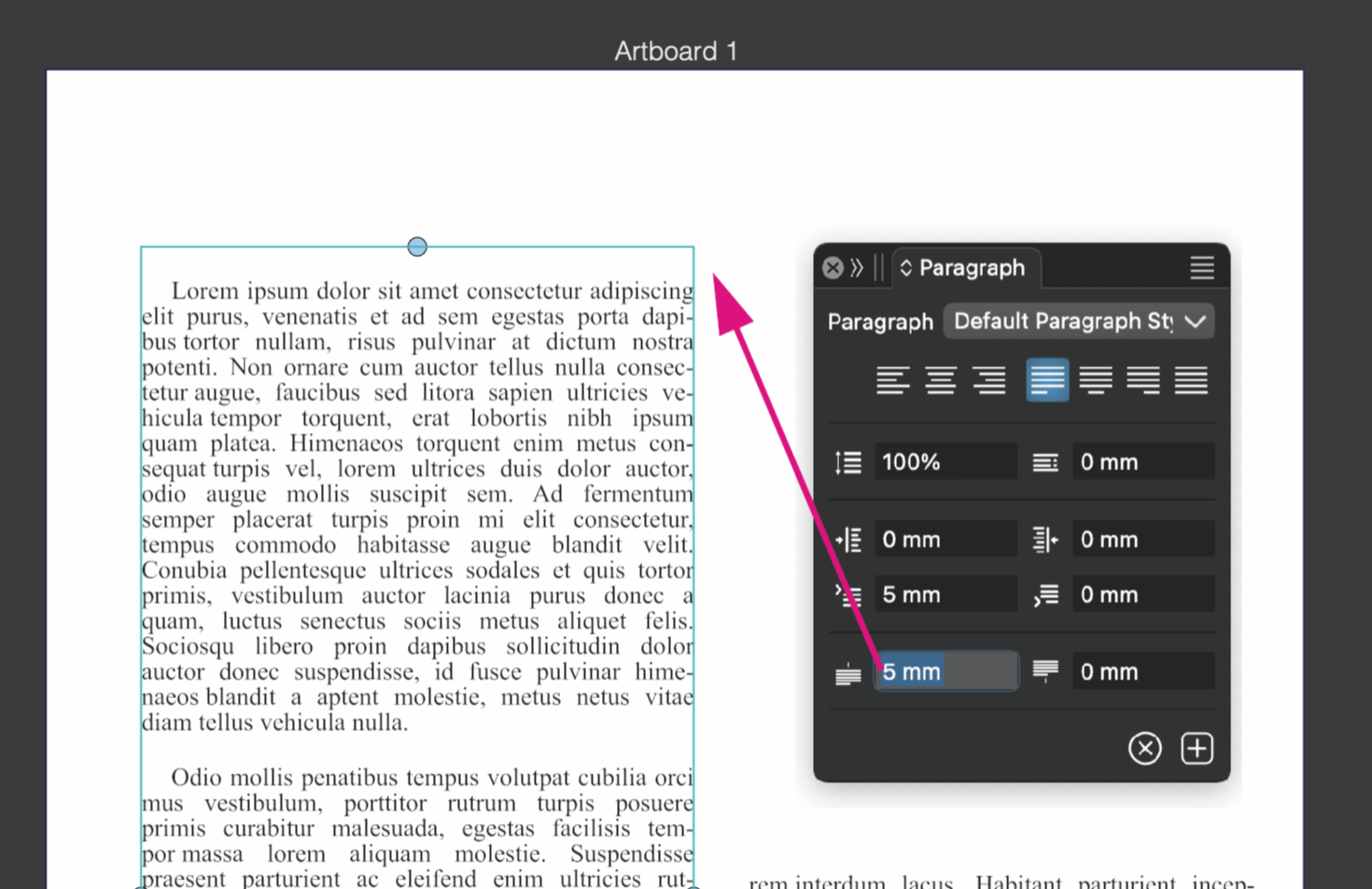
      Inserting the paragraph space above the text field
      • hbalcic  

      3
      1
      Votes
      3
      Posts
      3794
      Views

      @hbalcic This issue should be fixed in build 1.2.046
    • H

      Colour palette zeros after comma
      • hbalcic  

      3
      1
      Votes
      3
      Posts
      3837
      Views

      @hbalcic This issue should be fixed in build 1.2.046
    • H

      Cursor direction in text
      • hbalcic  

      3
      1
      Votes
      3
      Posts
      3866
      Views

      @hbalcic This issue should be fixed in build 1.2.046
    • H

      Boolean Operations...
      • hbalcic  

      2
      1
      Votes
      2
      Posts
      2807
      Views

      @hbalcic The context panel was reduced a bit at some point to allow for smaller screens by default. The commands can be found in the Object -> Combine menu, and can be added back to the context panel with customization.

    Move Topic