VectorStyler
    • Categories
    • Unread
    • Recent
    • Tags
    • Popular
    • Register
    • Login

    Tab Stop is not working.
    Scheduled Pinned Locked Moved Resolved 1.2 bugs
    6 Posts 3 Posters 7.1k Views 2 Watching
    Loading More Posts
    • Oldest to Newest
    • Newest to Oldest
    • Most Votes
    Reply
    • Reply as topic
    Log in to reply
    This topic has been deleted. Only users with topic management privileges can see it.
    • H Offline
      hbalcic
      last edited by

      Hello friends.

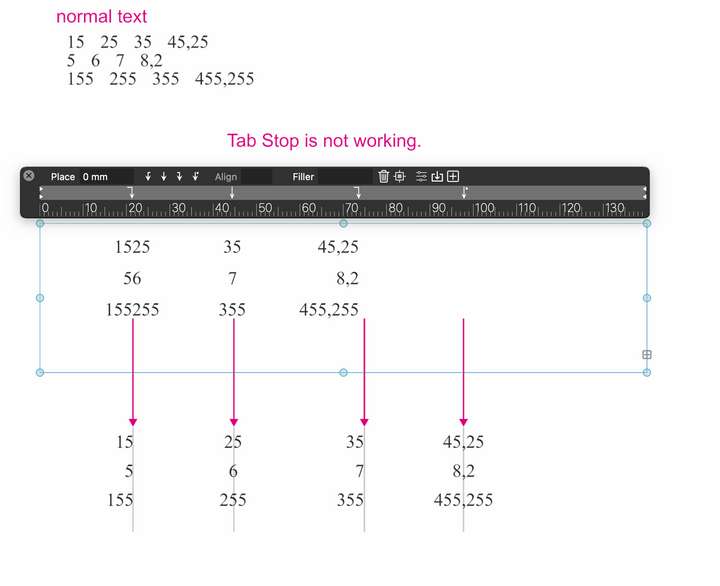
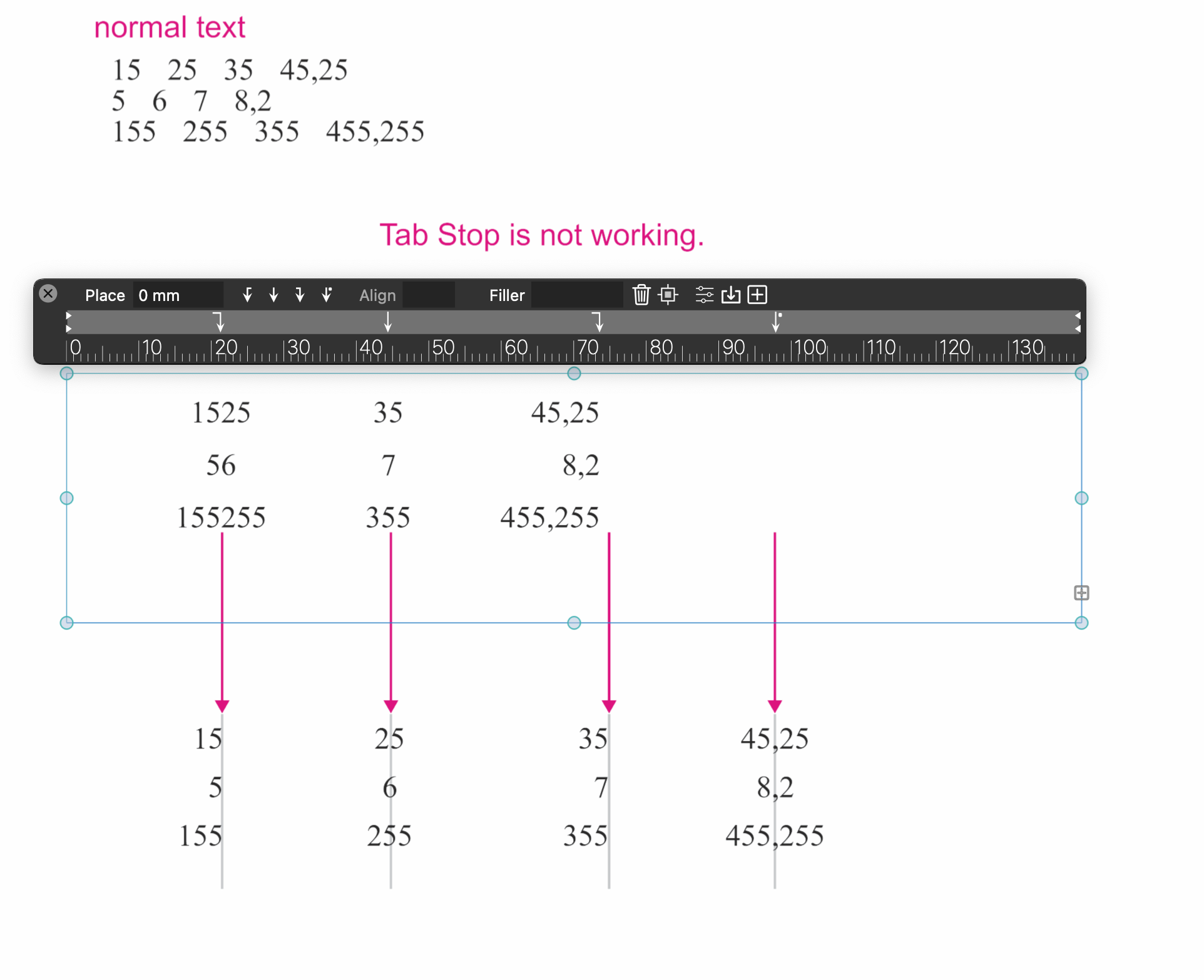
      Although the Tab keys are pressed before the numbers, "Tab Stop" does not work properly. It needs to be revised. I am attaching the document.

      Yours sincerely,
      Hakan Balcı

      0_1730889708180_Tab Stop.vstyler

      0_1730889692153_Screen Shot 2024-11-06 at 13.41.08.png

      VectorStylerV 2 Replies Last reply Reply Quote 0
      • VectorStylerV Offline
        VectorStyler @hbalcic
        last edited by

        @hbalcic I have to test this. Trere is also the issue of alignment to the tab stops.

        1 Reply Last reply Reply Quote 0
        • VectorStylerV Offline
          VectorStyler @hbalcic
          last edited by

          @hbalcic This issue should be fixed in build 1.2.046

          1 Reply Last reply Reply Quote 0
          • H Offline
            hbalcic
            last edited by

            You fixed Tab Stop. Thank you very much.
            There were many fixes, how did you manage to fix them in such a short time?

            VectorStylerV BoldlineB 2 Replies Last reply Reply Quote 1
            • VectorStylerV Offline
              VectorStyler @hbalcic
              last edited by

              @hbalcic said in Tab Stop is not working.:

              how did you manage to fix them in such a short time?

              Most of these issues were just small regressions (other changes causing bugs) that could be fixed with a simple change.

              For example: the drop caps view was not connected to the actual values due to the misspelling of a single word in resources.

              1 Reply Last reply Reply Quote 1
              • BoldlineB Offline
                Boldline @hbalcic
                last edited by

                @hbalcic said in Tab Stop is not working.:

                There were many fixes, how did you manage to fix them in such a short time?

                Short answer: He's a coding genius! lol. Don't let his modesty fool you 🙂

                🍎 macOS Sequoia 15.3, Mac mini (M1, 2020), Chip Apple M1, Memory 16 GB
                Cintiq 27QHD Display and LG Ultra HD Display

                1 Reply Last reply Reply Quote 0
                • First post
                  Last post