Navigation

    VectorStyler

    • Register
    • Login
    • Search
    • Categories
    • Unread
    • Recent
    • Tags
    • Popular
    1. Home
    2. Questions and Support
    • Newest to Oldest
    • Oldest to Newest
    • Most Posts
    • Most Votes

    Questions and Support

    • B

      Tracing a bitmap image
      • B-Vs-V  

      14
      0
      Votes
      14
      Posts
      10124
      Views

      B

      @VectorStyler Files sent
    • Best way to Crop an Image?
      • Victor Vector  

      53
      0
      Votes
      53
      Posts
      139238
      Views

      @VectorStyler . Got it thank you works very well.. did exactly what I hoped it would do
    • How best to handle gradients when exporting from VS to a different vector program
      • Boldline  

      4
      0
      Votes
      4
      Posts
      5678
      Views

      @VectorStyler said in How best to handle gradients when exporting from VS to a different vector program: @Boldline Send me the VS file by email and I will try to replicate this issue. Could be a gradient exporting bug. When you are ready, if you need me to test an exported file in my version of Illustrator CS6, I'm happy to do that. just email it over and I'll let you know how it goes
    • H

      Artboard Guidelines only visible on first row artboards
      • Harry  

      7
      1
      Votes
      7
      Posts
      5806
      Views

      @Harry said in Artboard Guidelines only visible on first row artboards: then every artboard should have the same guidelines in the same spot A fix for this bug will be in the next build.
    • Does VS need to record the computer's screen and audio?
      • Boldline  

      4
      1
      Votes
      4
      Posts
      3441
      Views

      C

      @VectorStyler Great!
    • B

      Tracing a png file
      • B-Vs-V  

      2
      0
      Votes
      2
      Posts
      2501
      Views

      @Pat In the Image Trace panel menu there is an "Ignore White" and "Ignore Transparent", enabled both (these are disabled for the Photographic preset).
    • B

      Uniform stroke scaling
      • B-Vs-V  

      10
      0
      Votes
      10
      Posts
      7711
      Views

      B

      @VectorStyler Yes, I know & it is also fine but since it is tied to "Transform stroke", it would be logical IMHO to have it directly in the panel beside "TS" (no need then to check in the panel menu).
    • No response when changing font specifications
      • Raaskot  

      4
      0
      Votes
      4
      Posts
      4093
      Views

      @Raaskot Found the error. It was the Cmd+A that I missed. I will fix this ASAP. Meanwhile as a workaround, for changing the font of the whole text, just select it with the transform tool.
    • C

      Object snapping without visible hairline?
      • creative  

      5
      0
      Votes
      5
      Posts
      4697
      Views

      @creative said in Object snapping without visible hairline?: @VectorStyler Is there something like "align to pixel grid" like in Illustrator? "Align to Pixel" in the Transform panel menu. But it is a non-destructive operation, so it can be removed by unchecking.
    • How. would I create this pattern in VS?
      • Boldline  

      7
      0
      Votes
      7
      Posts
      5784
      Views

      S

      @Boldline your welcome looks good
    • C

      Using templates?
      • creative  

      3
      0
      Votes
      3
      Posts
      3233
      Views

      C

      The last destination ist displayed. If the document is saved to a folder "my documents" next time using "New from Template" isn't showing the "templates folder" to chose a template but the last used folder "my documents".
    • C

      Resolution and appearance?
      • creative  

      17
      1
      Votes
      17
      Posts
      13115
      Views

      C

      @VectorStyler The system only shows me "2560 x 1440 (QHD/WQHD - Wide Quad High Definition" but the display's data sheet shows 92 ppi. Now I have 2 documents with 2560x1440 and a square 500x500 px in it, one with 72 dpi and the other with 92 dpi. With both dpi values the display fits 100% in VectorStyler and also directly on the Mac with both resolutions if you export the document as jpg and display it as actual size and full screen, at 72 and 92 dpi surprisingly.
    • K

      Shape effects
      • Kumr  

      4
      0
      Votes
      4
      Posts
      3619
      Views

      K

      @VectorStyler @Subpath As @Subpath showed, contour can work. Also using multiple strokes with different alignment values (set alignment to absolute value). This should work. Thanks Concentric shape tool is another option for circles.
    • M

      How to configure this bar?
      • maarten  

      4
      1
      Votes
      4
      Posts
      4169
      Views

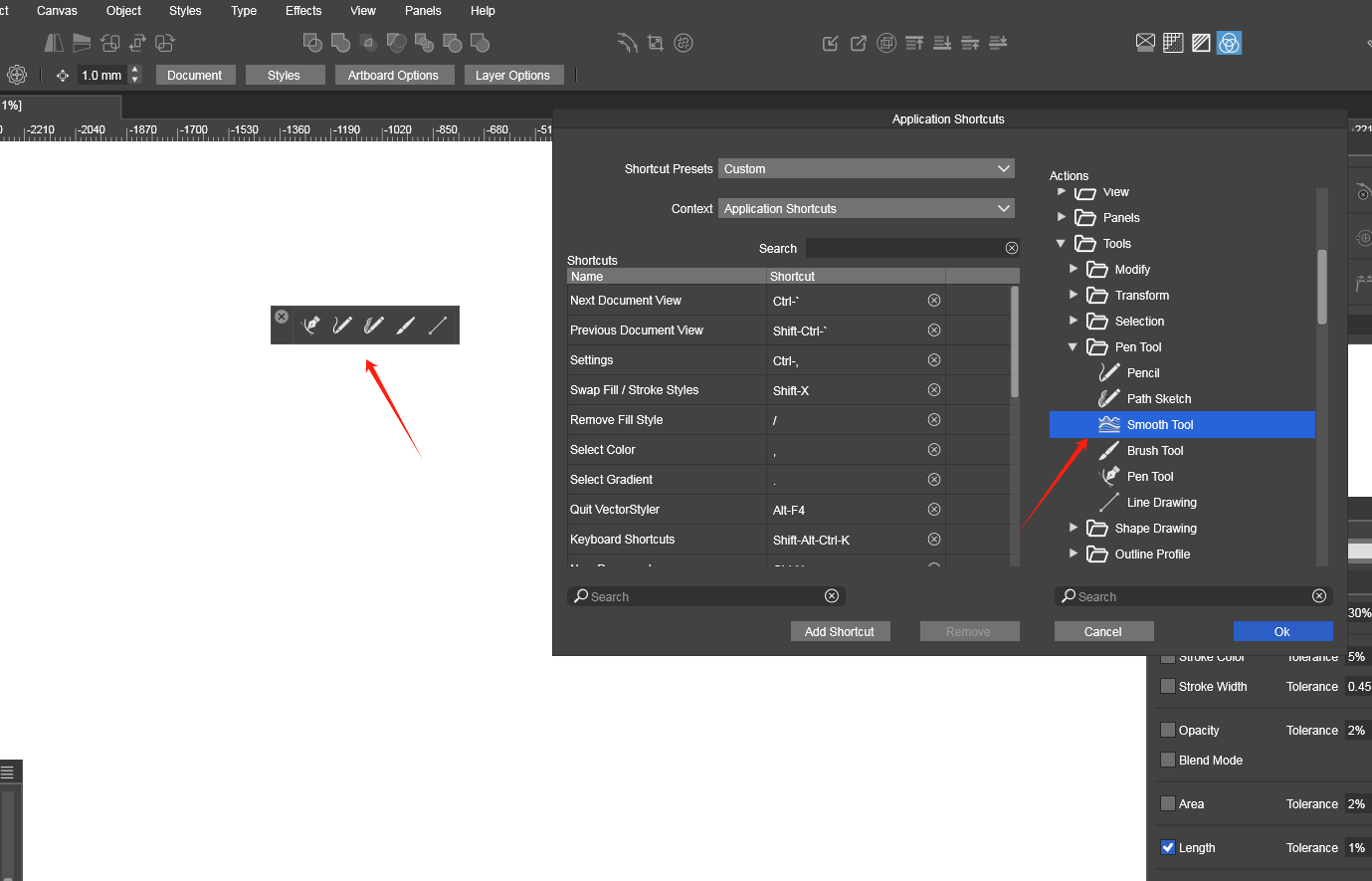
      M

      @VectorStyler said in How to configure this bar?: @maarten It is just like the toolbox Yes, I had found it and have configured it. Thanks for your confirmation
    • H

      Is it possible to reset all object's content / properties to default with one click?
      • Harry  

      3
      0
      Votes
      3
      Posts
      3278
      Views

      H

      @VectorStyler Thanks - the "X" icon is what I was looking for. The simplest things are most often the hardest to find
    • K

      Applying Paragraph Presets
      • Kumr  

      2
      0
      Votes
      2
      Posts
      2677
      Views

      @Kumr I opened a bug on this and will try to replicate it.
    • How can I edit the size of rotated text box?
      • Raaskot  

      4
      0
      Votes
      4
      Posts
      3563
      Views

      @Raaskot The text box seems to have 2 transformations. The Shape Effects panel contains these transformations and can be individually removed there also.
    • How to restore the default settings for keyboard shortcuts
      • encart  

      3
      0
      Votes
      3
      Posts
      4415
      Views

      Yes, that would be nice. Thank you.
    • Live text that is modified and copied and then pasted over text on path does not retain edits
      • Boldline  

      8
      0
      Votes
      8
      Posts
      5995
      Views

      @Boldline said in Live text that is modified and copied and then pasted over text on path does not retain edits: would I need to alter it in the appearance panel instead? I think this this case you need to use a character scaling option from the Character Panel (expanded mode of the panel). Also, there is a Settings that changes the character scaling when scaled with the Transform tool.
    • C

      Coordinates top-down direction as default?
      • creative  

      2
      0
      Votes
      2
      Posts
      2345
      Views

      @creative When you create a new document with the "New Document Setup", all the settings changed there will be defaults. There is a "More Options" button on the right side, if you scroll down.

    Move Topic