Subcategories

  • These features and ideas have been implemented in VS as suggested

    180 Topics
    1k Posts
    VectorStylerV
    @Ayo said in About the Snap feature: Wouldn't it be better to change "Snap to Visible Only" to "Snap to View Extend Only" or shorter "Snap to Viewport Only" or even shorter "Snap to View Only" ? There is a big chance of confusion with the term 'visible' which is mainly linked to the layer system. I added this to the backlog.
  • Inserting Nodes with the "+" Key Behavior

    11
    2
    0 Votes
    11 Posts
    10k Views
    S
    @VectorStyler said in Inserting Nodes with the "+" Key Behavior: Do you need to select all nodes for this case? that is possible. yes, because i often use it for divide parts of path and also to divide a whole Shape i like this kind of behaviour from CorelDraw and have no really needs for the VS way to do this I can add this to the backlog, to have a settings to keep the original nodes also selected. this would be nice and helpful if the old selected nodes and the newly created nodes remained selected
  • Join tool

    5
    1 Votes
    5 Posts
    5k Views
    b77B
    @VectorStyler Nice!
  • Shape builder ideas

    8
    1
    0 Votes
    8 Posts
    7k Views
    BoldlineB
    @Subpath yes. What is great about most vector programs is that there's always multiple ways to accomplish a task. I do a lot of things with clipping masks and the like in VS and love it. My goal with the original post is to see if that level of efficiency found with the fill tool in Affinity Beta can be added to what the shape builder can do in VS - but allowing for a non-destructive result (original shapes are not destroyed in the process), no strokes added by VS in the process and stroke path used to define new shapes is left intact.
  • Vector Flood Fill Tool in Affinity Designer Beta

    5
    1 Votes
    5 Posts
    6k Views
    VectorStylerV
    @Boldline A new thing that this new AD Fill tool has: it can be fill aware, joins neighboring regions with the same fill
  • Transform Objects, randomness improving

    3
    1
    1 Votes
    3 Posts
    4k Views
    S
    @VectorStyler said in Transform Objects, randomness improving: For the randomization without copying, enable the Transform Each option. Great ! Love it
  • Panels: options visible by default when docked

    4
    2
    0 Votes
    4 Posts
    4k Views
    B
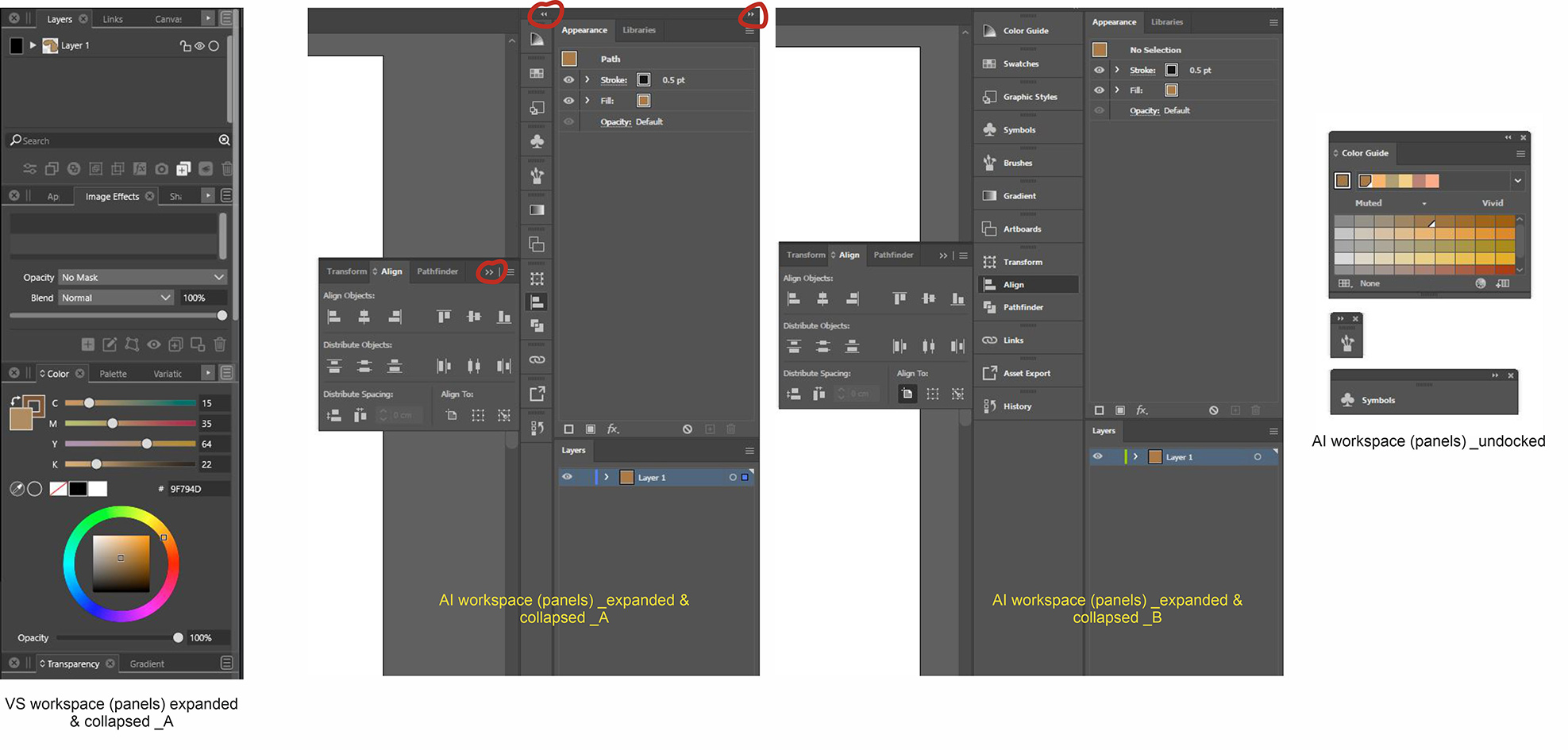
    @VectorStyler It doesn't matter since these will change in the (near ?) future with the introduction of icons panels anyway.
  • Modifier key for bypassing smooth node mode

    2
    0 Votes
    2 Posts
    3k Views
    VectorStylerV
    @Ingolf This already exists, but there isn't much room left for modifiers, so this was unassigned. In Preferences -> Modifiers, find the "Swap Smooth Pen Clicking" (could be in the All list), and assign a key.
  • Flattening transparency

    13
    0 Votes
    13 Posts
    12k Views
    VectorStylerV
    @Arde The problem with the transparency can be replicated. The fix will be in the next build.
  • Grid creator method

    3
    0 Votes
    3 Posts
    3k Views
    S
    Just for the record The last time I launched Magix Graphics Designer 19 i noticed that there was something similar. Here a Video [image: 1675923456079-xara-duplication.png]
  • Add a slider control to the stroke align option in Stroke panel?

    3
    1
    0 Votes
    3 Posts
    4k Views
    BoldlineB
    @b77 we can all have sliders!
  • Aligning text to shape

    3
    0 Votes
    3 Posts
    4k Views
    BoldlineB
    @VectorStyler said in Aligning text to shape: @Boldline Certainly it is Awesome Can't wait! 1.2 is sounding like an epic update
  • Bleed - visible by default

    4
    1 Votes
    4 Posts
    4k Views
    F
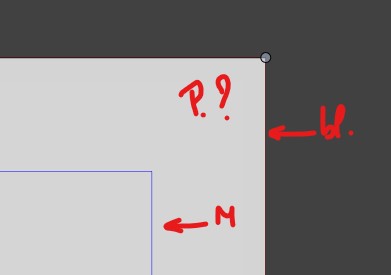
    Agreed, in the View menu, Margins should be moved down one spot and a separator added, so that Margins and Guides are together.
  • Page layout: columns guides & gutters

    10
    1 Votes
    10 Posts
    9k Views
    B
    @Subpath Thanks to take the time to give a feedback Yes I know this but the idea is to organize an artboard for page layout with specific guides for that purpose While waiting for this feature (hopefully) I’ll organize guides & grids.
  • Reshape vector paths

    2
    0 Votes
    2 Posts
    3k Views
    VectorStylerV
    @Boldline Something like this already exists: try the Outline ZigZag for zigzag and wave shape overlays. try the Overlay shape filter to use custom shape overlays. the only issue here is that you need to define your own custom shape profiles. Here is an example of using custom overlay shapes: Select the waving ellipse, and in the Shape Effects panel, open the Overlay shape filter options. Here (among other options) it is possible to change the Shape to any open shape that has the "Shape" role. Two examples are on the top of the artboard, and listed in the Shape drop down. 0_1675235597572_overlayshape1.vstyler
  • Align Centre

    4
    0 Votes
    4 Posts
    4k Views
    S
    @Igull would like to mention that it is also possible to delete single steps in an action recording
  • File -> Open recent : option to delete from the list

    5
    0 Votes
    5 Posts
    5k Views
    IngolfI
    @Pat said in File -> Open recent : option to delete from the list: I didn't want to refer to Affinity yet, but I also like the way these applications handle missing files. It would suit me perfectly. This one thing they did right. The most common scenario here is that I actually want to clean the list from now irrelevant files and removed files. Then I open the one or two files I want to stay there, clear the list, and make a minor change then undo it to the two open files… then save them. A few seconds of manual work. I also wanted to suggest a feature similar to that in Affinity, when a file in the list cannot be opened but forgot. It would be a great supplement to the total destruction method behind clear list.
  • Add "expand live text" checkbox to export panel?

    3
    1
    0 Votes
    3 Posts
    3k Views
    BoldlineB
    @b77 thanks! Apparently I was not doing enough investigating prior. i'll be sure to use that more going forward
  • Clarification in a Warning panel

    2
    1
    1 Votes
    2 Posts
    3k Views
    VectorStylerV
    @Boldline Will rename to "Save As"
  • Bleed, margins: an option to link the values

    3
    1
    2 Votes
    3 Posts
    3k Views
    B
    @VectorStyler of course, it would be great
  • Arbitrary pen nib shape

    7
    2
    3 Votes
    7 Posts
    7k Views
    VectorStylerV
    @Raven The bristle brush shape editor has a bug, fix will be in the next build.