Navigation

    VectorStyler

    • Register
    • Login
    • Search
    • Categories
    • Unread
    • Recent
    • Tags
    • Popular
    1. Home
    2. Questions and Support
    • Newest to Oldest
    • Oldest to Newest
    • Most Posts
    • Most Votes

    Questions and Support

    • Pdf export: All text turns into gibberish
      • Raaskot  

      5
      1
      Votes
      5
      Posts
      5410
      Views

      @Raaskot said in Pdf export: All text turns into gibberish: Typesetting is incredible cumbersome, unpredictable and very unstable I have to replicate this. The Leading attribute set in the Character panel is applied only to the highlighted characters. There is also a leading property in the Paragraph panel for whole paragraphs.
    • How can I scale type and line space proportionally?
      • Raaskot  

      4
      0
      Votes
      4
      Posts
      3395
      Views

      Uploaded sample file. Im scaling the box with Alt-Shift-drag The textboxes just acts completely unexpected in this video: Sample video 0_1707132471295_tekstvalg-03.vstyler.zip
    • How do I generate screen dots from blurred shapes?
      • Raaskot  

      6
      0
      Votes
      6
      Posts
      5415
      Views

      S

      @Raaskot I know you can create something like this and more with the Repeater. As you can see in this thread, for example. https://www.vectorstyler.com/forum/topic/2295/repeater-halftone-problem-on-rasters/53 . . But anyway, here is a little Online Tool that also has something to offer. The result can be saved/downloaded as SVG. https://labs.adobe.com/experiments/hello-halftones/ Here yet a old Thread of mine about that Tool. https://www.vectorstyler.com/forum/topic/1089/tip-halftone-generator-bitmap-to-vector-graphics-svg/4
    • R

      Pen tool behaviour when extending an open path
      • Raven  

      2
      0
      Votes
      2
      Posts
      2569
      Views

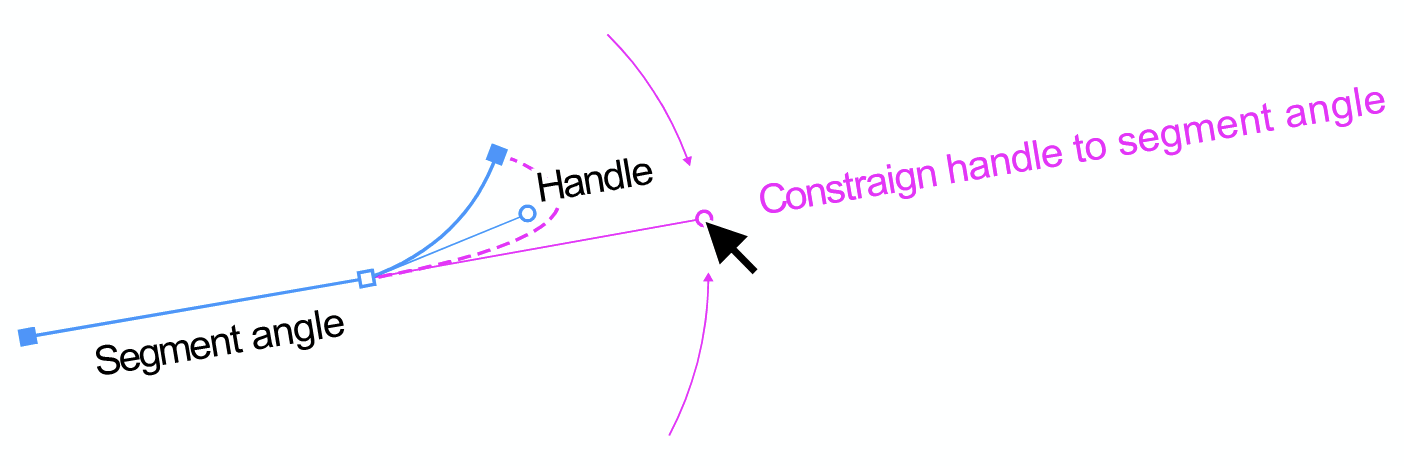
      @Raven said in Pen tool behaviour when extending an open path: Is there a preference or modifier key that governs the behaviour? In the context panel, uncheck "Adjustments" Cannot seem to get the node being moved with the spacebar method to snap to the segments or nodes of the same path (if snapping is enabled). Yes, there seems to be an issue here, I opened a bug on this one.
    • ?

      How do I see brush stroke pressure profile in real-time?
      • A Former User  

      14
      3
      Votes
      14
      Posts
      9960
      Views

      ?

      @VectorStyler: I am using VS 1.1. I reckon it is in 1.2 Beta? Don't answer that: I found it! Thanks to @Subpath and @Boldline's screenshots!
    • D

      Meaning of less than 1 pixel
      • DMBrown  

      3
      0
      Votes
      3
      Posts
      3281
      Views

      D

      @VectorStyler Thank you for the explanation. I suspected the precision might be related to internal calculations. I appreciate your time in confirming that is the case.
    • L

      Does VS have a scaling brush?
      • Li Xiao  

      10
      0
      Votes
      10
      Posts
      7608
      Views

      S

      @Boldline said in Does VS have a scaling brush?: very excited to see what improvements with repeater that VS will offer! me too
    • Organizing VS for easier understanding and use of styles and presets
      • Boldline  

      16
      2
      Votes
      16
      Posts
      12054
      Views

      And… there's no need for icons in the 'Save Style' dialog — a checkbox with a text label that says 'Global' (or anything descriptive) would work great, IMO.
    • Preview
      • 861475_VctSt  

      28
      3
      Votes
      28
      Posts
      37514
      Views

      @Pat I managed to replicate the preview issue in Windows 11. It seems that the Windows 10 preview solution does not work on Windows 11 file explorer. Not sure yet what causes this issue.
    • O

      Delete Custom Created Presets Style in Image Trace Tool/Panel
      • oleGraf  

      6
      1
      Votes
      6
      Posts
      5206
      Views

      @oleGraf said in Delete Custom Created Presets Style in Image Trace Tool/Panel: Yes I am working with version 1.1.118 for Mac I will add the trace preset listing to 1.1 also.
    • How do I select and move a number of nodes nondistructively with Liquify tool?
      • Raaskot  

      3
      0
      Votes
      3
      Posts
      2882
      Views

      Cool, thanks!
    • What is the most accurate and easy way to slice this type of shape?
      • Victor Vector  

      3
      0
      Votes
      3
      Posts
      3128
      Views

      @VectorStyler Thank you! I don't know why I wasn't thinking of the combine operations for this. I appreciate the reminder!
    • K

      Spacing between Objects
      • Kumr  

      11
      1
      Votes
      11
      Posts
      8691
      Views

      K

      @VectorStyler Thank you for changing to positive values. @VectorStyler said in Spacing between Objects: @Kumr said in Spacing between Objects: I noticed that the values to be in negative to get the spacing, it would help (for my mind) if it is other way around? I will change this.
    • Hide overlapping panels in viewport
      • Raaskot  

      2
      0
      Votes
      2
      Posts
      2526
      Views

      @Raaskot Tab key for hiding panels should work in 1.2 beta
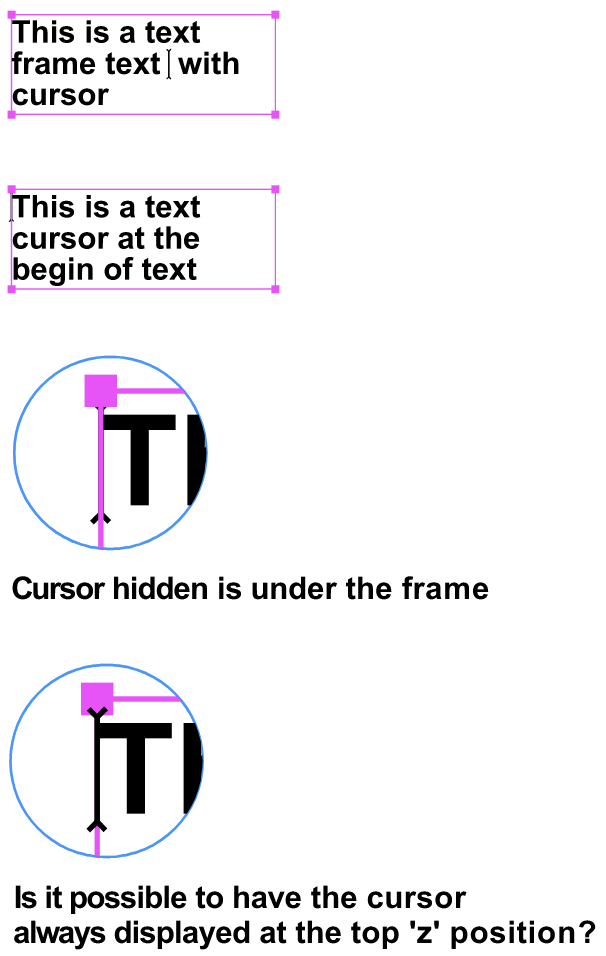
    • Text cursor almost invisible: Just a one-pixel dot.
      • Raaskot  

      4
      0
      Votes
      4
      Posts
      3489
      Views

      @Raaskot Yes, I found the error. it is in 1.1 only, 1.2 should be fine. I will provide a fix for this and others soon.
    • When copy paste a layer -- layer name is altered
      • Raaskot  

      11
      0
      Votes
      11
      Posts
      7987
      Views

      @b77 said in When copy paste a layer -- layer name is altered: need to use 'Copy' from the Edit menu That makes sense. Though still missing the layer structure transfer things work more as expected when using menu-copy. Yet I acknowledge fully your suggestion to @VectorStyler.
    • How can I transform anchor point and see and snap to shapes midpoints?
      • Raaskot  

      3
      0
      Votes
      3
      Posts
      2882
      Views

      @Subpath Cool, thanks!
    • Problem: Scaled strokes the retain the same width even though transform stroke is on
      • Raaskot  

      5
      1
      Votes
      5
      Posts
      4184
      Views

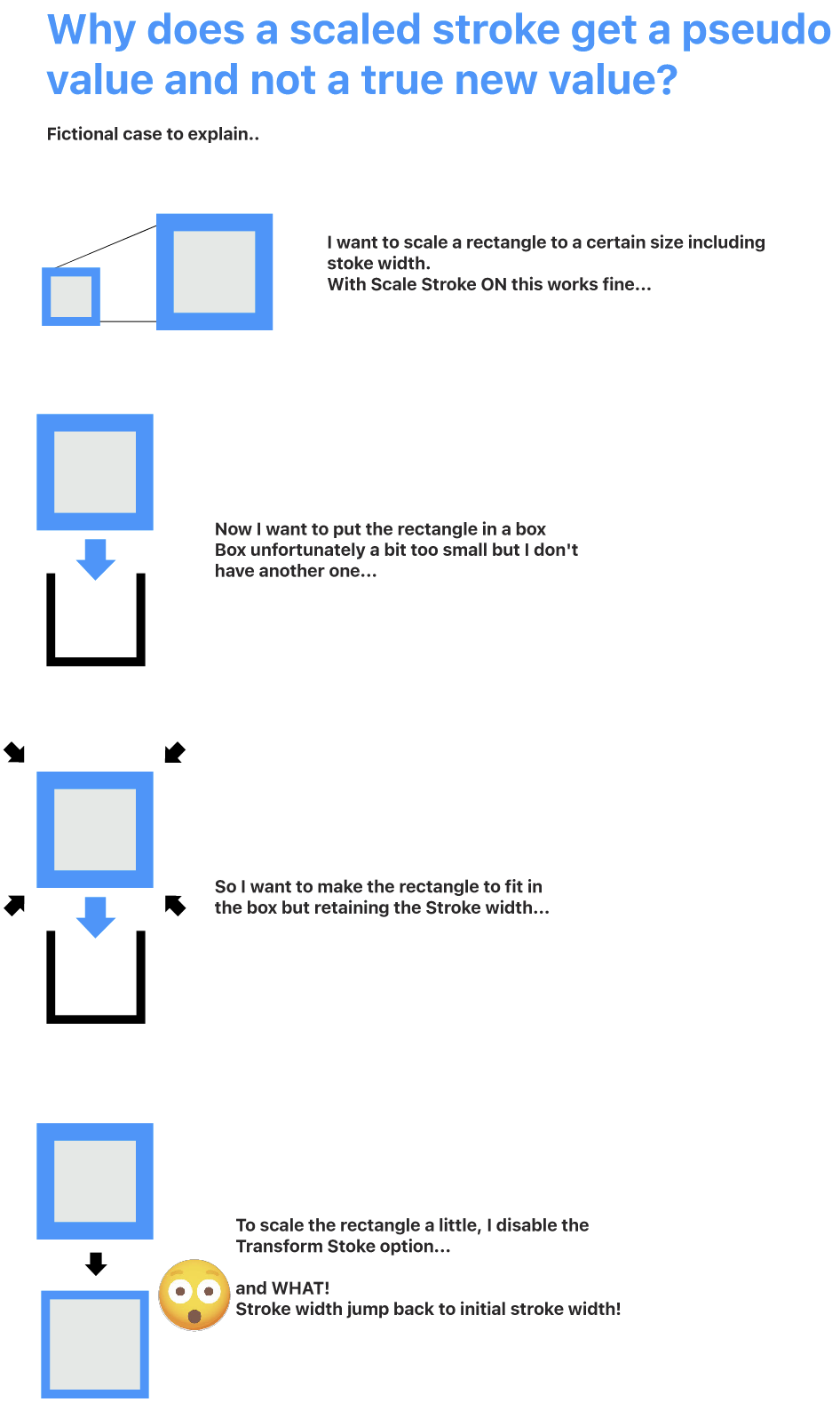
      @Raaskot Meanwhile I managed to replicate the issue and found the root cause. The fix will be in the next build. The bug affects the strokes resulting in the blend object. The transform panel option @Li-Xiao was refering to can be found in the panel menu. Another way (workaround) to enable stroke scaling is to enable the Object -> Object Options -> Geometry -> Transformed Stroke on the group.
    • Why is the New Layer Preview default an Orange fill?
      • Boldline  

      10
      0
      Votes
      10
      Posts
      7664
      Views

      F

      @Kumr I think this is normal. It magnifies the layer, so, when the layer is filled with objects, you can see the things that are in the layer.
    • Couple of Palette Questions
      • Victor Vector  

      7
      0
      Votes
      7
      Posts
      5505
      Views

      @VectorStyler said in Couple of Palette Questions: Otherwise, it can be removed in the Styles -> Preset Manager. Ahh! that's where that is! Thank you, sir.

    Move Topic