VectorStyler
    • Categories
    • Unread
    • Recent
    • Tags
    • Popular
    • Register
    • Login

    Bug List for Version 1.3
    Scheduled Pinned Locked Moved Bugs in VectorStyler
    95 Posts 4 Posters 18.4k Views 4 Watching
    Loading More Posts
    • Oldest to Newest
    • Newest to Oldest
    • Most Votes
    Reply
    • Reply as topic
    Log in to reply
    This topic has been deleted. Only users with topic management privileges can see it.
    • VectorStylerV Offline
      VectorStyler @monsterfox
      last edited by

      @monsterfox For this you need to use Expand Stroke

      M 1 Reply Last reply Reply Quote 0
      • VectorStylerV Offline
        VectorStyler @monsterfox
        last edited by

        @monsterfox said in Bug List for Version 1.3:

        My software uses default font size parameters, yet parts of text are incomplete and invisible. This issue occurs on both panels and menus, hoping to get it fixed.

        The default UI font should be Microsoft JhengHei UI when the Chinese language is selected.

        M 2 Replies Last reply Reply Quote 0
        • M Online
          monsterfox @VectorStyler
          last edited by

          @VectorStyler Yeah, it's a font issue. I can't even remember when I changed the font.

          1 Reply Last reply Reply Quote 0
          • M Online
            monsterfox @VectorStyler
            last edited by

            @VectorStyler https://youtu.be/FZuNl0duLVQ 外观-12.vstyler

            1 Reply Last reply Reply Quote 1
            • M Online
              monsterfox @VectorStyler
              last edited by

              @VectorStyler https://www.youtube.com/watch?v=qCaylAF87PM 外观.vstyler

              VectorStylerV 1 Reply Last reply Reply Quote 1
              • VectorStylerV Offline
                VectorStyler @monsterfox
                last edited by

                @monsterfox I opened a bug on this

                M 1 Reply Last reply Reply Quote 0
                • M Online
                  monsterfox @VectorStyler
                  last edited by monsterfox

                  @VectorStyler https://youtu.be/fYY9CcHI3SY
                  After mirroring a rotated rectangle, the resulting selection does not follow the rectangle shape. Hope this issue can be fixed.

                  VectorStylerV 1 Reply Last reply Reply Quote 1
                  • VectorStylerV Offline
                    VectorStyler @monsterfox
                    last edited by

                    @monsterfox said in Bug List for Version 1.3:

                    After mirroring a rotated rectangle, the resulting selection does not follow the rectangle shape. Hope this issue can be fixed.

                    I will try to find a solution for this, but currently the reflect tool "flattens" existing transforms.
                    The problem here is that the order of non-flattened transformations is scale + rotate, if a new scaling (mirroring is one) comes, then the previous scale+rotate must be flattened

                    M 1 Reply Last reply Reply Quote 0
                    • M Online
                      monsterfox @VectorStyler
                      last edited by

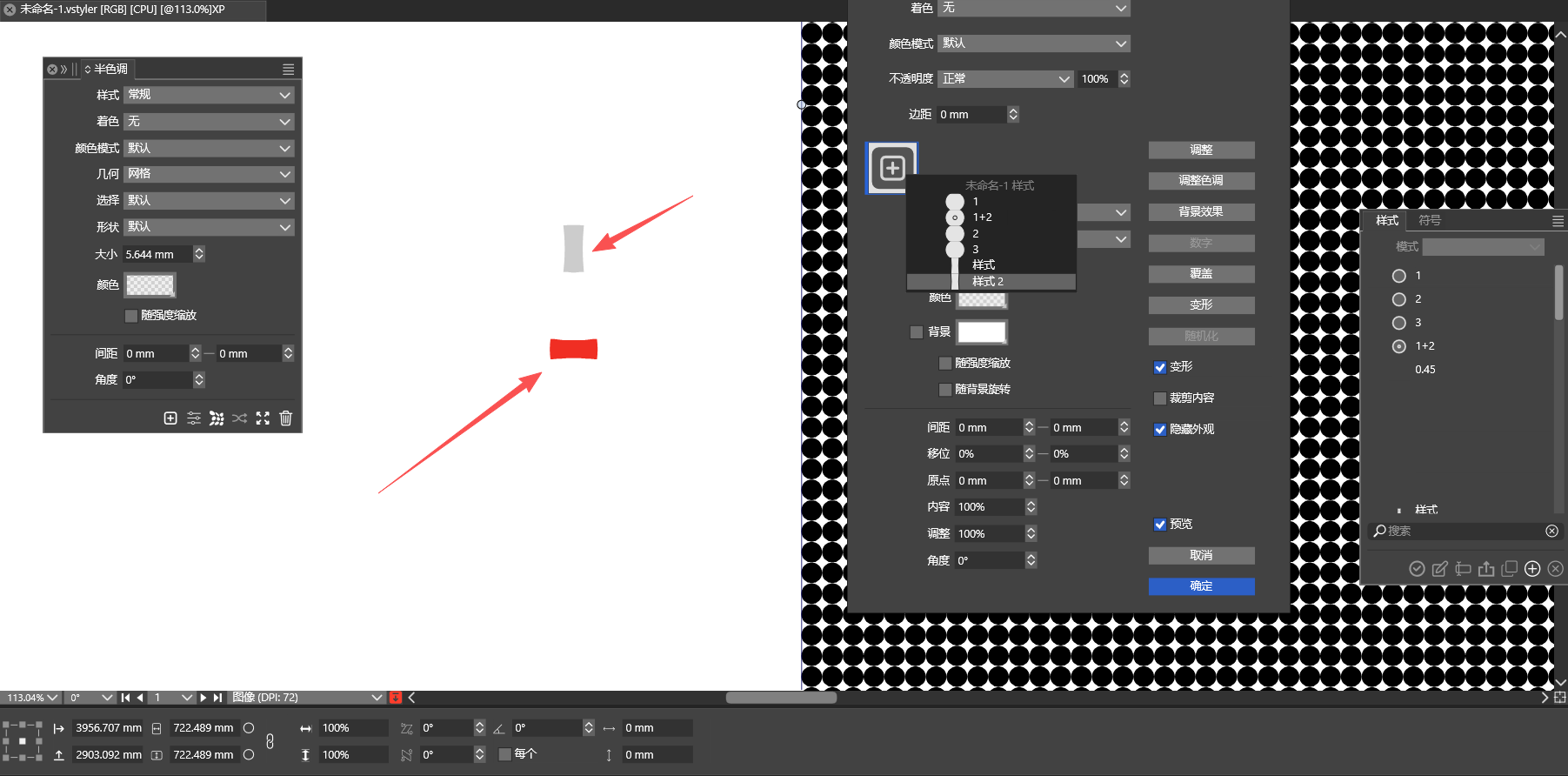
                      @VectorStyler 587b2304-9117-43e8-be21-8fb3f4a4b8db-image.png
                      The gray one is the original custom shape, and the red one is the custom shape rotated by 90 degrees. If the red one is not converted to curves, both custom shapes will have identical forms.

                      VectorStylerV 1 Reply Last reply Reply Quote 1
                      • VectorStylerV Offline
                        VectorStyler @monsterfox
                        last edited by

                        @monsterfox Is this something that occurs with the repeater?

                        Send me the file that contains these shapes.

                        M 1 Reply Last reply Reply Quote 0
                        • M Online
                          monsterfox @VectorStyler
                          last edited by

                          @VectorStyler Sent to your email, please check

                          VectorStylerV 1 Reply Last reply Reply Quote 1
                          • VectorStylerV Offline
                            VectorStyler @monsterfox
                            last edited by

                            @monsterfox Got it, I will try to figure this out

                            M 1 Reply Last reply Reply Quote 0
                            • M Online
                              monsterfox @VectorStyler
                              last edited by

                              @VectorStyler https://youtu.be/S6-ixH8OxG4 When editing a shape name, deleting one "2" causes endless garbled characters that cannot be removed.

                              1 Reply Last reply Reply Quote 0
                              • First post
                                Last post