• Unsolicited process color swatch appearance

    11
    0 Votes
    11 Posts
    9k Views
    VectorStylerV
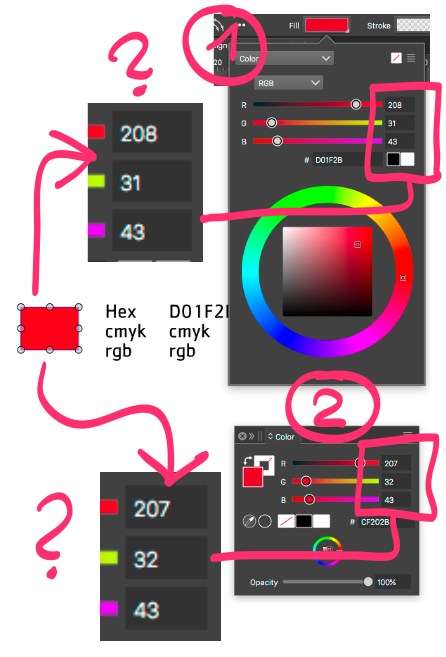
    @Ayo said in Unsolicited process color swatch appearance: Process Color (cut corner) can end up in an RGB document and associated palette Both process (global) and spot colors may end up in RGB documents. These are colors that are linked to the palette (changed in the whole document, if the palette is changing). When printed, these are converted on the fly to CMYK. Also. the palette allows colors to be stored in other than RGB format when the document is in RGB (same for the rest of the document).
  • Splash screen says build 32 and auto-update says it's build 33

    3
    2
    1 Votes
    3 Posts
    3k Views
    BoldlineB
    @VectorStyler No problem, thank you for confirming.
  • Direct access to preferred palette for layer color selection

    2
    0 Votes
    2 Posts
    3k Views
    VectorStylerV
    @Ayo said in Direct access to preferred palette for layer color selection: First Color with color wheel than palettes I will add a state saving to this popup.
  • Few questions about stroke arrows

    3
    0 Votes
    3 Posts
    3k Views
    AyoA
    @VectorStyler said in Few questions about stroke arrows: Yes, there is a need for a starting size relative to the stroke width. Scan be further adjusted with scale. Yes, the arrow shape is combined with the stroke. That's absolutely fine! just good to know. I could combine the name with the description for the tooltip. No need for that. I see that if you leave description empty it just shows the name. That's fine. Doesn't change the fact that I don't see the purpose or ease of use of 'description'. Available only if the arrow shape is an open path OK. I personally find the 'grayed out' system more helpful if something is not available. Whether it concerns panels or menus. Then you at least know that the function is there but cannot be applied. Then you can experiment until the light comes on. Also no strange empty spaces or jumping rhythms in your layout. I tested this now and the preview sizes did not change here. For me they are also back to the old size after changing display mode and back. Thanks
  • a function request.

    2
    1
    1 Votes
    2 Posts
    2k Views
    VectorStylerV
    @monsterfox Not directly with shape effects. It can support if mesh gradient is used (it is possible to do a mesh that looks as 1). The mesh gradient nodes are distorted by shape effect. The 4-point distortion shape effect has an image effect version also. Open the Image Effects panel and the [+] button has a Mesh menu with the 4-point effect in it. But these are heavier to render and to work with.
  • Can VS import/place a HEIC file?

    2
    1 Votes
    2 Posts
    3k Views
    VectorStylerV
    @Boldline HEIC is not supported. I will add this to the features backlog
  • Scaled stroke gets pseudo value

    29
    1
    3 Votes
    29 Posts
    41k Views
    AyoA
    @VectorStyler said in Scaled stroke gets pseudo value: "convert to actual" Good name! If this becomes a reality in the future, we have ultimately found a solution that meets both needs
  • Gap Tool questions

    3
    1
    1 Votes
    3 Posts
    3k Views
    BoldlineB
    @VectorStyler said in Gap Tool questions: This tool is useful in adjusting a rectangular layout on a page (mostly a DTP tool). oh ok - that makes sense in that context
  • Constraign handle to previous segment angle

    16
    1
    1 Votes
    16 Posts
    14k Views
    AyoA
    @VectorStyler said in Constraign handle to previous segment angle: just drag the line, not from the node but from some location along the line Yes, but then you still have to push the other back
  • Z-position text cursor

    2
    1
    2 Votes
    2 Posts
    3k Views
    VectorStylerV
    @Ayo yes, I will try to fix this.
  • update 1.2.031 Organizing layers

    8
    1 Votes
    8 Posts
    7k Views
    AyoA
    @VectorStyler Additionally the extended luxury version Possibly with a grayed-out signaling to indicate if not applicable... [image: 1720612994058-37be3893-0648-4f45-a4a1-99283520bdfd-image.png]
  • Contour Effect Issues

    5
    1 Votes
    5 Posts
    5k Views
    VectorStylerV
    @Ayo I will try to find a solution for this.
  • Comments and questions about panel 'Color' > Variations

    6
    3 Votes
    6 Posts
    5k Views
    AyoA
    @VectorStyler I checked Affinity at this point. They call it 'Color Chords'. Nice name by the way. "A color chord is a spread of harmonious colors which can be used in conjunction with each other to produce appealing designs" (from the manual) and that is true. They only preview names. In their case perhaps a better solution than a random fixed color preview if unable to show a correct dynamic color-based preview.
  • What should happen if I tap 'Create Color Scheme'

    4
    1
    1 Votes
    4 Posts
    4k Views
    VectorStylerV
    @Ayo said in What should happen if I tap 'Create Color Scheme': I feel like Create Color Variation (single) would fit better here than Create Color Scheme. This could be indeed. Do I have to select the color from the Styles window? yes, since it is a style. can be found in the Color window There is also a Color Variations panel.
  • Using Canvas in the workflow

    22
    1
    0 Votes
    22 Posts
    33k Views
    VectorStylerV
    @Pat said in Using Canvas in the workflow: So it makes more sense to work with presets for everything Only if you want to use it in other documents also, and you do not want to link to the original, that is no automatic update if the original symbol or style definition changes.
  • 0 Votes
    3 Posts
    3k Views
    BoldlineB
    @VectorStyler thank you! that solved it
  • The shape rotates arbitrarily with transform panel

    11
    2
    0 Votes
    11 Posts
    10k Views
    RaaskotR
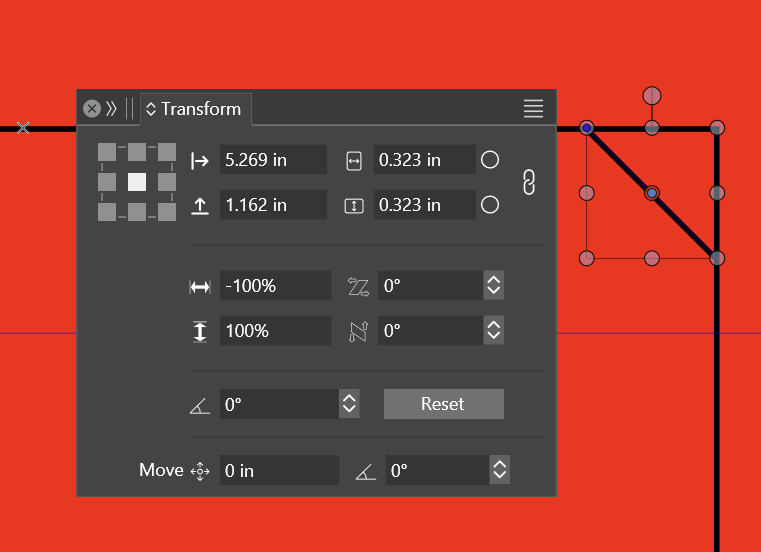
    @VectorStyler The turning knob is determined by the order of tool selections. I've mailed the workspace data to VS-support separately [image: shape-rotate-arbitrarily-2.gif]
  • Blending & Image effect

    6
    3
    0 Votes
    6 Posts
    5k Views
    L
    @VectorStyler A crash occurred during testing, and finally, the steps to reproduce the crash were identified. 0_1720112738118_Blend Crash.vstyler https://youtu.be/ZaajOxtZMIE
  • Export PDF Artboards, how to get rid of the free canvas?

    3
    1
    1 Votes
    3 Posts
    4k Views
    VectorStylerV
    @Ayo This is a regression from the last build, one artboard was added into the canvas category, which was not needed. It is fixed and the fix will be in the next build
  • Image import jaggy woes

    6
    1
    1 Votes
    6 Posts
    5k Views
    VectorStylerV
    @debraspicher said in Image import jaggy woes: Pixel Preview isn't looking quite right either, whether it's 100% or not: I will look into this.