Bug List for Version 1.3
-
@monsterfox If possible, all content types should be supported in mirror groups
-
No vector graphics mirror/symmetry tool i know can do this after expanding
he symmetry, all need a addtional boolean step to geht such a result.The case in the PDF file seems easy to do with a boolean after expanding
and all steps needed may also be possible with a makro ? -
@VectorStyler https://youtu.be/AHm8GsORLdE?si=UnJdrEkBSZVmGqoC
14.The first error only occurs in this file. For the second error: create a blend between two shapes to generate several copies, then align the blend to a path. When creating a second blend and aligning it to a path, an error will occur, and undoing one step will also trigger the error.
0_1765811447601_3 (1).vstyler -
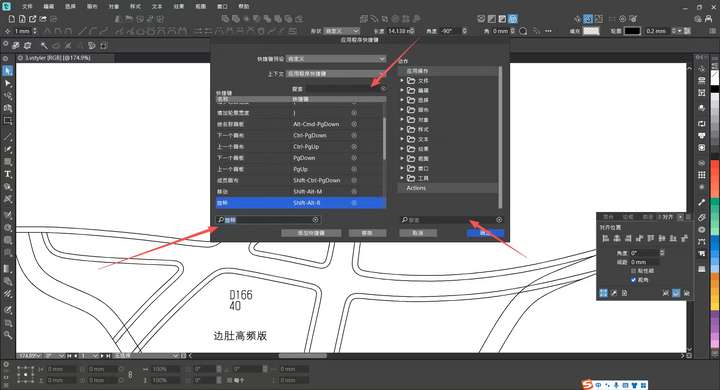
@VectorStyler 15. In the shortcut settings dialog box and custom toolbar, any characters or text typed during a search will be automatically selected. To continue typing, you have to click the cursor position with the mouse, which is very annoying. Hope this issue can be fixed.
-
@Subpath I don't know much about macros. Could you provide a video demo? Thank you.
-
I'm a little surprised that you're creating designs that require repetitive
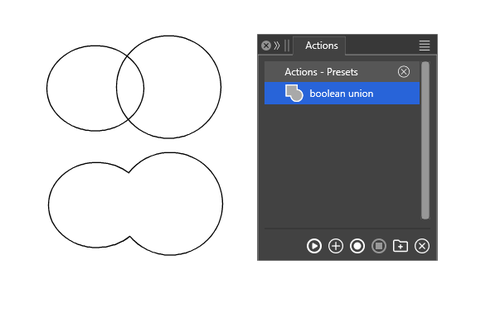
steps and you don't know much about or use macros?A macro, or an "Action" in VS, are simply some recorded workflow
steps recorded with a built-in or external Action/Macro recorder
and played back later when needed. And recording an Action is death easy.Call the Action Recorder
Press Record
give the Action a name
you could also add a shortcut
go manually through all needed Steps
Press End RecordNote:
Not all steps in VS can be recorded, but you can find out which by just
experimenting. It may also be helpful to read the Manual about Actions.Here a Video with Boolean Union
-
@VectorStyler This is another blend failure error—the two shapes in the file cannot be blended. The file in question is a preset template I created from scratch. After consulting with Li Xiao, I confirmed that he can execute the blend operation without issues in a file he newly created. I suspect this problem is caused by a conflict with my custom styles and would appreciate a resolution to fix it.0_1765896294861_33 (1).vstyler
-
@Subpath Oh right, I do know how to set up an Action—it’s just a terminology habit. That’s why the term "macro" sounds unfamiliar to me, but they’re actually the same thing.
-
@monsterfox said in Bug List for Version 1.3:
@VectorStyler This is another blend failure error—the two shapes in the file cannot be blended. The file in question is a preset template I created from scratch. After consulting with Li Xiao, I confirmed that he can execute the blend operation without issues in a file he newly created. I suspect this problem is caused by a conflict with my custom styles and would appreciate a resolution to fix it.0_1765896294861_33 (1).vstyler
I managed to replicate the first issue (from the video).
I do not have the exact shape for the second error from the video.
-
....it’s just a terminology habit...
Seems so, maybe there are some minor differences sometimes ?
As i know extern (standalone Macro recorders) useful when a program
have no Macro/Action recording, but i never heard of a extern Action
Recorder. -
@Subpath What I know is that macros can record the coordinate positions of operations, but the current actions don’t support this—they can only record the sequence of some regular operations. However, I think macros are basically useless in VectorStyler , because in the process of drawing graphics, you almost never encounter situations where you need to operate with the same coordinates. So the current actions should be more than sufficient.
-
Aside from that design may on a different position, there are definitely cases
where precise mouse positioning is useful. For example, with menus, which
are usually located in the same position.The actions in VS are sufficient in many cases, but unfortunately
too limiting for me, as they don't support some commands.
.
.
The macro recorder in CorelDraw was on a completely different level.
Because the recorded steps were are converted into Visual Basic
commands, allowing for to be edited after recording to insert loops or
additional commands.In one of my jobs, I frequently used the standalone tool "AutoIt," which also
allows for precise mouse positioning. The manufacturer's specific vector
graphics/printing program didn't have any actions or macros. "AutoIt" is a
well known Windows Tool for automating Tasks in App which didnt have
a Action/Makro recorder.With this, I was able to automate many tasks, such as creating numerous
DIN vector graphics symbols in various sizes. Doing this manually would
have taken weeks. (DIN is a german Norm, in this case for Symbols)
.
.
Unfortunately, VS doesn't follow Windows conventions sometimes in this
regard, so it is not possible to use AutoIt in it. I think that when scripting is
introduced (it's on the roadmap), the possibilities will expand in a way
where I would be happier with. -
@VectorStyler
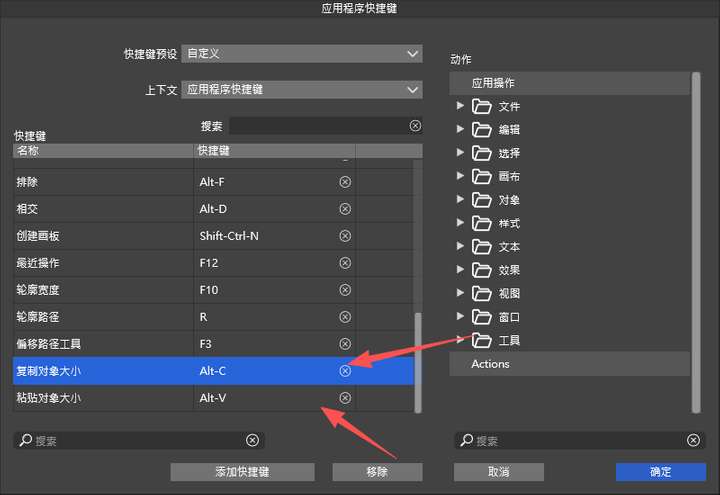
I've set the shortcut for copying an object's size to Alt+C and pasting the object's size to Alt+V. Draw any two shapes (A and B) of different sizes. When copying the size of A and pasting it to B, two errors occur:1. Error 1: After applying A's size to B, B retains its original size—meaning two instances of B are now generated (this is incorrect).
2. Error 2: Adding the "Copy Object Size" and "Paste Object Size" tools to the toolbar makes them unusable. I’m not sure if this conflicts with my existing shortcuts (preventing them from appearing simultaneously), but the shortcuts themselves also fail to work.It’s worth noting that using this feature directly through the menu works normally. I hope this issue can be resolved.
-
@monsterfox I opened a bug on this
-
@VectorStyler The issue with Error 7 remains unresolved
-
@monsterfox said in Bug List for Version 1.3:
When using the Path Offset effect, an error occurs when modifying the offset parameter in the Width Panel: for example, if you input 2mm, the actual offset is only 1mm. This error arises because the Width Tool and the Contour Path Tool adopt the same offset mode (offset on both sides).
I will try to replicate this.
-
Gradients no longer work. Updated to v1.3.004 64bit, Windows 10 Pro.
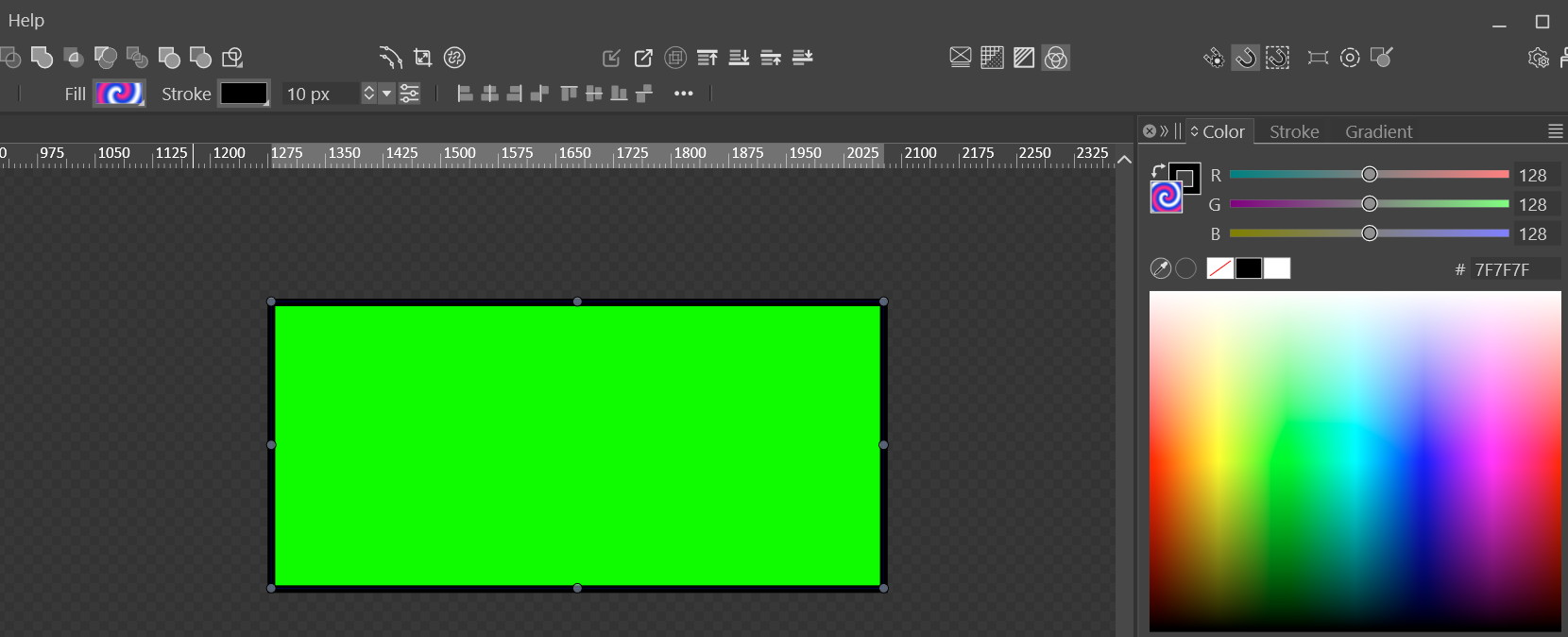
I just checked that only the 'Noise' type of gradient actually worked. Really odd… so most likely we got a bug.
-
@Evaelo Send me that file and Il will try to replicate it here.
In Settings -> Performance, try Software for the Compute engine.
-
@VectorStyler
As you command:
0_1766926041465_Gradient is broken.vstyler -
@VectorStyler https://youtu.be/Ax06GN5JwRg?feature=shared[0_1766927882644_合.vstyler](/forum/assets/uploads/files/1766927888679-合.vstyler)


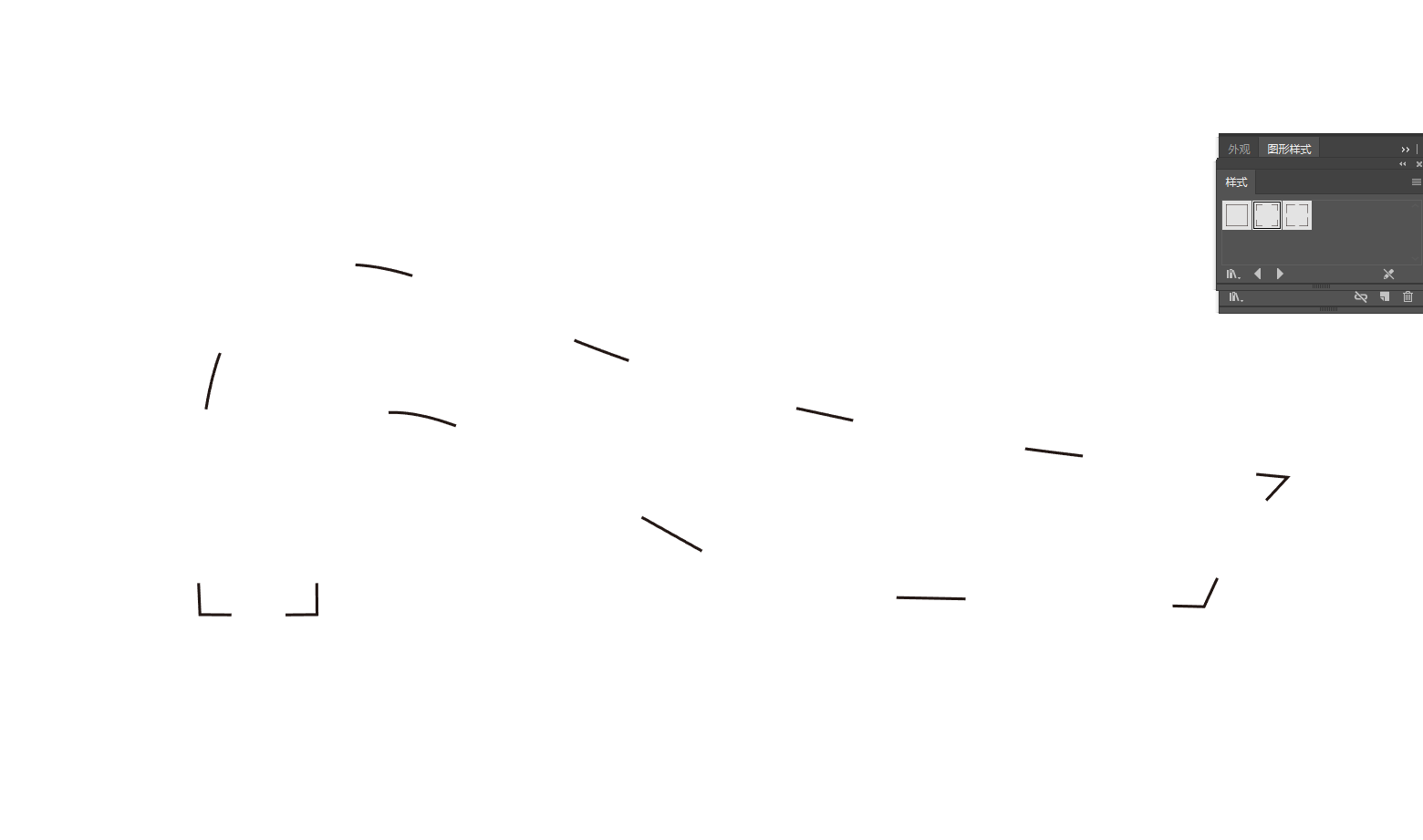
16.File Vulnerability Compilation & Fix Requests1. When multiple objects are selected and the Move Transform tool is used with the Transform Each option enabled, an error occurs: the sorting order of the graphics becomes chaotic instead of arranging from large to small.
2. Text input is unavailable within the file.
3. The Stroke Tool fails to work, and the corresponding stroke panel is also non-functional.
4. There are numerous broken paths in the file. If all graphics are selected and the Join Overlapping Nodes function is applied, some graphics will be duplicated in their original positions.
5. When two shapes are merged with overlapping areas, converting the merged shape to a rectangle will result in an unexpected positional offset of the generated rectangle.We sincerely hope these issues can be fixed in subsequent updates.

