VectorStyler
    • Categories
    • Unread
    • Recent
    • Tags
    • Popular
    • Register
    • Login

    Interweave two texts

    Scheduled Pinned Locked Moved Questions and Support
    15 Posts 5 Posters 73 Views 5 Watching
    Loading More Posts
    • Oldest to Newest
    • Newest to Oldest
    • Most Votes
    Reply
    • Reply as topic
    Log in to reply
    This topic has been deleted. Only users with topic management privileges can see it.
    • L Offline
      Li Xiao @marce
      last edited by

      @marce said in Interweave two texts:

      Then? I click, but nothing happens.interwine.vstyler

      This is because the orange shape is an open path (non-closed shape)

      1 Reply Last reply Reply Quote 1
      • S Offline
        Subpath @marce
        last edited by

        @marce

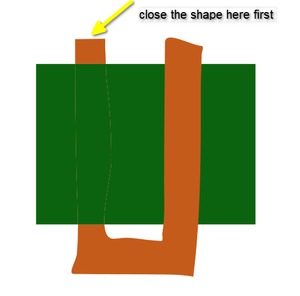
        As @li-xiao wrote, you need to close the orange shape first

        intertwine-test.png

        Win 11
        CPU: AMD Ryzen 5 9600X, 6-core.
        GPU: Nvidia Geforce RTX 5070.

        M 1 Reply Last reply Reply Quote 1
        • M Offline
          marce @Subpath
          last edited by

          @Subpath hi Subpath. Why there are lines when you interwine the object?

          Ryzen 9 3900X on Asus prime x570-p
          Memory 48gb ddr4
          Nvidia gtx 970 on an Asus strix, 4gb gddr5
          NVMe CT100p 1TB

          VectorStylerV S 2 Replies Last reply Reply Quote 1
          • VectorStylerV Offline
            VectorStyler @marce
            last edited by

            @marce said in Interweave two texts:

            Why there are lines when you interwine the object?

            If you refer to those thin lines at overlapping parts, those are rendering (clipping) artifacts and are caused by the antialiasing in the CPU based rendering engine.

            You can use the GPU based rendering engine (View -> View using GPU) and then it should not be visible.

            M S 2 Replies Last reply Reply Quote 0
            • M Offline
              marce @VectorStyler
              last edited by

              @VectorStyler mmm... this what i get when using such option:
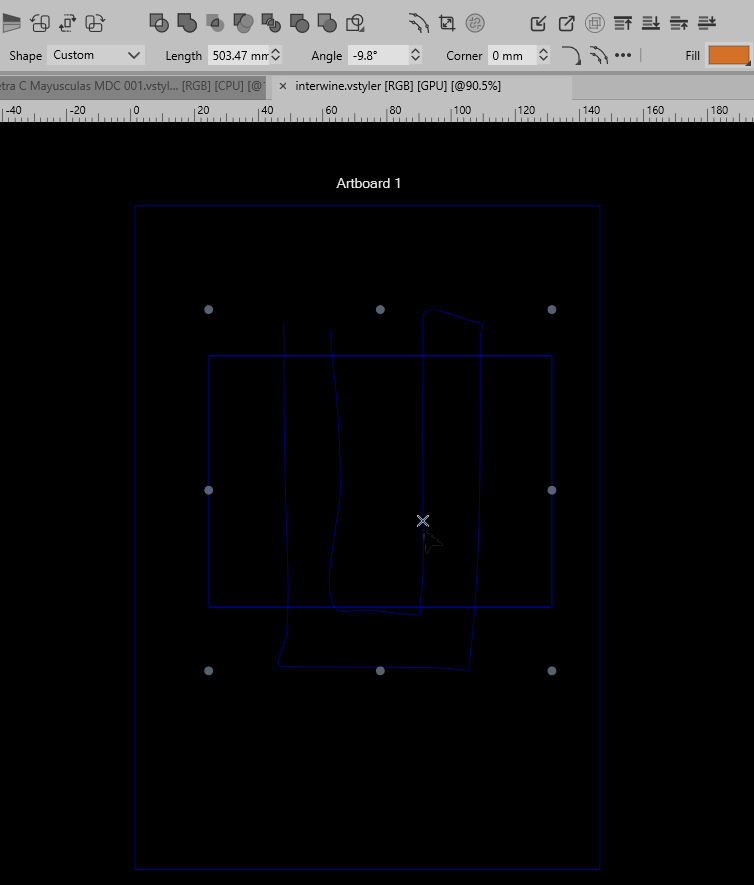
              feaa74e1-ac7d-4449-989f-d2eda994b0ea-image.png

              Ryzen 9 3900X on Asus prime x570-p
              Memory 48gb ddr4
              Nvidia gtx 970 on an Asus strix, 4gb gddr5
              NVMe CT100p 1TB

              VectorStylerV 1 Reply Last reply Reply Quote 1
              • VectorStylerV Offline
                VectorStyler @marce
                last edited by VectorStyler

                @marce It seems that the GPU preview is not working there.
                On some Windows machines it still has issues

                1 Reply Last reply Reply Quote 0
                • S Offline
                  Subpath @marce
                  last edited by

                  @marce

                  As @vectorstyler already wrote is Antialiasing related

                  Win 11
                  CPU: AMD Ryzen 5 9600X, 6-core.
                  GPU: Nvidia Geforce RTX 5070.

                  1 Reply Last reply Reply Quote 0
                  • S Offline
                    Subpath @VectorStyler
                    last edited by

                    @VectorStyler said in Interweave two texts:

                    You can use the GPU based rendering engine (View -> View using GPU) and then it should not be visible.

                    Have no such Menu Point in the View Menu.
                    (i use the latest Version)
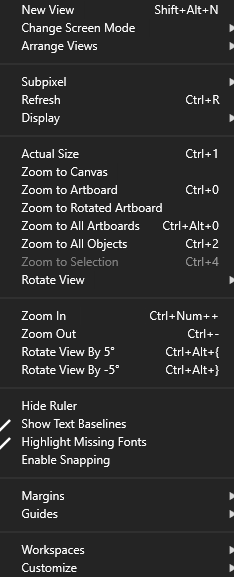
                    View Menu.png

                    Win 11
                    CPU: AMD Ryzen 5 9600X, 6-core.
                    GPU: Nvidia Geforce RTX 5070.

                    L 1 Reply Last reply Reply Quote 0
                    • L Offline
                      Li Xiao @Subpath
                      last edited by

                      @Subpath You have to change the Compute Engine in Settings first for it to display
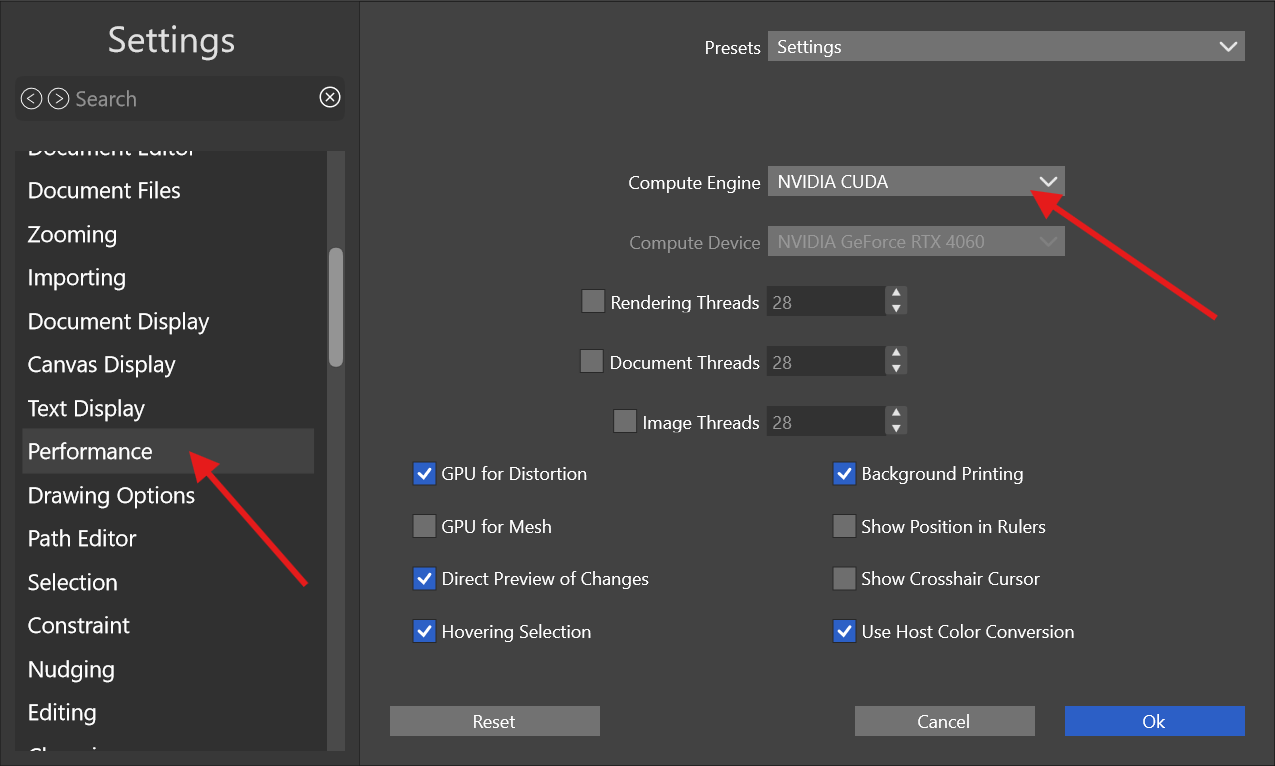
                      engine.png

                      S 1 Reply Last reply Reply Quote 3
                      • S Offline
                        Subpath @Li Xiao
                        last edited by

                        @Li-Xiao

                        Thank you
                        I already had suspicions along those lines.

                        Win 11
                        CPU: AMD Ryzen 5 9600X, 6-core.
                        GPU: Nvidia Geforce RTX 5070.

                        1 Reply Last reply Reply Quote 2
                        • First post
                          Last post