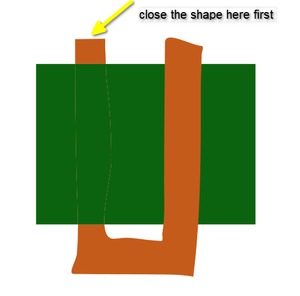
Interweave two texts

-
@marce Select both and use Style -> Intertwine -> Create Intertwine Group
Then select the intertwine tool:

The. click on areas that you want to bring forward
-
@VectorStyler Hi! Thanks. I dont understand what to do. I have two objects that overlap, i select both, a message appear asking "Create a new interwine group?"
A cursor that is a circle with a + appear on screen...
Then? I click, but nothing happens.interwine.vstylerRyzen 9 3900X on Asus prime x570-p
Memory 48gb ddr4
Nvidia gtx 970 on an Asus strix, 4gb gddr5
NVMe CT100p 1TB -
@marce with the intertwine group selected, use the tool by flying over the part you want to send backward. The part will change its color, you click to apply then click elsewhere. You repeat as many time you need.
-
This little tutorial of mine may be helpful
https://www.vectorstyler.com/forum/topic/5572/intertwine-feature-and-a-way-to-fake-gaps
-
@marce said in Interweave two texts:
Then? I click, but nothing happens.interwine.vstyler
This is because the orange shape is an open path (non-closed shape)
-
-
@Subpath hi Subpath. Why there are lines when you interwine the object?
Ryzen 9 3900X on Asus prime x570-p
Memory 48gb ddr4
Nvidia gtx 970 on an Asus strix, 4gb gddr5
NVMe CT100p 1TB -
@marce said in Interweave two texts:
Why there are lines when you interwine the object?
If you refer to those thin lines at overlapping parts, those are rendering (clipping) artifacts and are caused by the antialiasing in the CPU based rendering engine.
You can use the GPU based rendering engine (View -> View using GPU) and then it should not be visible.
-
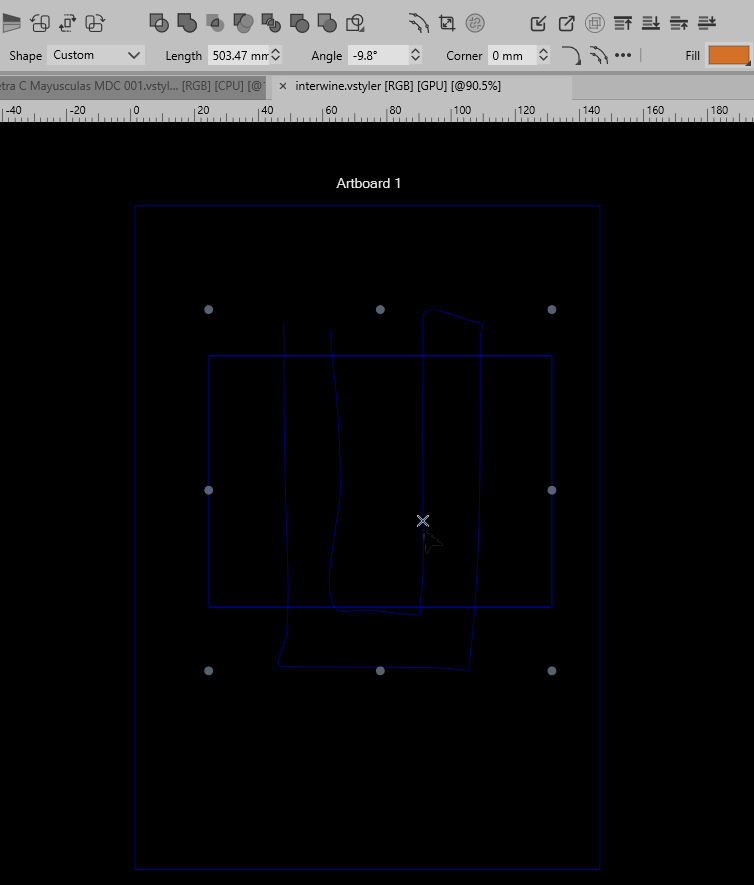
@VectorStyler mmm... this what i get when using such option:
Ryzen 9 3900X on Asus prime x570-p
Memory 48gb ddr4
Nvidia gtx 970 on an Asus strix, 4gb gddr5
NVMe CT100p 1TB -
@marce It seems that the GPU preview is not working there.
On some Windows machines it still has issues -
As @vectorstyler already wrote is Antialiasing related
-
@VectorStyler said in Interweave two texts:
You can use the GPU based rendering engine (View -> View using GPU) and then it should not be visible.
Have no such Menu Point in the View Menu.
(i use the latest Version)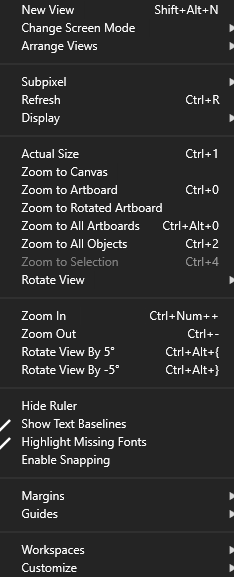
-
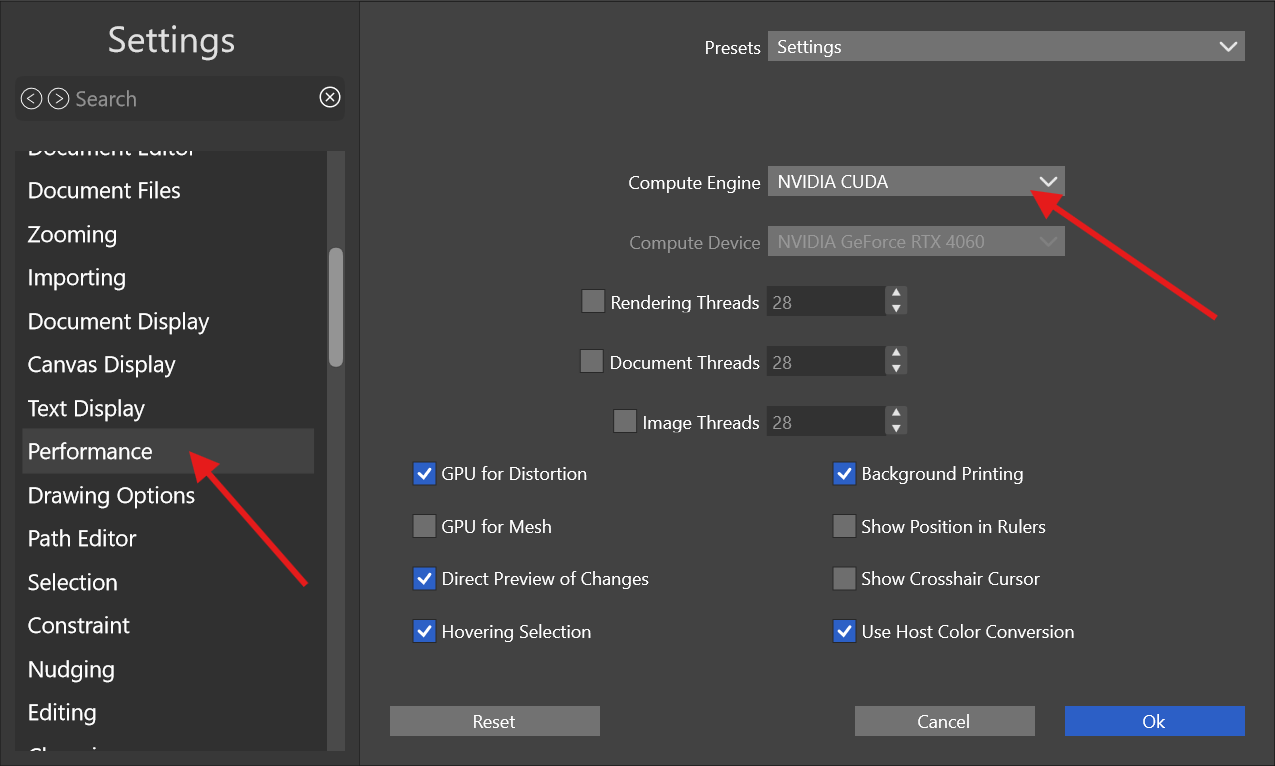
@Subpath You have to change the Compute Engine in Settings first for it to display
-
Thank you
I already had suspicions along those lines. -
Is there something i can do to solve this issue?
-
@marce said in Interweave two texts:
Is there something i can do to solve this issue?
The intertwine or the GPU preview issue?
The GPU preview problem os most likely caused by some incompatibility with the CUDA driver.
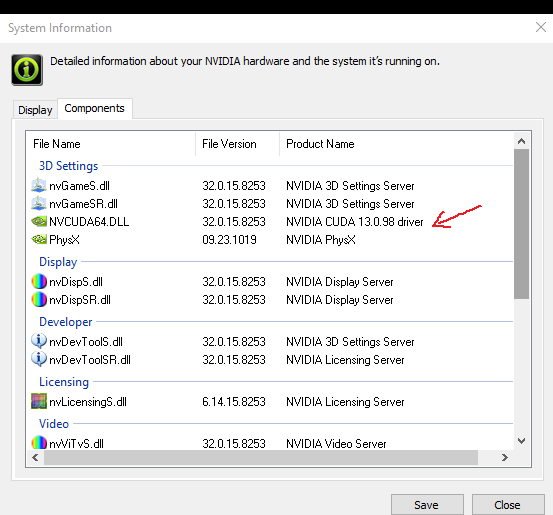
What is the NVidia CUDA version you have? -
@VectorStyler Hi VS, the reported version is "13.0.98"
 !
!