VectorStyler
    • Categories
    • Unread
    • Recent
    • Tags
    • Popular
    • Register
    • Login

    Pattern Brush made into Art brush will not expand Properly

    Scheduled Pinned Locked Moved Bugs in VectorStyler
    3 Posts 2 Posters 18 Views 2 Watching
    Loading More Posts
    • Oldest to Newest
    • Newest to Oldest
    • Most Votes
    Reply
    • Reply as topic
    Log in to reply
    This topic has been deleted. Only users with topic management privileges can see it.
    • RidgehammerR Offline
      Ridgehammer
      last edited by

      I am having trouble expanding a pattern that I used to make into a brush stroke.

      I'm using the most recent VS build as of today.

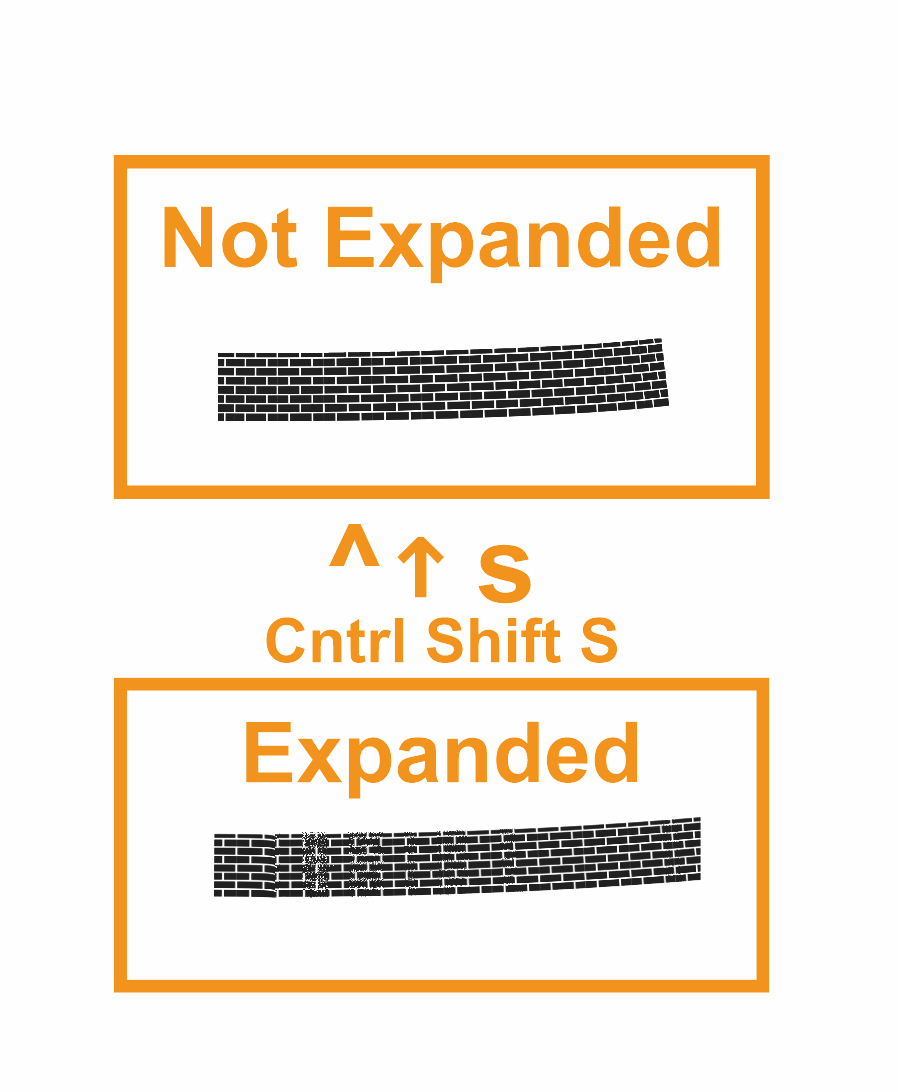
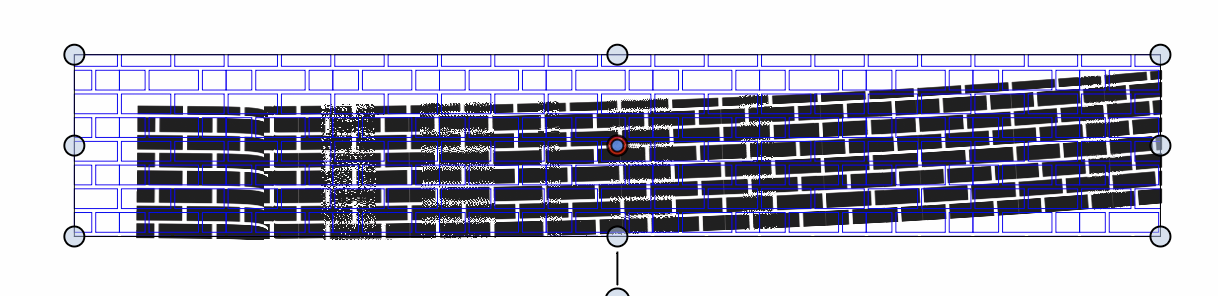
      I want to expand my brush stroke into individual pieces but instead VS displays them as a grid.

      I made an artistic brush using an expanded pattern shape. I then applied that brush to a stroke, and edited it to fit the desired shape. After that, i tried to expand the stroke brush in order to merge it, once that was done, it appeared fuzzy and the selection lines displayed the stroke as if it was in a grid pattern, as shown in the attached image.

      I have attached a Example File.vstyler for this showing the path before it was expanded, then under that, after it was expanded.
      8c561dae-2a90-4245-8c8c-60ef48a36055-CleanShot 2026-05-11 at 16.34.01@2x.png

      CleanShot 2026-05-11 at 15.39.16@2x.png

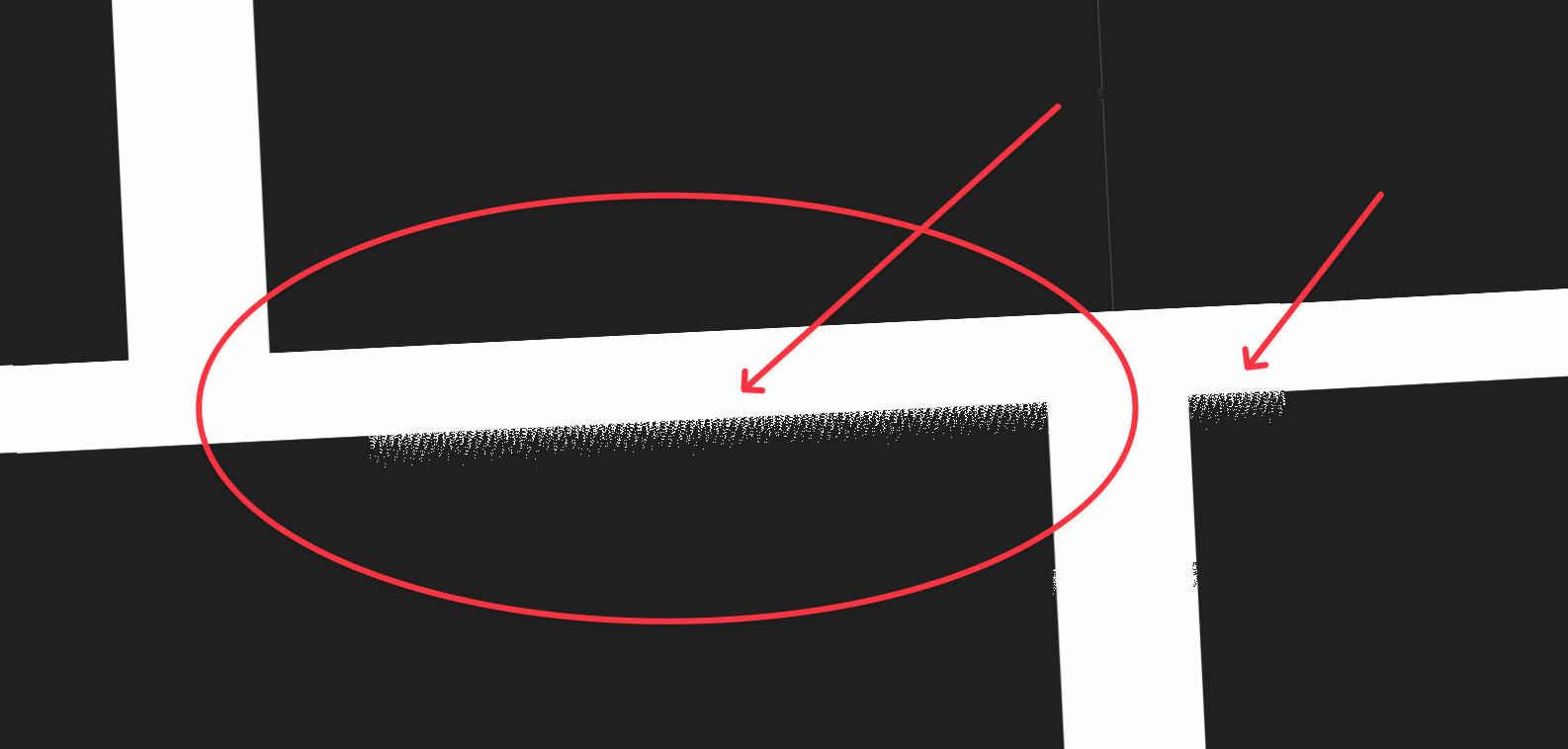
      I'm also getting a strange visual on the pattern when zoomed in. might just be a glitch in the visual.
      d119c9b1-a20b-4ad3-8c10-6c471507f126-CleanShot 2026-05-11 at 16.32.29@2x.png

      VectorStylerV 1 Reply Last reply Reply Quote 1
      • VectorStylerV Offline
        VectorStyler @Ridgehammer
        last edited by

        @Ridgehammer Can be replicated. The brush has the "Distort as an Image" option enabled, this is not needed here, if disabled it will work correctly

        I will try to find out what can cause this.

        RidgehammerR 1 Reply Last reply Reply Quote 0
        • RidgehammerR Offline
          Ridgehammer @VectorStyler
          last edited by

          @VectorStyler Thank you for looking into it, and helping me find a solution.

          1 Reply Last reply Reply Quote 0
          • First post
            Last post
