Font Preview Size
-
@marce I will add this to the backlog.
-
@marce @VectorStyler I could see as a pop-out viewer option. I like the quick list as well and wouldn't want to go away from that. Could be handy with the built-in font manager as well
-
Check out Freehand excellent font preview where the selected word is used for preview within a small preview window.
-
Just as another Example for Inspiration purpose.
CorelDraw has also a separate Fontmanager. But the intern
one is also pretty fine.
-
@Subpath Cool! I like it. I only would make it a panel, or tab, instead of a drop menu. IMHO is more handy.
-
@Daniel An screenshot?
-
Fonts should be similar to how Stroke\Brush style has its own panel and we can change a stroke from its panel.
Should be similar with changing Fonts → a Font panel (tab, floating panes) → open it and font previews be there.
Select a text box\frame → go to tha panel and hover with the mouse pointer for a change with the font under the cursor to reflect in the text frame inheriting the size or rather! its string of symbols (not height) to fit the text box\frame as some fonts are either too wide or too narrow.Which reminds me of a VectorStyler UI bug (Windows 10 Pro ×64 bit 22H2):
change the font of the UI to a narrow or condensed font
bug: some on the text on panels\menus gets cropped ("obscured") at the far ends (changing UI scale does not help)
-
dont worry, i am also more on the panel side because
it is moveableit was just for inspiration and to show how CorelDraw have
solved this i think it may also fit in a panel
-
This is what it looks like in current versions of QuarkXPress:
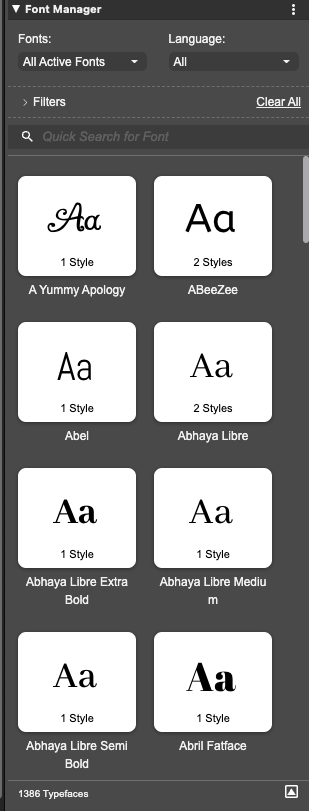
I personally haven't made friends with this yet and am likely to keep this hidden most of the time, as I don't feel like this is an appropriate feature for professional desktop publishing. For a vector design tool it might make more sense for certain use cases, and for certain categories of "off-the-cuff" type designs, but not for professional work in a desktop publishing app, and considering the price point of QuarkXPress that is clearly what the product is intended for.
Professional publishing designs should generally have all of the font selections embedded into text styles and the styles used instead of having one-off inline font choices made from a panel like this. I could see a preview like this being nice if it were selecting full styles from the document's collection of text styles, but for individual fonts I think those choices should normally be made when setting up the styles, then those styles used during the creation of the document. It would therefore make more sense for this to be part of the style editor, rather than an independent panel - but again, that is for a desktop publishing app; for a tool such as VectorStyler, it makes enough sense to offer it separately if people find such a thing useful; I'm not really sure how often I would use it myself.
-
@fde101 when making books you work with styles, is true. But when working with illustrated books, covers, children activity books, etc, font choosing is important. Need of design are wide and people works their way. The standardized professional way of work offenly is bypassed by creative people.
-

Here's how FreeHand does it. And frankly, I prefer this. Because your text can be completely out of view, and you still get to see how it appears. The only improvements I'd make to this is to have option to toggle which will decide whether the list themselves show the typeface or not (because it is much faster when they're just a list of names like here) and two, to be able to dynamically resize the preview window to see everything I've highlighted.