• Add graphics

    6
    1
    0 Votes
    6 Posts
    4k Views
    S
    Once you know where the option is, it's pretty straightforward, but it's easy to miss when you're new to the software. This should help anyone trying to add graphics without spending ages searching through the menus.
  • Technical consultation

    8
    1
    0 Votes
    8 Posts
    5k Views
    S
    Technical issues in VectorStyler can sometimes be hard to reproduce, so having the reasoning behind the fix instead of just the final answer makes this way more useful.
  • Cavalry Pro Version, vector graphics animation is free for personal use

    4
    1 Votes
    4 Posts
    27 Views
    S
    The Cavalry App came with a lot of Demo files which can be found here. [image: 1779106655972-demo-files-1.png] [image: 1779106661314-demo-files-2.png]
  • Liquid shapes - 2D SDF vector graphics

    9
    1 Votes
    9 Posts
    4k Views
    H
    @ZATOPEK Hi, Maybe this could be useful. I made a short video showing a simple way to create a metaball-like effect in VectorStyler. The method uses a combined path with two live offsets: first a positive offset, then a negative offset. This creates a smooth connection between the shapes while keeping the result editable. Here is the video: https://imgur.com/a/r0xsB1S
  • Canva acquired Cavalry

    12
    3 Votes
    12 Posts
    116 Views
    S
    @ZATOPEK Did you know that you get the full Version now for free ? As Canva acquire Cavalry the Pro Feature are also free now. https://www.3dart.it/en/cavalry-pro-is-now-completely-free-the-after-effects-alternative-rides-in/
  • VS Review on Youtube

    33
    4 Votes
    33 Posts
    60k Views
    debraspicherD
    Not intending to find this user here, I swear. I was doing both searches on YT and on the forum itself because I had been playing around with the idea of doing some tutorials myself. I saw that they were listed here in the search results as I had just peeked at their YT. They had actually posted an intro course of sorts, so I thought I would share it. It's pretty decent for new users and is well-paced: https://www.youtube.com/watch?v=wyzePU3XlRw
  • Adobe has something new related to 3D-Illustration ...

    24
    6 Votes
    24 Posts
    25k Views
    S
    SVG Strokes in MagicaCSG Since Beta 7.2, MagicaCSG can import SVG vector graphics. This means apart from shapes that vector strokes can also be imported. Overlapping, grouped lines create a gap at their intersections. However, this can be easily fixed by performing a Boolean union beforehand. Here a few Examples: The original vector file made in Vectorstyler [image: 1775234326001-svg-vector-file.png] . . Extruded in MagicaCSG [image: 1775234368461-svg-strokes-2.png] . . Used with MagicaCSG own Array Feature [image: 1775234403642-array-1.png] [image: 1775234409907-array-2.png]
  • The video Issue about ScreenPal is now resolved

    1
    3 Votes
    1 Posts
    22 Views
    No one has replied
  • ScreenPal is reducing free video hosting to 10 videos only

    1
    2 Votes
    1 Posts
    23 Views
    No one has replied
  • Pretty nice results with Trace

    2
    1
    3 Votes
    2 Posts
    27 Views
    M
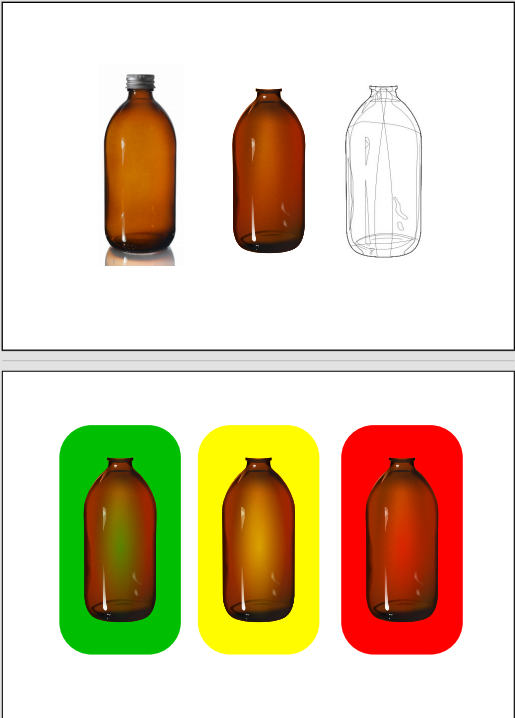
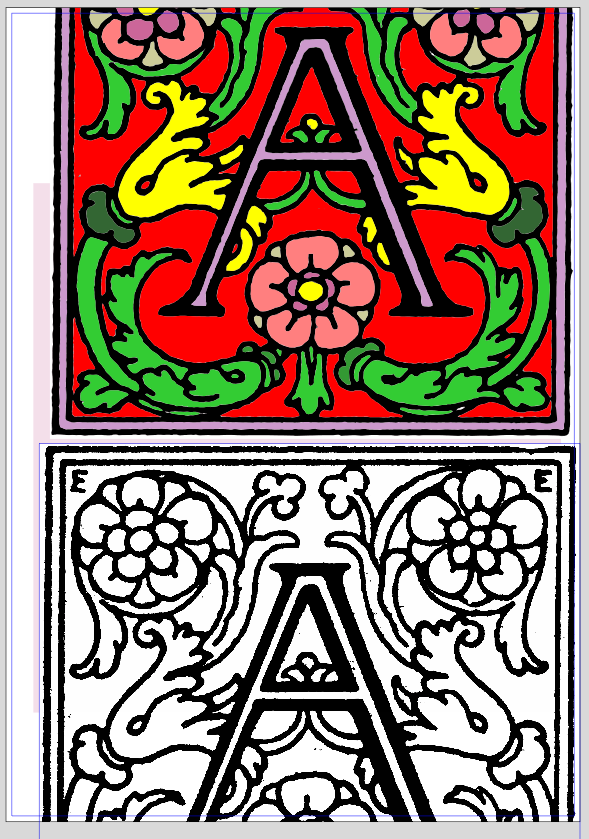
    The colored one is the result, the below image is the original.
  • New Forum - Problem to reach the edit Post Button

    7
    1
    0 Votes
    7 Posts
    37 Views
    S
    @VectorStyler said in New Forum - Problem to reach the edit Post Button: @Subpath I managed to turn it off try it now. Browser: i use Firefox Button: yes is gone and i can see and use the Edit button now
  • Gradient colors don't seem to work.

    13
    0 Votes
    13 Posts
    7k Views
    EvaeloE
    I should have done this sooner. Upon clean installation of VectorStyler 1.3.006 gradients work fine. Something was not right with my installation, I guess. All is good!
  • 5 Votes
    5 Posts
    676 Views
    S
    @syllie From your previous posts, I remember that you're interested in pattern making. I do that too, but just for fun and fun of experimenting. Not at a pro level. I'm also familiar with Amaziograph and Paintstorm Pro. I have both on my iPad. . . Another very interesting app, on iPad, for pattern exploration. Photo and Video live recordings is "Nception". Here a Link https://nceptionapp.com/ . . On a PC, I can highly recommend taking a look at "Black Ink" (PC only). Its node-layer concept allows to create very individual symmetries. Here also a Link: Radial Symmetrie https://www.youtube.com/watch?v=3_QvI8jCkdc Domain Wrap Operator https://www.youtube.com/watch?v=p6UfxYnFDjM
  • Outline of a Variable-Width Path

    7
    0 Votes
    7 Posts
    790 Views
    M
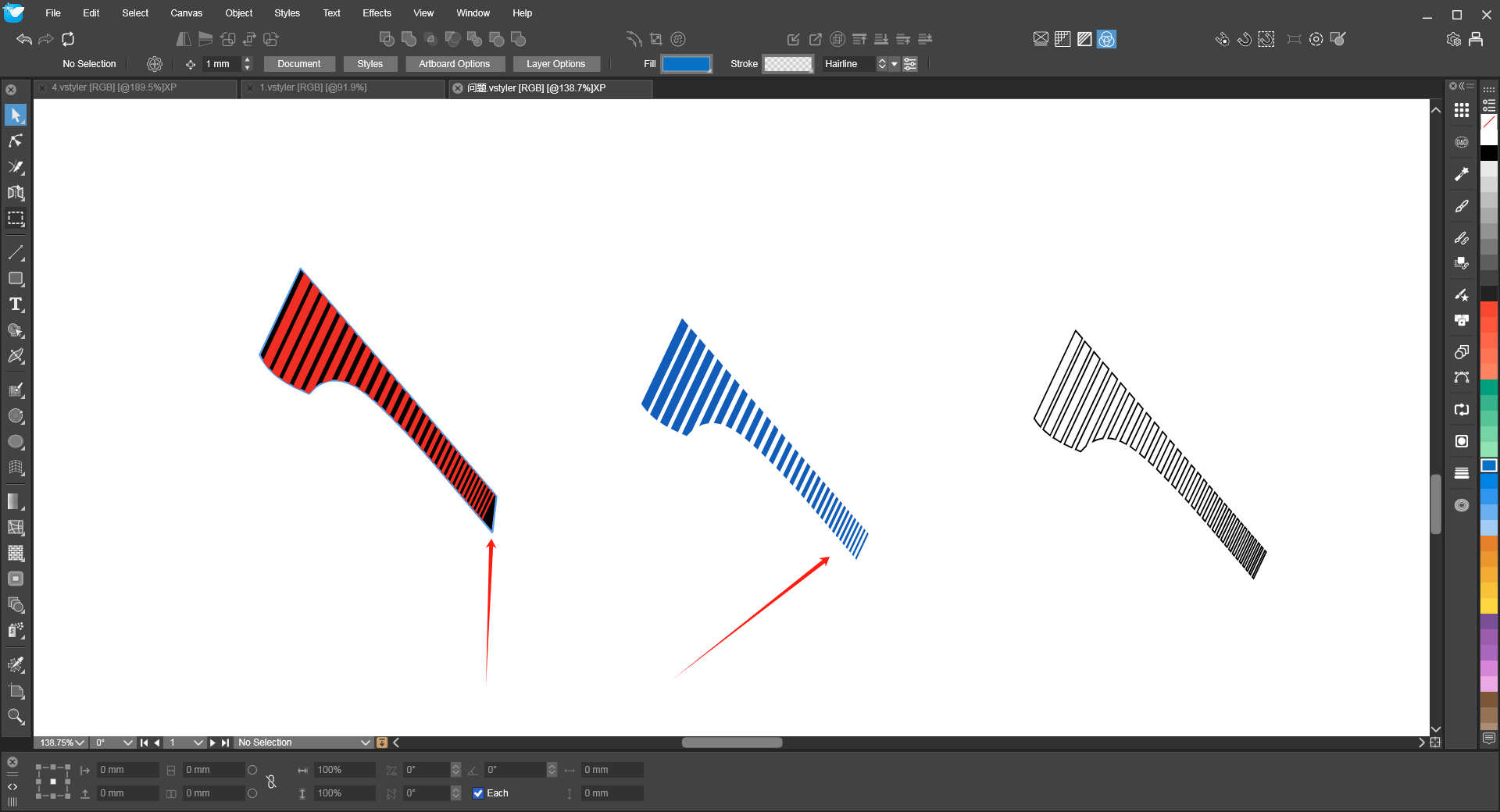
    @VectorStyler 0_1767501127161_235.vstyler
  • Style Picker doesn't work after using Node Tool

    3
    1 Votes
    3 Posts
    477 Views
    W
    Now working as expected. @VectorStyler thank you for fixing this!
  • This topic is deleted!

    1
    0 Votes
    1 Posts
    38 Views
    No one has replied
  • General feedback on performance

    5
    1
    1 Votes
    5 Posts
    602 Views
    DanielD
    @VectorStyler: Yup! Self-group is the solution. Also, I accidentally hit don't save when I was prompted for the file. So I'll rebuild and share this weekend. Sorry.
  • Affinity Designer Now FREE with All features can be used, except for AI.

    46
    -4 Votes
    46 Posts
    22k Views
    T
    @monsterfox I agree with this wholeheartedly. We desperately need VectorStyler tutorials on YouTube. This will also help drive new users to this tool.
  • Wrap of transparent PNGs

    6
    1
    1 Votes
    6 Posts
    653 Views
    M
    Thanks VS and Subpath! Great thing the drag and drop inside a draw shape! Nice. Would be nice for bitmaps with transparency to have the option to extract automatically the contour for wrapping purposes.
  • Performance settings... lag while dragging

    9
    2 Votes
    9 Posts
    1k Views
    M
    @VectorStyler Maybe I changed that setting accidentally, I will try to reproduce how I made that. Maybe when setting the new document or pasting the images. I will report later