VectorStyler
    • Categories
    • Unread
    • Recent
    • Tags
    • Popular
    • Register
    • Login

    SVG import pixel to point conversion

    Scheduled Pinned Locked Moved Questions and Support
    13 Posts 2 Posters 12.5k Views 2 Watching
    Loading More Posts
    • Oldest to Newest
    • Newest to Oldest
    • Most Votes
    Reply
    • Reply as topic
    Log in to reply
    This topic has been deleted. Only users with topic management privileges can see it.
    • VectorStylerV Offline
      VectorStyler @Ayo
      last edited by

      @Ayo said in SVG import pixel to point conversion:

      How does this work in Vectorstyler import SVG?

      It should be 1 px to 1 pt. Is the file opened or imported?

      Send me an example file where this occurs.

      AyoA 1 Reply Last reply Reply Quote 0
      • AyoA Offline
        Ayo @VectorStyler
        last edited by Ayo

        @VectorStyler

        Opening or importing > placing makes no difference.

        For example
        Specified > VS

        • river lines are 1 pixel > 0.2 pt
        • lat/lon gridlines is 0.5 pixel > 0.1 pt
        • coastline is 2 pixel (half buried under land cover) > 0.5 pt

        By email VS file and original SVG TINYMAP
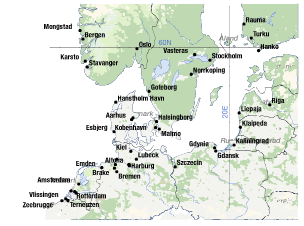
        0_1729887138814_461d6deb-631a-459f-a304-6b399be7e287-image.png

        EDIT:
        The earlier mentioned wrong type size value display also occurs in this file.
        Specified 6pt > VS 25 pt

        VectorStylerV 1 Reply Last reply Reply Quote 1
        • VectorStylerV Offline
          VectorStyler @Ayo
          last edited by

          @Ayo I opened the file in VS, AI and Affinity and all gave the same line width of 0.239 pt.

          What is the version of AI you used?

          AyoA 3 Replies Last reply Reply Quote 0
          • AyoA Offline
            Ayo @VectorStyler
            last edited by Ayo

            @VectorStyler said in SVG import pixel to point conversion:

            version of AI

            CS6

            1 Reply Last reply Reply Quote 0
            • AyoA Offline
              Ayo @VectorStyler
              last edited by

              @VectorStyler said in SVG import pixel to point conversion:

              all gave the same line width of 0.239 pt

              If it should be 1:1, they are all wrong. Or is there some other mysterious ratio behind it?

              1 Reply Last reply Reply Quote 0
              • AyoA Offline
                Ayo @VectorStyler
                last edited by

                @VectorStyler said in SVG import pixel to point conversion:

                all gave the same line width of 0.239 pt

                Or an example of copying and pasting SVG code snippets that can replicate bugs across multiple applications?

                VectorStylerV 2 Replies Last reply Reply Quote 1
                • VectorStylerV Offline
                  VectorStyler @Ayo
                  last edited by

                  @Ayo said in SVG import pixel to point conversion:

                  Or an example of copying and pasting SVG code snippets that can replicate bugs across multiple applications?

                  Yes, this would help if you have such an example.

                  I also opened the file in Inkscape and it reports 0.241 pt stroke width.

                  1 Reply Last reply Reply Quote 0
                  • VectorStylerV Offline
                    VectorStyler @Ayo
                    last edited by

                    @Ayo Found the cause, it is not a bug.

                    The SVG header sets a "viewBox" scaling and all apps (including VS) will scale accordingly.

                    Workaround: in VS, after opening the file, select all and select Effects -> Remove All Shape Effects.

                    This will remove all viewbox transforms, it will also remove the y-flip depending if it was opened or imported (SVG and VS cordinate directions are different) so you may need to flip the drawing vertically.

                    AyoA 1 Reply Last reply Reply Quote 1
                    • AyoA Offline
                      Ayo @VectorStyler
                      last edited by

                      @VectorStyler said in SVG import pixel to point conversion:

                      Workaround: in VS, after opening the file, select all and select Effects -> Remove All Shape Effects.

                      Hmm... quite complex.
                      If I do that, artwork is indeed flipped AND becomes about 4x bigger. Then scale everything back 24% to original size. Stroke weights are fine then. You would think that the type point size should also be fine with this trick, but it remains 25 pt. Scaled or not.

                      VectorStylerV 2 Replies Last reply Reply Quote 0
                      • VectorStylerV Offline
                        VectorStyler @Ayo
                        last edited by

                        @Ayo said in SVG import pixel to point conversion:

                        You would think that the type point size should also be fine with this trick

                        This is a different issue.

                        1 Reply Last reply Reply Quote 1
                        • VectorStylerV Offline
                          VectorStyler @Ayo
                          last edited by

                          @Ayo said in SVG import pixel to point conversion:

                          Hmm... quite complex.

                          Yes, the problem is that I cannot ignore what is in the SVG header, otherwise it is not a correct import.
                          And the SVG header scales from a viewBox into a width/height that is different.

                          AyoA 1 Reply Last reply Reply Quote 1
                          • AyoA Offline
                            Ayo @VectorStyler
                            last edited by

                            @VectorStyler said in SVG import pixel to point conversion:

                            Yes, the problem

                            Got it... (a little)
                            Remember that the problem can also be on the other side. In other words; the SVG output of Qgis can also contain imperfections or errors.

                            Still strange that ai6 does work against all common opponents. I wonder what Freehand would do but I don't have that working under the buttons anymore.

                            Thanks for investigating

                            1 Reply Last reply Reply Quote 1
                            • First post
                              Last post