VectorStyler
    • Categories
    • Unread
    • Recent
    • Tags
    • Popular
    • Register
    • Login

    Font color in text frame
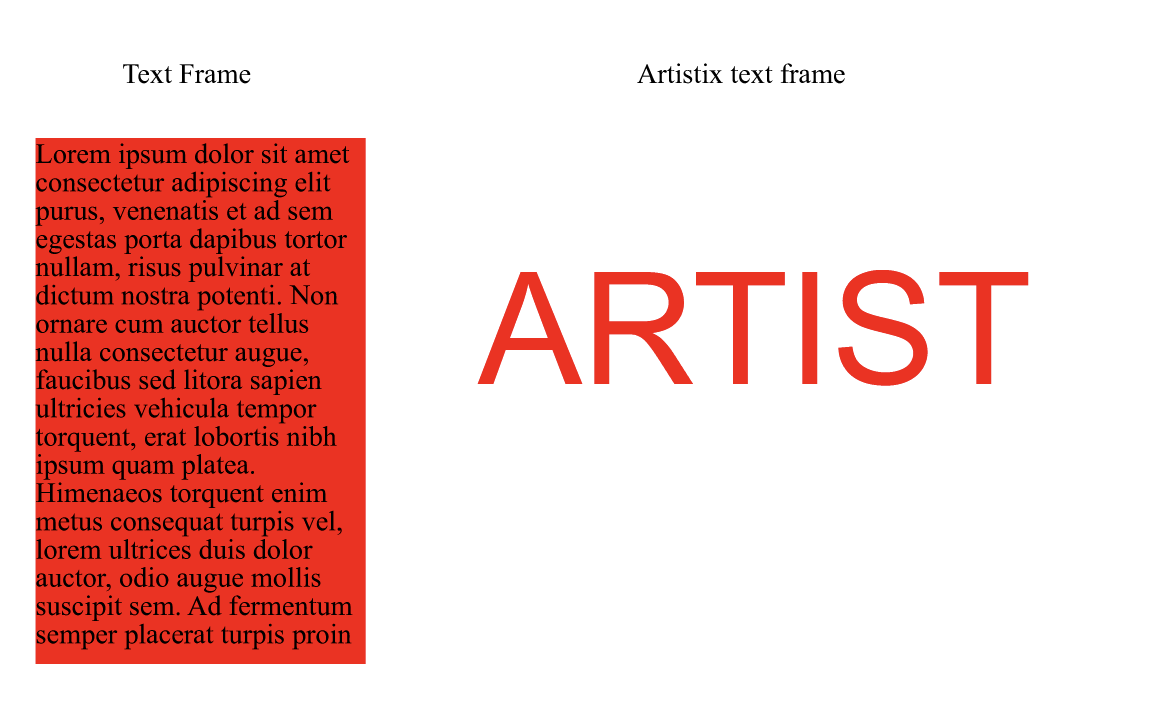
    Scheduled Pinned Locked Moved VectorStyler 1.2 beta
    14 Posts 5 Posters 12.7k Views 5 Watching
    Loading More Posts
    • Oldest to Newest
    • Newest to Oldest
    • Most Votes
    Reply
    • Reply as topic
    Log in to reply
    This topic has been deleted. Only users with topic management privileges can see it.
    • b77B Offline
      b77 @VectorStyler
      last edited by b77

      @VectorStyler Quickly changing the color of the text of multiple text frames is a
      problem with the current way of doing things, considering that most of the time
      users need the color of the text changed not the background of the text frame.

      As an example, CDR has a separate 'Background color' for the color of the frame
      itself IIRC (I don't remember where it's found in the UI, that's how often I needed it),
      but the default click on any of the color swatches assigns the color to the text itself.

      Something like that I would prefer for VS as well. The way the 'Text Frame' object is
      displayed in the Appearance panel might also need adjustments if this is changed
      (a separate 'Background color' entry & color swatch when you expand with the
      triangle button?), but this is the fastest way to work.

      MacBook Pro (Intel) running Monterey 12.6.4

      VectorStylerV 1 Reply Last reply Reply Quote 2
      • VectorStylerV Offline
        VectorStyler @b77
        last edited by

        @b77 Would this work as a global option. Change the frame color or the text color?
        And if we need background color, then just use the [+] fill in the Appearance panel.

        b77B AyoA 2 Replies Last reply Reply Quote 0
        • b77B Offline
          b77 @VectorStyler
          last edited by b77

          @VectorStyler Simple click would change the text color, left click add/change the
          stroke color just like with regular objects and with shape text ("artistic text" in CDR),
          and the 'Background Color' should be a "hardwired" setting — no need to click a
          special 'Add Frame Bkgd' button IMO.

          MacBook Pro (Intel) running Monterey 12.6.4

          K VectorStylerV 2 Replies Last reply Reply Quote 1
          • AyoA Offline
            Ayo @VectorStyler
            last edited by Ayo

            @VectorStyler said in Font color in text frame:

            Change the frame color or the text color?

            Change the text color please. It is a text object after all.

            EDIT:
            Idea; select with Node Tool > change background/frame?

            EDIT1:
            A preview Selection (text)frame and 'Hovering Sesection' would be useful in that case. Anyway, by the way.

            1 Reply Last reply Reply Quote 0
            • S Offline
              Subpath
              last edited by

              @VectorStyler

              here the Coreldraw way of doing this
              color Text is Standard even with Frame Text

              Here a Video

              Win 11
              CPU: AMD Ryzen 5 9600X, 6-core.
              GPU: Nvidia Geforce RTX 5070.

              1 Reply Last reply Reply Quote 1
              • K Offline
                Kumr @b77
                last edited by b77

                @b77 said in Font color in text frame:

                @VectorStyler Simple click would change the text color, left click add/change the
                stroke color just like with regular objects and with shape text ("artistic text" in CDR),
                and the 'Background Color' should be a "hardwired" setting — no need to click a
                special 'Add Frame Bkgd' button IMO.

                Like this approach.

                M1 MacBook Air, 16GB, macOS Sonoma 14.4.1

                1 Reply Last reply Reply Quote 0
                • VectorStylerV Offline
                  VectorStyler @b77
                  last edited by

                  @b77 said in Font color in text frame:

                  and the 'Background Color' should be a "hardwired" setting

                  I will have to find a different way to do this. I will look into what other apps do in this case.

                  b77B 1 Reply Last reply Reply Quote 1
                  • b77B Offline
                    b77 @VectorStyler
                    last edited by

                    I will have to find a different way to do this. I will look into what other apps do in this case.

                    👍

                    (By "hardwired" I mean it has a button already there but set to 'None').

                    MacBook Pro (Intel) running Monterey 12.6.4

                    VectorStylerV 1 Reply Last reply Reply Quote 0
                    • VectorStylerV Offline
                      VectorStyler @b77
                      last edited by

                      @b77 said in Font color in text frame:

                      I mean it has a button already there but set to 'None

                      In the Appearance panel, or in the Color panel?

                      b77B 2 Replies Last reply Reply Quote 0
                      • b77B Offline
                        b77 @VectorStyler
                        last edited by b77

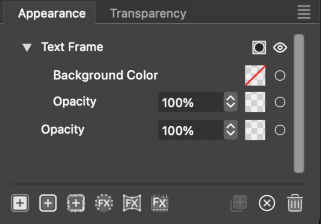
                        @VectorStyler A separate 'Background color' entry & color swatch when you
                        expand the 'Text Frame' object with the triangle button:
                        0_1699716965859_Screenshot 2023-11-11 at 16.36.20.png
                        (Quick mockup)

                        MacBook Pro (Intel) running Monterey 12.6.4

                        1 Reply Last reply Reply Quote 0
                        • b77B Offline
                          b77 @VectorStyler
                          last edited by b77

                          @VectorStyler OK, could be that the mockup is oversimplifying
                          things — this background color needs to be added as content
                          that can accept transparency masks, effects, etc, right?

                          MacBook Pro (Intel) running Monterey 12.6.4

                          1 Reply Last reply Reply Quote 1
                          • First post
                            Last post
