VectorStyler
    • Categories
    • Unread
    • Recent
    • Tags
    • Popular
    • Register
    • Login

    Brush "live" randomization / variation
    Scheduled Pinned Locked Moved Features and Ideas
    27 Posts 4 Posters 41.7k Views 4 Watching
    Loading More Posts
    • Oldest to Newest
    • Newest to Oldest
    • Most Votes
    Reply
    • Reply as topic
    Log in to reply
    This topic has been deleted. Only users with topic management privileges can see it.
    • S Offline
      Subpath @b77
      last edited by Subpath

      @b77

      Find your Wavetable analogy (I know wavetables from software synthesizers)
      also an interesting idea.

      ... Are the brushes in Alchemy completely random brush contours? ...

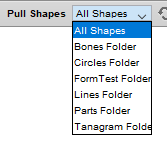
      Alchemy uses random shapes, but you can create them yourself
      and save them in a PDF File and put them in a special Alchemy Folder.

      And when you draw with the pull brush, Alchemy takes these shapes
      randomly from the PDF file and puts them on the canvas.

      It has also some more random generators

      The results can be saved as .SVG or .PDF for further editing in VS

      For any one whos is interested, here the Download Link
      https://al.chemy.org/download/ ( PC/Linux )

      ( for (Mac) user - the Program will not work on new Macs
      i guess because of Operating system )
      Mac user, you may have luck with a older Operation system
      take look at the download description.

      ( Win 10 - works here despite the Program is old from 2010.)
      0_1670318906675_Alchemy Folder.png

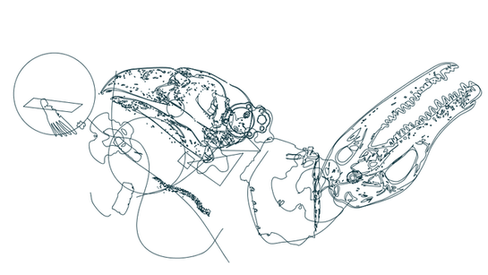
      0_1670318091878_Alchemy Example1.png

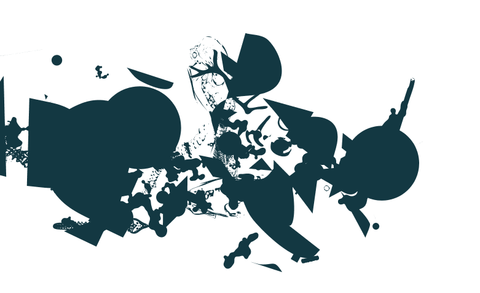
      0_1670318099057_Alchemy Example2.png

      Win 11
      CPU: AMD Ryzen 5 9600X, 6-core.
      GPU: Nvidia Geforce RTX 5070.

      b77B 1 Reply Last reply Reply Quote 0
      • S Offline
        Subpath @VectorStyler
        last edited by

        @VectorStyler

        Looks good.
        Can you tell me what shape effect you used for this ?

        Win 11
        CPU: AMD Ryzen 5 9600X, 6-core.
        GPU: Nvidia Geforce RTX 5070.

        VectorStylerV 1 Reply Last reply Reply Quote 0
        • VectorStylerV Offline
          VectorStyler @Subpath
          last edited by

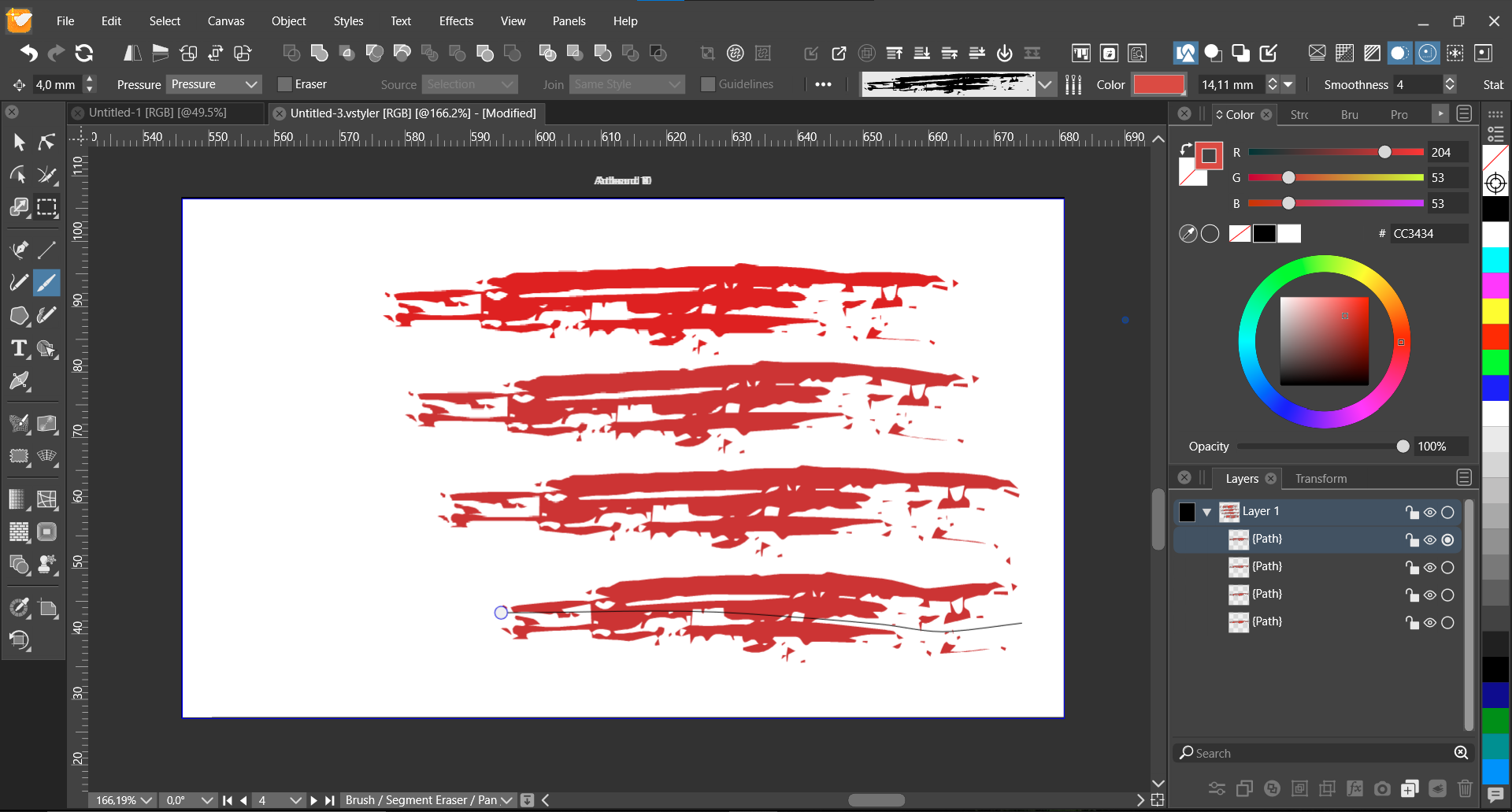
          @Subpath The "Outlines -> Detail" shape effect, with "Randomized" option enabled.

          If you select the original brush shape on the top left of the artboard, you can see the effect options in the Effects->Edit Shape Effects

          S 1 Reply Last reply Reply Quote 1
          • S Offline
            Subpath @VectorStyler
            last edited by

            @VectorStyler , thank you

            Win 11
            CPU: AMD Ryzen 5 9600X, 6-core.
            GPU: Nvidia Geforce RTX 5070.

            1 Reply Last reply Reply Quote 0
            • H Offline
              Harry @b77
              last edited by

              @b77 said in Brush "live" randomization / variation:

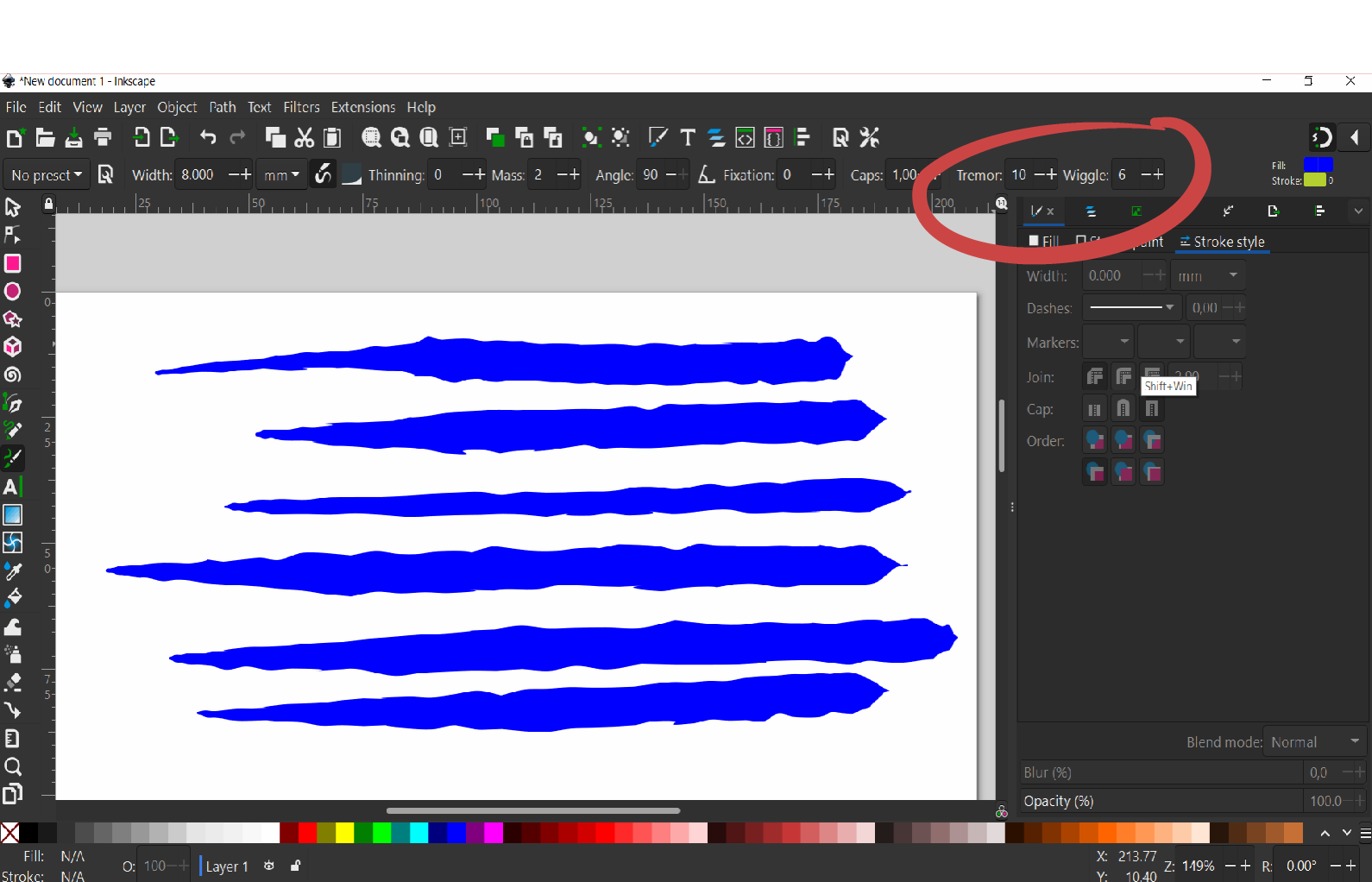
              @Harry Interesting. Can you explain a bit what the 'Tremor' and 'Wiggle' options do exactly?

              According to Inkscape's tutorial Tremor produces anything from slight unevenness to blotches and splotches. Wiggle is the resistance of the paper to the movement of the pen.

              So yes, as @Subpath mentioned this is not the best example here.

              @VectorStyler said in Brush "live" randomization / variation:

              @Harry This is already doable with some work, by creating a new brush shape.

              But it requires more steps, and a new brush content.

              I added this to the backlog.

              In the attached file adjust the random "Seed" parameter of the shape effect on the top-right object (Effects->Edit Shape Effects)

              0_1670309365492_randombrush1.vstyler

              Yes @VectorStyler , but it's not what I meant. i played with the effects already and I think they're great, but they're still some kind of "post production". What I meant is to have brush randomization applied live.

              My idea is similar to @Subpath and @b77 wave forms concept:

              @Subpath said in Brush "live" randomization / variation:

              So maybe we could go one step further and create a way for a Stroke to randomly switch
              between different (self-defined) brushes.

              My concept is as follows:

              Since we are painters or draftsmen, our tools are stylus and mouse. Let's take 2 different brushes from our presets and styles - Brush A for softest stylus pressure (or minimum mouse velocity) and brush B for hardest stylus pressure (or maximum mouse velocity):
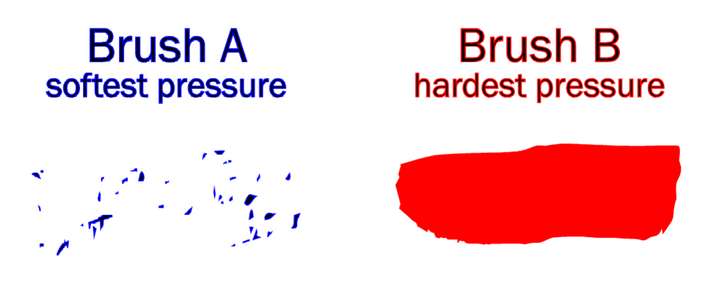
              0_1670319697324_4e950a49-91b7-4f5b-819e-14ff37dc2167-image.png

              Everything in between those 2 brushes is a result of "modulator" which changes brush appearance live. "Modulator" should be stylus pressure or mouse velocity dependent.

              Modulator can be for example:

              • blend tool
              • shape effects
              • interpolation
              • randomization
              • variation
              • @VectorStyler 's imagination, etc.

              General purpose should be that effects are aplied live and every stroke is different, even Brush A and Brush B should have little "initial" blending, randomization , roughness etc. to make them different.

              Is it possible? Any other ideas?

              Win 11, XP Pen Deco 01 V2 graphic tablet

              VectorStylerV 2 Replies Last reply Reply Quote 2
              • VectorStylerV Offline
                VectorStyler @Harry
                last edited by

                @Harry said in Brush "live" randomization / variation:

                Everything in between those 2 brushes is a result of "modulator" which changes brush appearance live

                This does not exist in the current version of VS.

                Technically, it could be possible to implement, but some things must be clarified:

                1. From what I see, the "modulation" would vary along the path, based on pressure or some other input.
                  This cannot be done with current shape effects.

                2. Also: we have to keep in mind that these brushes are vectors, so would this mean that in case A (soft pressure), the vectors would break into some form of random smaller shapes?

                H 1 Reply Last reply Reply Quote 0
                • VectorStylerV Offline
                  VectorStyler @Harry
                  last edited by

                  @Harry I think this "modulation" along the brush path of some distortion parameter is an interesting idea.
                  I added this to the backlog. Some details need to be worked out (ideas are welcome), but I think this could be implemented before version 2 (if not version 1.2).

                  H 1 Reply Last reply Reply Quote 0
                  • H Offline
                    Harry @VectorStyler
                    last edited by

                    @VectorStyler said in Brush "live" randomization / variation:

                    1. Also: we have to keep in mind that these brushes are vectors, so would this mean that in case A (soft pressure), the vectors would break into some form of random smaller shapes?

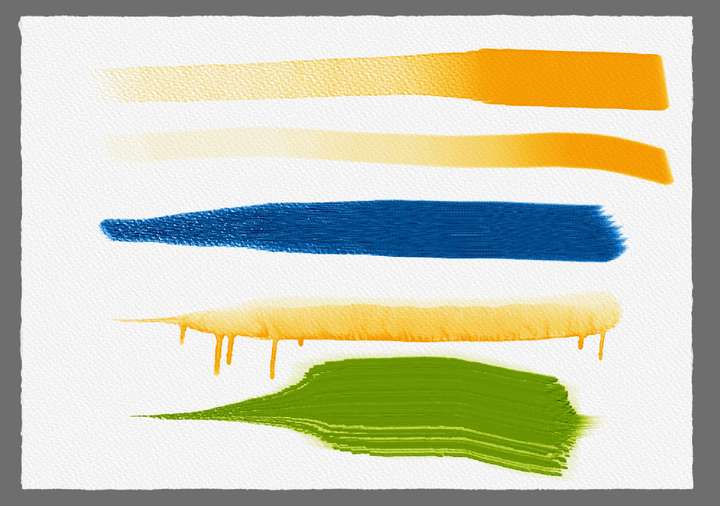
                    Yes, that's the point - to simulate natural brush stroke:

                    • soft pressure - low opacity, smaller "particles"
                    • hard pressure - stroke is more opaque, more solid, more distorted etc.:

                    Examples from Rebelle 5 (one of the best natural stoke simulator in pixel world):
                    0_1670326910772_obraz_2022-12-06_124150768.png

                    Win 11, XP Pen Deco 01 V2 graphic tablet

                    VectorStylerV 1 Reply Last reply Reply Quote 1
                    • H Offline
                      Harry @VectorStyler
                      last edited by

                      @VectorStyler said in Brush "live" randomization / variation:

                      @Harry I think this "modulation" along the brush path of some distortion parameter is an interesting idea.
                      I added this to the backlog. Some details need to be worked out (ideas are welcome), but I think this could be implemented before version 2 (if not version 1.2).

                      Glad to read that!

                      Win 11, XP Pen Deco 01 V2 graphic tablet

                      1 Reply Last reply Reply Quote 1
                      • VectorStylerV Offline
                        VectorStyler @Harry
                        last edited by

                        @Harry said in Brush "live" randomization / variation:

                        Examples from Rebelle 5 (one of the best natural stoke simulator in pixel world):

                        This will be hard to do with vectors only.

                        H b77B 2 Replies Last reply Reply Quote 0
                        • H Offline
                          Harry @VectorStyler
                          last edited by

                          @VectorStyler said in Brush "live" randomization / variation:

                          @Harry said in Brush "live" randomization / variation:

                          Examples from Rebelle 5 (one of the best natural stoke simulator in pixel world):

                          This will be hard to do with vectors only.

                          I know, but results may be surprisingly good!

                          Krita have some more options for modifiers/modulators i.e. stylus rotation and tilting.
                          They call it sensors. Here is some more info:

                          https://docs.krita.org/en/reference_manual/brushes/brush_settings/tablet_sensors.html

                          Maybe for future development?

                          Win 11, XP Pen Deco 01 V2 graphic tablet

                          1 Reply Last reply Reply Quote 0
                          • b77B Offline
                            b77 @VectorStyler
                            last edited by b77

                            @VectorStyler said in Brush "live" randomization / variation:

                            This will be hard to do with vectors only.

                            I don't think Harry meant that VS should strive to imitate natural media brushes
                            accurately like Rebelle does — it's just the random, organic part of the natural
                            brushes that are to be imitated in vectors.

                            As I suggested, picking random brush contours from a "contour table" (similar to
                            wavetables in synths) is one way to achieve this. It's basically stringing them
                            together (with the first and last connecting nodes free to move vertically) and
                            bending them along the brush spine, then maybe overlapping three brushes
                            with different opacities would get you respectably close to the organic quality
                            of bitmap brushes.

                            MacBook Pro (Intel) running Monterey 12.6.4

                            1 Reply Last reply Reply Quote 2
                            • b77B Offline
                              b77 @Subpath
                              last edited by b77

                              @Subpath I downloaded Alchemy but it's so old that it doesn't work on my Mac.

                              MacBook Pro (Intel) running Monterey 12.6.4

                              S 1 Reply Last reply Reply Quote 0
                              • b77B Offline
                                b77
                                last edited by b77

                                Another way would be to have just one brush contour but don't stretch it — instead repeat it but randomize the nodes.
                                Maybe this approach would be faster for "live" drawing.

                                MacBook Pro (Intel) running Monterey 12.6.4

                                1 Reply Last reply Reply Quote 1
                                • S Offline
                                  Subpath @b77
                                  last edited by Subpath

                                  @b77 said in Brush "live" randomization / variation:

                                  @Subpath I downloaded Alchemy but it's so old that it doesn't work on my Mac.

                                  that, sad to hear, because its a nice little Tool
                                  as i wrote works here on Win 10 without any Problem
                                  despite that it is from 2010

                                  i will create a video to show some Tools of it
                                  but this will take yet some time

                                  Win 11
                                  CPU: AMD Ryzen 5 9600X, 6-core.
                                  GPU: Nvidia Geforce RTX 5070.

                                  1 Reply Last reply Reply Quote 0
                                  • S Offline
                                    Subpath
                                    last edited by Subpath

                                    @b77

                                    you could try "Webchemy" its a online drawing tool
                                    in the style of Alchemy, but have much fewer tools.
                                    But a Pull Brush ( you cant define your own Brushes )
                                    The Results can be saved as .SVG an PNG.

                                    Here the Link
                                    https://webchemy.org/

                                    0_1670335421195_Webchemy 1.png

                                    0_1670335430738_Webchemy 2.png

                                    0_1670335472111_Webchemy 3.png

                                    Win 11
                                    CPU: AMD Ryzen 5 9600X, 6-core.
                                    GPU: Nvidia Geforce RTX 5070.

                                    b77B 1 Reply Last reply Reply Quote 0
                                    • b77B Offline
                                      b77 @Subpath
                                      last edited by b77

                                      @Subpath Ouch… Webchemy is rough… 🙂

                                      MacBook Pro (Intel) running Monterey 12.6.4

                                      S 1 Reply Last reply Reply Quote 0
                                      • S Offline
                                        Subpath @b77
                                        last edited by

                                        @b77 said in Brush "live" randomization / variation:

                                        @Subpath Ouch… Webchemy is rough… 🙂

                                        thats true 🙂

                                        Win 11
                                        CPU: AMD Ryzen 5 9600X, 6-core.
                                        GPU: Nvidia Geforce RTX 5070.

                                        1 Reply Last reply Reply Quote 0
                                        • H Offline
                                          Harry
                                          last edited by

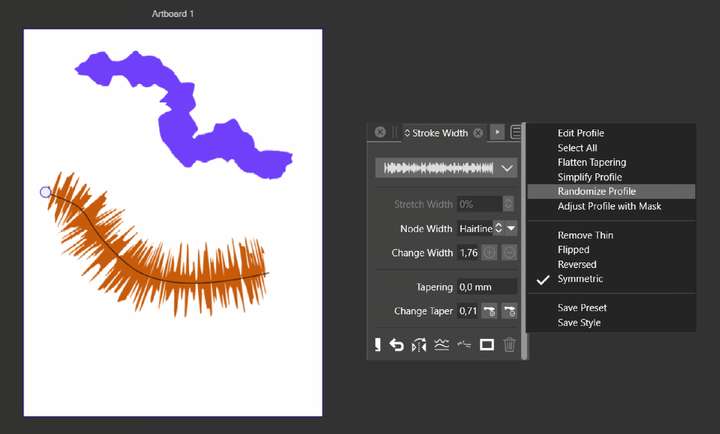
                                          I found temporary workaround also in the Stroke Width panel's menu - there is "Randomize profile" option. Still it's "post production", not "live" and not exactly what I meant:
                                          0_1670413680008_obraz_2022-12-07_124800004.png

                                          Win 11, XP Pen Deco 01 V2 graphic tablet

                                          VectorStylerV 1 Reply Last reply Reply Quote 1
                                          • VectorStylerV Offline
                                            VectorStyler @Harry
                                            last edited by

                                            @Harry If there are some good inspirations on how such a brush should look like, please upload here or send them to me by email.


                                            1 Reply Last reply Reply Quote 0
                                            • First post
                                              Last post