VectorStyler
    • Categories
    • Unread
    • Recent
    • Tags
    • Popular
    • Register
    • Login

    Exporting Final Art from VS for others including non-VS users

    Scheduled Pinned Locked Moved General Discussion
    50 Posts 4 Posters 134.2k Views 3 Watching
    Loading More Posts
    • Oldest to Newest
    • Newest to Oldest
    • Most Votes
    Reply
    • Reply as topic
    Log in to reply
    This topic has been deleted. Only users with topic management privileges can see it.
    • S Offline
      Subpath
      last edited by Subpath

      @Boldline

      Regarding your screen printing photos above.

      Found it interesting that your designs are screen printed 🙂
      I was a screen printer for about 12 years mainly printing foils
      and signs.

      And after that job I was a screen printer again for about 8 weeks in
      T-shirt printing and we had the same workflow as you describe with
      your photos above. Brings back some memories 🙂

      After that I went into digital printing, and created the vector graphics there.

      Win 11
      CPU: AMD Ryzen 5 9600X, 6-core.
      GPU: Nvidia Geforce RTX 5070.

      BoldlineB 1 Reply Last reply Reply Quote 1
      • BoldlineB Online
        Boldline @Subpath
        last edited by

        @Subpath That's really awesome! Would love to see some of your work, do you have a link? I kind of fell into screen print designing in 2010 and loved it immediately and have done it since. After working for a couple companies I decided to quit and start my own business in 2014 and have done it full time since. I don't do the actual printing myself, I just create the designs and sell them to printers who use them for their clients.
        What kind of digital printing do you do now?

        🍎 macOS Tahoe 26.2, Mac mini (M1, 2020), Chip Apple M1, Memory 16 GB
        Cintiq 27QHD Display and LG Ultra HD Display

        S 1 Reply Last reply Reply Quote 1
        • S Offline
          Subpath @Boldline
          last edited by Subpath

          @Boldline, unfortunately can not show anything.
          Screen printing was a long time ago. And for vector designs,
          the company owns the rights.

          In my last job, I was also only doing vector designs, new products
          with marketing, the Designs were mostly safety signs and labels,
          custom road signs and so on and Designs on customer request.

          The digital printers were two "Gerber Edge," if you know them and we
          also had two vinyl plotters, I forget the name. Later also a large
          UV ink printer.

          Btw. like your Designs and must say that you do a really good job.

          Win 11
          CPU: AMD Ryzen 5 9600X, 6-core.
          GPU: Nvidia Geforce RTX 5070.

          BoldlineB 1 Reply Last reply Reply Quote 1
          • BoldlineB Online
            Boldline @Subpath
            last edited by

            @Subpath said in Exporting Final Art from VS for others including non-VS users:

            Btw. like your Designs and must say that you do a really good job.

            thank you!

            Would love to see stuff you do currently, even for yourself

            🍎 macOS Tahoe 26.2, Mac mini (M1, 2020), Chip Apple M1, Memory 16 GB
            Cintiq 27QHD Display and LG Ultra HD Display

            S 2 Replies Last reply Reply Quote 1
            • S Offline
              Subpath @Boldline
              last edited by

              @Boldline

              Will look, but do not expect anything special
              I'm more experimenting at the moment.
              To find out solutions for some ideas.

              Win 11
              CPU: AMD Ryzen 5 9600X, 6-core.
              GPU: Nvidia Geforce RTX 5070.

              1 Reply Last reply Reply Quote 1
              • BoldlineB Online
                Boldline @VectorStyler
                last edited by Boldline

                @vectoradmin said in Exporting Final Art from VS for others including non-VS users:

                @Boldline said in Exporting Final Art from VS for others including non-VS users:

                What I need to figure out still is a working registration black I can use when I do this method of printing...

                Did you try using the Registration color in the VS default palette (should be just after the null color)?
                That should print on all plates.

                I tried using the built in registration black to no avail.... it would not show up on the final output pdf.

                I've attached the file here in hopes @b77 and @vectoradmin in particular could help me find a solution.
                0_1641349834100_CC Bulldogs Seps.vstyler

                🍎 macOS Tahoe 26.2, Mac mini (M1, 2020), Chip Apple M1, Memory 16 GB
                Cintiq 27QHD Display and LG Ultra HD Display

                VectorStylerV 1 Reply Last reply Reply Quote 0
                • VectorStylerV Offline
                  VectorStyler @Boldline
                  last edited by

                  @Boldline said in Exporting Final Art from VS for others including non-VS users:

                  @vectoradmin said in Exporting Final Art from VS for others including non-VS users:

                  @Boldline said in Exporting Final Art from VS for others including non-VS users:
                  I tried using the built in registration black to no avail.... it would not show up on the final output pdf.

                  Found the issue: it does not show up on the spot plates. This is a bug.

                  BoldlineB 1 Reply Last reply Reply Quote 1
                  • S Offline
                    Subpath @Boldline
                    last edited by Subpath

                    @Boldline

                    " ... What kind of digital printing do you do now? ..."
                    I don't work anymore 🙂
                    I do vector graphics only for fun/hobby or friends now.

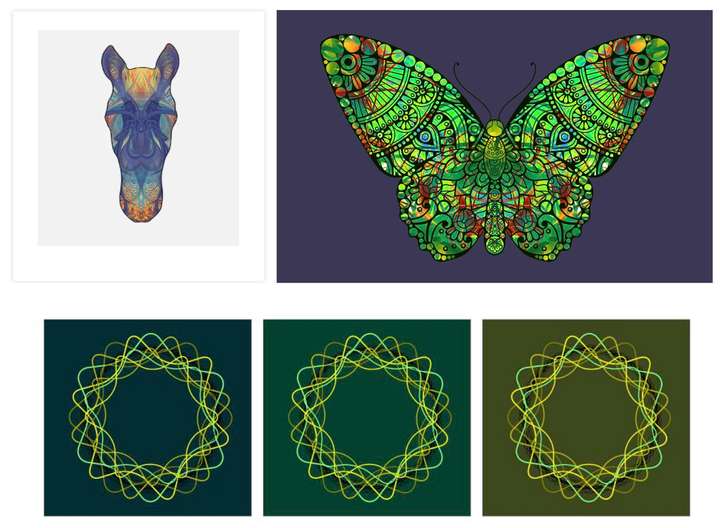
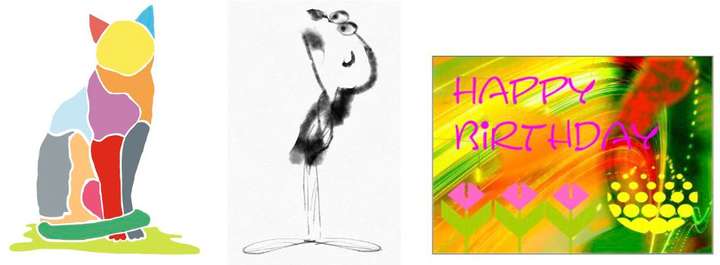
                    Here a small collection. The first two, are things I have
                    also done professionally. Whereas I designed "wood saws"
                    privately for a friend. The other, in my spare time to try
                    different styles.

                    0_1641476876870_First.jpg

                    The rest is private stuff. Lately I like to experiment with
                    symmetrical designs. I will continue to do so.
                    0_1641477033824_Second-b.jpg

                    0_1641477054956_Third.jpg

                    Btw. if you think the little man in the last line, would not be vector graphics 🙂
                    Then you are half wrong. Is made in Concepts an app I like to use on my iPad.
                    It is a vector app but partially with bitmap like brushes. The others are mostly
                    CorelDraw.

                    Win 11
                    CPU: AMD Ryzen 5 9600X, 6-core.
                    GPU: Nvidia Geforce RTX 5070.

                    BoldlineB 1 Reply Last reply Reply Quote 2
                    • BoldlineB Online
                      Boldline @VectorStyler
                      last edited by Boldline

                      @vectoradmin said in Exporting Final Art from VS for others including non-VS users:

                      Found the issue: it does not show up on the spot plates. This is a bug.

                      Awesome! Getting this fixed will be great as I can begin to send out separation files exporting right from VS!

                      🍎 macOS Tahoe 26.2, Mac mini (M1, 2020), Chip Apple M1, Memory 16 GB
                      Cintiq 27QHD Display and LG Ultra HD Display

                      1 Reply Last reply Reply Quote 0
                      • BoldlineB Online
                        Boldline @Subpath
                        last edited by

                        @Subpath Thanks for sharing your work! I really love that butterfly and horse in particular. I could see those making really awesome shirts for example. I would have guessed a raster image on that little man, lo. cool stuff. I love the symmetrical design studies - keep experimenting and sharing. If you figure out cool tricks in VS, let me know- share in the forum for sure. 🙂

                        🍎 macOS Tahoe 26.2, Mac mini (M1, 2020), Chip Apple M1, Memory 16 GB
                        Cintiq 27QHD Display and LG Ultra HD Display

                        S 1 Reply Last reply Reply Quote 1
                        • S Offline
                          Subpath @Boldline
                          last edited by

                          @Boldline

                          thanks

                          ... If you figure out cool tricks in VS, let me know- share in the
                          forum for sure ...

                          I will definitely do

                          Win 11
                          CPU: AMD Ryzen 5 9600X, 6-core.
                          GPU: Nvidia Geforce RTX 5070.

                          1 Reply Last reply Reply Quote 0
                          • S Offline
                            Subpath
                            last edited by

                            @Boldline

                            Here yet two Videos that shows some Brushes
                            of the "Concepts" App (iPad) and belive it or not.
                            It is still vector graphics everything stay editable.

                            Concepts, draw a shoe

                            Concepts, draw a perfume bottle

                            Win 11
                            CPU: AMD Ryzen 5 9600X, 6-core.
                            GPU: Nvidia Geforce RTX 5070.

                            BoldlineB 1 Reply Last reply Reply Quote 1
                            • BoldlineB Online
                              Boldline @Subpath
                              last edited by

                              @Subpath Are those brushes bitmap based though? I know that is an issue in the Affinity forum for example, 95% of their "vector" brushes are actually bitmap brushes that can look like vector but cannot be expanded or treated like pure 100% vector

                              🍎 macOS Tahoe 26.2, Mac mini (M1, 2020), Chip Apple M1, Memory 16 GB
                              Cintiq 27QHD Display and LG Ultra HD Display

                              S 1 Reply Last reply Reply Quote 0
                              • S Offline
                                Subpath @Boldline
                                last edited by Subpath

                                @Boldline

                                "...Are those brushes bitmap based though? ..."

                                These brushes are not skeleton brushes like in Affinity Designer, where you move
                                a bitmap virtually on a vector line.

                                In Concepts with the built-in watercolor, airbrush and pencil brush. I can zoom to
                                the maximum (1600%) without it getting pixelated. And also with other built-in brushes.
                                The watercolor brush even mixes the colors a little bit and everything runs smoothly,
                                without any delays. In addition, Concepts has also an infinite canvas.

                                Concepts behaves similarly to a vector application, but uses a different philosophy.
                                Vector lines do not have Nodes, you can move a line into a curve with a Pull-Tool.
                                There are also no Boolean operators to cut objects. You can fake it a bit with the masking tool,
                                and there is a real vector eraser.
                                I think it comes pretty close to a vector paint program.

                                Win 11
                                CPU: AMD Ryzen 5 9600X, 6-core.
                                GPU: Nvidia Geforce RTX 5070.

                                BoldlineB 1 Reply Last reply Reply Quote 0
                                • BoldlineB Online
                                  Boldline @Subpath
                                  last edited by

                                  @Subpath Awesome! I'll have to play around with it. I think I found the website
                                  https://concepts.app/en/

                                  🍎 macOS Tahoe 26.2, Mac mini (M1, 2020), Chip Apple M1, Memory 16 GB
                                  Cintiq 27QHD Display and LG Ultra HD Display

                                  S 1 Reply Last reply Reply Quote 0
                                  • S Offline
                                    Subpath @Boldline
                                    last edited by Subpath

                                    @Boldline said in Exporting Final Art from VS for others including non-VS users:

                                    @Subpath Awesome! I'll have to play around with it. I think I found the website
                                    https://concepts.app/en/

                                    Yes, that is the Website.
                                    Have to say that the Windows Version is a bit limited, no Watercolor Brush
                                    and a few other things i dont remember. But has the Airbrush and the Pencil.
                                    You could try the free Demo.

                                    I own the iPad Version. Also if you deciced to buy the App, look carefully
                                    it seems subscription based. But there is also an Non-subscription version
                                    (i own this Version).

                                    I have this:
                                    Essentials 14,99 € (the non Subcription Version)
                                    PDF-Essentials 4,99 € ( for PDF Export )
                                    Shape Library 1,99 € ( Kind of Clipboard/Asset Browser )

                                    Win 11
                                    CPU: AMD Ryzen 5 9600X, 6-core.
                                    GPU: Nvidia Geforce RTX 5070.

                                    1 Reply Last reply Reply Quote 0
                                    • First post
                                      Last post
