VectorStyler
    • Categories
    • Unread
    • Recent
    • Tags
    • Popular
    • Register
    • Login

    A suggestion about alignment
    Scheduled Pinned Locked Moved Resolved 1.2 bugs
    8 Posts 4 Posters 7.2k Views 4 Watching
    Loading More Posts
    • Oldest to Newest
    • Newest to Oldest
    • Most Votes
    Reply
    • Reply as topic
    Log in to reply
    This topic has been deleted. Only users with topic management privileges can see it.
    • H Offline
      hbalcic
      last edited by

      Hello friends,

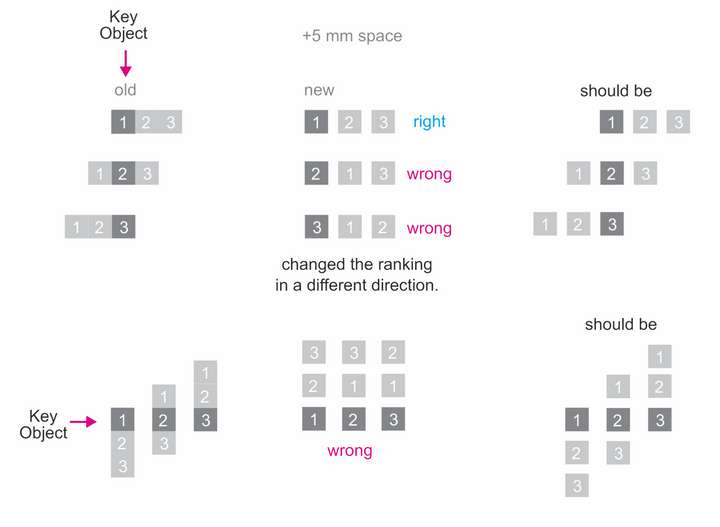
      Changes the order of the elements in a different direction when we add the spacing according to the key object.

      Yours sincerely
      Hakan Balcı

      0_1732092522214_Alignment Key Object.vstyler
      0_1732092507323_Alignment Key Object.png

      VectorStylerV 1 Reply Last reply Reply Quote 1
      • VectorStylerV Offline
        VectorStyler @hbalcic
        last edited by

        @hbalcic I added this to the backlog, will get back with questions later.

        M 1 Reply Last reply Reply Quote 0
        • H Offline
          hbalcic
          last edited by

          I set it up in AI. That's how it's supposed to work:

          https://go.screenpal.com/watch/cZXrlFnVyyx

          vs:
          https://go.screenpal.com/watch/cZXrl0nVy4U

          1 Reply Last reply Reply Quote 1
          • M Offline
            monsterfox @VectorStyler
            last edited by

            @VectorStyler It can be seen that the order of the graphics has changed (it is necessary to prompt that the error of order change will also occur when multiple objects are arranged along the path). Please fix it as well.

            1 Reply Last reply Reply Quote 1
            • H Offline
              hbalcic
              last edited by hbalcic

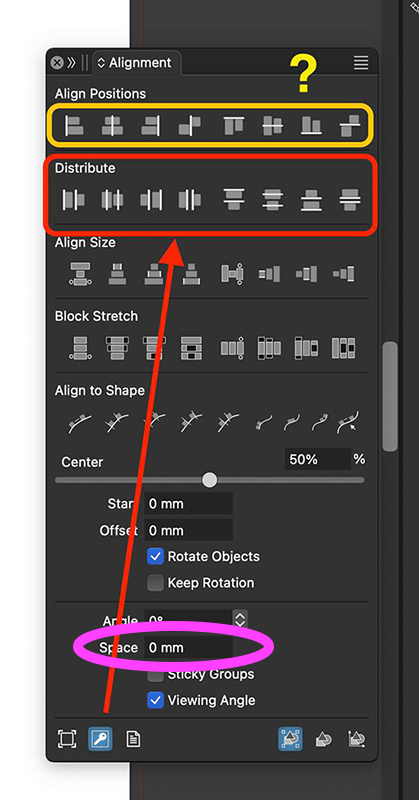
              ‘Key Objects’ commands belong to ‘Distribute’. Wrongly linked to ‘Align Positions’ commands. Works with the ‘Space’ command.
              0_1732264016121_Distribute-align-key-objects.jpg

              debraspicherD VectorStylerV 2 Replies Last reply Reply Quote 2
              • debraspicherD Offline
                debraspicher @hbalcic
                last edited by

                @hbalcic I noticed this also. I can't get it to work at all as expected (Distribute).

                Windows 11 Build 26200.7171 (25H2)
                AMD Ryzen 7 9700X with Gigabyte X870E Aorus Pro Ice
                32GB RAM @ 6000MHz
                PNY NVIDIA RTX 5070 Ti 16GB; Display 1: 4K @150%; Display 2: 4K @200%
                Wacom Intuos Pro L (2025); Wacom Intuos Pro M; Epson ET-8550; Siser Romeo

                1 Reply Last reply Reply Quote 1
                • debraspicherD Offline
                  debraspicher
                  last edited by

                  @hbalcic Thank you for providing this file for quick testing!

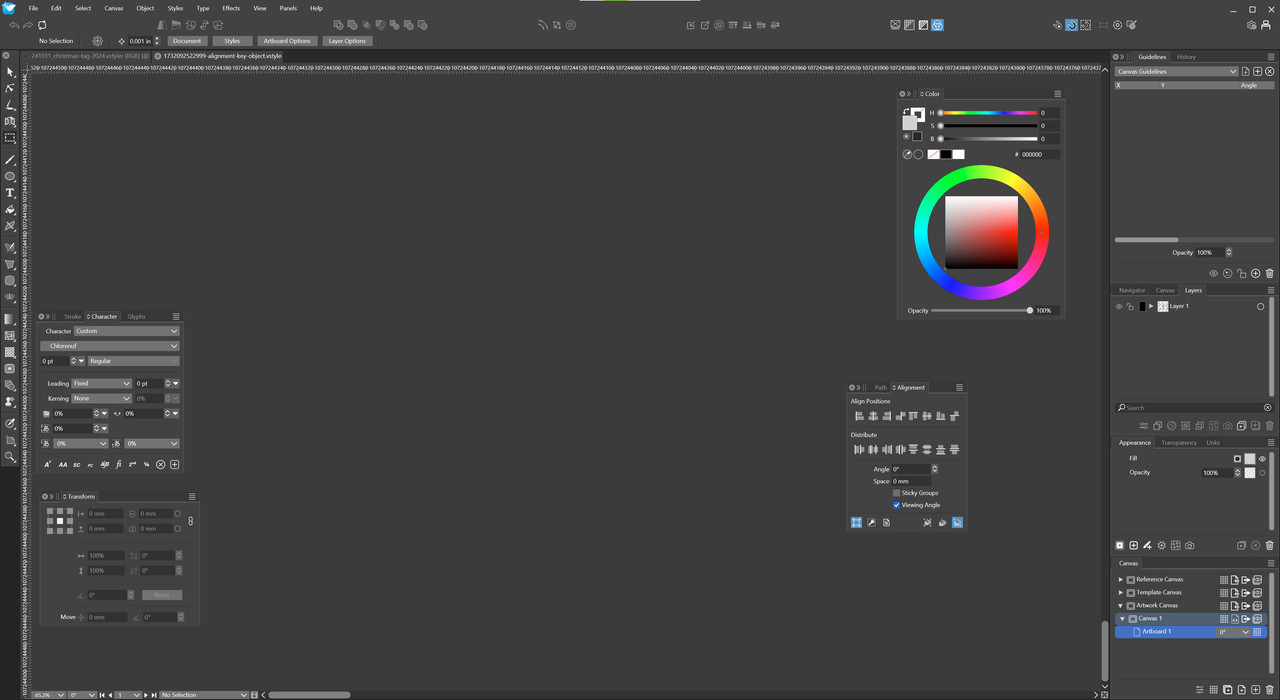
                  This is maybe a bug, but I noticed it opened this way... will have to click to zoom in, but check the Ruler measurements... I think I did Zoom to Artboard to get it where it needed to be.
                  241122-debraspicher-open-alignment-document.jpg

                  Windows 11 Build 26200.7171 (25H2)
                  AMD Ryzen 7 9700X with Gigabyte X870E Aorus Pro Ice
                  32GB RAM @ 6000MHz
                  PNY NVIDIA RTX 5070 Ti 16GB; Display 1: 4K @150%; Display 2: 4K @200%
                  Wacom Intuos Pro L (2025); Wacom Intuos Pro M; Epson ET-8550; Siser Romeo

                  1 Reply Last reply Reply Quote 1
                  • VectorStylerV Offline
                    VectorStyler @hbalcic
                    last edited by

                    @hbalcic said in A suggestion about alignment:

                    ‘Key Objects’ commands belong to ‘Distribute’. Wrongly linked to ‘Align Positions’ commands. Works with the ‘Space’ command.

                    The "Key Objects" option should also work with the align positions

                    1 Reply Last reply Reply Quote 0
                    • First post
                      Last post