Actions file can no longer be opened
-
Yes.
-
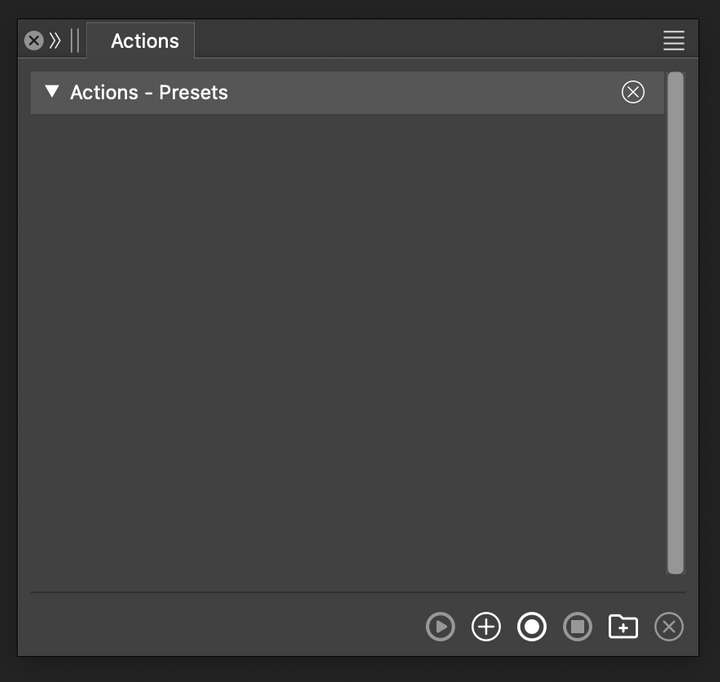
Here's a video. The Actions panel does open with the same title as the file but the actions are missing.
Also, notice after I open the file, the Actions panel keeps docking with a panel group that I have minimzed. I separate the Actions panel from the group, open the file again, and the Actions panel got grouped again with the other minimzed panels. This should not be the case unless I specifically group the Actions panel with the rest.
https://rumble.com/v5gr3i2-vectorstyler-cannot-load-actions.html
-
@pentool This is what I get: https://share.cleanshot.com/mMb47jMw
I downloaded the preset file just now from the dropbox link.
One thing: some workspace / settings issue might have accumulated from previous updates (I always have the default workspace to start a test). Try removing the settings / workspace files (back them up).
-
It's not enough to just download the file. You need to open it as well from the Actions Panel.
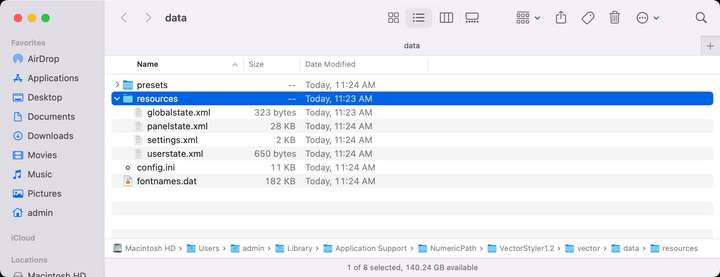
I removed the entire "resources" folder (see screenshot) and restarted the application. I have also tried "Help > Restore Defaults". None solved the issue so far.
Furthremore, if you create a new action, save it into a file, delete the action from the actions panel so it's blank, restart the app, now try loading the action you just saved back from the file, it won't load.
Something got broken.
-
@pentool said in Actions file can no longer be opened:
You need to open it as well from the Actions Panel.
It as opened, see the recording: https://share.cleanshot.com/mMb47jMw
What happens if you drag&drop the actions preset file into an empty VS window?
I'm trying to narrow down where this issue might occur, as something is clearly different here.
-
When I drag-n-drop the file, I get the exact same result as if I opened the file through the menu. The title of the Actions Palette file show the file name, but there are no actions listed.
And as I was saying, it is not the issue with this specific file because if I record an action, save it, I am not able to open that file either.
MacBook Pro 13" early 2015 8G | Intel Iris Graphics 6100 1536 MB | macOS Monterey 12.7.6
-
@pentool Clearly something is different with this case. It is not the old file, the bug happens with new ones too.
Another test: can you open the file in the Styles -> Presets Manager?
A last resort thing: remove (backup first) the whole "VectorStyler1.2" folder in the Application Support/NumericPath/
remove, download and install VS again, restore the license key in "VectorStyler1.2/vector/" folder. -
@pentool How about any other preset type: can they be saved and reloaded from ".preset" files ?
-
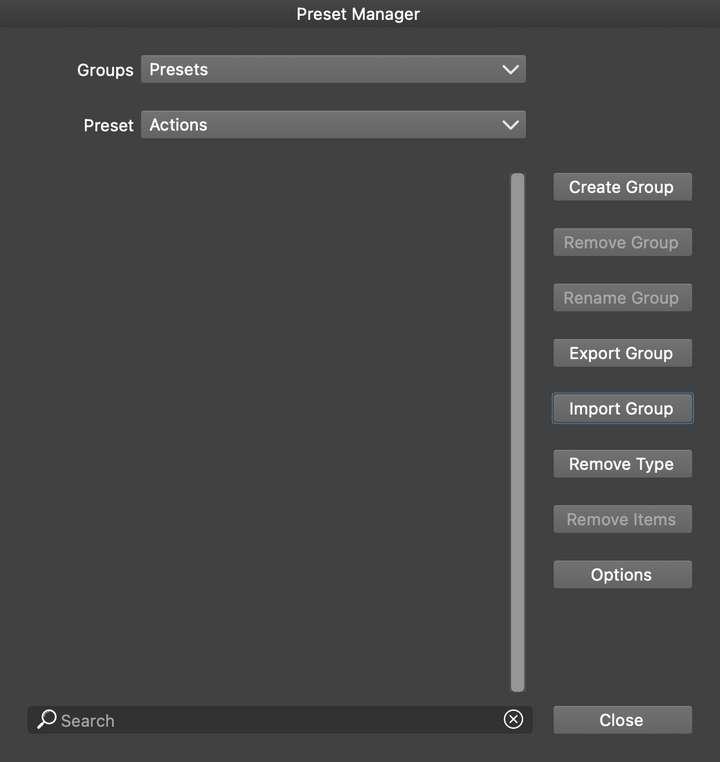
@VectorStyler The "Styles > Preset Manager" cannot open files. There's no such option. There's only "Import Group", and that cannot open ".preset" files.
-
@pentool If you record some action so the Actions folder is not empty, then the Options -> Append should be able to import.
-
It seems the file somehow became corrupted because all of the file contents have disappeared. It had the basic, empty JSON format inside the actions preset file, but everything else was gone (eg all the data that defined the actions).
I do remember trying to change the format from JSON to XML but the file still didn't open.
Somehow the file content has disappeared and when I opened it, it just opened the blank file. I downloaded again from Dropbox and now it opens.
At this point it's still a mystery how the content disappeared from the file.
I just submitted a crash report. I was trying to "Append" the actions file (by selecting "Append..." from the Actions Palette menu and the app has crashed.
Something causes the file contents disappear, now a crash. Will have to test this further.
-
@pentool I got the crash report, and will try to have this fixed for the next build.
-
I figured out why I could not load the Actions from the file.
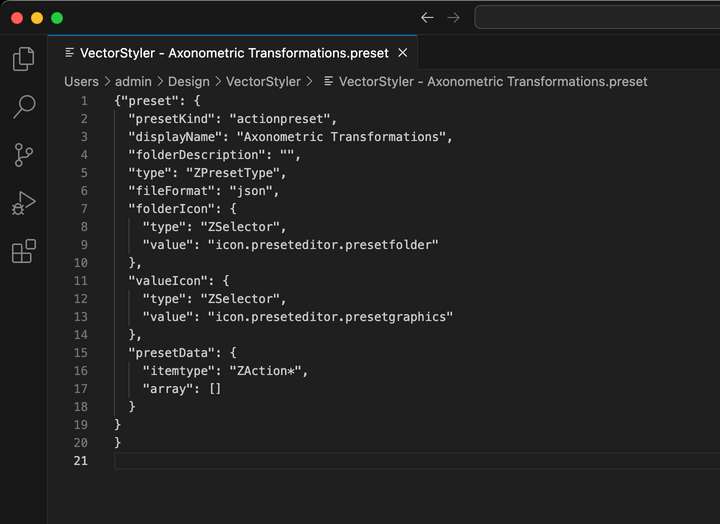
When you load actions from an external file and you click the rightmost icon at the bottom of the Actions palette (Remove the selected actions or folders), it not only removes the actions from the palette itself but also deletes the contents of the actions file they were loaded from. That's no good.
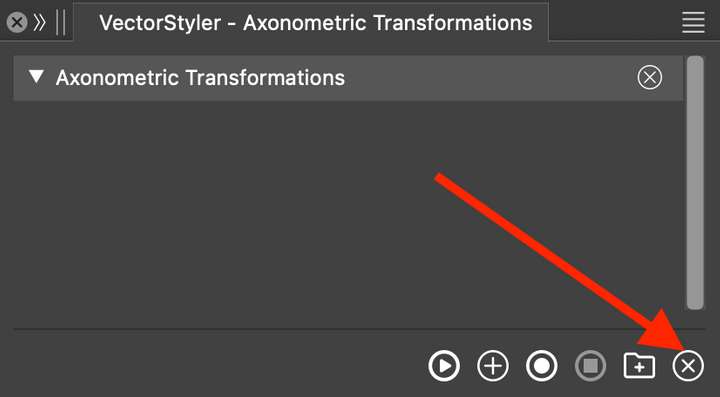
That icon should remove the actions from the panel only. Not from the file itself. There's not even a warning to the user that the contents of the file will be lost when pressing that icon.
In the video you can see that I start out with the original Action file and its file size is 236KB. Then, I delete the actions from the panel, and the file size will go down to 428 bytes!
All the actions will be removed from the file as you can see it here:
MacBook Pro 13" early 2015 8G | Intel Iris Graphics 6100 1536 MB | macOS Monterey 12.7.6
-
@pentool I opened a bug on this. But if the actions are selected, then they will be removed.
-
@pentool The content of the panel is synced with the file content, so if a preset is removed in the panel, it has to be removed in the file as well.
An explicit save command would not be a good solution in terms of UX (always asking at exit, etc).
How about a warning alert when the user removes a preset ?
-
I am not sure why an action (or a series of actions) would be kept in sync with the file that they were loaded from? What is the need to do that for?
Actions are already self-contained commands. Once people create actions they don't usually go back and edit them. You could edit an action, for example you entered the rotation incorrectly and you want to correct the rotation angle. However, VectorStyler doesn't allow you to do that. So if I make a mistake, I have to go inside the file, find the problem value and correct it there. As opposed to, say, in Illustrator, where I can double click a particular command (eg Rotate), and the dialog box will show me the value I can edit.
But either way, if a user wants to make edits to an action that was loaded from a file, they can simply save it again from the menu.
My problem with realtime syncing is, one, the user is not aware that the actions are syncing realtime with the file. Two, as I mentioned above, you cannot actually edit a value (eg rotation) if you make a mistake. Three, if you move the file where the actions loaded from, VS will re-create the file at the original location. Why?
Example, I receive an action file from someone else. I am not sure if I want to keep these actions or what exactly the actions are doing so I just download the file to my Desktop temporarily. I load them into VS. I decide they are good so I will keep them around. So I go to the Desktop and move the file into a safe location, say, "..\Design\VectorStyler" folder. Now quit VS and open it again. Now you have two files. The original, that you just moved to the "..\Design\VectorStyler" folder, and another, which is the same file that VS just re-saved to the original location (Desktop).
This is already a confusing scenario because the user will not know what happened and why are there two files. Furthermore, any possibly changes to the actions will be saved into the file on the Desktop and not to the file I moved to my safe location.
Let the user load an action from a file.
Do not sync the action to the file. Why would you?
If the user alters the actions in any way, they will have to re-save it either into the same file or into a new file.MacBook Pro 13" early 2015 8G | Intel Iris Graphics 6100 1536 MB | macOS Monterey 12.7.6
-
@pentool said in Actions file can no longer be opened:
I am not sure why an action (or a series of actions) would be kept in sync with the file that they were loaded from?
Then where should these be stored?
-
@pentool said in Actions file can no longer be opened:
You could edit an action, for example you entered the rotation incorrectly and you want to correct the rotation angle. However, VectorStyler doesn't allow you to do that.
This will be implemented by 1.3
-
@pentool said in Actions file can no longer be opened:
I decide they are good so I will keep them around. So I go to the Desktop and move the file into a safe location, say, "..\Design\VectorStyler" folder. Now quit VS and open it again. Now you have two files.
Not really, once the file is moved, the associated action panel will not open. Unless if VS is still running and the actions are changed.
-
I have just tried this with a color preset. They work differently.
- Create a single color preset.
- Save it into a file.
- Delete the color preset from the Color Presets panel.
- Restart VS.
- Load the color preset from the file. It's still there.
- Delete the color preset from the Color Preset panel (the panel will be named whatever the color preset file is named).
- The color preset will disappear from the preset panel (since you just deleted).
- Restart VS.
- Load the color preset from the file. IT'S STILL THERE!
After step 9, the color preset is still in the file and can be loaded.
The issue I had with the Actions, that they work differently. Once you delete an action, it is immediately deleted from the file without the user's knowledge. In contrast, if you do this with a color preset, the color preset stays in the file so you can load it again.
Actions should work the same way.
When you load the color preset, I noticed there's an "Update and synchornize presets" icon at the bottom of the panel. If you delete the color preset and hit this icon, the color preset will be loaded back into the panel (I assume from the file).
There's no such button in the Actions panel. If you delete and action from the panel, it will be gone from the file as well.
So even though there's a preset for actions and colors (Actions are accessed from the Panels > Preset menu) they work differently as far as syncing/opening/using them from an extdernal file. They should work the same.
If you delete an action from the panel, it should not be deleted from the file. Just like in the case of color presets.
MacBook Pro 13" early 2015 8G | Intel Iris Graphics 6100 1536 MB | macOS Monterey 12.7.6
