VectorStyler
    • Categories
    • Unread
    • Recent
    • Tags
    • Popular
    • Register
    • Login

    WIP - Testing Blending: not yet a tutorial but soon for beginners


    Scheduled Pinned Locked Moved Tutorials
    123 Posts 7 Posters 474.5k Views 7 Watching
    Loading More Posts
    • Oldest to Newest
    • Newest to Oldest
    • Most Votes
    Reply
    • Reply as topic
    Log in to reply
    This topic has been deleted. Only users with topic management privileges can see it.
    • B Offline
      B-Vs-V
      last edited by B-Vs-V

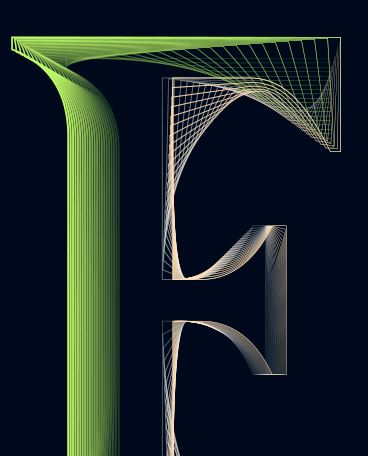
      Work in progress: the scheme is so far rather incoherent & I have to adjust the node points, the thickness, the gradients etc. but again, no issue dealing with all these curves & gradients in VS.

      Just for testing & repeating the process with the letter P like P(ageStyler)...

      Edit: @VectorStyler I noticed that Ctrl-Z does not work as expected after applying a gradient but overall no problem.

      0_1668748645382_160b994a-4210-4652-8d1a-2153bbca7485-image.png

      W11 Pro 25H2 - 12th Gen Intel(R) i7-12700K 3.61 GHz - RAM 64 Go - NVIDIA GF GTX 4070 Ti - Intuos - Dell UP3216Q / Eizo ColorEdge
      W11 Pro 25H2 - 12th Gen Intel(R) i7-12700KF 3.60 GHz -RAM 64 Go - NVIDIA GF GTX 3080 - IntuosPro- ProArt PA329C

      1 Reply Last reply Reply Quote 1
      • B Offline
        B-Vs-V
        last edited by

        WIP, slightly better and even more difficult for VS because I've added effects (Gaussian blur, distortion).

        Still a screenshot:

        0_1668778743171_26b30f1d-327d-4aaf-a92e-f20bfb81334c-image.png

        @VectorStyler VS is fine now. I'm wondering whether this can be due to the maximum sub-pixels I've selected to render the graphics and after a while rendering can become chaotic ?

        W11 Pro 25H2 - 12th Gen Intel(R) i7-12700K 3.61 GHz - RAM 64 Go - NVIDIA GF GTX 4070 Ti - Intuos - Dell UP3216Q / Eizo ColorEdge
        W11 Pro 25H2 - 12th Gen Intel(R) i7-12700KF 3.60 GHz -RAM 64 Go - NVIDIA GF GTX 3080 - IntuosPro- ProArt PA329C

        VectorStylerV 1 Reply Last reply Reply Quote 1
        • VectorStylerV Offline
          VectorStyler @B-Vs-V
          last edited by

          @Pat said in WIP - Testing Blending: not yet a tutorial but soon for beginners:

          maximum sub-pixels I've selected to render the graphics

          Could be, but this is not affected by the GPU.
          I will try with maximum subpixel antialising on Windows.

          B 1 Reply Last reply Reply Quote 0
          • B Offline
            B-Vs-V @VectorStyler
            last edited by

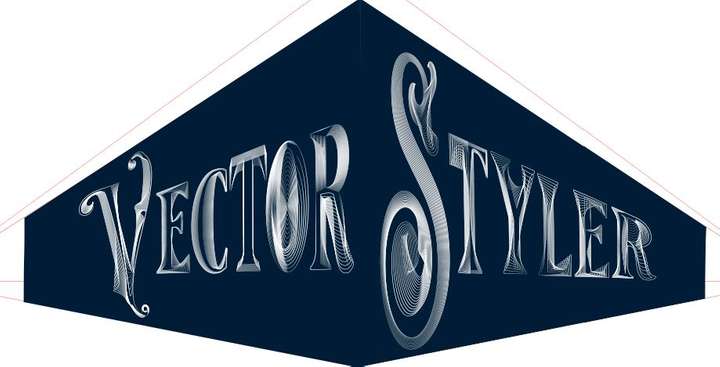
            The idea is simply to show what can be achieved with the blending feature in VS.

            This is not particularly original; there were many tutorials with this approach in AI that I used to illustrate a book chapter at the time. These small manipulations show different renderings (and perspective) by changing the thickness of the lines/strokes, their opacity and of course their position. I don't want to bother you with too many of these figures and I will show the final version for the all word "VectorStyler".

            0_1669217294658_1356cf29-7fba-47d9-9383-166dab3ef5bb-image.png

            W11 Pro 25H2 - 12th Gen Intel(R) i7-12700K 3.61 GHz - RAM 64 Go - NVIDIA GF GTX 4070 Ti - Intuos - Dell UP3216Q / Eizo ColorEdge
            W11 Pro 25H2 - 12th Gen Intel(R) i7-12700KF 3.60 GHz -RAM 64 Go - NVIDIA GF GTX 3080 - IntuosPro- ProArt PA329C

            1 Reply Last reply Reply Quote 2
            • B Offline
              B-Vs-V
              last edited by

              Not being sure if I can finish quickly, so here is the current status. It's far from perfect but as I wrote, it's about showing that one can be creative with this VS feature (hope you think this way ☺ ). Some parameters can (should in this case) be improved and one can modulate:

              • the colour gradients (here could be harmonised);
              • the placement of the nodes;
              • the thickness and size of the strokes (can be different between the two objects used for blending);
              • etc.
                One could also add distortion effects (I will try later). Some of the strokes ends should be masked, etc. etc.
                I hope you won't be bothered with this and that you won't find it too simple for vector graphics specialists. I don't think we need a tutorial for this but just tell me...

              If this AI function is missing in the work, VectorStyler can do it ☺

              The artefacts are there because this is a simple screenshot (just click the image to get a better shot, I think).

              For abstracts shapes & posters, this is great too.

              0_1669281402332_ef6e71dd-0636-4507-b3c2-93908617230b-image.png

              W11 Pro 25H2 - 12th Gen Intel(R) i7-12700K 3.61 GHz - RAM 64 Go - NVIDIA GF GTX 4070 Ti - Intuos - Dell UP3216Q / Eizo ColorEdge
              W11 Pro 25H2 - 12th Gen Intel(R) i7-12700KF 3.60 GHz -RAM 64 Go - NVIDIA GF GTX 3080 - IntuosPro- ProArt PA329C

              S 1 Reply Last reply Reply Quote 4
              • S Offline
                Subpath @B-Vs-V
                last edited by Subpath

                @Pat

                looks great so far 👍

                btw it is also possible to create a Patterbrush from one or more Blends,
                a new functionality in VS since Version 1.0.42

                Win 11
                CPU: AMD Ryzen 5 9600X, 6-core.
                GPU: Nvidia Geforce RTX 5070.

                B 1 Reply Last reply Reply Quote 1
                • B Offline
                  B-Vs-V @Subpath
                  last edited by

                  @Subpath I didn't know but I was planning as a next step to dive into the diversity of brushes in VS and their use.
                  A lot of fun ahead.

                  W11 Pro 25H2 - 12th Gen Intel(R) i7-12700K 3.61 GHz - RAM 64 Go - NVIDIA GF GTX 4070 Ti - Intuos - Dell UP3216Q / Eizo ColorEdge
                  W11 Pro 25H2 - 12th Gen Intel(R) i7-12700KF 3.60 GHz -RAM 64 Go - NVIDIA GF GTX 3080 - IntuosPro- ProArt PA329C

                  S 1 Reply Last reply Reply Quote 1
                  • S Offline
                    Subpath @B-Vs-V
                    last edited by

                    @Pat said in WIP - Testing Blending: not yet a tutorial but soon for beginners:

                    A lot of fun ahead.

                    Indeed 🙂

                    Played a while ago with Blends for Pattern Brush
                    its here:
                    https://www.vectorstyler.com/forum/topic/2089/playing-with-blend-in-pattern-brush

                    Win 11
                    CPU: AMD Ryzen 5 9600X, 6-core.
                    GPU: Nvidia Geforce RTX 5070.

                    B 1 Reply Last reply Reply Quote 1
                    • B Offline
                      B-Vs-V @Subpath
                      last edited by

                      @Subpath Great, I'll read the thread for sure 👍 Thank you.

                      W11 Pro 25H2 - 12th Gen Intel(R) i7-12700K 3.61 GHz - RAM 64 Go - NVIDIA GF GTX 4070 Ti - Intuos - Dell UP3216Q / Eizo ColorEdge
                      W11 Pro 25H2 - 12th Gen Intel(R) i7-12700KF 3.60 GHz -RAM 64 Go - NVIDIA GF GTX 3080 - IntuosPro- ProArt PA329C

                      1 Reply Last reply Reply Quote 2
                      • B Offline
                        B-Vs-V
                        last edited by

                        Well, I'll stop here for now. I personally find that these VS features allow to express a lot of different (creative) ideas. I don't have much time to go on but just to show that many effects are possible.

                        I followed a tutorial from @Devil-Dinosaur on isometric drawing and I've applied various distortions of the whole object. I still have to test the line distortions and I'm sure it will be very creative too.

                        If you don't have VS yet, don't hesitate to get it ☺

                        0_1669547280687_Capture.JPG

                        0_1669547476674_Capture2.JPG

                        0_1669547484653_Capture3.JPG

                        0_1669547495431_Capture4.JPG

                        0_1669547501529_Capture5.JPG

                        W11 Pro 25H2 - 12th Gen Intel(R) i7-12700K 3.61 GHz - RAM 64 Go - NVIDIA GF GTX 4070 Ti - Intuos - Dell UP3216Q / Eizo ColorEdge
                        W11 Pro 25H2 - 12th Gen Intel(R) i7-12700KF 3.60 GHz -RAM 64 Go - NVIDIA GF GTX 3080 - IntuosPro- ProArt PA329C

                        S 1 Reply Last reply Reply Quote 4
                        • S Offline
                          Subpath @B-Vs-V
                          last edited by Subpath

                          @Pat said in WIP - Testing Blending: not yet a tutorial but soon for beginners:

                          I personally find that these VS features allow to express a lot of different (creative) ideas.

                          I can only agree with that.

                          Win 11
                          CPU: AMD Ryzen 5 9600X, 6-core.
                          GPU: Nvidia Geforce RTX 5070.

                          1 Reply Last reply Reply Quote 1
                          • B Offline
                            B-Vs-V
                            last edited by

                            Just a very quick one to display another way of using VS features.

                            0_1669583471487_Capture.JPG

                            W11 Pro 25H2 - 12th Gen Intel(R) i7-12700K 3.61 GHz - RAM 64 Go - NVIDIA GF GTX 4070 Ti - Intuos - Dell UP3216Q / Eizo ColorEdge
                            W11 Pro 25H2 - 12th Gen Intel(R) i7-12700KF 3.60 GHz -RAM 64 Go - NVIDIA GF GTX 3080 - IntuosPro- ProArt PA329C

                            1 Reply Last reply Reply Quote 3
                            • B Offline
                              B-Vs-V
                              last edited by

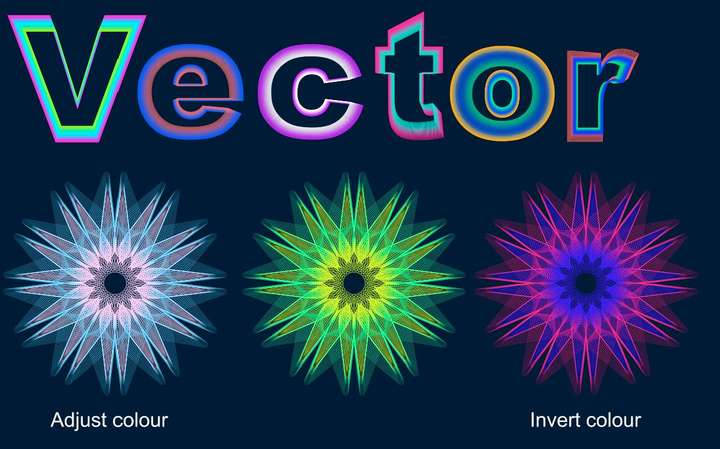
                              One very last one to show the efficiency of VS ; I have used the 'text' tool, the transform feature, the blend tool (& many options), rotation of a duplicated and mirrored original object... & I tested the colour changes this time ( effect --> adjust colour --> invert colour ; effect --> replace colour --> adjust colour).

                              VS is really powerful and a pleasure to use. But work is calling and I'll try to stop using VS for now 😀 I might have an issue with the 'replace colour' feature : I only see the preview for a few seconds & after no way to get it again. I have to use it further before posting a possible bug (but no time now).
                              0_1669713731898_Capture.JPG

                              W11 Pro 25H2 - 12th Gen Intel(R) i7-12700K 3.61 GHz - RAM 64 Go - NVIDIA GF GTX 4070 Ti - Intuos - Dell UP3216Q / Eizo ColorEdge
                              W11 Pro 25H2 - 12th Gen Intel(R) i7-12700KF 3.60 GHz -RAM 64 Go - NVIDIA GF GTX 3080 - IntuosPro- ProArt PA329C

                              S H 2 Replies Last reply Reply Quote 4
                              • S Offline
                                Subpath @B-Vs-V
                                last edited by Subpath

                                @Pat

                                nice creations
                                it seems to me that you are now another user
                                addicted to the possibilities of VectorStyler 🙂

                                and the ideas will never stop bubbling up

                                Win 11
                                CPU: AMD Ryzen 5 9600X, 6-core.
                                GPU: Nvidia Geforce RTX 5070.

                                B 1 Reply Last reply Reply Quote 1
                                • H Offline
                                  Harry @B-Vs-V
                                  last edited by

                                  @Pat said in WIP - Testing Blending: not yet a tutorial but soon for beginners:

                                  One very last one to show the efficiency of VS ; I have used the 'text' tool, the transform feature, the blend tool (& many options), rotation of a duplicated and mirrored original object... & I tested the colour changes this time ( effect --> adjust colour --> invert colour ; effect --> replace colour --> adjust colour).

                                  VS is really powerful and a pleasure to use. But work is calling and I'll try to stop using VS for now 😀 I might have an issue with the 'replace colour' feature : I only see the preview for a few seconds & after no way to get it again. I have to use it further before posting a possible bug (but no time now).

                                  0_1669713731898_Capture.JPG

                                  I'm impressed! Very creative and inspiring!

                                  I'd love to see a tutorial on this!

                                  Win 11, XP Pen Deco 01 V2 graphic tablet

                                  B 1 Reply Last reply Reply Quote 1
                                  • B Offline
                                    B-Vs-V @Subpath
                                    last edited by

                                    @Subpath Thank you but it's simply to test with a concrete case some functionalities of VS... even if I have an idea which will exploit these various useless graphic "manipulations" ☺ 😀

                                    Indeed, VS is very very addictive. I'm so glad to have some features back without subscribing to A*%!e for full CC.

                                    If @VectorStyler decides to add some features for desktop publishing, those apps will be an amazing/striking duo... and then an incredible trio with photo editing in the long term 👑

                                    W11 Pro 25H2 - 12th Gen Intel(R) i7-12700K 3.61 GHz - RAM 64 Go - NVIDIA GF GTX 4070 Ti - Intuos - Dell UP3216Q / Eizo ColorEdge
                                    W11 Pro 25H2 - 12th Gen Intel(R) i7-12700KF 3.60 GHz -RAM 64 Go - NVIDIA GF GTX 3080 - IntuosPro- ProArt PA329C

                                    1 Reply Last reply Reply Quote 2
                                    • B Offline
                                      B-Vs-V @Harry
                                      last edited by

                                      @Harry Thank you (making these is just a way to learn VS) ☺
                                      Oh, ok for the tutorial but I just need to feel a little more confident, go through the different options and I'll get to it.

                                      W11 Pro 25H2 - 12th Gen Intel(R) i7-12700K 3.61 GHz - RAM 64 Go - NVIDIA GF GTX 4070 Ti - Intuos - Dell UP3216Q / Eizo ColorEdge
                                      W11 Pro 25H2 - 12th Gen Intel(R) i7-12700KF 3.60 GHz -RAM 64 Go - NVIDIA GF GTX 3080 - IntuosPro- ProArt PA329C

                                      1 Reply Last reply Reply Quote 0
                                      • B Offline
                                        B-Vs-V
                                        last edited by B-Vs-V

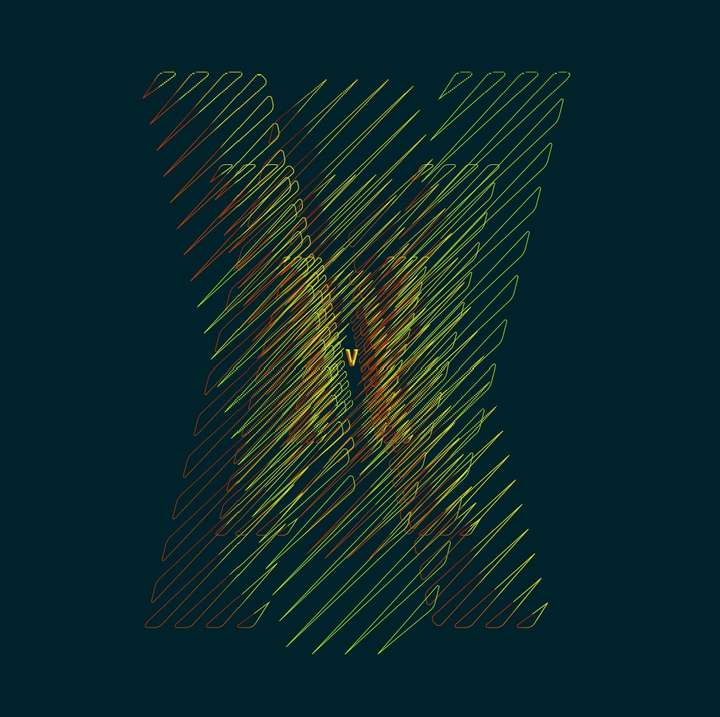
                                        This is not at all what I wanted to get but as I have some issues with some features, I play with the multiple possibilities of VS. It looks simple but it's full of little steps.
                                        It would look good for a poster. This will be my next challenge, to make a layout in VS for a poster for a hypothetical event (with grids, etc.).

                                        0_1670159871352_OfPath.jpg

                                        0_1670159996007_OfPath.jpg

                                        W11 Pro 25H2 - 12th Gen Intel(R) i7-12700K 3.61 GHz - RAM 64 Go - NVIDIA GF GTX 4070 Ti - Intuos - Dell UP3216Q / Eizo ColorEdge
                                        W11 Pro 25H2 - 12th Gen Intel(R) i7-12700KF 3.60 GHz -RAM 64 Go - NVIDIA GF GTX 3080 - IntuosPro- ProArt PA329C

                                        S 1 Reply Last reply Reply Quote 1
                                        • S Offline
                                          Subpath @B-Vs-V
                                          last edited by

                                          @Pat

                                          this one looks so cool 👍
                                          well done

                                          Win 11
                                          CPU: AMD Ryzen 5 9600X, 6-core.
                                          GPU: Nvidia Geforce RTX 5070.

                                          B 1 Reply Last reply Reply Quote 1
                                          • B Offline
                                            B-Vs-V @Subpath
                                            last edited by B-Vs-V

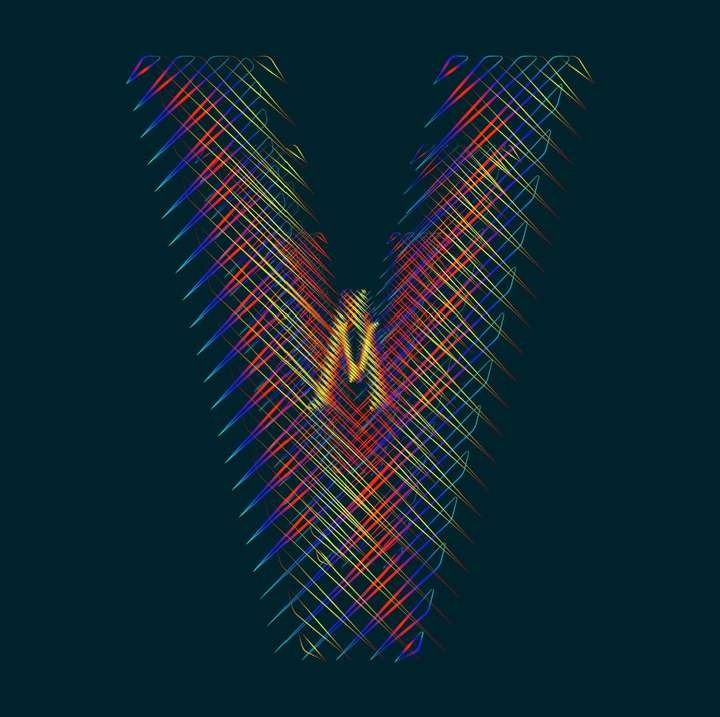
                                            @Subpath Thank you. Can be modified endlessly. This is the V of VS of course. I'll have to spend some time on the "S" ☺
                                            0_1670176209542_V.jpg

                                            W11 Pro 25H2 - 12th Gen Intel(R) i7-12700K 3.61 GHz - RAM 64 Go - NVIDIA GF GTX 4070 Ti - Intuos - Dell UP3216Q / Eizo ColorEdge
                                            W11 Pro 25H2 - 12th Gen Intel(R) i7-12700KF 3.60 GHz -RAM 64 Go - NVIDIA GF GTX 3080 - IntuosPro- ProArt PA329C

                                            S 1 Reply Last reply Reply Quote 3
                                            • First post
                                              Last post