VectorStyler
    • Categories
    • Unread
    • Recent
    • Tags
    • Popular
    • Register
    • Login

    WIP - Testing Blending: not yet a tutorial but soon for beginners


    Scheduled Pinned Locked Moved Tutorials
    123 Posts 7 Posters 474.5k Views 7 Watching
    Loading More Posts
    • Oldest to Newest
    • Newest to Oldest
    • Most Votes
    Reply
    • Reply as topic
    Log in to reply
    This topic has been deleted. Only users with topic management privileges can see it.
    • VectorStylerV Offline
      VectorStyler @B-Vs-V
      last edited by

      @Pat said in WIP - Testing Blending: not yet a tutorial but soon for beginners:

      reproduce the latest versions very exactly because I've used a warp function

      Why not use presets to save and reuse warp effects?

      B 2 Replies Last reply Reply Quote 1
      • B Offline
        B-Vs-V @VectorStyler
        last edited by B-Vs-V

        @VectorStyler Excellent idea 👍 but as a beginner, I don't think (or know) about all the VS possibilities. I will look into this (&the grid &distortion, etc.)

        Thanks for your permanent help 👍

        W11 Pro 25H2 - 12th Gen Intel(R) i7-12700K 3.61 GHz - RAM 64 Go - NVIDIA GF GTX 4070 Ti - Intuos - Dell UP3216Q / Eizo ColorEdge
        W11 Pro 25H2 - 12th Gen Intel(R) i7-12700KF 3.60 GHz -RAM 64 Go - NVIDIA GF GTX 3080 - IntuosPro- ProArt PA329C

        VectorStylerV 1 Reply Last reply Reply Quote 0
        • VectorStylerV Offline
          VectorStyler @B-Vs-V
          last edited by

          @Pat said in WIP - Testing Blending: not yet a tutorial but soon for beginners:

          about all the VS possibilities

          In most views panels where the edited options are saveable, there is a "Style" (or "Preset") drop down.
          When using Styles, the style will be available only in that document, but the attribute (effect for example) will always be linked to the style.
          When using Presets, the preset will be available in all documents in the future, but it will not be linked.

          1 Reply Last reply Reply Quote 2
          • B Offline
            B-Vs-V @VectorStyler
            last edited by B-Vs-V

            @VectorStyler To complete the picture, it's been a long time since I used AI, which at the time seemed to me to be much less feature-rich than VS. Since then, for my graphics, I have used AD which does not allow me to do all that and remains very limited out of comparison.... so if you compare it to VS... well it is another world.

            W11 Pro 25H2 - 12th Gen Intel(R) i7-12700K 3.61 GHz - RAM 64 Go - NVIDIA GF GTX 4070 Ti - Intuos - Dell UP3216Q / Eizo ColorEdge
            W11 Pro 25H2 - 12th Gen Intel(R) i7-12700KF 3.60 GHz -RAM 64 Go - NVIDIA GF GTX 3080 - IntuosPro- ProArt PA329C

            1 Reply Last reply Reply Quote 1
            • B Offline
              B-Vs-V
              last edited by B-Vs-V

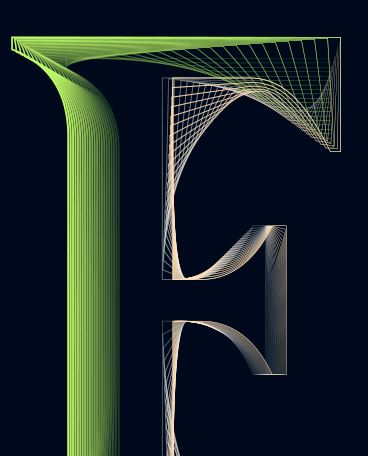
              Work in progress: the scheme is so far rather incoherent & I have to adjust the node points, the thickness, the gradients etc. but again, no issue dealing with all these curves & gradients in VS.

              Just for testing & repeating the process with the letter P like P(ageStyler)...

              Edit: @VectorStyler I noticed that Ctrl-Z does not work as expected after applying a gradient but overall no problem.
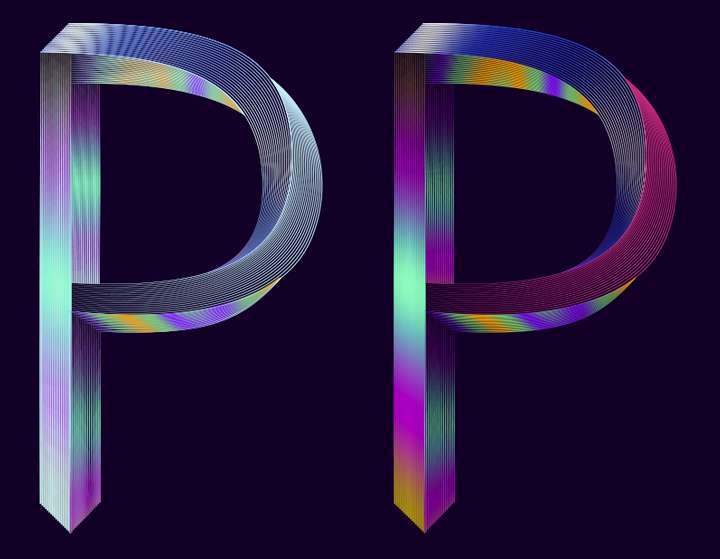
              0_1668748645382_160b994a-4210-4652-8d1a-2153bbca7485-image.png

              W11 Pro 25H2 - 12th Gen Intel(R) i7-12700K 3.61 GHz - RAM 64 Go - NVIDIA GF GTX 4070 Ti - Intuos - Dell UP3216Q / Eizo ColorEdge
              W11 Pro 25H2 - 12th Gen Intel(R) i7-12700KF 3.60 GHz -RAM 64 Go - NVIDIA GF GTX 3080 - IntuosPro- ProArt PA329C

              1 Reply Last reply Reply Quote 1
              • B Offline
                B-Vs-V
                last edited by

                WIP, slightly better and even more difficult for VS because I've added effects (Gaussian blur, distortion).

                Still a screenshot:

                0_1668778743171_26b30f1d-327d-4aaf-a92e-f20bfb81334c-image.png

                @VectorStyler VS is fine now. I'm wondering whether this can be due to the maximum sub-pixels I've selected to render the graphics and after a while rendering can become chaotic ?

                W11 Pro 25H2 - 12th Gen Intel(R) i7-12700K 3.61 GHz - RAM 64 Go - NVIDIA GF GTX 4070 Ti - Intuos - Dell UP3216Q / Eizo ColorEdge
                W11 Pro 25H2 - 12th Gen Intel(R) i7-12700KF 3.60 GHz -RAM 64 Go - NVIDIA GF GTX 3080 - IntuosPro- ProArt PA329C

                VectorStylerV 1 Reply Last reply Reply Quote 1
                • VectorStylerV Offline
                  VectorStyler @B-Vs-V
                  last edited by

                  @Pat said in WIP - Testing Blending: not yet a tutorial but soon for beginners:

                  maximum sub-pixels I've selected to render the graphics

                  Could be, but this is not affected by the GPU.
                  I will try with maximum subpixel antialising on Windows.

                  B 1 Reply Last reply Reply Quote 0
                  • B Offline
                    B-Vs-V @VectorStyler
                    last edited by

                    The idea is simply to show what can be achieved with the blending feature in VS.

                    This is not particularly original; there were many tutorials with this approach in AI that I used to illustrate a book chapter at the time. These small manipulations show different renderings (and perspective) by changing the thickness of the lines/strokes, their opacity and of course their position. I don't want to bother you with too many of these figures and I will show the final version for the all word "VectorStyler".

                    0_1669217294658_1356cf29-7fba-47d9-9383-166dab3ef5bb-image.png

                    W11 Pro 25H2 - 12th Gen Intel(R) i7-12700K 3.61 GHz - RAM 64 Go - NVIDIA GF GTX 4070 Ti - Intuos - Dell UP3216Q / Eizo ColorEdge
                    W11 Pro 25H2 - 12th Gen Intel(R) i7-12700KF 3.60 GHz -RAM 64 Go - NVIDIA GF GTX 3080 - IntuosPro- ProArt PA329C

                    1 Reply Last reply Reply Quote 2
                    • B Offline
                      B-Vs-V
                      last edited by

                      Not being sure if I can finish quickly, so here is the current status. It's far from perfect but as I wrote, it's about showing that one can be creative with this VS feature (hope you think this way ☺ ). Some parameters can (should in this case) be improved and one can modulate:

                      • the colour gradients (here could be harmonised);
                      • the placement of the nodes;
                      • the thickness and size of the strokes (can be different between the two objects used for blending);
                      • etc.
                        One could also add distortion effects (I will try later). Some of the strokes ends should be masked, etc. etc.
                        I hope you won't be bothered with this and that you won't find it too simple for vector graphics specialists. I don't think we need a tutorial for this but just tell me...

                      If this AI function is missing in the work, VectorStyler can do it ☺

                      The artefacts are there because this is a simple screenshot (just click the image to get a better shot, I think).

                      For abstracts shapes & posters, this is great too.

                      0_1669281402332_ef6e71dd-0636-4507-b3c2-93908617230b-image.png

                      W11 Pro 25H2 - 12th Gen Intel(R) i7-12700K 3.61 GHz - RAM 64 Go - NVIDIA GF GTX 4070 Ti - Intuos - Dell UP3216Q / Eizo ColorEdge
                      W11 Pro 25H2 - 12th Gen Intel(R) i7-12700KF 3.60 GHz -RAM 64 Go - NVIDIA GF GTX 3080 - IntuosPro- ProArt PA329C

                      S 1 Reply Last reply Reply Quote 4
                      • S Offline
                        Subpath @B-Vs-V
                        last edited by Subpath

                        @Pat

                        looks great so far 👍

                        btw it is also possible to create a Patterbrush from one or more Blends,
                        a new functionality in VS since Version 1.0.42

                        Win 11
                        CPU: AMD Ryzen 5 9600X, 6-core.
                        GPU: Nvidia Geforce RTX 5070.

                        B 1 Reply Last reply Reply Quote 1
                        • B Offline
                          B-Vs-V @Subpath
                          last edited by

                          @Subpath I didn't know but I was planning as a next step to dive into the diversity of brushes in VS and their use.
                          A lot of fun ahead.

                          W11 Pro 25H2 - 12th Gen Intel(R) i7-12700K 3.61 GHz - RAM 64 Go - NVIDIA GF GTX 4070 Ti - Intuos - Dell UP3216Q / Eizo ColorEdge
                          W11 Pro 25H2 - 12th Gen Intel(R) i7-12700KF 3.60 GHz -RAM 64 Go - NVIDIA GF GTX 3080 - IntuosPro- ProArt PA329C

                          S 1 Reply Last reply Reply Quote 1
                          • S Offline
                            Subpath @B-Vs-V
                            last edited by

                            @Pat said in WIP - Testing Blending: not yet a tutorial but soon for beginners:

                            A lot of fun ahead.

                            Indeed 🙂

                            Played a while ago with Blends for Pattern Brush
                            its here:
                            https://www.vectorstyler.com/forum/topic/2089/playing-with-blend-in-pattern-brush

                            Win 11
                            CPU: AMD Ryzen 5 9600X, 6-core.
                            GPU: Nvidia Geforce RTX 5070.

                            B 1 Reply Last reply Reply Quote 1
                            • B Offline
                              B-Vs-V @Subpath
                              last edited by

                              @Subpath Great, I'll read the thread for sure 👍 Thank you.

                              W11 Pro 25H2 - 12th Gen Intel(R) i7-12700K 3.61 GHz - RAM 64 Go - NVIDIA GF GTX 4070 Ti - Intuos - Dell UP3216Q / Eizo ColorEdge
                              W11 Pro 25H2 - 12th Gen Intel(R) i7-12700KF 3.60 GHz -RAM 64 Go - NVIDIA GF GTX 3080 - IntuosPro- ProArt PA329C

                              1 Reply Last reply Reply Quote 2
                              • B Offline
                                B-Vs-V
                                last edited by

                                Well, I'll stop here for now. I personally find that these VS features allow to express a lot of different (creative) ideas. I don't have much time to go on but just to show that many effects are possible.

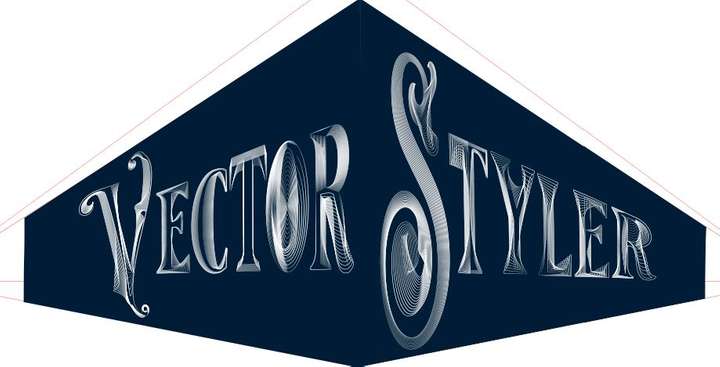
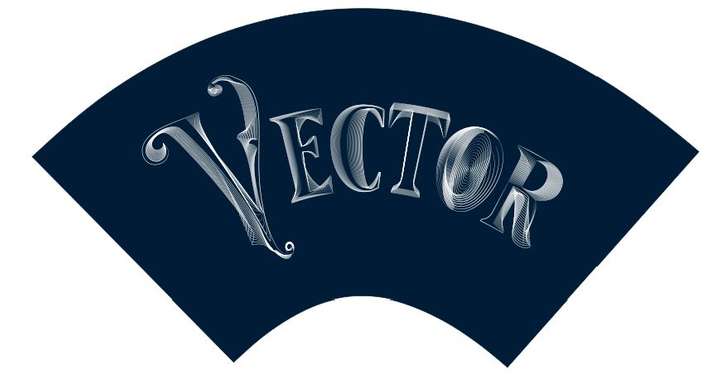
                                I followed a tutorial from @Devil-Dinosaur on isometric drawing and I've applied various distortions of the whole object. I still have to test the line distortions and I'm sure it will be very creative too.

                                If you don't have VS yet, don't hesitate to get it ☺

                                0_1669547280687_Capture.JPG

                                0_1669547476674_Capture2.JPG

                                0_1669547484653_Capture3.JPG

                                0_1669547495431_Capture4.JPG

                                0_1669547501529_Capture5.JPG

                                W11 Pro 25H2 - 12th Gen Intel(R) i7-12700K 3.61 GHz - RAM 64 Go - NVIDIA GF GTX 4070 Ti - Intuos - Dell UP3216Q / Eizo ColorEdge
                                W11 Pro 25H2 - 12th Gen Intel(R) i7-12700KF 3.60 GHz -RAM 64 Go - NVIDIA GF GTX 3080 - IntuosPro- ProArt PA329C

                                S 1 Reply Last reply Reply Quote 4
                                • S Offline
                                  Subpath @B-Vs-V
                                  last edited by Subpath

                                  @Pat said in WIP - Testing Blending: not yet a tutorial but soon for beginners:

                                  I personally find that these VS features allow to express a lot of different (creative) ideas.

                                  I can only agree with that.

                                  Win 11
                                  CPU: AMD Ryzen 5 9600X, 6-core.
                                  GPU: Nvidia Geforce RTX 5070.

                                  1 Reply Last reply Reply Quote 1
                                  • B Offline
                                    B-Vs-V
                                    last edited by

                                    Just a very quick one to display another way of using VS features.

                                    0_1669583471487_Capture.JPG

                                    W11 Pro 25H2 - 12th Gen Intel(R) i7-12700K 3.61 GHz - RAM 64 Go - NVIDIA GF GTX 4070 Ti - Intuos - Dell UP3216Q / Eizo ColorEdge
                                    W11 Pro 25H2 - 12th Gen Intel(R) i7-12700KF 3.60 GHz -RAM 64 Go - NVIDIA GF GTX 3080 - IntuosPro- ProArt PA329C

                                    1 Reply Last reply Reply Quote 3
                                    • B Offline
                                      B-Vs-V
                                      last edited by

                                      One very last one to show the efficiency of VS ; I have used the 'text' tool, the transform feature, the blend tool (& many options), rotation of a duplicated and mirrored original object... & I tested the colour changes this time ( effect --> adjust colour --> invert colour ; effect --> replace colour --> adjust colour).

                                      VS is really powerful and a pleasure to use. But work is calling and I'll try to stop using VS for now 😀 I might have an issue with the 'replace colour' feature : I only see the preview for a few seconds & after no way to get it again. I have to use it further before posting a possible bug (but no time now).
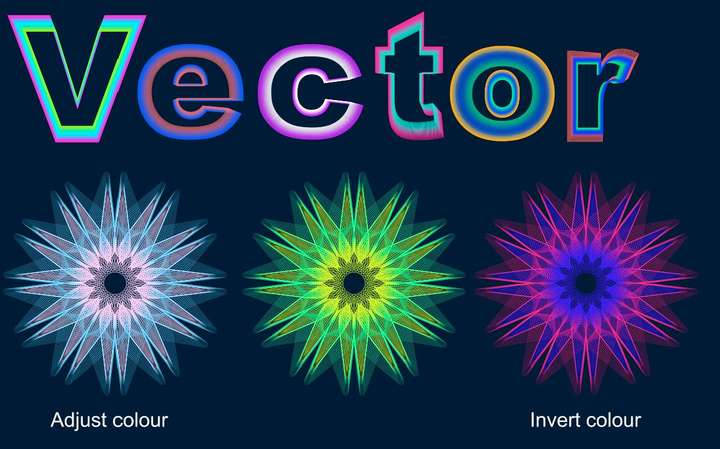
                                      0_1669713731898_Capture.JPG

                                      W11 Pro 25H2 - 12th Gen Intel(R) i7-12700K 3.61 GHz - RAM 64 Go - NVIDIA GF GTX 4070 Ti - Intuos - Dell UP3216Q / Eizo ColorEdge
                                      W11 Pro 25H2 - 12th Gen Intel(R) i7-12700KF 3.60 GHz -RAM 64 Go - NVIDIA GF GTX 3080 - IntuosPro- ProArt PA329C

                                      S H 2 Replies Last reply Reply Quote 4
                                      • S Offline
                                        Subpath @B-Vs-V
                                        last edited by Subpath

                                        @Pat

                                        nice creations
                                        it seems to me that you are now another user
                                        addicted to the possibilities of VectorStyler 🙂

                                        and the ideas will never stop bubbling up

                                        Win 11
                                        CPU: AMD Ryzen 5 9600X, 6-core.
                                        GPU: Nvidia Geforce RTX 5070.

                                        B 1 Reply Last reply Reply Quote 1
                                        • H Offline
                                          Harry @B-Vs-V
                                          last edited by

                                          @Pat said in WIP - Testing Blending: not yet a tutorial but soon for beginners:

                                          One very last one to show the efficiency of VS ; I have used the 'text' tool, the transform feature, the blend tool (& many options), rotation of a duplicated and mirrored original object... & I tested the colour changes this time ( effect --> adjust colour --> invert colour ; effect --> replace colour --> adjust colour).

                                          VS is really powerful and a pleasure to use. But work is calling and I'll try to stop using VS for now 😀 I might have an issue with the 'replace colour' feature : I only see the preview for a few seconds & after no way to get it again. I have to use it further before posting a possible bug (but no time now).

                                          0_1669713731898_Capture.JPG

                                          I'm impressed! Very creative and inspiring!

                                          I'd love to see a tutorial on this!

                                          Win 11, XP Pen Deco 01 V2 graphic tablet

                                          B 1 Reply Last reply Reply Quote 1
                                          • B Offline
                                            B-Vs-V @Subpath
                                            last edited by

                                            @Subpath Thank you but it's simply to test with a concrete case some functionalities of VS... even if I have an idea which will exploit these various useless graphic "manipulations" ☺ 😀

                                            Indeed, VS is very very addictive. I'm so glad to have some features back without subscribing to A*%!e for full CC.

                                            If @VectorStyler decides to add some features for desktop publishing, those apps will be an amazing/striking duo... and then an incredible trio with photo editing in the long term 👑

                                            W11 Pro 25H2 - 12th Gen Intel(R) i7-12700K 3.61 GHz - RAM 64 Go - NVIDIA GF GTX 4070 Ti - Intuos - Dell UP3216Q / Eizo ColorEdge
                                            W11 Pro 25H2 - 12th Gen Intel(R) i7-12700KF 3.60 GHz -RAM 64 Go - NVIDIA GF GTX 3080 - IntuosPro- ProArt PA329C

                                            1 Reply Last reply Reply Quote 2
                                            • First post
                                              Last post