Can Scaling stokes and effects be on by default? Can we make it easier to switch all child sublayers by editing the setting at the parent level?
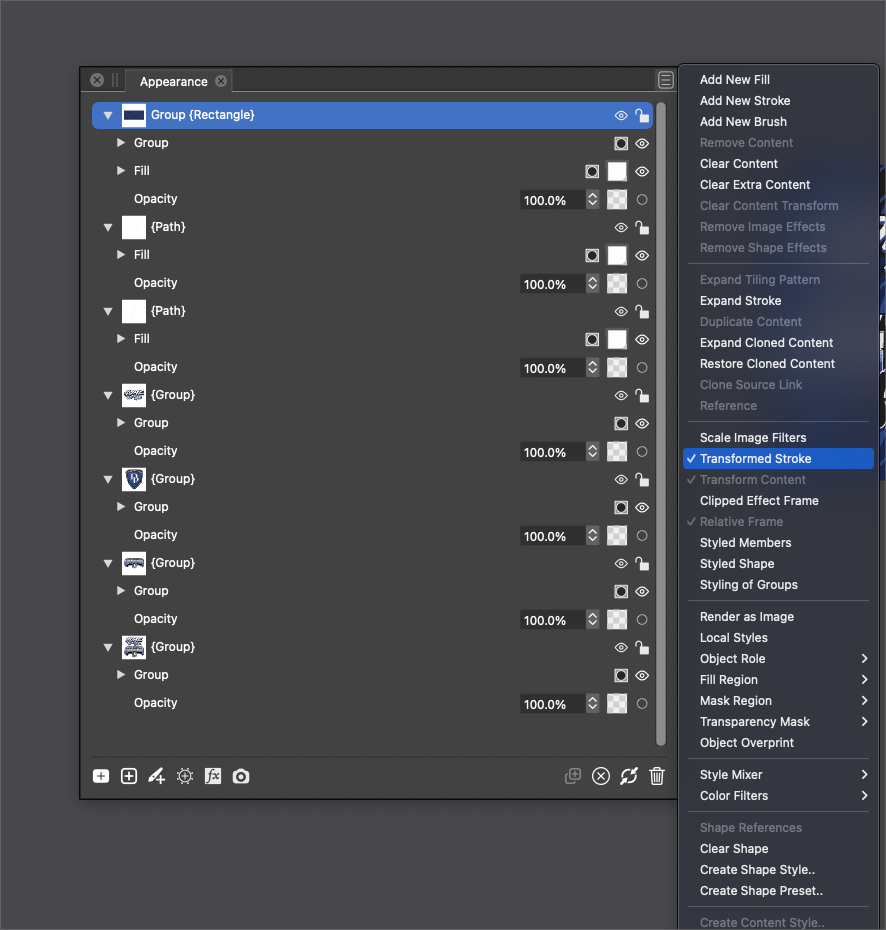
-
@Boldline There is also a "Transformed Stroke" option in Document Setup. This will affect newly created objects.
-
As i only play with graphics and try out the ideas that go around in my head.
( Dont work no longer as a professional )
.
For this i use the programs that have the tools that can help me with the realization.
.Short note and praise for VS:
Since VS has so many useful and interesting tools by the way, I try most ideas in VS
since I bought a copy. (I think that says a lot)
.I don't really have a need for scaled strokes if I need it,
I just set a different stroke widthIf I really need it I would try to copy my design into AD, CDR or Magic Graphics Designer
and get it done there. (or maybe solve it via the outline effects ?).@Boldline
...I'd be interested to hear what you feel would improve it and make it more of a seamless process...As i dont really know the Concept behind it, why it should or must work this way
(never saw something like this before)
i can not say how to streamline it
( toggle could be a first start ? ) -
@Subpath said in Can Scaling stokes and effects be on by default? Can we make it easier to switch all child sublayers by editing the setting at the parent level?:
I don't really have a need for scaled strokes if I need it,
I just set a different stroke widthMaybe we are thinking of two different things? I'm talking about designing something at one size and then needing to group it and scale it up - the entire design element with fills and strokes included and wanting them to all stay relative in size to one another in the process.
-
@Boldline said in Can Scaling stokes and effects be on by default? Can we make it easier to switch all child sublayers by editing the setting at the parent level?:
@Subpath said in Can Scaling stokes and effects be on by default? Can we make it easier to switch all child sublayers by editing the setting at the parent level?:
I don't really have a need for scaled strokes if I need it,
I just set a different stroke widthMaybe we are thinking of two different things? I'm talking about designing something at one size and then needing to group it and scale it up - the entire design element with fills and strokes included and wanting them to all stay relative in size to one another in the process.
well, dont think that we talk about different things. That you like to scale your entire design elements
in relative in size to one another, is very clear to me.
But i cant help you out in this case.
.
Edited:
(well you mentioned yet effect scaling and i wrote only about stroke scaling )i just wrote that i am not in need of this kind of scaling in VS and i dont like
to used it in VS. So if i need some different stroke width
i just set it. -
@b77 said in Can Scaling stokes and effects be on by default? Can we make it easier to switch all child sublayers by editing the setting at the parent level?:
A sticky button would be really handy for this as 90% of the time I need strokes to scale
-
@Dazmondo When creating new documents, enable the "Transformed Stroke" option in the Document Setup -> General view.
-
@Dazmondo When creating new documents, enable the "Transformed Stroke" option in the Document Setup -> General view.
Doesn't work for me - the strokes only scale when grouped ????? or if scale image filters is ticked
-
@VectorStyler It looks like it doesn't work for parametric shapes (smart shapes). Easily fixable, I guess.
@Dazmondo Convert them to curves and this works as expected. -
@b77 said in Can Scaling stokes and effects be on by default? Can we make it easier to switch all child sublayers by editing the setting at the parent level?:
@VectorStyler It looks like it doesn't work for parametric shapes (smart shapes). Easily fixable, I guess.
@Dazmondo Yes, a few parametric shapes are not "scaled" (rectangle, ellipse).
An other way to go around this is to disable the Direct Shape Transformation option in Preferences -> Editing Options 2 (bottom-right corner). -
@Dazmondo Yes, a few parametric shapes are not "scaled" (rectangle, ellipse).
An other way to go around this is to disable the Direct Shape Transformation option in Preferences -> Editing Options 2 (bottom-right corner).Done and working ----




