VectorStyler
    • Categories
    • Unread
    • Recent
    • Tags
    • Popular
    • Register
    • Login

    Offset Path issue with specific Silhouette and size offset combination

    Scheduled Pinned Locked Moved Bugs in VectorStyler
    10 Posts 3 Posters 18 Views 2 Watching
    Loading More Posts
    • Oldest to Newest
    • Newest to Oldest
    • Most Votes
    Reply
    • Reply as topic
    Log in to reply
    This topic has been deleted. Only users with topic management privileges can see it.
    • BoldlineB Offline
      Boldline
      last edited by

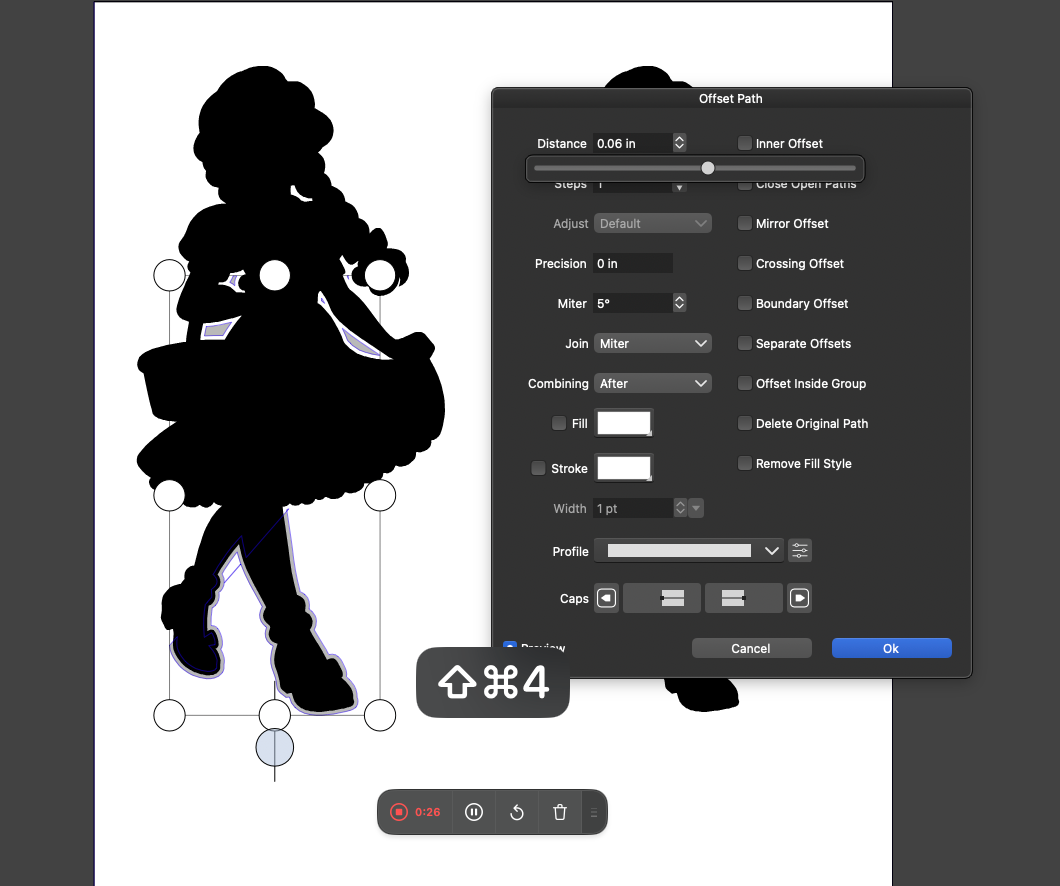
      I am running into an issue with the Offset path where it will not give me a workable result when set to 0.06 inches positive offset. It will work for 0.05 and 0.07, but not 0.06 inches for some reason.

      Here is the video
      Here is the VS file: Silhouette issue.vstyler

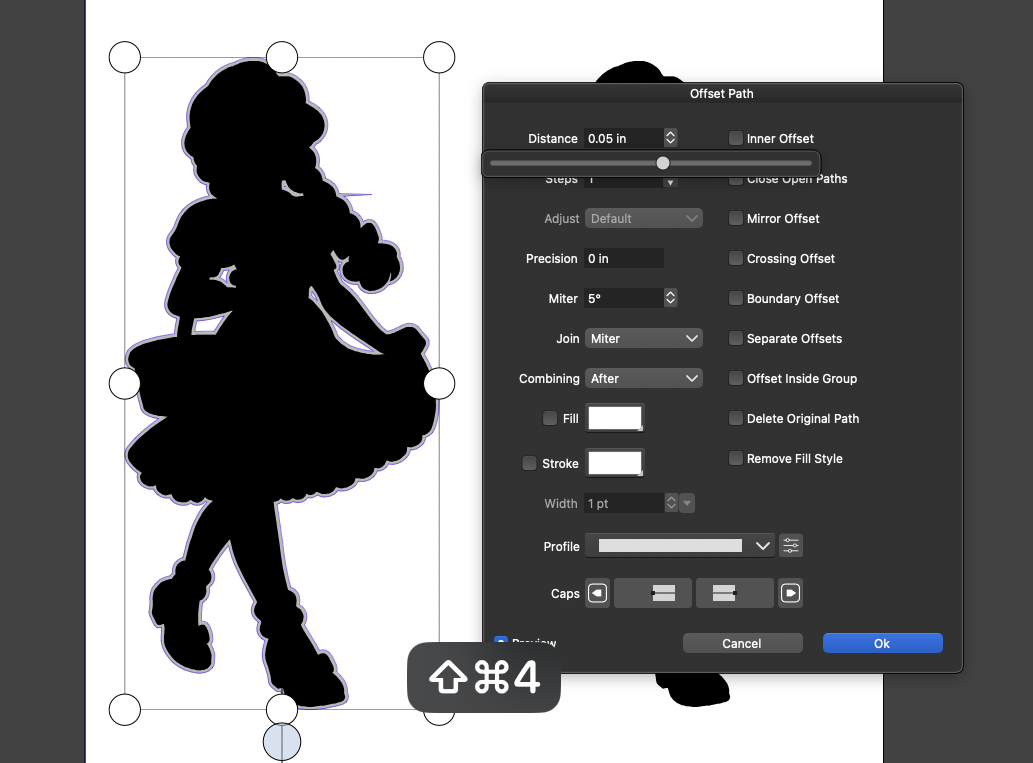
      Here is the result at 0.05 inches:
      3b55d6a4-a5aa-4569-861b-6cf4346efd17-CleanShot 2026-11-27 at 7.05.52 PM.png

      Here is the result at 0.06 inches:
      e7507b8f-9b27-4b80-86f6-b48bdabb6d36-CleanShot 2026-11-27 at 7.05.19 PM.png

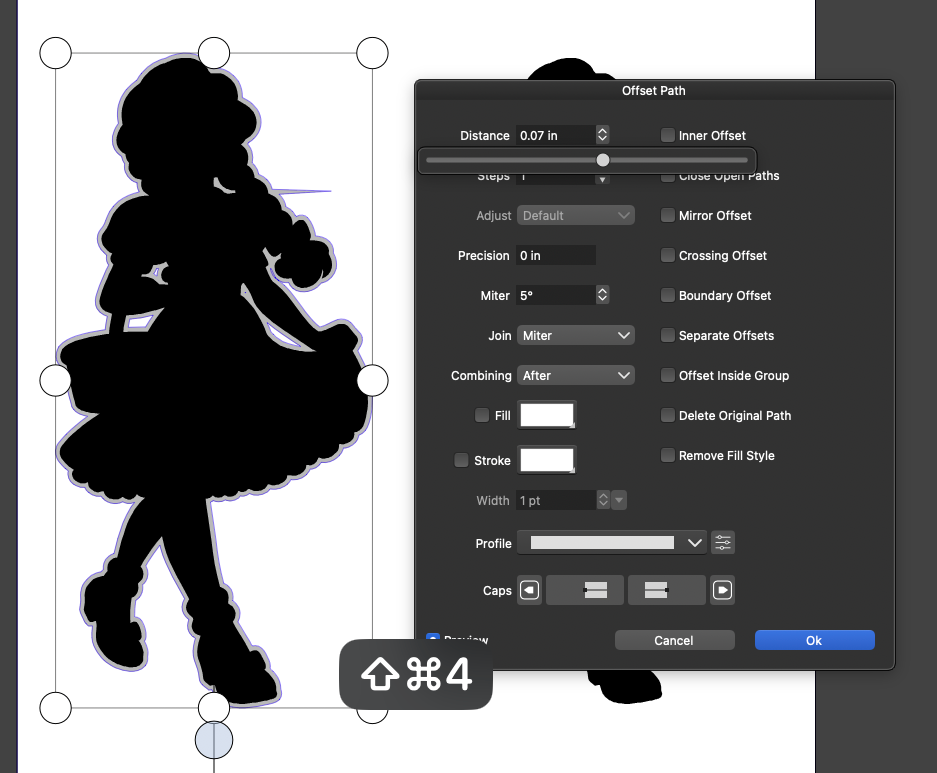
      Here is the result at 0.07 inches:
      7a23fd7f-5e07-41ab-9374-d4657faf215e-CleanShot 2026-11-27 at 7.05.33 PM.png

      🍎 macOS Tahoe 26.2, Mac mini (M1, 2020), Chip Apple M1, Memory 16 GB
      Cintiq 27QHD Display and LG Ultra HD Display

      VectorStylerV 1 Reply Last reply Reply Quote 1
      • VectorStylerV Offline
        VectorStyler @Boldline
        last edited by

        @Boldline I think the original shape is in not the file.
        I opened a bug on this, send me the original shape if possible. Thanks!

        BoldlineB 1 Reply Last reply Reply Quote 0
        • BoldlineB Offline
          Boldline @VectorStyler
          last edited by

          @VectorStyler i just now downloaded the VS file I had uploaded to this original post on a different computer and it loads correctly. What are you getting when you open the file?
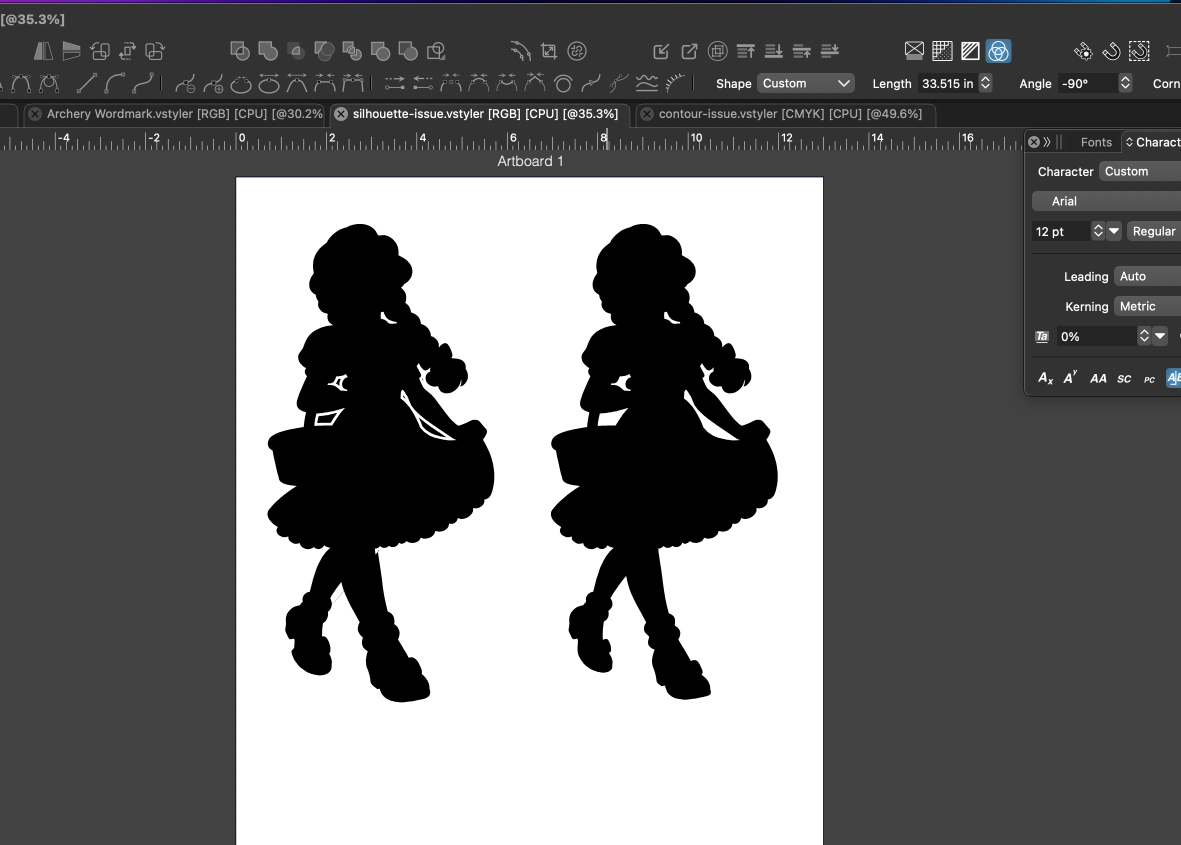
          8e02066c-fd98-48e0-8c17-193aa4e9d6e1-CleanShot 2026-11-28 at 1.52.02 AM.png

          🍎 macOS Tahoe 26.2, Mac mini (M1, 2020), Chip Apple M1, Memory 16 GB
          Cintiq 27QHD Display and LG Ultra HD Display

          VectorStylerV 2 Replies Last reply Reply Quote 1
          • VectorStylerV Offline
            VectorStyler @Boldline
            last edited by

            @Boldline Got it: I have to undo and then I get the original.

            BoldlineB 1 Reply Last reply Reply Quote 1
            • VectorStylerV Offline
              VectorStyler @Boldline
              last edited by

              @Boldline Yes, for 0.06 offset I get an error here also. I will try to find a fix for this.

              1 Reply Last reply Reply Quote 1
              • BoldlineB Offline
                Boldline @VectorStyler
                last edited by

                @VectorStyler I should have also clarified that I’ve version on left side has the issue active while the right side version was the original shape without an offset path

                🍎 macOS Tahoe 26.2, Mac mini (M1, 2020), Chip Apple M1, Memory 16 GB
                Cintiq 27QHD Display and LG Ultra HD Display

                M 1 Reply Last reply Reply Quote 0
                • M Offline
                  monsterfox @Boldline
                  last edited by

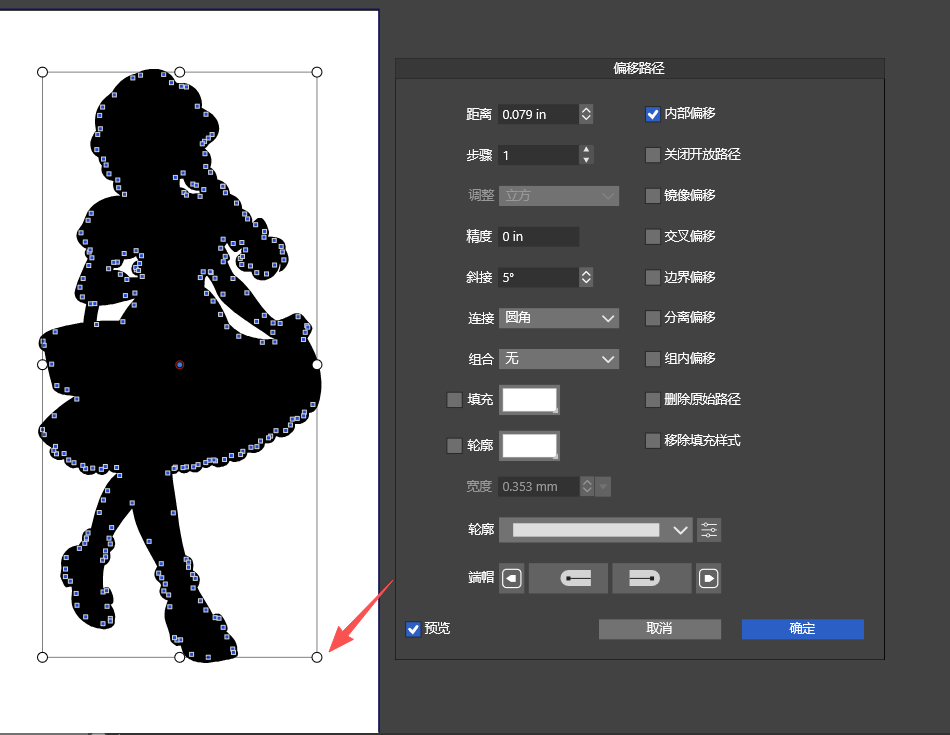
                  @Boldline 4562504c-139b-4bc3-94b4-fd568db5a112-image.png
                  Why are these selected anchor points so large? I’ve looked everywhere and can’t find this setting.

                  VectorStylerV 1 Reply Last reply Reply Quote 1
                  • VectorStylerV Offline
                    VectorStyler @monsterfox
                    last edited by

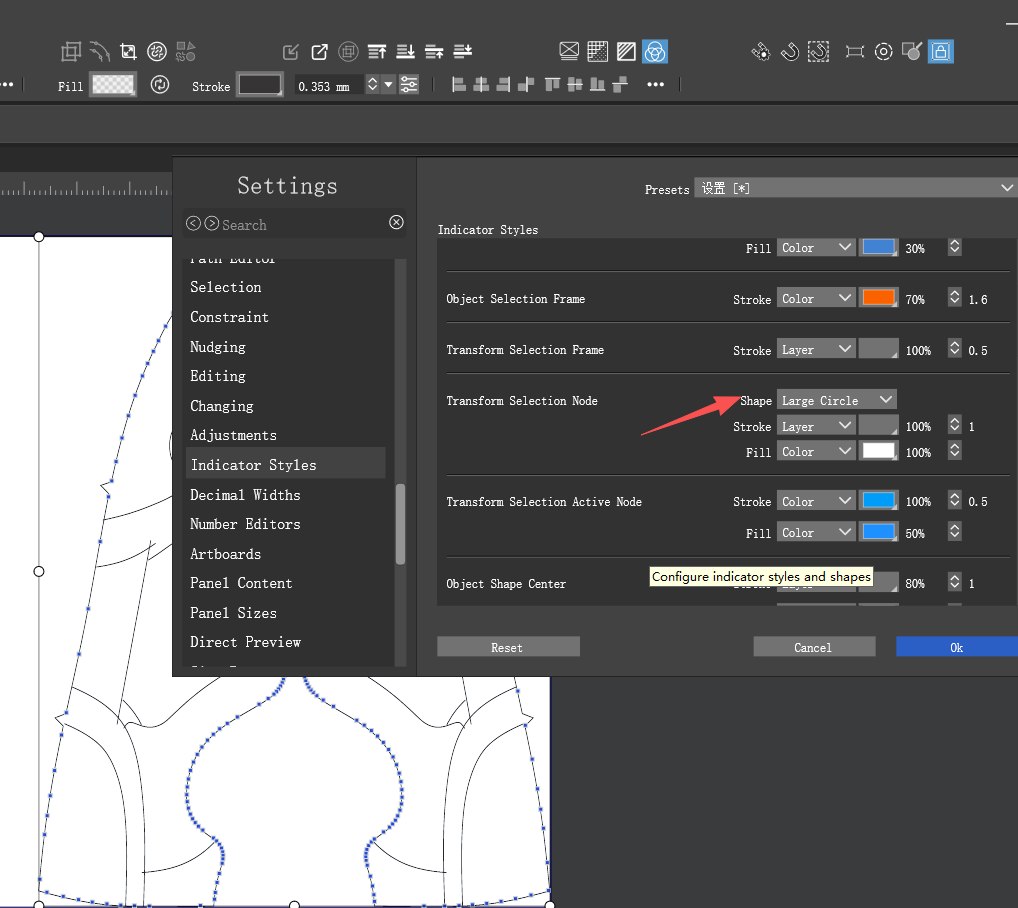
                    @monsterfox Settings -> Indicator Style -> Transform Selection Node can change this.

                    M 1 Reply Last reply Reply Quote 0
                    • M Offline
                      monsterfox @VectorStyler
                      last edited by

                      @VectorStyler 1d38bfe2-2aed-43ca-9646-1974a4a73e5c-image.png
                      I already have the circle size set to maximum here, but it’s still 4–5 times smaller than his.

                      VectorStylerV 1 Reply Last reply Reply Quote 1
                      • VectorStylerV Offline
                        VectorStyler @monsterfox
                        last edited by

                        @monsterfox Settings -> Path Editor -> Editor Node Scaling (but it will scale all node indicators)


                        1 Reply Last reply Reply Quote 0
                        • First post
                          Last post