Is there a way to select small objects ?
-
I often need to clean up very small objects after some boolean operations.
I thought I could use magic wand with Area or length checked and click on a small shape to select other similar objects. But it doesn't work anymore this way.
How could this be achieved ?
-
@EricP The area should work, but the tolerance might need to be larger.
also: you can select shapes that are smaller than a selected shape with Select -> Select by Shape -> Smaller Shape
-
I think the Select Menu offers many options for such a case.
-
@Subpath @vectorstyler thanks, that's what I was looking for
I did not realize that for open paths "larger" or "smaller" do not work and "longer" or "shorter" should be used instead
thanks
-
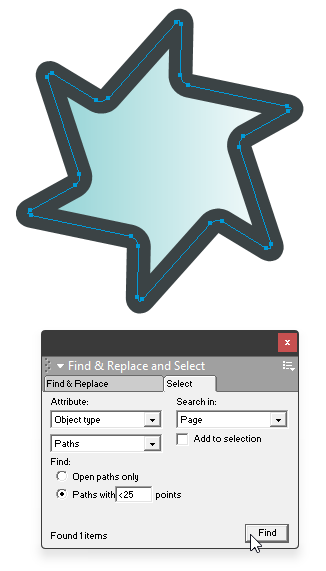
Just as a curiosity and FYI, back in Macromedia FreeHand we would have used the Select Graphics non-modal selector.
Here it's spec'ed for finding Paths with Less Than 25 Points/Nodes in the current Page/Artboard.
Quite handy then (and now.. )
)
-
@VectorStyler said in Is there a way to select small objects ?:
also: you can select shapes that are smaller than a selected shape with Select -> Select by Shape -> Smaller Shape
If I'm not already missing it, could we add “Select Open Paths” larger/smaller option?
I would like VectorStyler to include a command for selecting only open paths.
A useful location would be:
Select → Select by Attribute → Shape Type → Open Paths
Right now, length-based commands such as Longer and Shorter can be used with open paths, but they may also select closed shapes based on perimeter length. There does not appear to be a direct way to filter the selection so that only open paths are included.
A dedicated Open Paths option would make it easier to:
find unclosed paths in complex artwork
select strokes without selecting closed shapes
clean up imported files
combine open-path filtering with length-based selection
identify paths that may need to be closed before productionIt would also be useful to have a matching Closed Paths option.
This would fit well under the existing Shape Type selection submenu.
-
@Boldline There is an "Open Shape" selection option in the Shape Type menu
-
@VectorStyler ok thanks I see it now. I kept looking in the "select by shape" section by mistake

