Adding More Practical Editable Parametric Shapes to VectorStyler
-
I’m impressed by the number of parametric shape options available in Affinity. Like VectorStyler, Affinity provides advanced parametric shapes that remain editable after creation, letting users adjust settings such as corners, sides, radii, and other shape-specific controls.
VectorStyler already has more advanced parametric shape capabilities than Affinity in some areas. That said, I think a few of Affinity’s simpler shape options could still be useful additions to VS. Not all of them are necessary; in my opinion, Heart, Diamond, Triangle, Tear, Trapezoid and Polygon all seem like they would be good additions because of the ability to keep them editable as parametric objects.
Affinity's Parametric Options:
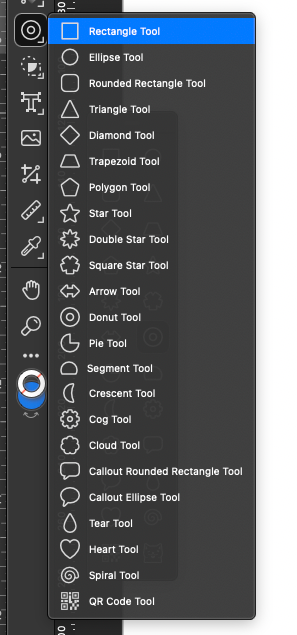
Vectorstyler's Parametric Options:

I don’t want VectorStyler to become cluttered with too many shape tools, and I realize that many of these shapes can already be created fairly quickly with a few clicks. The main advantage, though, is not just creating the shapes. It is the ability to keep them editable as parametric objects and quickly adjust their structure afterward.
So my suggestion is not to add every possible shape, but to consider whether some of the more practical basic parametric shapes from Affinity would make sense as additions to VectorStyler.
I would even consider grouping them more common shapes into a main use set and allow for an option to see the more complex ones as an addition in the contextual menu.Or give the user the option to add the ones they want easy access to in the vertical toolbar
For example, in Affinity they have a detachable part of their contextual menu that allows for editing specifics about the chosen parametric shape. When a parametric shape is created and active, the list of other potential shapes could be in a dropdown from the contextual menu.
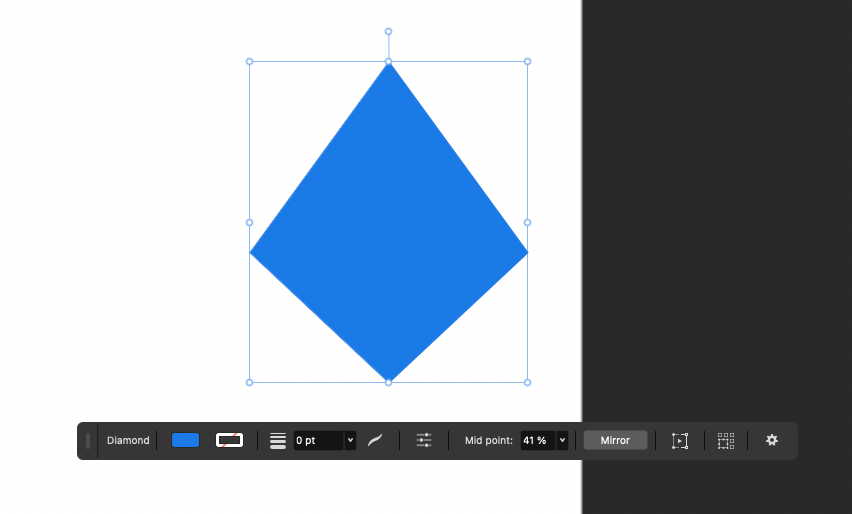
-
@Boldline I will add this to the backlog, for the future.
-
I agree new shapes should be added similar to Affinity for illustrators. Maybe they don't all need to be listed at one time by default? Maybe focus on most used per user and have it expandable towards the bottom? Something like a "touch area" that's at the bottom that calls the menu to expand to all its options (not a flyout). VS' defaults can focus on primary tools and have the others be available this way. 99.9% of the time I'm using 4-5 common shapes. Maybe that way the menu is user-expandable without getting in the way with the ability to make some options available (ie menu static)...
Paintlerly programs have to handle large toolsets (ink pens, brushes, watercolor, etc) a special way to keep them easily accessible. CSP handles this by putting them behind basically giant palettes that can be tabbed:
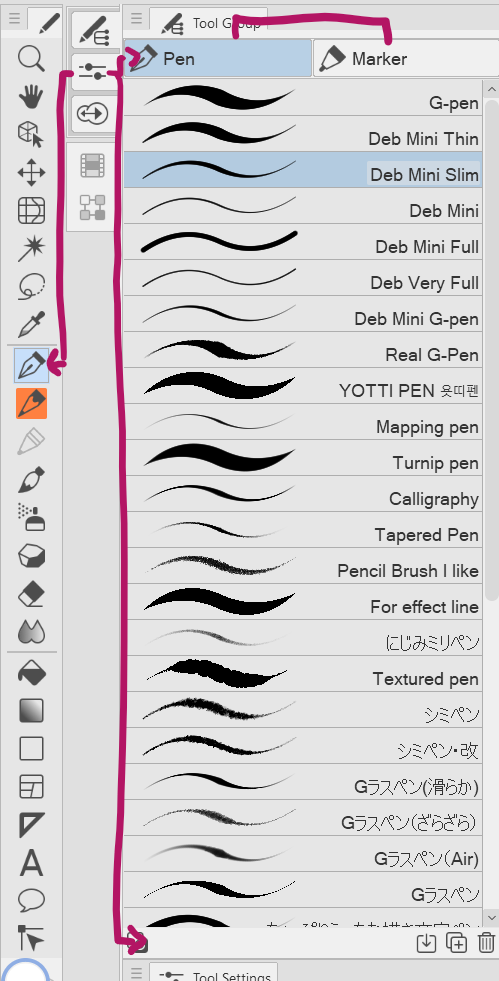
I wouldn't advocate this is how it should be done, but certainly look at how other programs that require high workloads of customization for the user to work effectively to see how they handle that solution more gracefully... VS is so feature-rich, it's more or less self aware of its abilities the way that it is designed that it feels more like a raster art program the more I use it. Painterly programs are suites/all-in-ones in their own right that have to cater to all kinds workflows and still manage to help the user to keep decluttered...
Coreldraw as an alternative handles it by hiding it in the Context Toolbar under the "Common Shapes" tool. Not the most ideal solution if wanting to encourage the function to be used, but it cuts down on the clutter:
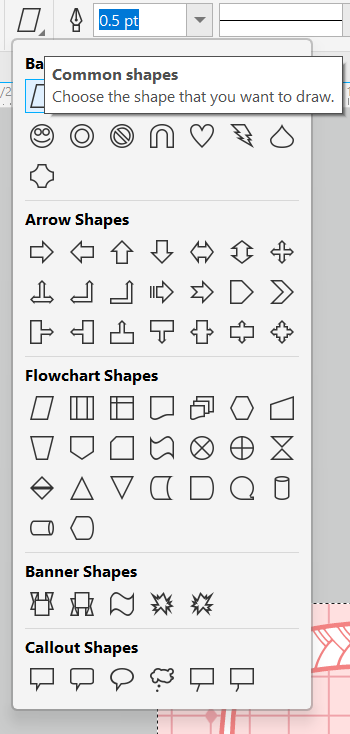
The detachable parameter bar reminds me of Clip Studio's "Selection Launcher":
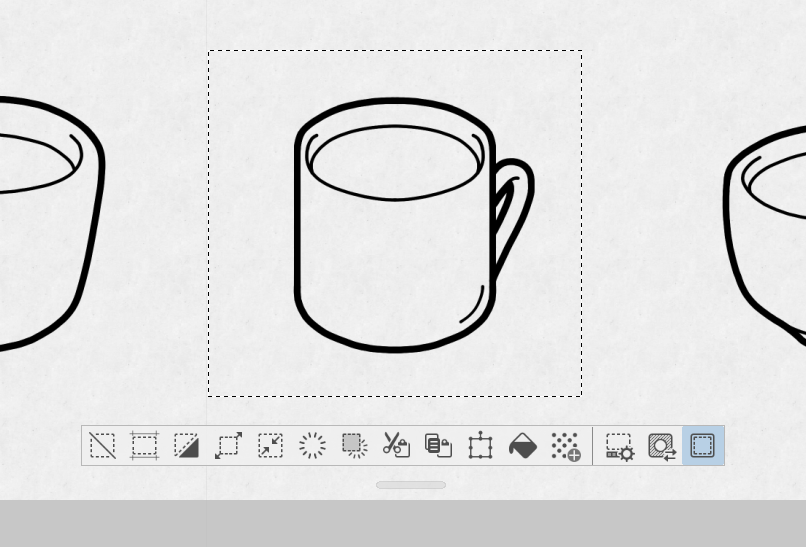
It can get in the way, but CSP is another example of a program that allows a lot of room for customization. As such, we are able to disable the selection marquee and the Selection Launcher as needed in the both the menus, the context toolbar, etc... and the launcher is even user-adjustable.
Most of this is just food for thought. I know there have to be many other examples...
-
@debraspicher said in Adding More Practical Editable Parametric Shapes to VectorStyler:
CSP handles this by putting them behind basically giant palettes that can be tabbed
This looks like "Preset" palettes
-
This post is deleted!


