Moved Layer in Layers Panel and it Appears Stuck at the Bottom
-
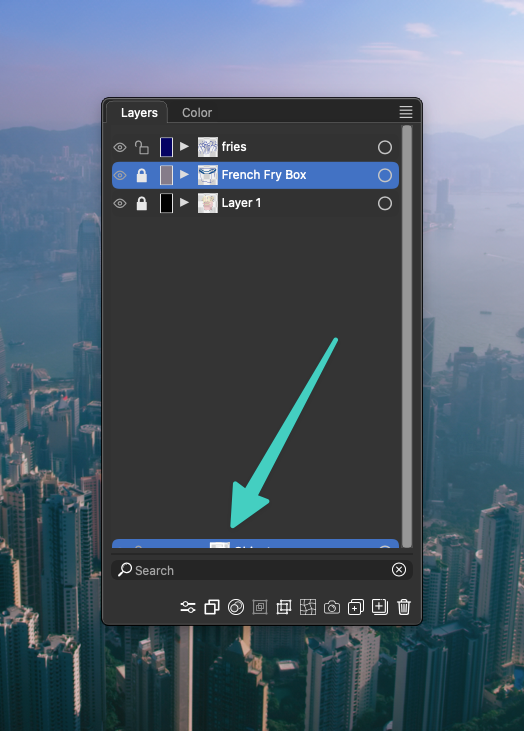
I'm having an issue in the layers panel where a layer seems to be stuck at the bottom. This occurred when I attempted to move the layer named "Layer 2" inside layer "Fries." I have included a screenshot of the layers panel showing the layer frozen at the bottom and attached the VS file. On a side note, I can still access and move "Layer 2" where i moved it to, it just leaves a remnant at the bottom. Thanks for the help.
-
UPDATE: When I closed the file and reopened it, the issue remained. After writing my post, i thought to close out VS entirely and restart it, and the issue is now gone. It probably won't show up in the file, but I'd thought I'd keep it up anyway
-
@Ridgehammer There is some issue with the environment (settings or workspace). Try restoring to defaults.

