When panels are locked, clicking minimised icons sometimes locks up the screen
-
Demonstration:
0_1739119431955_2025-02-10 00-31-21.zipFirst, I turned on the Panels --> Lock Panels --> Lock All Panels option.
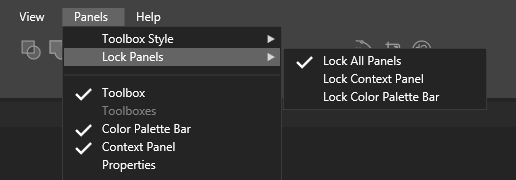
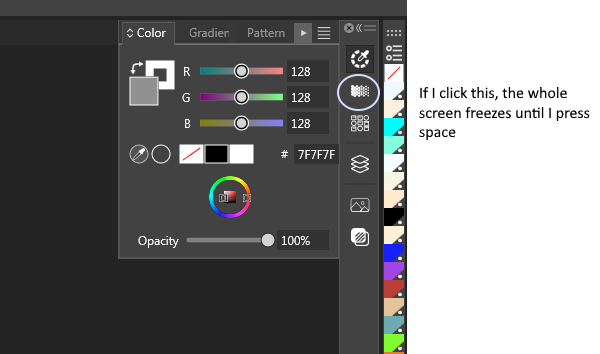
Then, if I expand a panel and click on an icon for a different panel in the same panel group, the whole VectorStyler UI stops responding to any mouse input. It's not a program freeze, it just doesn't respond to clicks.
But if I press space on keyboard in this state, the original expected behvaiour of switching panel would happen.
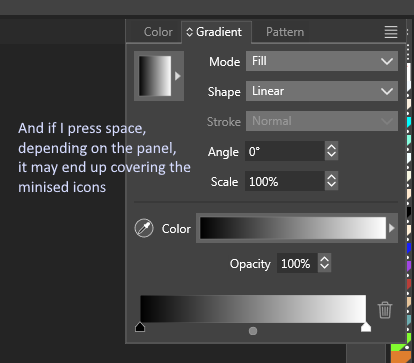
Though as a minor inconvenience, the panel would sometimes cover the minimised icons.
If I click somewhere that does expect mouse input (a UI element with a mouse button down event listener attached, in other words), the panel sometimes moves to the cursor's position. See my attached video for a demonstration.
This may be related to my other panel-related issues I mentioned before:
https://www.vectorstyler.com/forum/topic/4863/program-crash-when-opening-panel-menu
https://www.vectorstyler.com/forum/topic/4663/weird-panel-behaviourThis is pure intuition and I obviously don't have access to the program's code, but it feels somewhat like the panels (or related elements) were trying to respond to my mouse button down action in multiple ways. Maybe it is, for example, trying to switch to the panel I picked and make the panel ready for dragging at the same time. Like there are more than one event listener attached to the minimised icon, or like the handler for clicking the minimised icon would trigger the same behaviour as if I click the panel's title, even though the two UI elements aren't functionally exactly the same.
Obviously, this is just a hunch.
By the way, to the other users who see this post, I would like to know whether the panel behaviours I described have happened to your setup.
-
@nocturnalYL I opened a bug on this and will try to replicate it ASAP.
-
@nocturnalYL This issue has been replicated and it should be fixed in the 1.2.060 build
-
I can confirm that the unresponsive UI issue I described is fixed.

