A symmetrical figure, rotated by an unknown angle. How to adjust the angle to normal level? Or how to measure the angle of two anchor points?
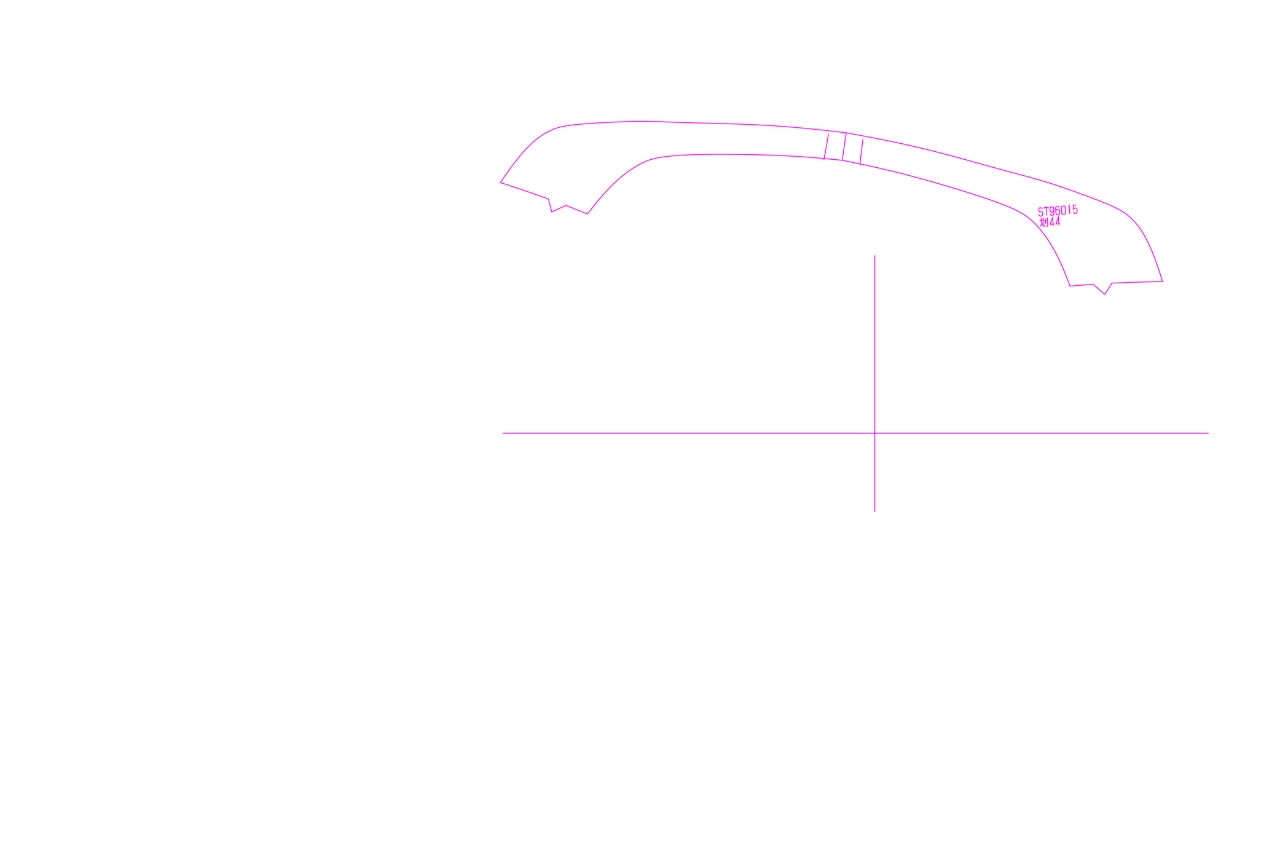
-
@VectorStyler This is a Chinese carving software, this is the rotation tool, it is very easy to use for the rotation correction of such symmetrical graphics, very fast and convenient.Perhaps VS can also add this feature. https://youtu.be/HQV-DTiMLMY?feature=shared
-
@monsterfox said in A symmetrical figure, rotated by an unknown angle. How to adjust the angle to normal level? Or how to measure the angle of two anchor points?:
Perhaps VS can also add this feature
I added this to the backlog.
-
@monsterfox , my strategy is to draw a rectangle between the two reference points, then do arctan(height/width) and you have the angle to apply.
At some point we may be able to type in math expressions in fields and have VS parsing them...BR/ Lars
-
@larsherold said in A symmetrical figure, rotated by an unknown angle. How to adjust the angle to normal level? Or how to measure the angle of two anchor points?:
At some point we may be able to type in math expressions in fields and have VS parsing them
This is already possible, and (depending on the field) it is also possible to set number properties as expressions using number variables defined at document level.
-
@VectorStyler said in A symmetrical figure, rotated by an unknown angle. How to adjust the angle to normal level? Or how to measure the angle of two anchor points?:
This is already possible
Ah great! I'll dig into that..

-
@VectorStyler The new feature is great, the experience is very special, I never thought it could be achieved in this way to rotate the angle, your thinking is very active. There are two details, I hope to be strengthened. 1. This new feature supports single paths and merged paths, but not groups, I don't know if it can be achieved? 2. When rotating, it is rotated around the first plotting point, can it be achieved to rotate around the object itself?
-
@monsterfox said in A symmetrical figure, rotated by an unknown angle. How to adjust the angle to normal level? Or how to measure the angle of two anchor points?:
I don't know if it can be achieved? 2. When rotating, it is rotated around the first plotting point, can it be achieved to rotate around the object itself?
I added these to the backlog.
-
@VectorStyler I suddenly thought of a more convenient way to work today. After selecting points A and B, set the angle in the path panel. Can a mouse wheel shortcut be added, and slide at angles such as 90 degrees and 180 degrees, which will have a more convenient operation experience.Can this function be added, thank you for your hard work.
-
@monsterfox I will try to find a way to make this easier.
-
This post is deleted! -
@VectorStyler This feature still does not support groups. Can you add it first? Thank you. I've been waiting for a long time.
-
@monsterfox I have this in the feature backlog for 1.3, I will tyr to bring it forward.
