VectorStyler
    • Categories
    • Unread
    • Recent
    • Tags
    • Popular
    • Register
    • Login

    Crash report after reopening VS
    Scheduled Pinned Locked Moved VectorStyler 1.2 beta
    6 Posts 3 Posters 7.2k Views 3 Watching
    Loading More Posts
    • Oldest to Newest
    • Newest to Oldest
    • Most Votes
    Reply
    • Reply as topic
    Log in to reply
    This topic has been deleted. Only users with topic management privileges can see it.
    • H Offline
      Harry
      last edited by

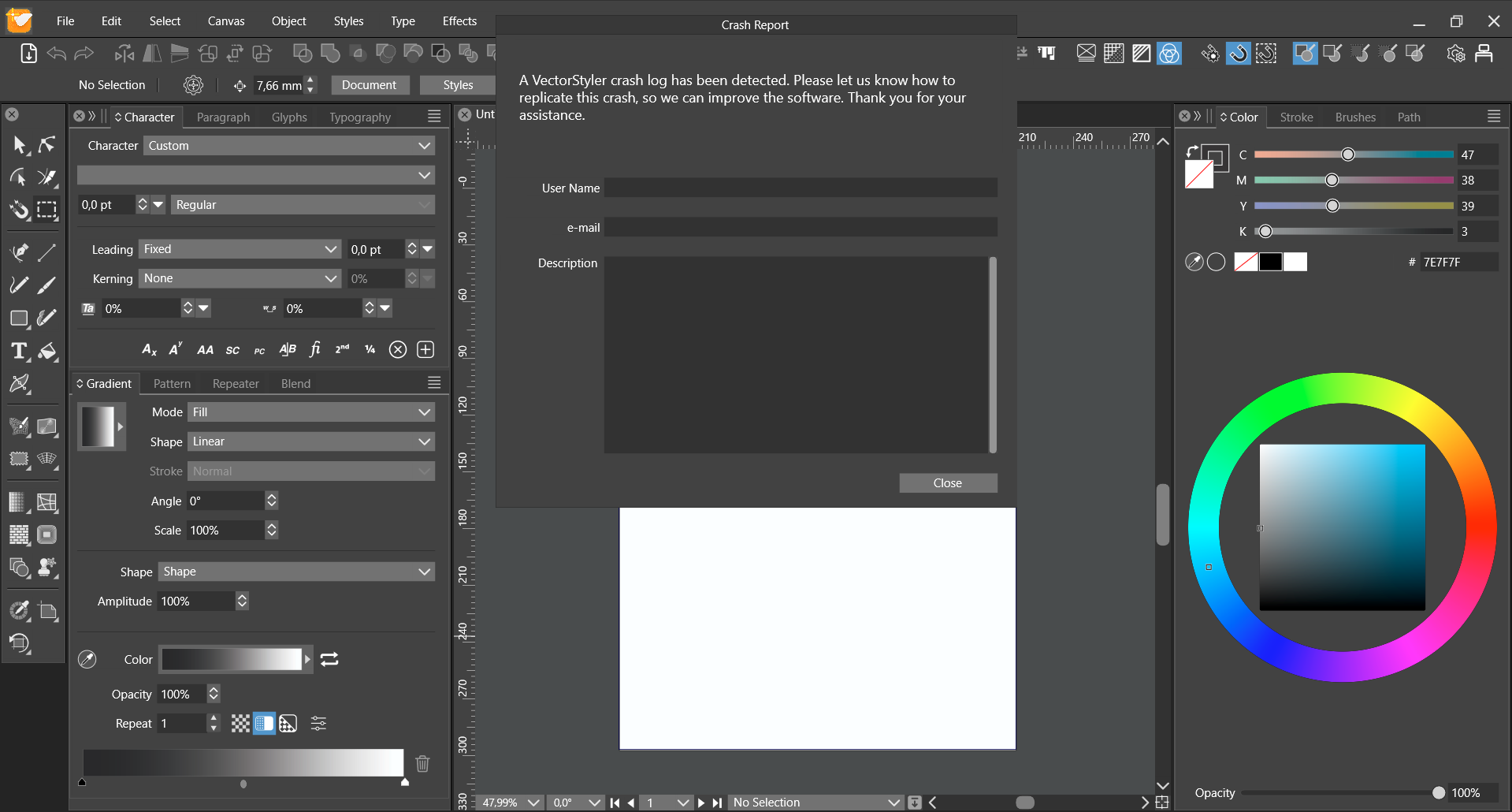
      Every time i close VS properly and open it again, I get such a crash report:

      0_1707729059520_obraz_2024-02-12_101059516.png

      I was writing details in the crash report a few times before.
      How do I get rid of it?

      Win 11, XP Pen Deco 01 V2 graphic tablet

      VectorStylerV 2 Replies Last reply Reply Quote 1
      • VectorStylerV Offline
        VectorStyler @Harry
        last edited by

        @Harry I did not get these crash reports. looks like they are not sent for some reason and then they cannot be removed.
        The location of crash logs is dependent on Windows.

        1 Reply Last reply Reply Quote 0
        • VectorStylerV Offline
          VectorStyler @Harry
          last edited by

          @Harry Check if the folder c:\ProgramData\NumericPath\ exists and if contains a "Crash Logs" folder. Remove the whole folder.

          H debraspicherD 2 Replies Last reply Reply Quote 0
          • H Offline
            Harry @VectorStyler
            last edited by

            @VectorStyler said in Crash report after reopening VS:

            @Harry Check if the folder c:\ProgramData\NumericPath\ exists and if contains a "Crash Logs" folder. Remove the whole folder.

            Ok, thank you - it worked!

            Win 11, XP Pen Deco 01 V2 graphic tablet

            1 Reply Last reply Reply Quote 0
            • debraspicherD Offline
              debraspicher @VectorStyler
              last edited by

              @VectorStyler Sorry for the bump. I had to re-search this to remember it was located. Chiming in to add crash log dialog was appearing after each start of VS. Not the first time it happens, so I'm not sure what the trigger is. However, deleting the folder did the trick for me, thankfully.

              Windows 11 Build 26200.7171 (25H2)
              AMD Ryzen 7 9700X with Gigabyte X870E Aorus Pro Ice
              32GB RAM @ 6000MHz
              PNY NVIDIA RTX 5070 Ti 16GB; Display 1: 4K @150%; Display 2: 4K @200%
              Wacom Intuos Pro L (2025); Wacom Intuos Pro M; Epson ET-8550; Siser Romeo

              VectorStylerV 1 Reply Last reply Reply Quote 1
              • VectorStylerV Offline
                VectorStyler @debraspicher
                last edited by

                @debraspicher said in Crash report after reopening VS:

                However, deleting the folder did the trick for me, thankfully.

                Yes, this might happen if VS cannot delete the previous crash log files. Manual deletion fixes this.

                1 Reply Last reply Reply Quote 1
                • First post
                  Last post