VectorStyler
    • Categories
    • Unread
    • Recent
    • Tags
    • Popular
    • Register
    • Login

    Reference Scaling

    Scheduled Pinned Locked Moved Features and Ideas
    17 Posts 3 Posters 15.6k Views 3 Watching
    Loading More Posts
    • Oldest to Newest
    • Newest to Oldest
    • Most Votes
    Reply
    • Reply as topic
    Log in to reply
    This topic has been deleted. Only users with topic management privileges can see it.
    • AyoA Offline
      Ayo @Ayo
      last edited by

      @encart
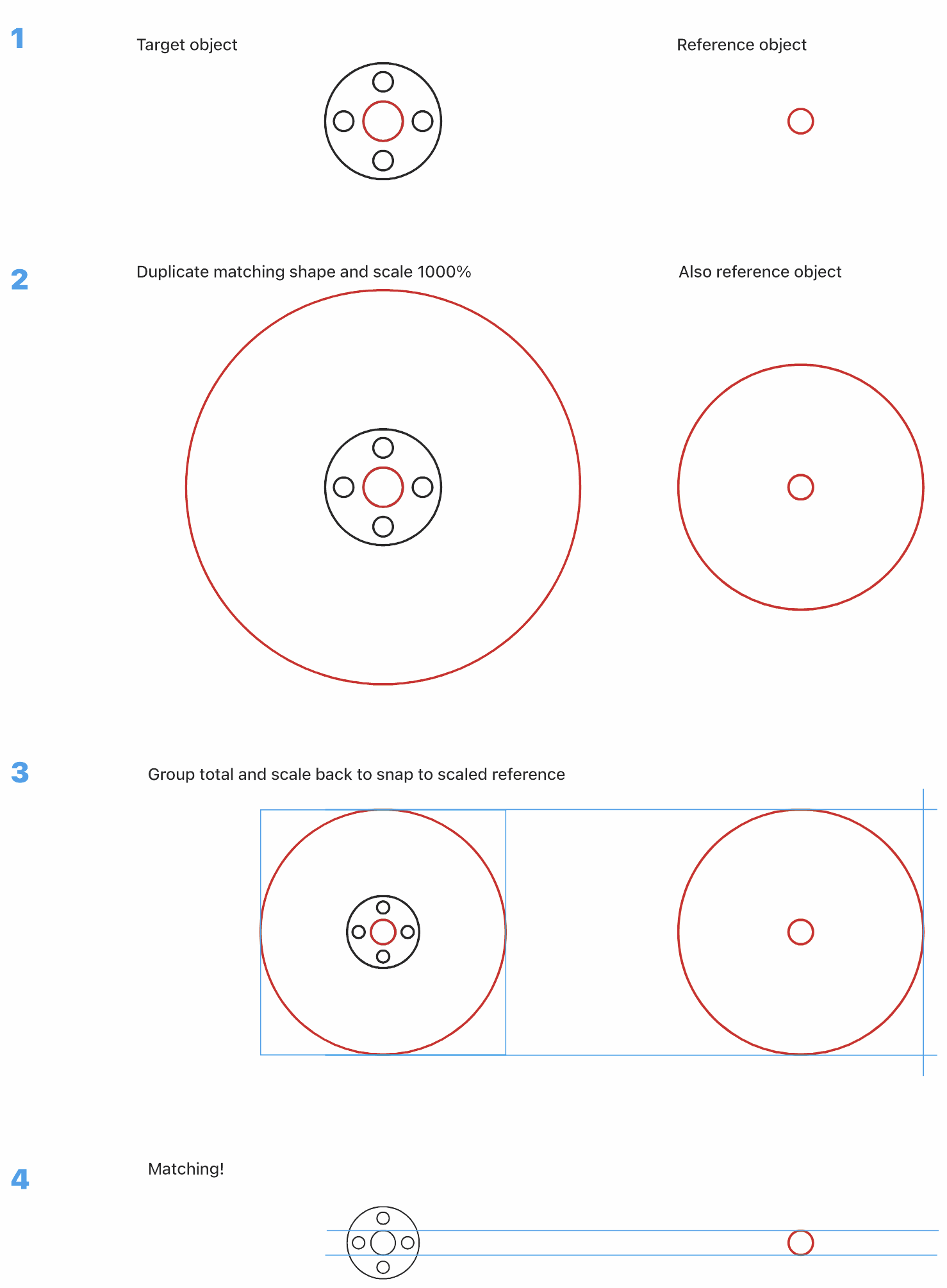
      A Workaround...

      0_1700513318175_d2a4f3ab-4756-4150-9230-e931b4a02774-image.png

      1 Reply Last reply Reply Quote 2
      • AyoA Offline
        Ayo @Ayo
        last edited by Ayo

        @Ayo said in Reference Scaling:

        can start scaling also from any point you want

        Apart from the underlying programming, the Illustrator method of course only works if you are able to tap nodes with the Transform Tool, but unfortunately no nodes are shown when working with this tool. I already argued for this in an earlier post in "Ten Points for Vectorstyler".
        https://www.vectorstyler.com/forum/topic/3147/ten-points-for-vectorstyler-my-experience-and-ideas

        Sometimes I have the feeling that Vectorstyler relies a bit too much on the "Dynamic Shape" phenomenon, which is nice but can also have its disadvantages in terms of hermetic objects and and the effect on the capabilities of the select and transform tools. The classic "path" object sometimes comes off a bit unfavorably in my opinion. It's a feeling. 🤔

        VectorStylerV 1 Reply Last reply Reply Quote 1
        • VectorStylerV Offline
          VectorStyler @Ayo
          last edited by

          @Ayo Is Illustrator doing this scaling with a separate Scale tool?

          AyoA 2 Replies Last reply Reply Quote 0
          • AyoA Offline
            Ayo @VectorStyler
            last edited by

            @VectorStyler

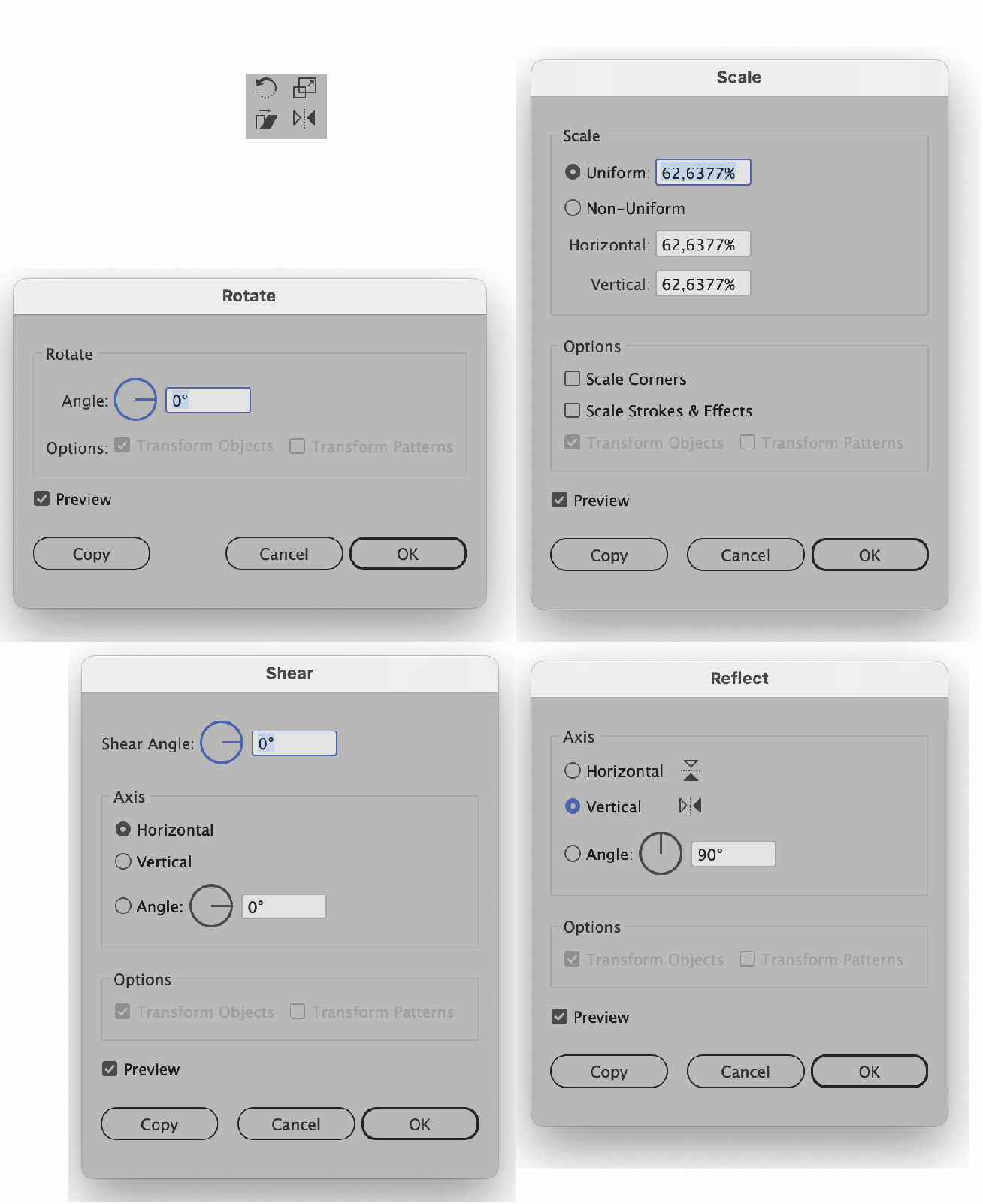
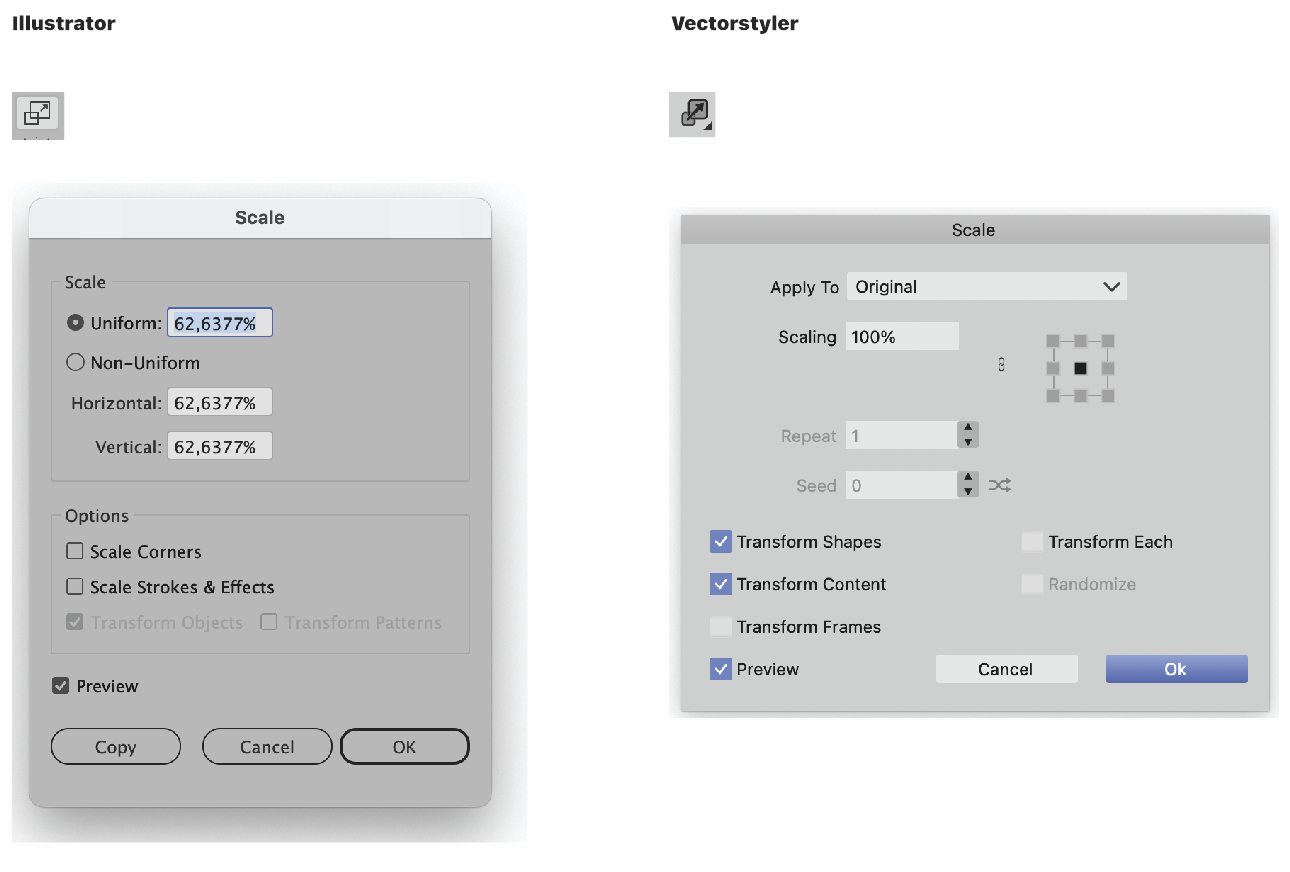
            Tool icon not much different from Vectorstyler. Scale tool panel offers quite different options.
            In Illustrator:

            • Select an object with Selection Tool
            • Activate Scale, Rotate, Sheer, Reflect or Free Transform Tool
            • As soon as you do this, Illustrator will show the objects Nodes plus an origin cross that you can move (magnetically if you like).
            • You can then transform manually immediately picking up any point/node from the object
            • Double click the tool icon for numerical transformation

            Another small video:
            https://recordit.co/92TdRJNJab
            0_1700557292921_505600aa-5210-444d-a16a-38abd7277e29-image.png

            AyoA 1 Reply Last reply Reply Quote 1
            • AyoA Offline
              Ayo @VectorStyler
              last edited by

              @VectorStyler
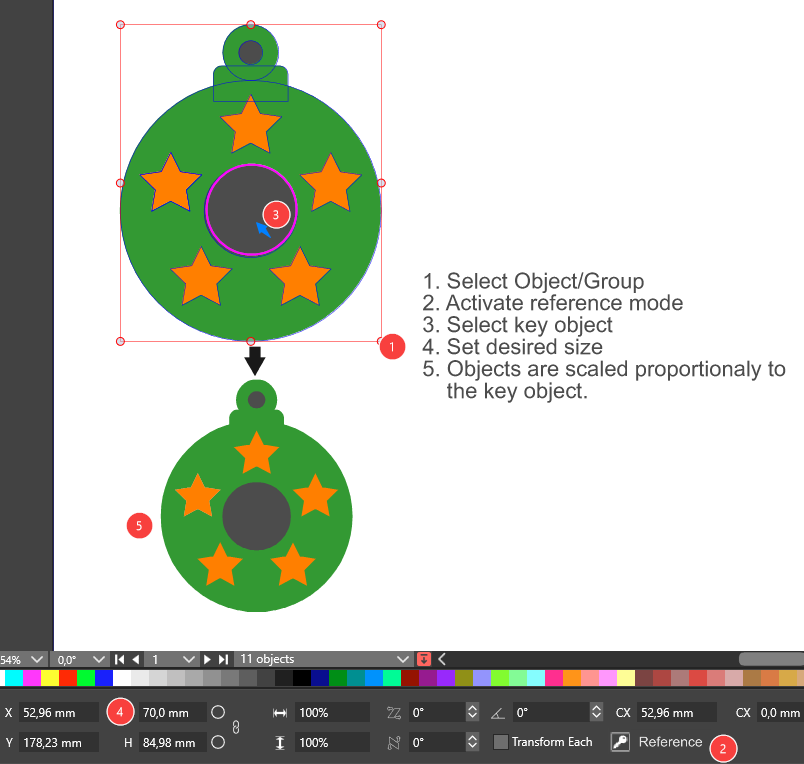
              FYI the whole group

              0_1700558583757_3b861e8d-243b-4b0b-a29a-3c23573b406e-image.png

              VectorStylerV 1 Reply Last reply Reply Quote 1
              • VectorStylerV Offline
                VectorStyler @Ayo
                last edited by

                @Ayo said in Reference Scaling:

                FYI the whole group

                Got it. I will try to figure this out.

                AyoA 2 Replies Last reply Reply Quote 1
                • AyoA Offline
                  Ayo @VectorStyler
                  last edited by

                  @VectorStyler

                  One final note

                  Free placement of the Origin Cross for numerical transformation works a little differently:

                  • select the object to scale
                  • select the scale tool
                  • hold option (alt) and click/drag the on the canvas to set transform origin
                  • numeric input dialog opens prompt after origin set/release (option) alt
                  • enter value

                  https://recordit.co/ocj8iQqfTJ

                  1 Reply Last reply Reply Quote 1
                  • AyoA Offline
                    Ayo @VectorStyler
                    last edited by

                    @VectorStyler

                    One very last comment

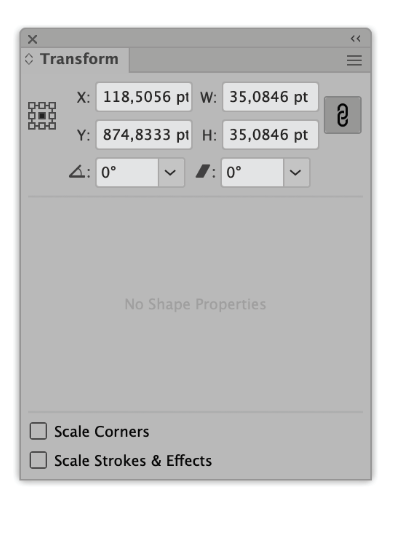
                    In addition, there is of course the transform panel, but it cannot scale towards/from a free placed origin reference. Only center and the 8 bounding box extremes.
                    0_1700565363458_50a7f88b-cb2c-43e3-823d-025b592dc14a-image.png

                    1 Reply Last reply Reply Quote 1
                    • AyoA Offline
                      Ayo @Ayo
                      last edited by

                      @VectorStyler @Ayo said in Reference Scaling:

                      You can then transform manually immediately picking up any point/node from the object

                      Addition:
                      Also works on segments (not only nodes)

                      VectorStylerV 1 Reply Last reply Reply Quote 0
                      • VectorStylerV Offline
                        VectorStyler @Ayo
                        last edited by

                        @Ayo I added these transform improvements to the backlog.

                        1 Reply Last reply Reply Quote 1
                        • First post
                          Last post