VectorStyler
    • Categories
    • Unread
    • Recent
    • Tags
    • Popular
    • Register
    • Login

    Corner editor cursor
    Scheduled Pinned Locked Moved Questions and Support
    8 Posts 4 Posters 7.8k Views 4 Watching
    Loading More Posts
    • Oldest to Newest
    • Newest to Oldest
    • Most Votes
    Reply
    • Reply as topic
    Log in to reply
    This topic has been deleted. Only users with topic management privileges can see it.
    • K Offline
      Kumr
      last edited by

      Currently cursor changes to Semicircle with a + indicator as one scans outside the corner circle. Challenge here is, one have to move the pointer around to find the lock and apply the effect. Also the indicator is hardly visible if the backdrop is grey or dark colored.

      0_1699269329923_2023-11-06 16.44.58.jpeg

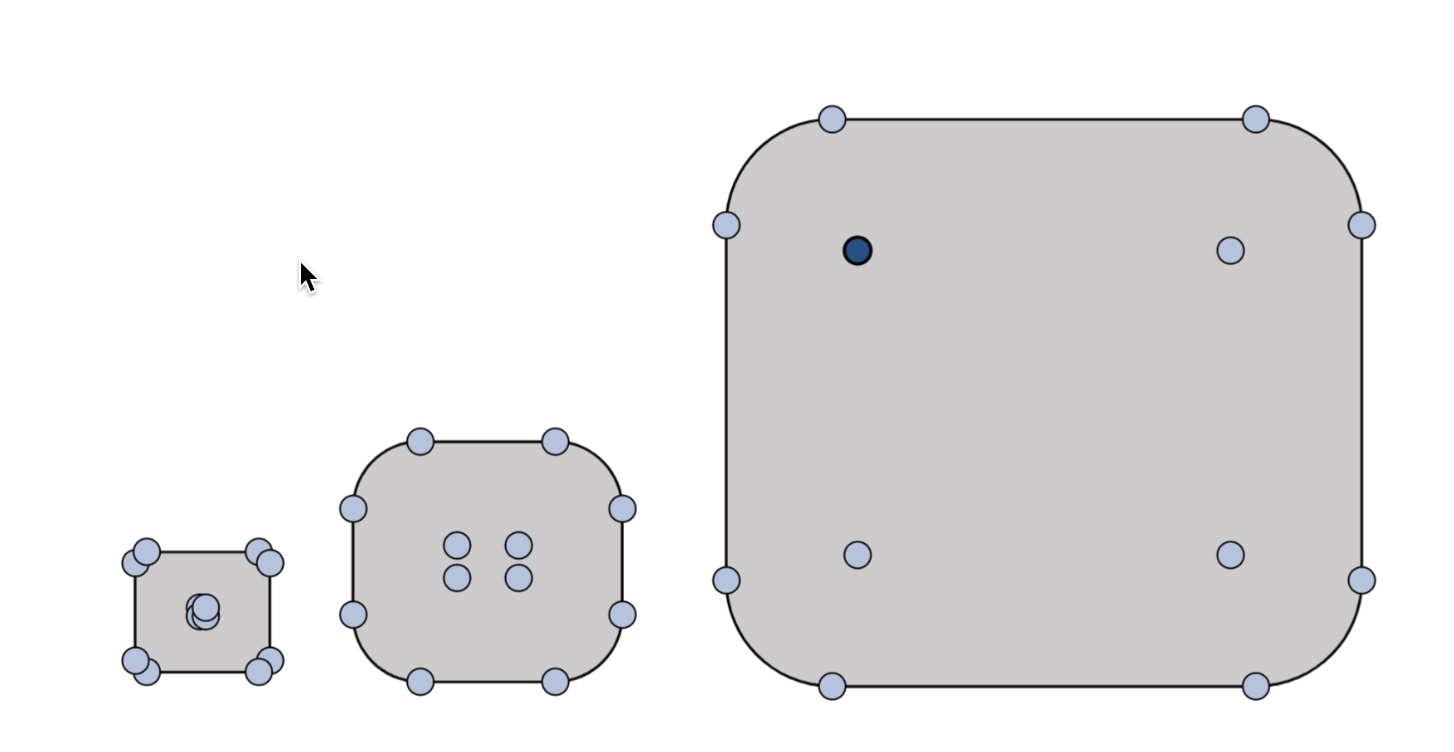
      The corner indicator circles are big and don't scale proportionally, getting in the way of design, sometimes overlapping.

      0_1699268648687_2023-11-06 16.33.55.jpeg

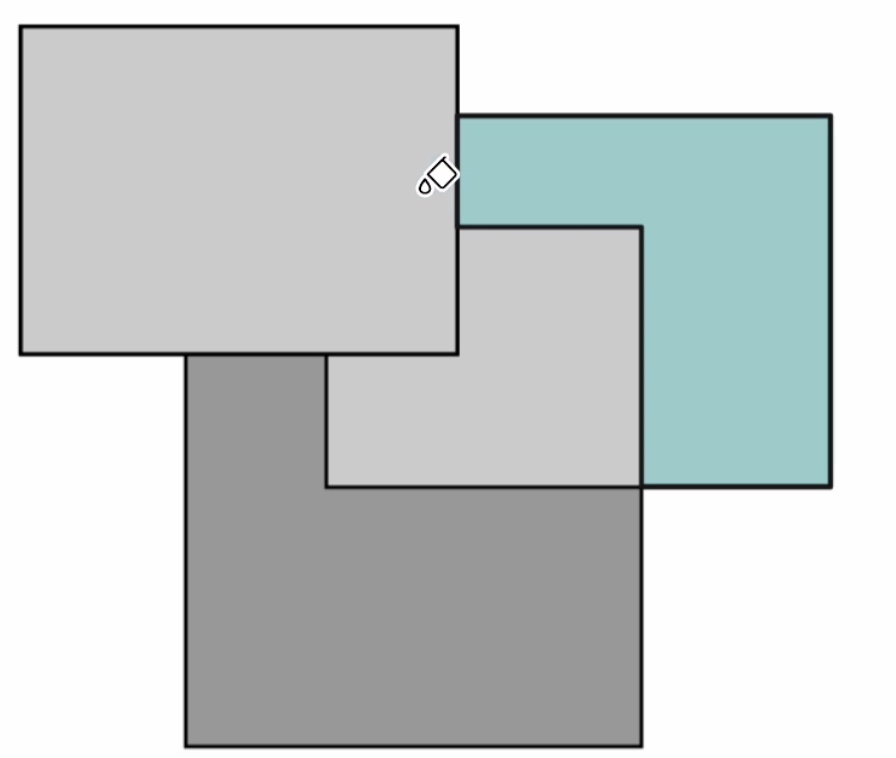
      About Bucket tool:
      In the Bucket fill tool, the shape on the opposite side of the cursor gets selected, can be confusing sometimes.

      0_1699268970341_2023-11-06 16.39.20.jpeg

      M1 MacBook Air, 16GB, macOS Sonoma 14.4.1

      b77B VectorStylerV 2 Replies Last reply Reply Quote 0
      • b77B Offline
        b77 @Kumr
        last edited by

        @Kumr The black part of the cursor needs to be thicker and the white contour as well,
        for better contrast with any background.

        But I'm not sure about the part with the handles(?) being too big. They don't seem too
        big to me, unless the object looks too small itself because of the zoom level.

        In this case perhaps hiding these round handles after you start dragging them could help.

        MacBook Pro (Intel) running Monterey 12.6.4

        1 Reply Last reply Reply Quote 0
        • VectorStylerV Offline
          VectorStyler @Kumr
          last edited by VectorStyler

          @Kumr said in Corner editor cursor:

          In the Bucket fill tool, the shape on the opposite side of the cursor gets selected, can be confusing sometimes.

          I cannot replicate this. What is the zoom level, and was the bucket fill tool started filling (first click)?

          K 1 Reply Last reply Reply Quote 0
          • K Offline
            Kumr @VectorStyler
            last edited by

            @VectorStyler This is what I mean by scanning curser lock.

            https://recordit.co/1csONPfssU

            Bucketfill tool on A4 at 65% zoom level

            https://shorturl.at/egyIS

            thanks

            M1 MacBook Air, 16GB, macOS Sonoma 14.4.1

            VectorStylerV 1 Reply Last reply Reply Quote 1
            • VectorStylerV Offline
              VectorStyler @Kumr
              last edited by

              @Kumr I will try to replicate these issues.

              K 1 Reply Last reply Reply Quote 0
              • K Offline
                Kumr @VectorStyler
                last edited by

                @VectorStyler thank you

                M1 MacBook Air, 16GB, macOS Sonoma 14.4.1

                L 1 Reply Last reply Reply Quote 0
                • L Offline
                  Li Xiao @Kumr
                  last edited by

                  @Kumr @VectorStyler I previously reported the issue with the Bucket Fill tool.
                  https://www.vectorstyler.com/forum/topic/3628/the-icon-of-the-vector-bucket-fill-tool-is-drifting

                  VectorStylerV 1 Reply Last reply Reply Quote 1
                  • VectorStylerV Offline
                    VectorStyler @Li Xiao
                    last edited by

                    @Li-Xiao @b77 @Kumr This issue can be replicated on MacOS Sonoma. It is a compatibility issue with the new OS, I will try to have this fix in the next build.

                    1 Reply Last reply Reply Quote 2
                    • First post
                      Last post
