Temporarily switch to the Transform Tool shortcut not global for drawing tools?
-
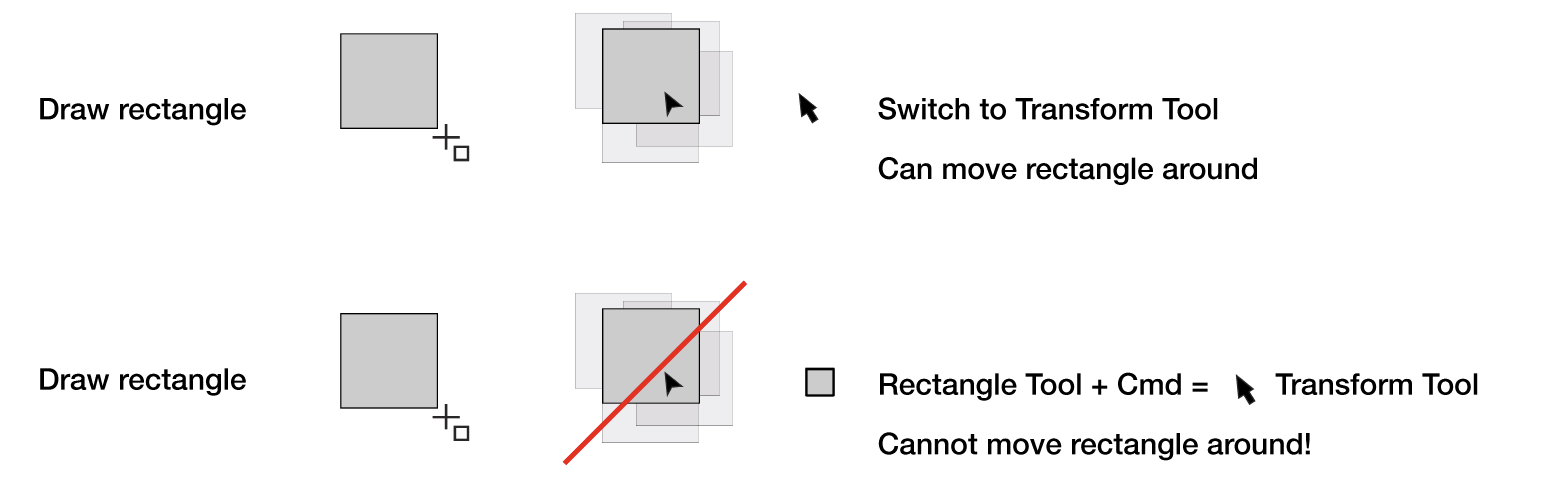
When drawing rectangles I can switch to the Transform Tool to move/order them.
Why can I not temporarily (fast) switch to the Transform tool while drawing in Rectangle Tool?
While making these images I have repeatedly problems with the text frame. After a text has been created and I have done a few other actions, I can no longer enter the text box with the text cursor. Have to make a new one. Do I miss something?
-
@Ayo Yes, this is by design.
Cmd+ switches to the node editor tool in this case. -
Why do you get the Transform Tool symbol with Cmd for editing nodes?
Transform Tool tooltip says; 'Move, Scale, Rotate and Skew selected items'. Not; distort.Could be Cmd+Alt or something else. I don't know but shape editor does the job already for object shapes.
This is in my opinion inconsistent, illogical and not to explain. -
@Ayo said in Temporarily switch to the Transform Tool shortcut not global for drawing tools?:
Why do you get the Transform Tool symbol with Cmd for editing nodes?
Currently, most of the shape drawing tools are configured to switch to the node tool, to adjust the shape properties.
Could be Cmd+Alt or something else. I don't know but shape editor does the job already for object shapes.
I have to check if this would be possible in the future.
-
@Ayo If you want to move the rectangle (or any shape) mid drawing, press
the Space bar and drag the object around. Works great with snapping.


