VectorStyler
    • Categories
    • Unread
    • Recent
    • Tags
    • Popular
    • Register
    • Login

    Artboard for existing saved VS opens in different places upon re-open
    Scheduled Pinned Locked Moved Questions and Support
    4 Posts 3 Posters 4.2k Views 2 Watching
    Loading More Posts
    • Oldest to Newest
    • Newest to Oldest
    • Most Votes
    Reply
    • Reply as topic
    Log in to reply
    This topic has been deleted. Only users with topic management privileges can see it.
    • BoldlineB Offline
      Boldline
      last edited by Boldline

      Are there rules that dictate where VS will open the view of an existing VS file?

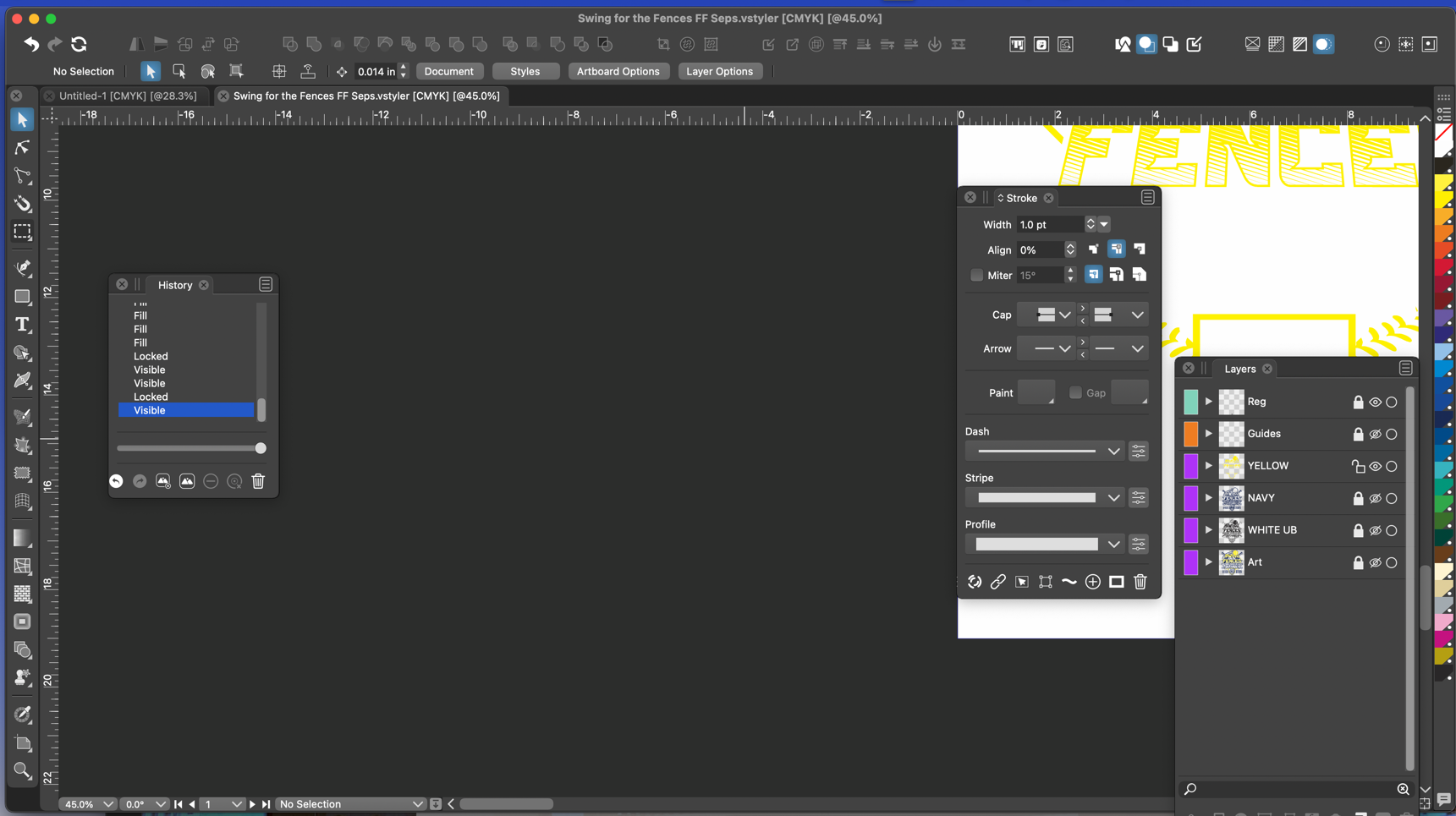
      Sometimes when I open an existing saved file, it opens with the artboard off to the upper right. Some giles open and the art I was last working on off to the side of the artboard is centered on the view.

      The screenshot below is one example of how a file will look when I first open it in VS
      0_1684964919264_ee6f8b9b-f628-4cbe-bf64-05db0a626b94-CleanShot 2023-05-24 at 17.38.45.png

      🍎 macOS Tahoe 26.2, Mac mini (M1, 2020), Chip Apple M1, Memory 16 GB
      Cintiq 27QHD Display and LG Ultra HD Display

      S VectorStylerV 2 Replies Last reply Reply Quote 2
      • S Offline
        Subpath @Boldline
        last edited by Subpath

        @Boldline

        it could be seen as a minor thing
        but it bothers me too

        it would be nice if VS would restore / save the last state of a view
        or place it in the middle

        Win 11
        CPU: AMD Ryzen 5 9600X, 6-core.
        GPU: Nvidia Geforce RTX 5070.

        1 Reply Last reply Reply Quote 0
        • VectorStylerV Offline
          VectorStyler @Boldline
          last edited by

          @Boldline Could be just a panning issue. I don't think the artboard change location.
          Does it happen with all files?

          BoldlineB 1 Reply Last reply Reply Quote 0
          • BoldlineB Offline
            Boldline @VectorStyler
            last edited by

            @VectorStyler Not with every file. Usually it seems to open with the same view I last saved and closed out the file from. but that's not always the case. like the first example in this thread, I did not have the viewfinder in that position prior


            🍎 macOS Tahoe 26.2, Mac mini (M1, 2020), Chip Apple M1, Memory 16 GB
            Cintiq 27QHD Display and LG Ultra HD Display

            1 Reply Last reply Reply Quote 1
            • First post
              Last post