VectorStyler
    • Categories
    • Unread
    • Recent
    • Tags
    • Popular
    • Register
    • Login

    Base color is visible when stroke Align is set to 100% inside.
    Scheduled Pinned Locked Moved VectorStyler 1.1 Bugs
    13 Posts 5 Posters 12.4k Views 4 Watching
    Loading More Posts
    • Oldest to Newest
    • Newest to Oldest
    • Most Votes
    Reply
    • Reply as topic
    Log in to reply
    This topic has been deleted. Only users with topic management privileges can see it.
    • BoldlineB Offline
      Boldline @encart
      last edited by Boldline

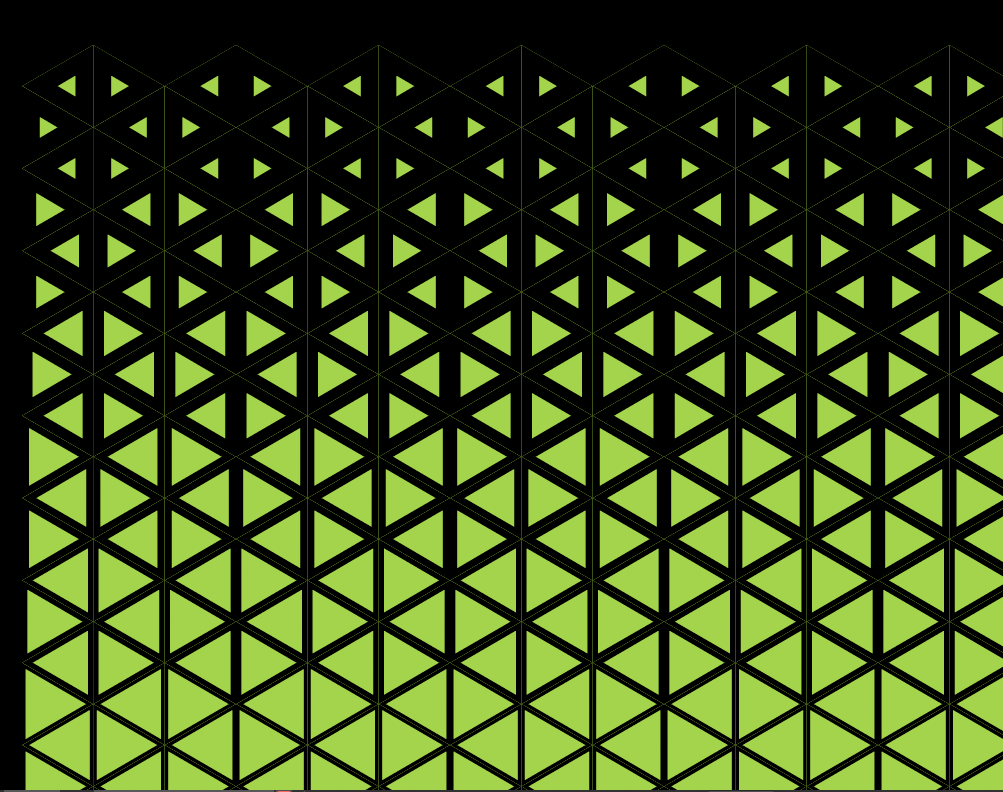
      @encart Not related to a fix, but I really like the triangle pattern you have going on and using the stroke size to control it is a great move - what incremental sizing did you choose to use?

      My attempt inspired by your creation - I used a simple one pt incremental increase per triangle until they were too small for my use and then i stopped. - thanks for the inspiration!
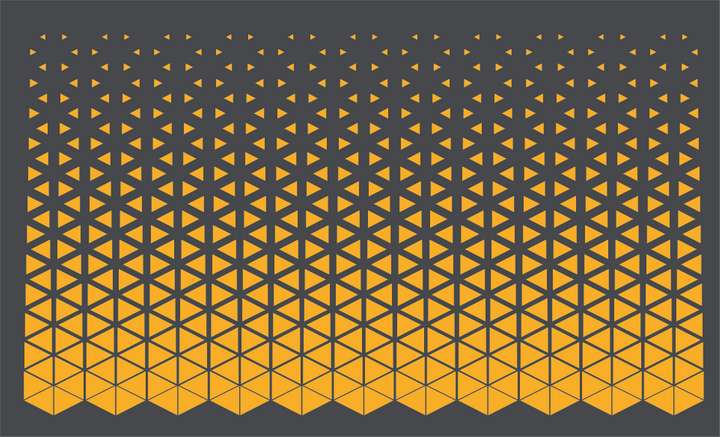
      0_1657987673940_2a2ba070-14ec-4e69-be6c-e5225931b106-BLD 2022-07-16 at 12.07.31.png

      🍎 macOS Sequoia 15.3, Mac mini (M1, 2020), Chip Apple M1, Memory 16 GB
      Cintiq 27QHD Display and LG Ultra HD Display

      encartE 1 Reply Last reply Reply Quote 2
      • encartE Offline
        encart @Boldline
        last edited by encart

        @Boldline
        https://recordit.co/u4MlrV7hJV
        Thanks! I've made another one, but this time I tried different approach. I used only straight lines and changed their profile. This pattern is highly and easily customizable. Just play with stroke's parameters. Sample:
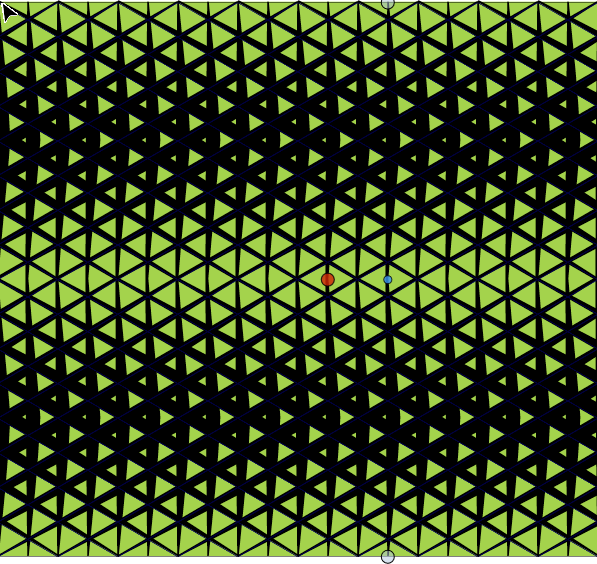
        0_1658003039703_screenshot_20220716_222311.png
        0_1658003537678_screenshot_20220716_223143.png
        0_1658003566273_screenshot_20220716_223057.png
        0_1658003584924_screenshot_20220716_222949.png
        I'm sharing the project with you. 0_1658001416245_Triangles pattern Stroke profile.vstyler

        Windows 11 Home 10.0.22621

        b77B BoldlineB S 3 Replies Last reply Reply Quote 5
        • b77B Offline
          b77 @encart
          last edited by

          @encart Cool method. 👍

          To expand the possibilities, you could use blending between lines (instead of groups of lines), then change the properties of one of the lines, or play with the blend transfer curve.

          MacBook Pro (Intel) running Monterey 12.6.4

          BoldlineB 1 Reply Last reply Reply Quote 2
          • BoldlineB Offline
            Boldline @encart
            last edited by

            @encart wow! thanks - that is really generous of you to include the video and share the source file. It will be fun to experiment like you did and see what kind of results can be produced - your examples look awesome!
            What's interesting - when I saw your initial post, I literally made a vertical stretch of triangles all flush with one another and added the stroke to to each one that I set the different incremental widths... in your latest example, you did it with tapered strokes - which gives so much more control
            Even just moving one set off a little from the other produced this:
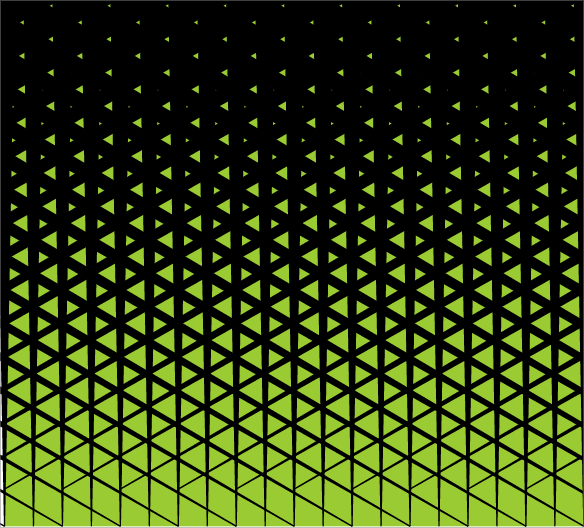
            0_1658008552656_83b85cdb-ebf0-4b6e-b80e-be302cec2f1b-BLD 2022-07-16 at 17.55.03.png
            I often see the different shape pattern halftones like this on the vector sites like shutterstock - some of them are pretty easy to replicate, others seem more complex, it would be fun to try to recreate them in our own way. I'll collect a few examples and share.

            🍎 macOS Sequoia 15.3, Mac mini (M1, 2020), Chip Apple M1, Memory 16 GB
            Cintiq 27QHD Display and LG Ultra HD Display

            1 Reply Last reply Reply Quote 0
            • BoldlineB Offline
              Boldline @b77
              last edited by Boldline

              @b77 said in Base color is visible when stroke Align is set to 100% inside.:

              or play with the blend transfer curve.

              You really love that blend transfer curve! 🙂 Is that what you were recently testing out?

              🍎 macOS Sequoia 15.3, Mac mini (M1, 2020), Chip Apple M1, Memory 16 GB
              Cintiq 27QHD Display and LG Ultra HD Display

              1 Reply Last reply Reply Quote 1
              • BoldlineB Offline
                Boldline
                last edited by

                So the next logical step to me with this process is setting up the best way to export these as a repeatable pattern

                🍎 macOS Sequoia 15.3, Mac mini (M1, 2020), Chip Apple M1, Memory 16 GB
                Cintiq 27QHD Display and LG Ultra HD Display

                b77B encartE 2 Replies Last reply Reply Quote 0
                • b77B Offline
                  b77 @Boldline
                  last edited by b77

                  @Boldline Before pasting the lines inside the square shape (to be used to make the pattern), I would expand them and combine them with Union.

                  MacBook Pro (Intel) running Monterey 12.6.4

                  1 Reply Last reply Reply Quote 1
                  • S Offline
                    Subpath @encart
                    last edited by Subpath

                    @encart

                    I just have to say WOW.
                    Thats a very cool find 👍
                    and of course cool patterns

                    And thanks for sharing the File.

                    Win 11
                    CPU: AMD Ryzen 5 9600X, 6-core.
                    GPU: Nvidia Geforce RTX 5070.

                    1 Reply Last reply Reply Quote 1
                    • encartE Offline
                      encart @Boldline
                      last edited by

                      @Boldline said in Base color is visible when stroke Align is set to 100% inside.:

                      So the next logical step to me with this process is setting up the best way to export these as a repeatable pattern

                      • Expand all of the strokes
                      • Union them
                      • Unlock background square
                      • Select all of the objects and use Exclude back from boolean operations

                      That's all. You can make multiple copies and use
                      0_1658037747037_screenshot_20220717_080200.png
                      to remove free spaces between.

                      Or turn it into pattern brush.
                      Here is used as a stroke of the circle.
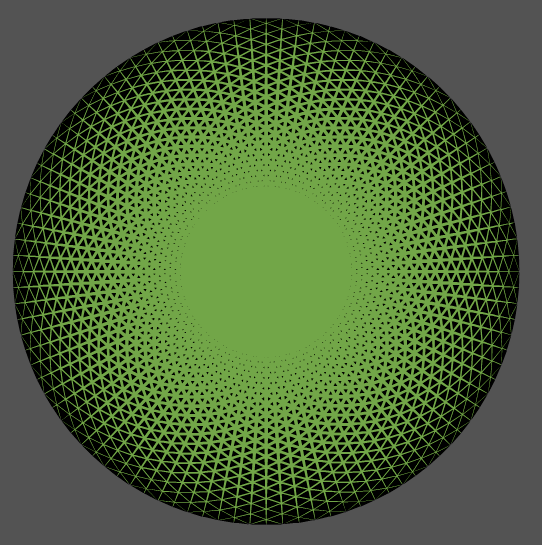
                      0_1658037829786_screenshot_20220717_074936.png

                      Windows 11 Home 10.0.22621

                      VectorStylerV S 2 Replies Last reply Reply Quote 2
                      • VectorStylerV Offline
                        VectorStyler @encart
                        last edited by

                        @encart I would add one more trick: In the Stroke panel menu, enable "Filtered Outline", and then try some of the shape effects on the whole group.

                        1 Reply Last reply Reply Quote 1
                        • S Offline
                          Subpath @encart
                          last edited by

                          @encart

                          that's what I like about experimenting and associating
                          you try out a diffuse idea it evolves and you find
                          something spectacular 🙂 👍

                          Win 11
                          CPU: AMD Ryzen 5 9600X, 6-core.
                          GPU: Nvidia Geforce RTX 5070.

                          1 Reply Last reply Reply Quote 1
                          • First post
                            Last post