VectorStyler
    • Categories
    • Unread
    • Recent
    • Tags
    • Popular
    • Register
    • Login

    Options not visible in Windows 10
    Scheduled Pinned Locked Moved Questions and Support
    8 Posts 2 Posters 8.0k Views 2 Watching
    Loading More Posts
    • Oldest to Newest
    • Newest to Oldest
    • Most Votes
    Reply
    • Reply as topic
    Log in to reply
    This topic has been deleted. Only users with topic management privileges can see it.
    • M Offline
      Mohamed Abdullah
      last edited by Mohamed Abdullah

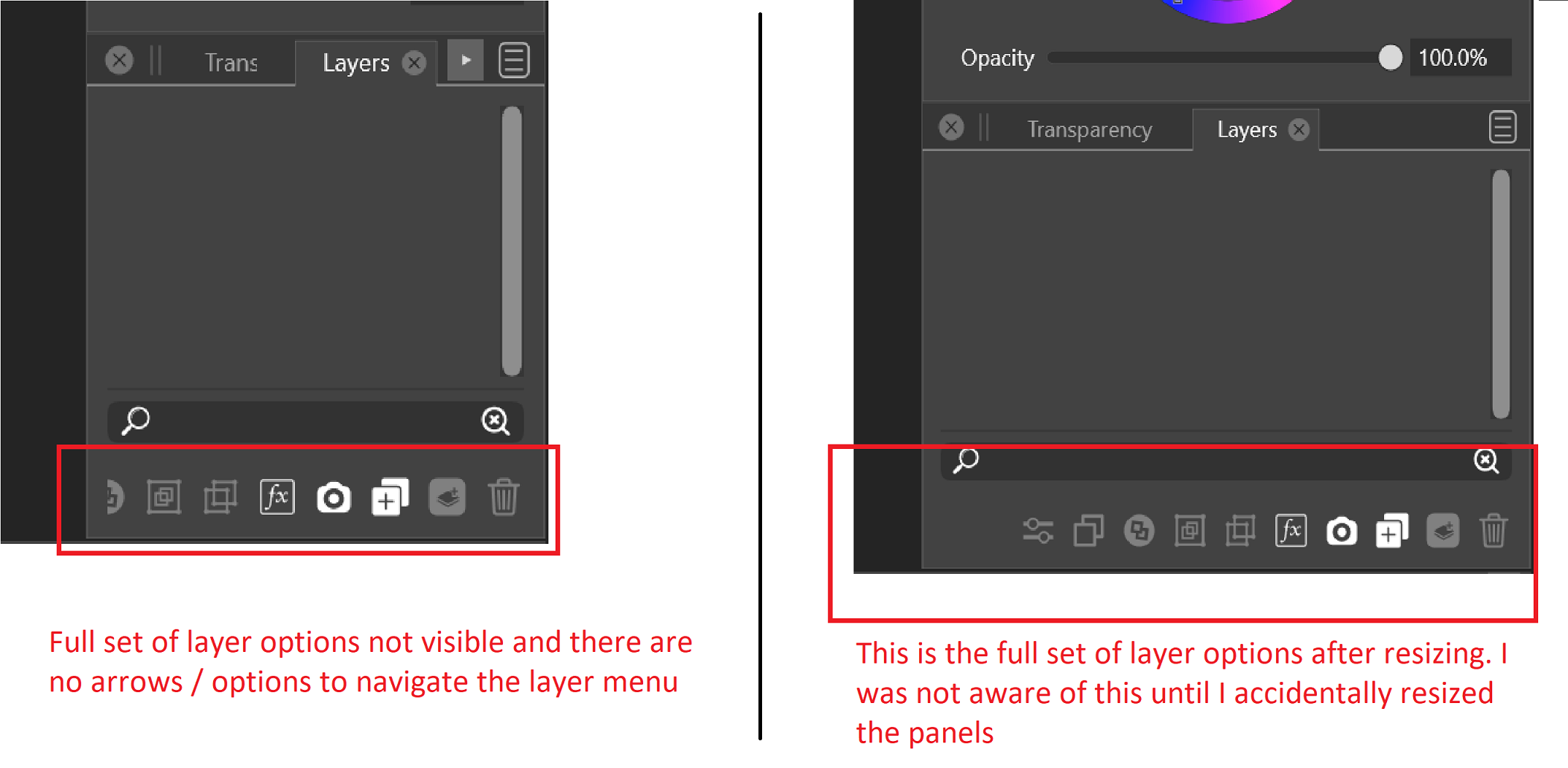
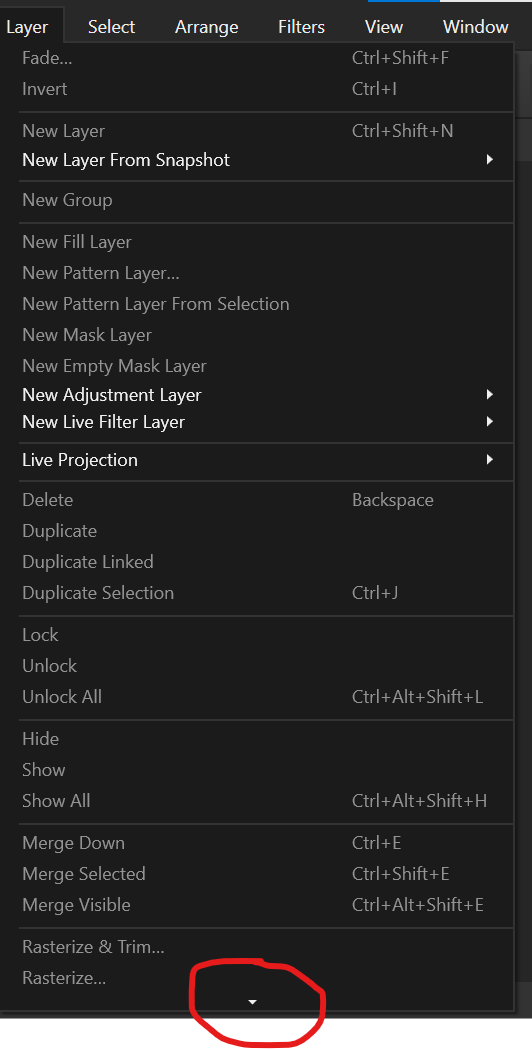
      Hi... I am not sure if this was raised in the past. While I tried searching the forum, but couldn't find anything relared to it. I was exploring VS in my windows machine (a laptop) and what I found was in windows, some options are not visible. Attaching a couple of screenshots to highlight what I mean. Given the responsiveness of the developer, I am positive that this will be taken care of.
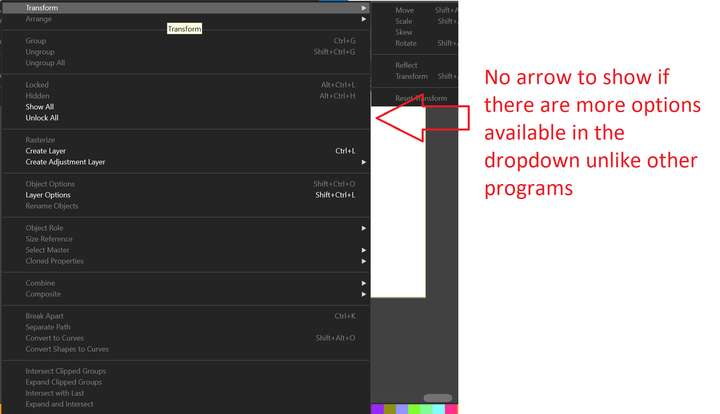
      0_1638103469863_Dropdown_Bug.png !

      0_1638103686933_Layer_panel_Bug.png

      VectorStylerV 2 Replies Last reply Reply Quote 0
      • VectorStylerV Offline
        VectorStyler @Mohamed Abdullah
        last edited by

        @Mohamed-Abdullah Hi and Welcome to VectorStyler 🙂
        Is there an open document, with some objects selected?
        Some of these options are only enabled when there are suitable objects selected.

        1 Reply Last reply Reply Quote 0
        • VectorStylerV Offline
          VectorStyler @Mohamed Abdullah
          last edited by

          @Mohamed-Abdullah Show All and Unlock All have no sub menus, so the arrow is not needed there.

          It looks like the default Layers panel width on Windows is too small. This needs to be fixed.

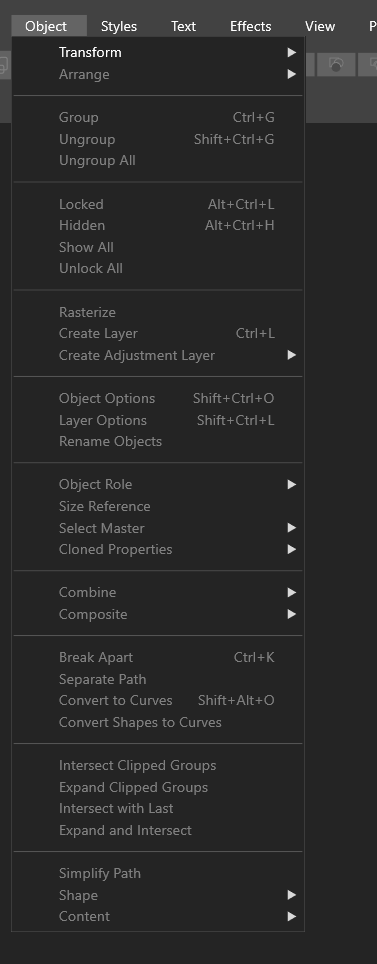
          I also noticed that the Object menu is quite wide in your screenshot. It not supposed to be that wide, was this after the first opening or some after browsing of the menu (this could be a bug).

          1 Reply Last reply Reply Quote 0
          • M Offline
            Mohamed Abdullah
            last edited by

            @vectoradmin Yeah... I meant that object menu not being fully visible / not sure if there are more options. By first opening, you mean the first ever time I opened the app? I also have a screen recording of how it looks on opening. I couldn't upload it here. So, linking it via a Google drive which you can view

            https://drive.google.com/file/d/166qVZqwz4avHrEsapcv0BMyuSCdl3e4n/view

            VectorStylerV 1 Reply Last reply Reply Quote 0
            • VectorStylerV Offline
              VectorStyler @Mohamed Abdullah
              last edited by

              @Mohamed-Abdullah Yes, at smaller screen sizes, some menus and the toolbox is cut off.
              The problem is that VS has quite a lot of features, and it would be difficult to rearrange these for smaller screen sizes.

              But both the menu and the toolbox content is customizable. And it is also possible to reduce the UI sizes and the font size in Preferences -> User Interface -> Interface Scaling and Text Size Scale

              Otherwise the only option is to attach a larger monitor 🙂

              1 Reply Last reply Reply Quote 0
              • M Offline
                Mohamed Abdullah
                last edited by

                @vectoradmin Thanks for a super quick reply. Alternatively for the menus, can you consider something like this
                0_1638199709845_1d8ec39c-9c5e-44d2-8c75-400d79c422db-image.png

                1 Reply Last reply Reply Quote 1
                • M Offline
                  Mohamed Abdullah
                  last edited by

                  @vectoradmin With interface scaling at 80%, now the object menu is not wide and fully visible
                  0_1638199825867_05e6ce53-9947-40f2-8dd8-c2181fd712da-image.png

                  1 Reply Last reply Reply Quote 1
                  • M Offline
                    Mohamed Abdullah
                    last edited by

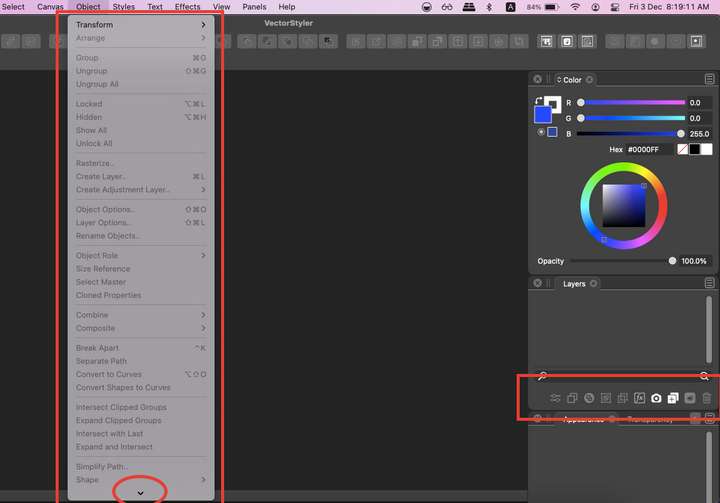
                    I checked the Mac version. It doesn't have these issues
                    0_1638500092450_Screenshot 2021-12-03 at 8.19.11 AM.png

                    1 Reply Last reply Reply Quote 1
                    • First post
                      Last post