imported vectors from other apps still having issues with node ID
-
When I ran into issues getting the offset path to work properly in VS, I ended up creating an offset path in Illustrator, expanding it and pasting it into VS (I know this action has been asking for trouble for a while now!) I got everything set and when I saved the file, it looked like this:

After cleaning up the Mac and restarting the machine, it looked like this:
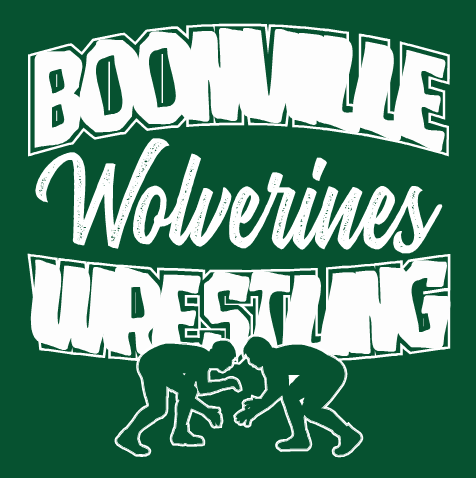
I was able to recover it because I had the messed up text saved on another layer above as well.
I assume this is part of the issue with VS misidentifying nodes coming from other vector sources, namely Illustrator. What stood out to me that was interesting in this case was that the issue was not immediate but happened after I had saved it and reopened the file again after restarting the computer.
@vectoradmin , I know you were working on this a few weeks back. It's possible you already fixed this and it's in the next build release. I just wanted to be sure I brought it up when I encountered it.
0_1637638054674_Boonville Wrestling2021 Green Shirt2.vstyler🍎 macOS Tahoe 26.2, Mac mini (M1, 2020), Chip Apple M1, Memory 16 GB
Cintiq 27QHD Display and LG Ultra HD Display -
@Boldline The fix for the AI importing issue with node types, will be in the next build.
-
@vectoradmin Awesome news! Can't wait for that
-
@Boldline This issue should be fixed in the new build 1.1.002 (beta)

