Queries Regarding VectorStyler 1.3

-
@VectorStyler Following LIXIAO's suggestion today, I turned off the "Show Nodes on Hover" option under Preferences > Selection, then tested moving objects. There was still some lag, but it was noticeably faster than before.
-
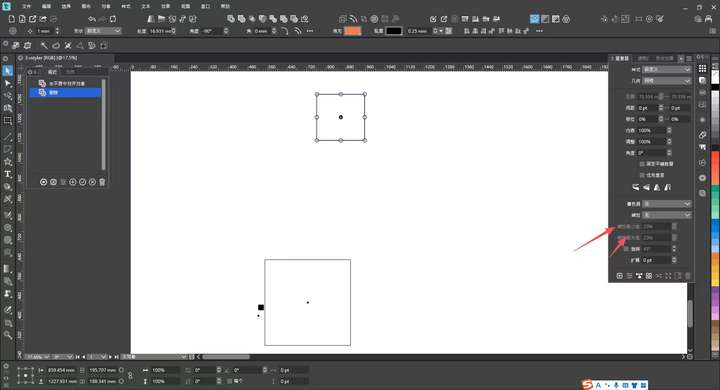
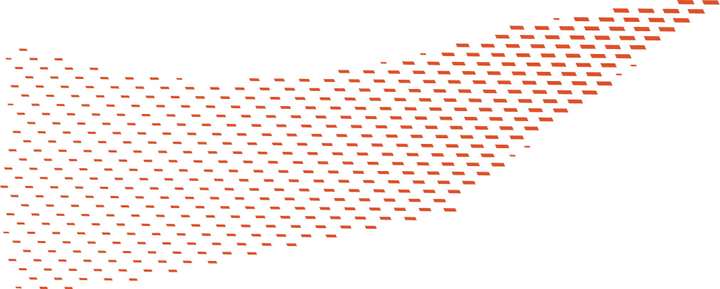
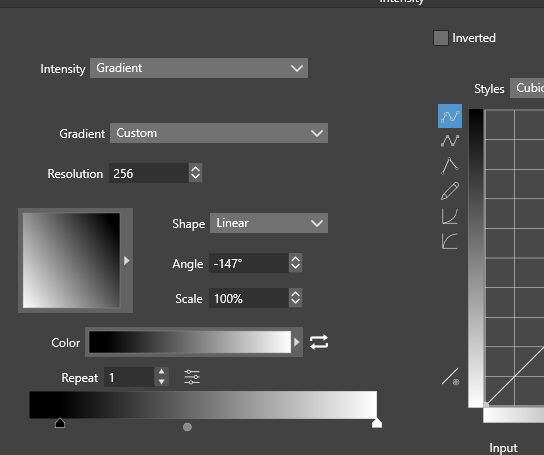
@VectorStyler I encountered a halftone graphic similar to the one in Floor 13 of this thread again today. I know that the repeater function has been enhanced in previous versions, but I'm not sure if such graphics can be created now. If it is supported, could you provide a video demonstration?
-
@monsterfox Which graphics is that ?
-
@VectorStyler The original image is a print on a piece of material, which is quite blurry, but the general effect is like this. The difference is that the smallest shapes are rectangles with no tilt at all, while the largest ones are tilted.
It’s easy to create a single strip using the blend effect, but repeating this process and ensuring global coordination is rather cumbersome. If the repeater could support tilt adjustments for both the smallest and largest shapes, this kind of graphic could be created. If possible, please add the rotation adjustment function as well.
-
@monsterfox said in Queries Regarding VectorStyler 1.3:
he difference is that the smallest shapes are rectangles with no tilt at all, while the largest ones are tilted.
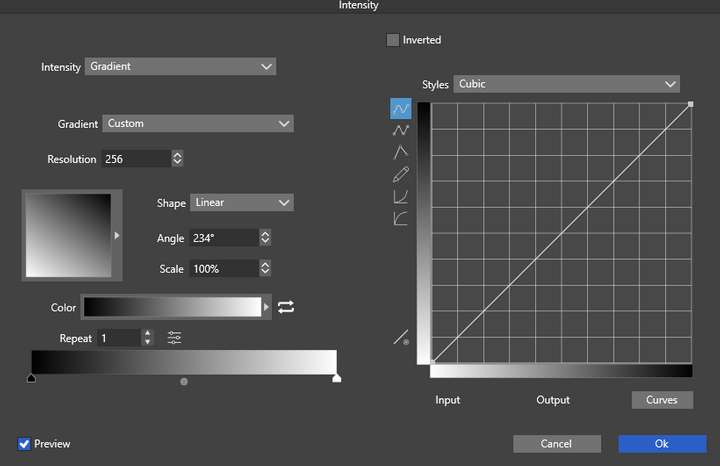
This can be done with a number variable for the tilt amount and then controlling the variable using the backdrop intensity as a repeater adjustment
-
not sure if i understand you right
dont know what the tilt meanmean you something like this ?
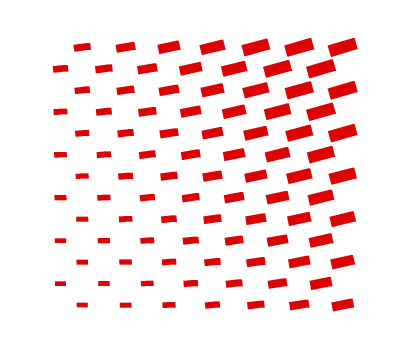
then repeater > addional options > Adjustment Geometrys > Edit Adjustment
may be a way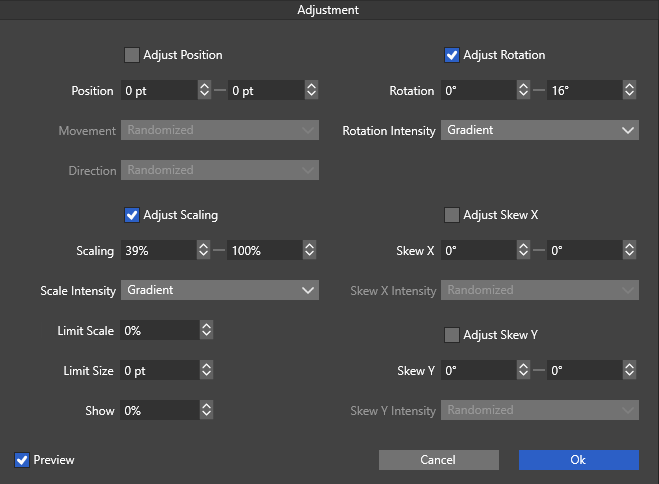
.
.
-
@Subpath The effect is very similar to the one in your image above, but yours looks more like rotation rather than tilt.
-
@VectorStyler Could you provide an operation demonstration,Thank you。
-
ok,
had a closer look at your pic
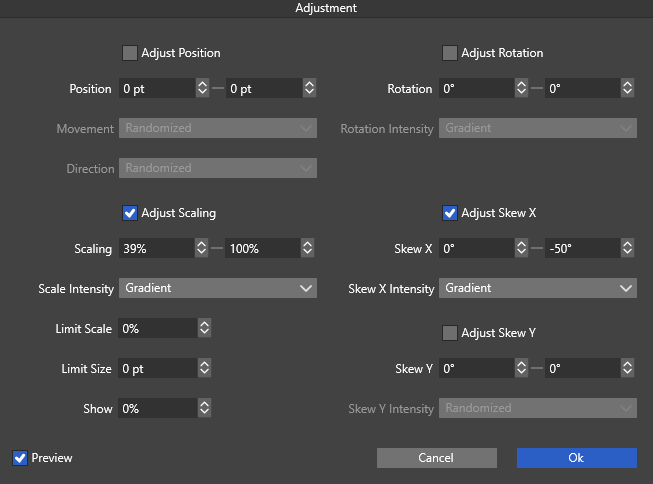
seems that Tilt is the same like "Skew" in Repeater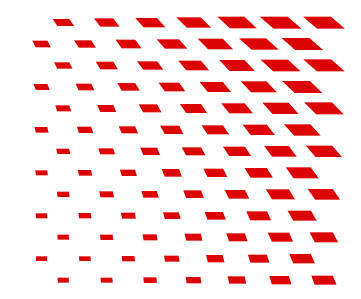
.
.
.
.
-
forgot the repeater settings
here the pic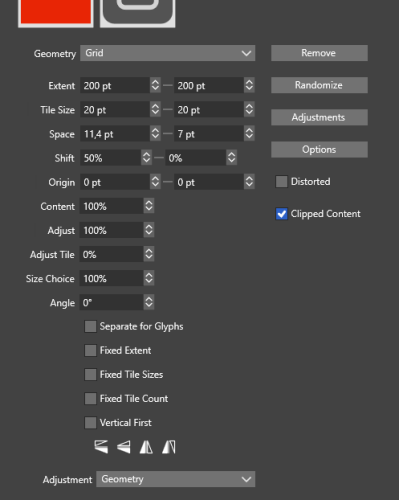
-
@Subpath Thanks! The effect of your image is quite similar. I'll test out the details tomorrow. There are still plenty of advanced features of the repeater that I haven't mastered yet, so I need to spend some time exploring them.
-
Glad it was helpful.
My understanding of the repeater's capabilities is also still quite limited.
I just experiment with it now and then and gradually expand my knowledge. -
@VectorStyler said in Queries Regarding VectorStyler 1.3:
This can be done with a number variable for the tilt amount and then controlling the variable using the backdrop intensity as a repeater adjustment
I've noticed that shape transform parameters (the ones that appear in Properties panel) don't seem to accept number variables as input.
Also, adding a shape effect Transform allows to use number variables as input, but they seem to have no effect.
I don't know if this limitation is intended or not but it would be nice to be able to use number parameters on Transform parameters
-
@VectorStyler I enabled the skew option in the Repeater, but the skew angles of the repeated shapes are very inconsistent and messy—this should be a bug, right?
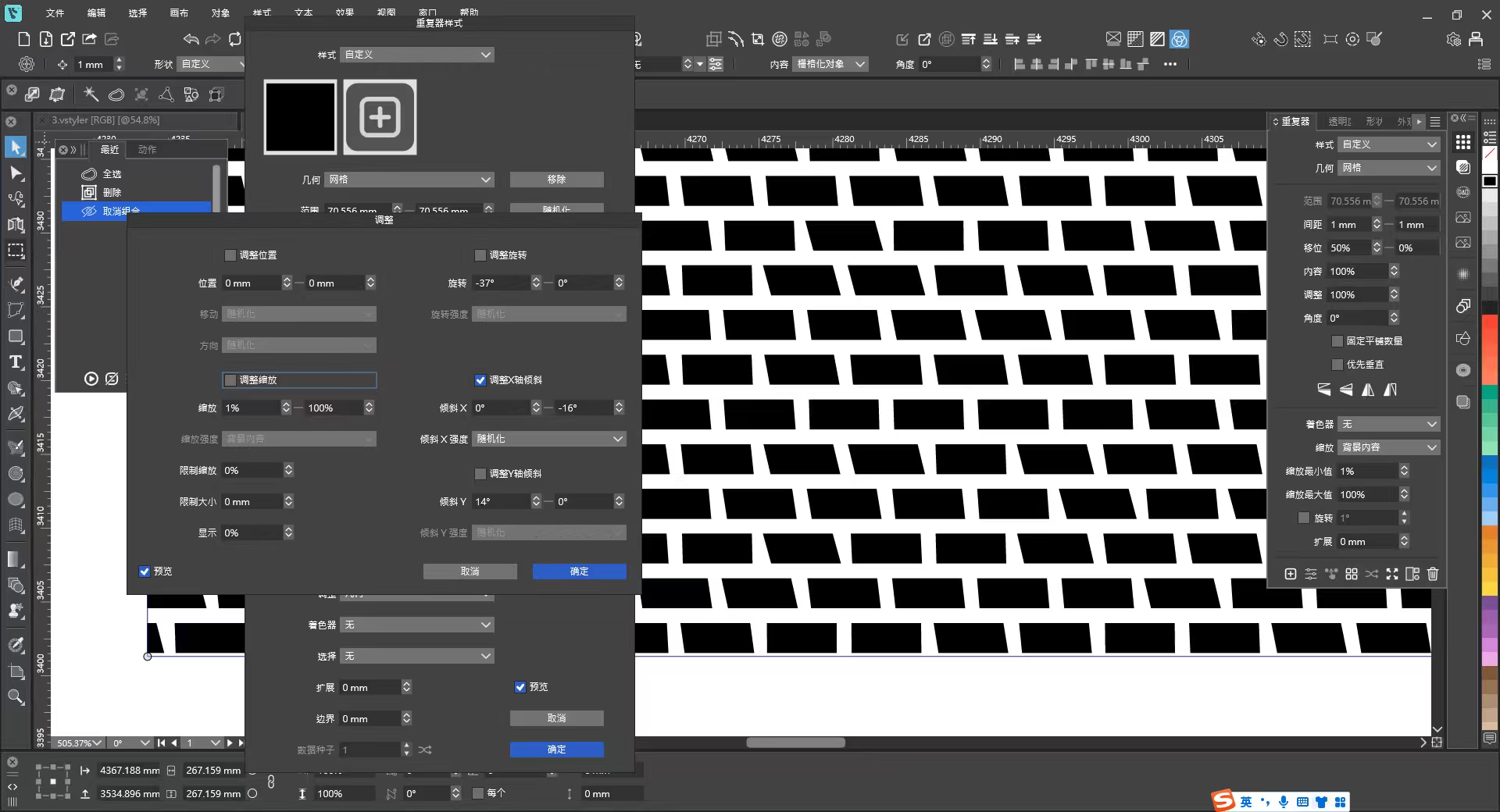
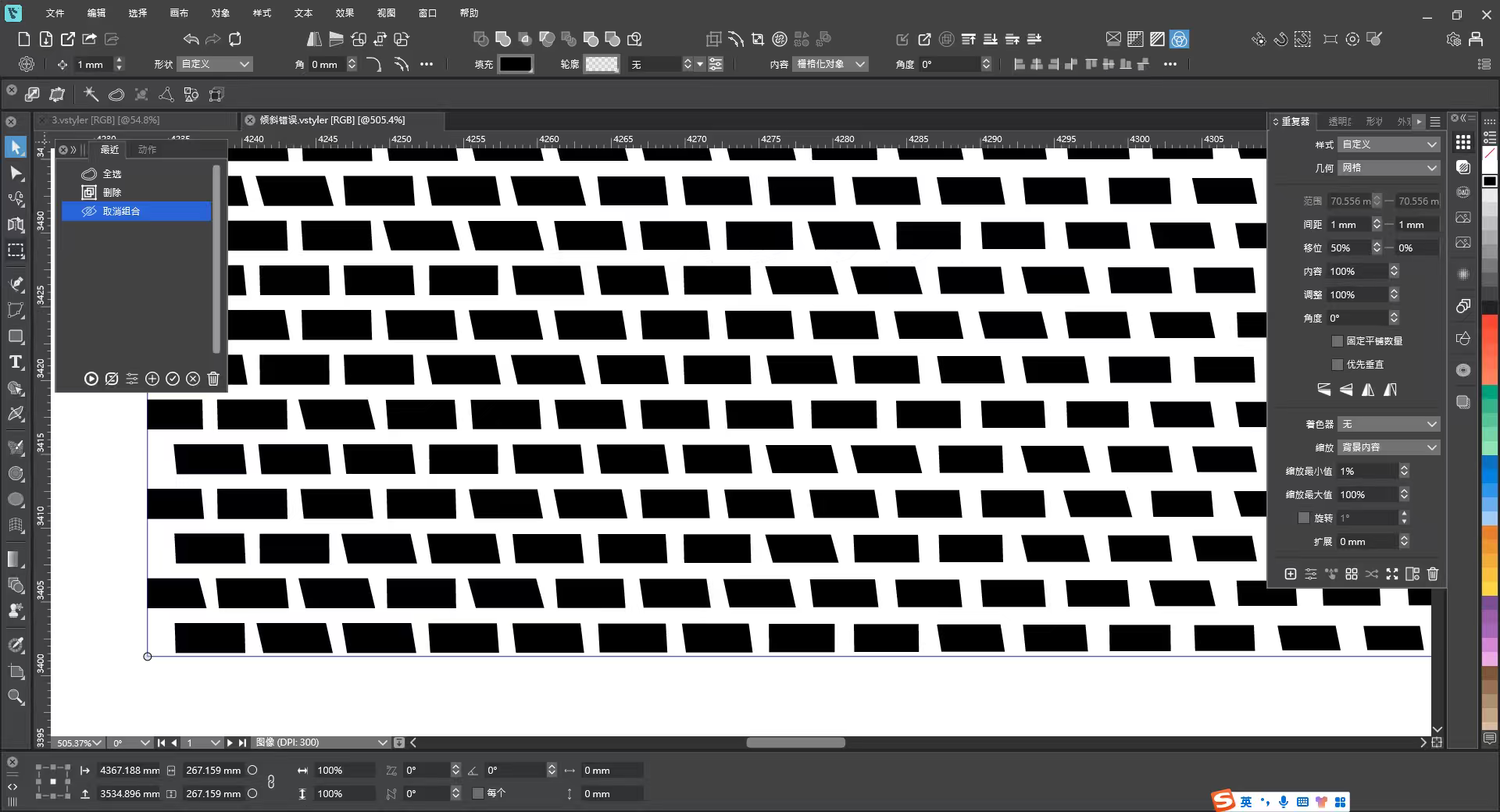
倾斜错误.vstyler -
@monsterfox I try to find out what can cause this
-
@monsterfox said in Queries Regarding VectorStyler 1.3:
@VectorStyler I enabled the skew option in the Repeater, but the skew angles of the repeated shapes are very inconsistent and messy—this should be a bug, right?
The Skew adjustment was set to Randomized mode in the Geometry Adjusments. You should select Backdrop Content.
-
@VectorStyler 文件破坏.zip This is a corrupted file and it’s not important. It was likely caused by severe lag. I’m attaching this file just to see if you can repair it, and also hoping you can optimize the lag-related issues in the future.
-
@monsterfox The file cannot be recovered as its saving was not completed.
What feature caused the lag?
-
@VectorStyler There are numerous objects here that are all paths with a large number of nodes, and moving them is quite laggy—just like the previous graphics. Such paths can be moved completely without lag in Adobe Illustrator. It seems you haven’t yet figured out a solution for these types of paths. Keep it up!
-
@VectorStyler Here’s a thought regarding corrupted files: is it possible to address these two scenarios?
1. The program crashes during saving due to lag.
2. A sudden power outage occurs while saving.Both cases can corrupt the file, making it unopenable – the loss can be devastating when dealing with important files.
For these two scenarios, could the save operation be designed to take effect only upon full completion (i.e., the save is recorded only after the entire saving process finishes)? While a minor amount of recent data might be lost in the event of a crash or power outage, the file itself would remain uncorrupted, allowing for partial recovery of the content.
