VectorStyler
    • Categories
    • Unread
    • Recent
    • Tags
    • Popular
    • Register
    • Login

    Gradient colors don't seem to work.

    Scheduled Pinned Locked Moved General Discussion
    13 Posts 4 Posters 6.9k Views 4 Watching
    Loading More Posts
    • Oldest to Newest
    • Newest to Oldest
    • Most Votes
    Reply
    • Reply as topic
    Log in to reply
    This topic has been deleted. Only users with topic management privileges can see it.
    • VectorStylerV Offline
      VectorStyler @Richard Skover
      last edited by

      @Richard-Skover question: what is the document display color mode? (can be set in the context panel).
      Upload an example document where this occurs.

      1 Reply Last reply Reply Quote 0
      • S Offline
        Subpath @Richard Skover
        last edited by

        @Richard-Skover

        Hi

        You could check if you are perhaps in monochrome preview mode.
        The color mode preview is on the far right
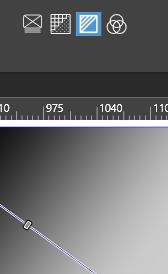
        0_1699479642982_grey-mode.png

        Win 11
        CPU: AMD Ryzen 5 9600X, 6-core.
        GPU: Nvidia Geforce RTX 5070.

        R 1 Reply Last reply Reply Quote 1
        • R Offline
          Richard Skover @Subpath
          last edited by

          Thank you very much, that worked. Really appreciate the help available here!

          Richard Skover

          Richard L. Skover

          S 1 Reply Last reply Reply Quote 2
          • S Offline
            Subpath @Richard Skover
            last edited by

            @Richard-Skover

            your welcome, great that it was helpful

            Win 11
            CPU: AMD Ryzen 5 9600X, 6-core.
            GPU: Nvidia Geforce RTX 5070.

            1 Reply Last reply Reply Quote 1
            • EvaeloE Offline
              Evaelo
              last edited by Evaelo

              Recently exp. similar behavior but it seems like a bug to me (in v1.3.004)

              https://vectorstyler.com/forum/post/32274

              I wrote about it in Bug List for Version 1.3:

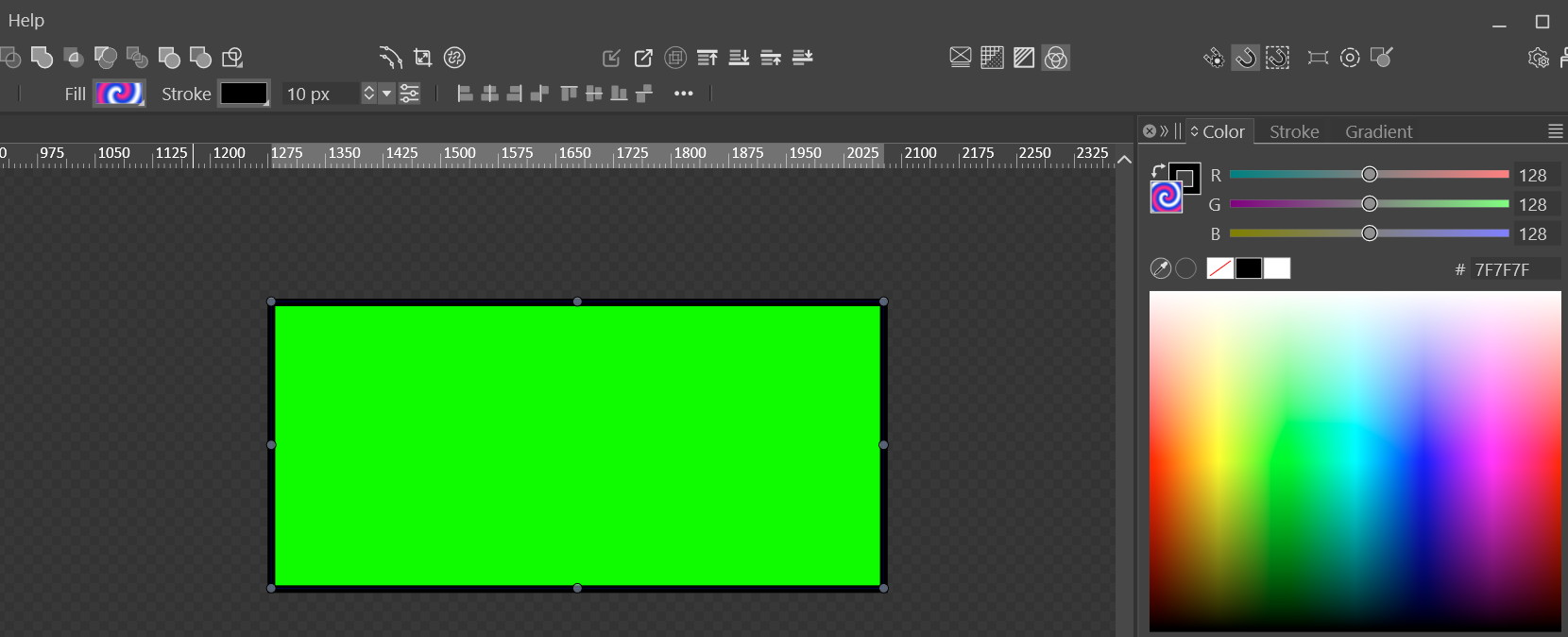
              Gradients no longer work. Updated to v1.3.004 64bit, Windows 10 Pro.
              alt text
              I just checked that only the 'Noise' type of gradient actually worked. Really odd… so most likely we got a bug.

              1 Reply Last reply Reply Quote 0
              • EvaeloE Offline
                Evaelo
                last edited by

                Nothing.
                Without Gradients I can't use VS.

                VectorStylerV S 3 Replies Last reply Reply Quote 1
                • VectorStylerV Offline
                  VectorStyler @Evaelo
                  last edited by

                  @Evaelo I tried to replicate this, with all of the Compute modes (including Software) and it seems to be working here.
                  I also tested the file sent by email.

                  Did you try with a simple Axial gradient?

                  EvaeloE 1 Reply Last reply Reply Quote 0
                  • S Offline
                    Subpath @Evaelo
                    last edited by Subpath

                    @Evaelo

                    have also no Problem with gradients, tried a few
                    everthing works fine so far

                    Win 11
                    CPU: AMD Ryzen 5 9600X, 6-core.
                    GPU: Nvidia Geforce RTX 5070.

                    1 Reply Last reply Reply Quote 0
                    • VectorStylerV Offline
                      VectorStyler @Evaelo
                      last edited by

                      @Evaelo One thing to check: can you export gradients into PNG files?

                      1 Reply Last reply Reply Quote 0
                      • EvaeloE Offline
                        Evaelo @VectorStyler
                        last edited by Evaelo

                        @VectorStyler
                        On a virtual machine with the latest (and last) update of Windows 10 Pro it works (nothing else installed).
                        Something is probably not right with my current Windows 10 Pro probably but I can not tell what it is.
                        I won't be able to find the reason though.

                        VectorStylerV 1 Reply Last reply Reply Quote 1
                        • VectorStylerV Offline
                          VectorStyler @Evaelo
                          last edited by

                          @Evaelo Did you try selecting "Software" in the Compute Engine settings field.
                          Also: try exporting a gradient to PNG .

                          1 Reply Last reply Reply Quote 0
                          • EvaeloE Offline
                            Evaelo
                            last edited by Evaelo

                            I should have done this sooner.
                            Upon clean installation of VectorStyler 1.3.006 gradients work fine.
                            Something was not right with my installation, I guess.
                            All is good!

                            1 Reply Last reply Reply Quote 1
                            • First post
                              Last post