Linked file concept in VS overall works bad and unfinished
-
More linkpanel stuff: As mentioned before the linked file concept in VS overall works bad and unfinished.
- I have a hard time to manage (re)linking and prevent the size of file to explode
- Attempts to relink image files to bring size down is time consuming alot.
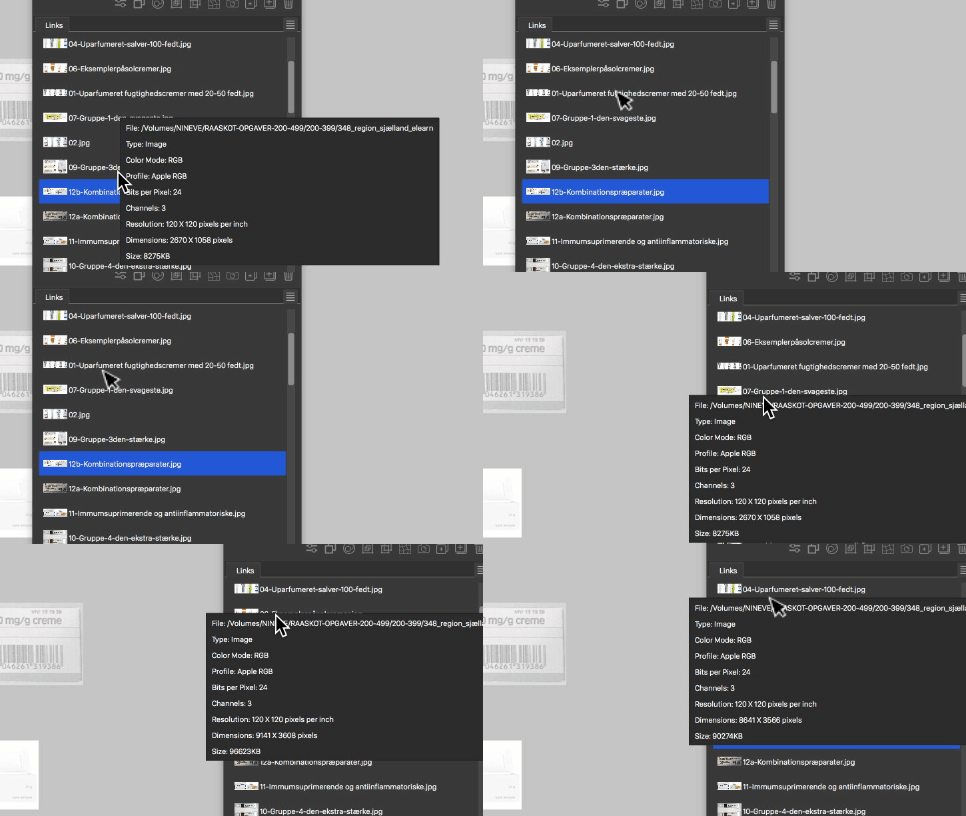
- Also the huge blinking info popup cover ads to the confusion.
- A big wish: A visible icon in list to mark whether item is linked and embedded. It's an annoyance to pull down menu to see if file is linked or not.
-
@Raaskot I added this to the backlog. Some are doable, others a bit difficult.
I have a hard time to manage (re)linking and prevent the size of file to explode
Embedded images will be saved with the file. There is an image compression option for this in the Document Setup view.
Attempts to relink image files to bring size down is time consuming alot.
Currently embedded images must be relinked one by one. But if the embedded image still has a file name (see in the info popup), then there is a panel button to turn that into a linked image.
Also the huge blinking info popup cover ads to the confusion.
This info popup was requested, I would not remove it for now. Maybe some configuration options?
A big wish: A visible icon in list to mark whether item is linked and embedded. It's an annoyance to pull down menu to see if file is linked or not.
I will add try to add this ASAP.
-
I also think the pop-up is annoying; perhaps making it opt-out configurable as a discreet bar over the icons at the bottom, where the information appears for the linked item that is selected.
Maybe it should also be considered whether some of the options in the panel menu should be wrapped in Panel options, as in the layers panel.
-
@VectorStyler said in Linked file concept in VS overall works bad and unfinished:
But if the embedded image still has a file name (see in the info popup), then there is a panel button to turn that into a linked image.
I'm using VS to open old EPS and PDF files, many contain embedded images, usually tiff. I want to edit the images but the original tiff files are not available.
Clicking the Links panel toggle to switch between embedded or linked modes briefly flashes but resets to embedded mode, presumably because there is no file to link to.
A work-around is to select the object on the artboard and use the File >> Export command with Source Selected Objects, but this requires care to set the colour and resolution to avoid mapping/resampling.
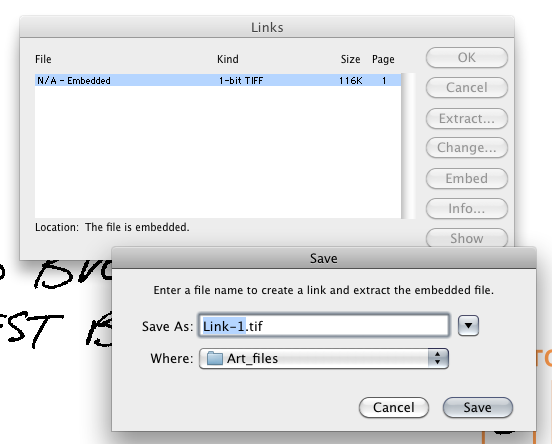
The Links panel in old FreeHand had an Extract button to save even un-named embedded images to a file, as shown below. Possible to do this in VS?
-
@Raven said in Linked file concept in VS overall works bad and unfinished:
Possible to do this in VS?
I added this to the backlog.
-
-
Are there future plans to incorporate something similar to Affinity's Save as Package or Adobe Illustrator's Package feature where all assets (fonts and linked images) are collected for output?
-
The Collect Linked Files feature in VS appears to be a misnomer since it also collects embedded images. I suggest renaming it to something more befitting.
-
-
@William-Kansepa said in Linked file concept in VS overall works bad and unfinished:
Are there future plans to incorporate something similar to Affinity's Save as Package or Adobe Illustrator's Package feature where all assets (fonts and linked images) are collected for output?
Yes


