VectorStyler
    • Categories
    • Unread
    • Recent
    • Tags
    • Popular
    • Register
    • Login

    Regarding the halftone repeater types
    Scheduled Pinned Locked Moved Features and Ideas
    76 Posts 6 Posters 204.6k Views 4 Watching
    Loading More Posts
    • Oldest to Newest
    • Newest to Oldest
    • Most Votes
    Reply
    • Reply as topic
    Log in to reply
    This topic has been deleted. Only users with topic management privileges can see it.
    • VectorStylerV Offline
      VectorStyler @Li Xiao
      last edited by

      @Li-Xiao Is there a vstyler file for this? or was this done in an other app?

      L 1 Reply Last reply Reply Quote 0
      • L Offline
        Li Xiao @VectorStyler
        last edited by

        @VectorStyler said in Regarding the halftone repeater types:

        @Li-Xiao Is there a vstyler file for this? or was this done in an other app?
        It was done by another app. I have tried it with VS, but even version 1.2.019 cannot do it.

        VectorStylerV 1 Reply Last reply Reply Quote 1
        • VectorStylerV Offline
          VectorStyler @Li Xiao
          last edited by

          @Li-Xiao

          Can be done, requires a few steps: 0_1712857903612_repeaterfile4.vstyler

          • define a number variable "offset" of type "Number Slider", set the min/max to -0.6/0.6 and its value to 0.
          • add the Offset Path effect to the "VS" text (offset should be small).
          • set the offset distance to the "offset" variable (control+click on the distance number field and select "offset").
          • create the repeater (offset is constant now).
          • in the repeater panel menu, select "Adjust Number Values".
          • select "offset" in Number and check the "Adjusted Number"
          • set the Adjustment to "Object Content" and min/max to -0.5/0.5 (can use other values to different effect), confirm this.
          • now what happens is that the "offset" number variable will vary using the background intensities between -0.5 and 0.5

          But the good news is: this can be done with number variables and number fields with any effect, property etc in repeaters.

          L 1 Reply Last reply Reply Quote 1
          • L Offline
            Li Xiao @VectorStyler
            last edited by

            @VectorStyler said in Regarding the halftone repeater types:

            @Li-Xiao

            But the good news is: this can be done with number variables and number fields with any effect, property etc in repeaters.

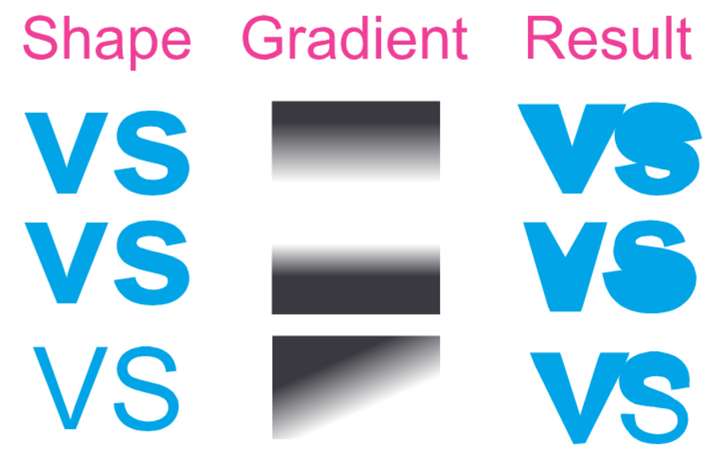
            Using number variables in combination is a good approach, but mapping a single element to a grayscale value alone is not sufficient. Please take a look at the example.
            0_1712858604598_Offset example 2.jpg

            VectorStylerV 1 Reply Last reply Reply Quote 1
            • VectorStylerV Offline
              VectorStyler @Li Xiao
              last edited by

              @Li-Xiao yes, this is not yet possible. The offset must be the same in an object.

              L 2 Replies Last reply Reply Quote 0
              • L Offline
                Li Xiao @VectorStyler
                last edited by

                @VectorStyler
                Yes, that's correct. Currently, the offset feature does not support mapping to grayscale values.

                I tried using the contour tool and manually expanded it by dozens before using the Repeater, but after several hours of attempts, I didn't achieve any results. I forgot to try using offset with variables.

                1 Reply Last reply Reply Quote 1
                • L Offline
                  Li Xiao @VectorStyler
                  last edited by Li Xiao

                  @VectorStyler
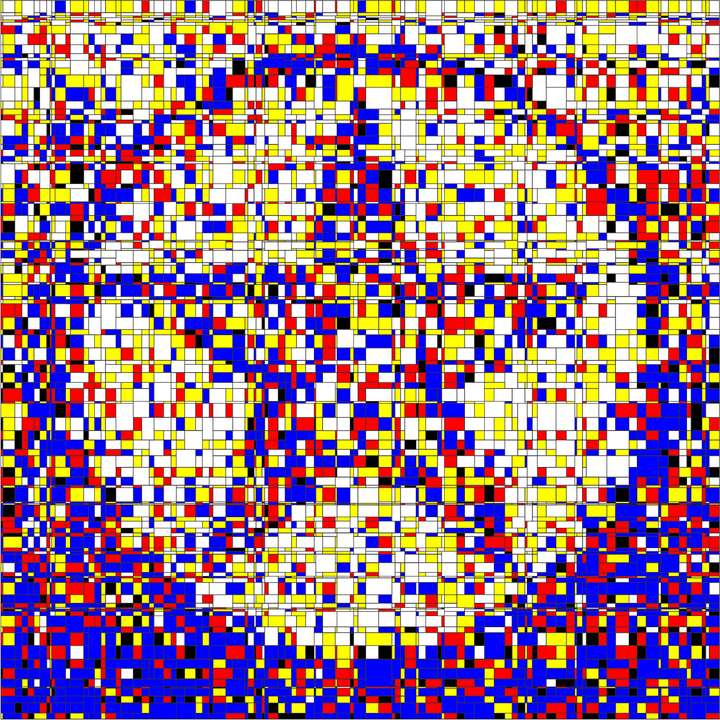
                  Block-like Halftone
                  Mondrian is generated by a VBA macro in CorelDraw.
                  Unable to generate within Repeater.
                  0_1713459124388_Mondrian.jpg
                  0_1713458482635_Mondrian.pdf
                  https://en.wikipedia.org/wiki/Piet_Mondrian


                  Recursion Halftone
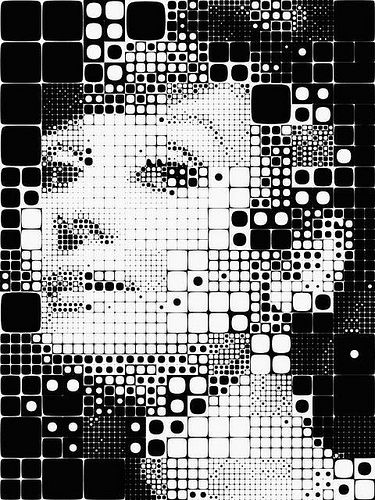
                  0_1713459559004_Recursion.jpeg
                  Also fails to generate within Repeater
                  https://www.flickr.com/photos/village9991/2198931517/
                  https://discourse.mcneel.com/t/quadtree-or-recursion-with-image-sampler/125758
                  https://www.artmajeur.com/alzon/en?view=grid
                  https://www.josephandjames.com/alzon

                  VectorStylerV 1 Reply Last reply Reply Quote 2
                  • VectorStylerV Offline
                    VectorStyler @Li Xiao
                    last edited by

                    @Li-Xiao These will be fore later versions

                    L 2 Replies Last reply Reply Quote 1
                    • S Offline
                      Subpath
                      last edited by Subpath

                      @Li-Xiao

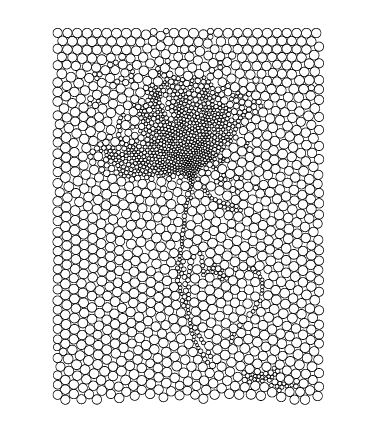
                      Found a little Program made with Processing
                      which offers Circle Packing and a few other Styles
                      Results can be saved as SVG
                      https://ehufsted.itch.io/halftonepal

                      Here a Result imported in VS
                      0_1713465079375_circle-packing.png

                      Win 11
                      CPU: AMD Ryzen 5 9600X, 6-core.
                      GPU: Nvidia Geforce RTX 5070.

                      L 1 Reply Last reply Reply Quote 2
                      • L Offline
                        Li Xiao @Subpath
                        last edited by

                        @Subpath
                        Thank you! I used to use StippleGen (https://wiki.evilmadscientist.com/StippleGen) and HalftonePal before, but I haven't used them since I purchased DrawingBot. DrawingBot includes all the features of both of them. Kumiko (https://kumiko-generator.netlify.app/) is also interesting, DrawingBot is unable to replicate its effects.

                        S 1 Reply Last reply Reply Quote 2
                        • S Offline
                          Subpath @Li Xiao
                          last edited by Subpath

                          @Li-Xiao

                          thank you too, for the links
                          and also for all of your interesting Ideas 👍

                          Win 11
                          CPU: AMD Ryzen 5 9600X, 6-core.
                          GPU: Nvidia Geforce RTX 5070.

                          1 Reply Last reply Reply Quote 0
                          • S Offline
                            Subpath
                            last edited by Subpath

                            @Li-Xiao

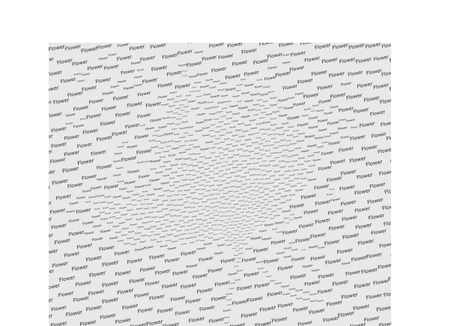
                            Btw. I was following an Idea in Nodebox and it seems i came to a Solution
                            where you can replace a Shape in an .SVG File with any Shape you like.
                            Even with Text.
                            I used the Circle Packing .SVG from my post above and replaced the circle
                            with the text “Flower”.

                            Import in VectorStyler works via exporting as .PDF from Nodebox
                            and then import the .PDF in VectorStyler
                            (.SVG does not work)

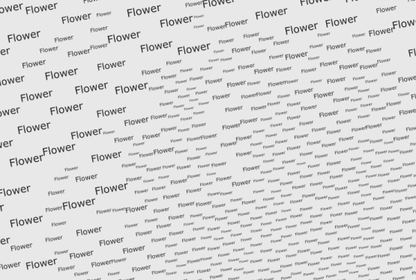
                            Here a Example
                            0_1713511817724_Flower.png
                            .
                            .
                            0_1713511864010_Flower2.png
                            .
                            .
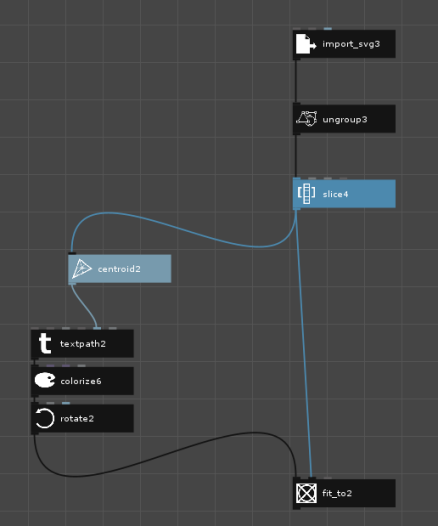
                            Here the Nodebox Tree:
                            0_1713511730127_Node-Tree.png
                            .
                            .
                            A short explanation of the Nodes
                            "Slice" will pick the Shape
                            "Centroid" calculate the Center of the Shape (Result is the Position)
                            "fit_to" fits the size of the Shape (Text) into the Size of the Circle
                            "rotate" allows to rotate the Text

                            Win 11
                            CPU: AMD Ryzen 5 9600X, 6-core.
                            GPU: Nvidia Geforce RTX 5070.

                            L 1 Reply Last reply Reply Quote 2
                            • L Offline
                              Li Xiao @Subpath
                              last edited by

                              @Subpath Thank you, I will try Nodebox when I have time to see if it can create more unique designs.

                              The 1.2.019 update now allows me to create several other halftone styles that I wanted to submit.
                              Repeater is indeed powerful.
                              However, there is still room for improvement in terms of space filling and sorting.

                              S 1 Reply Last reply Reply Quote 2
                              • S Offline
                                Subpath @Li Xiao
                                last edited by

                                @Li-Xiao

                                ...The 1.2.019 update now allows me to create several other halftone styles that I wanted to submit....

                                You already have a curious viewer waiting 🙂

                                Win 11
                                CPU: AMD Ryzen 5 9600X, 6-core.
                                GPU: Nvidia Geforce RTX 5070.

                                L 1 Reply Last reply Reply Quote 1
                                • L Offline
                                  Li Xiao @Subpath
                                  last edited by

                                  @Subpath
                                  I'll showcase a Modulation Halftone, primarily controlling the dots and lines or edges of shapes corresponding to grayscale values. The example features a circular shape with adjustments made to the effects of 8 nodes. In order to attract more people to purchase VectorStyler, I haven't recorded the complete production process. If you're interested, please send me a private message, and I'll record a complete tutorial and send it to you privately.

                                  0_1713537685839_Modulation Halftone 2.svg
                                  https://go.screenpal.com/watch/cZfq2yVMVKY

                                  M S 2 Replies Last reply Reply Quote 2
                                  • M Offline
                                    monsterfox @Li Xiao
                                    last edited by

                                    @Li-Xiao 你玩这些东西玩的很溜啊。好多东西,我以前都没有见过。

                                    1 Reply Last reply Reply Quote 0
                                    • S Offline
                                      Subpath @Li Xiao
                                      last edited by Subpath

                                      @Li-Xiao

                                      Thanks for your offer. Since I'm not in a hurry, it won't be a problem for me
                                      if you find the time sometime later to do a little tutorial in the tutorial section
                                      on how to create such designs in the repeater.

                                      Until then, I will continue to follow this thread with interest and welcome
                                      your ideas for improving and expanding the repeater.

                                      Win 11
                                      CPU: AMD Ryzen 5 9600X, 6-core.
                                      GPU: Nvidia Geforce RTX 5070.

                                      1 Reply Last reply Reply Quote 4
                                      • L Offline
                                        Li Xiao @VectorStyler
                                        last edited by

                                        @VectorStyler "Maze patterns" are great, but "Maze halftone" is less common. The ones I've seen are usually just a Maze pattern with added stroke width effects, rather than utilizing grayscale variations. hope VS can incorporate both "Maze" and "Maze halftone" functionality.
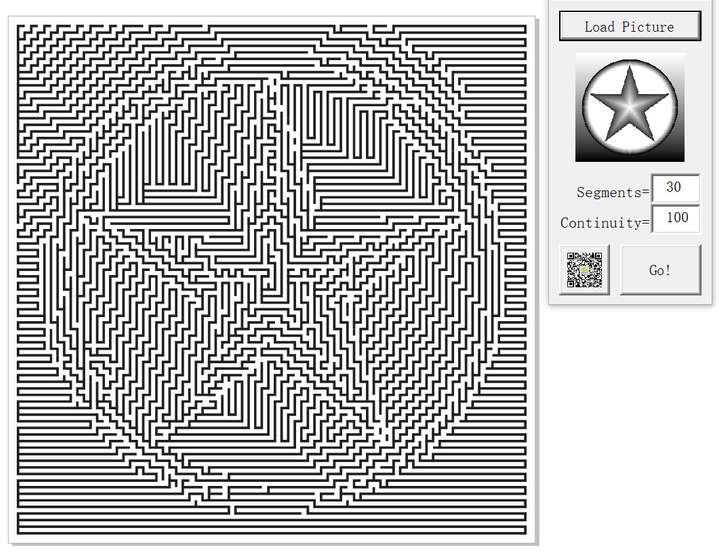
                                        0_1714543367517_Maze Halftone.jpg
                                        0_1714543234552_Maze Halftone.pdf

                                        Reference:
                                        MazeGenerator can generate mazes online for free. It offers four different shapes and three styles. Commercial use requires need a commercial license.
                                        https://www.mazegenerator.net/Default.aspx

                                        Maze Creator has four versions, with the free version only offering two styles.
                                        http://www.mazecreator.com/maze_creator_download_free.php

                                        1 Reply Last reply Reply Quote 2
                                        • L Offline
                                          Li Xiao @VectorStyler
                                          last edited by Li Xiao

                                          @VectorStyler
                                          There doesn't seem to be any way to achieve reaction-diffusion halftone within the Repeater. So, I'm gathering some information to see if it's included in the roadmap. Repeater lacks halftone types related to morphogenesis, such as TSP and Voronoi etc.

                                          I really like Reaction-diffusion halftone, and I have purchased some software specifically for creating it. There are two excellent ones, namely Stochaster and TexTuring. Additionally, there are some free options available. Let me introduce one that I particularly like to use. Repeater is powerful, if it's support for Reaction-diffusion halftone, it offers access to a wide range of capabilities that many other software programs simply cannot match.

                                          Stochaster
                                          https://www.stochaster.org/stochaster.html
                                          https://www.youtube.com/watch?v=zc9oOXGqH1Y
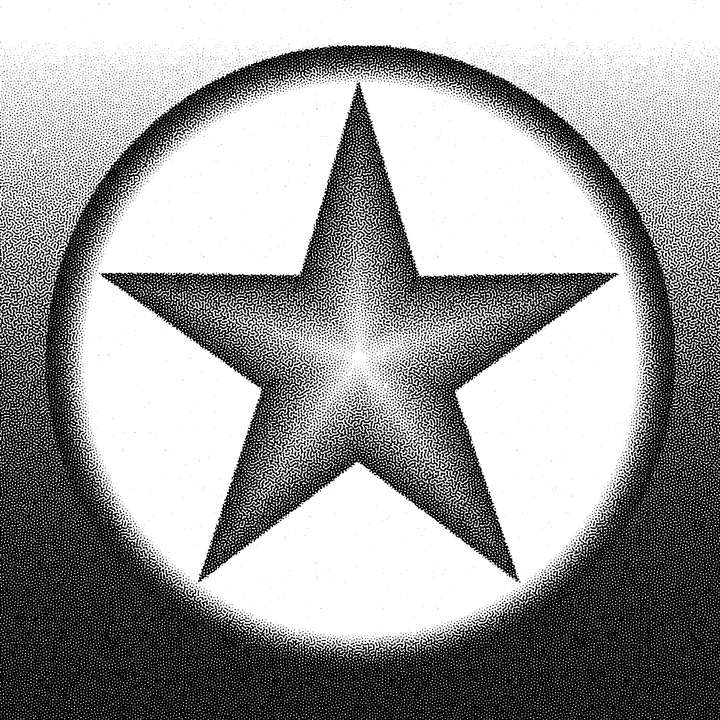
                                          0_1714907381041_Stochaster.png

                                          TexTuring
                                          https://ivan-murit.fr/project.php?w=texturing
                                          sources available on GitHub (https://github.com/ivangrozny/TexTuring)
                                          https://player.vimeo.com/video/145301542?title=0&byline=0&portrait=0
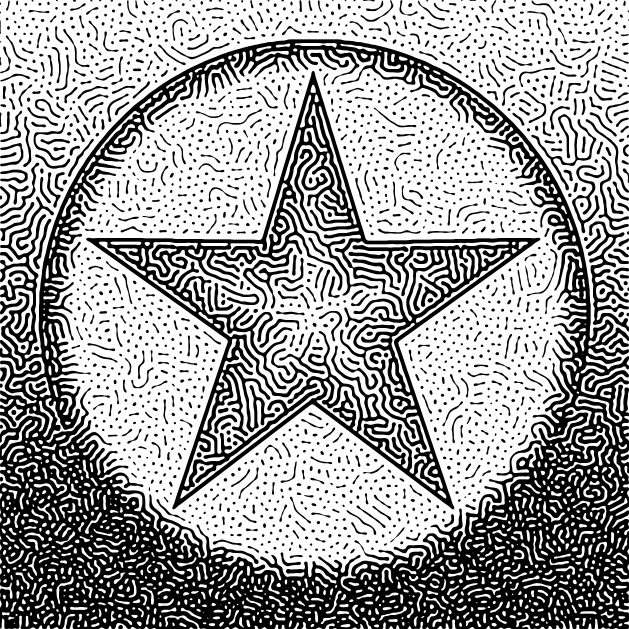
                                          0_1714907844655_TexTuring-1.svg
                                          0_1714907968338_TexTuring-2.svg

                                          Stochaster offers more features but lacks support for vector export, while TexTuring has fewer features but supports vector export (PDF, SVG). They have some differences and similarities in terms of functionality.
                                          https://www.stochaster.org/talk.html
                                          https://ivan-murit.fr/project.php?w=texturing&p=texturing_stochaster_en.htm

                                          I really like this online open-source reaction-diffusion tool:
                                          https://github.com/jasonwebb/reaction-diffusion-playground
                                          https://jasonwebb.github.io/reaction-diffusion-playground/app.html
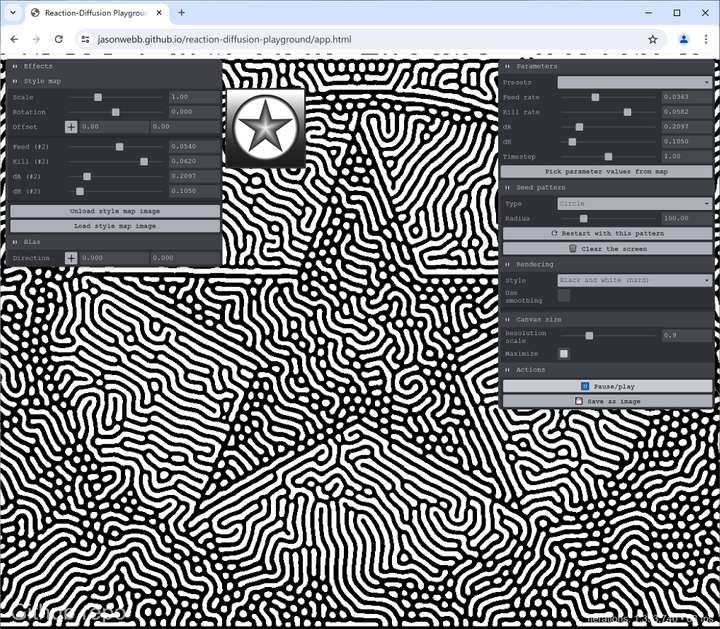
                                          0_1714908494193_jasonwebb.jpg

                                          Here are some websites for reference:
                                          https://github.com/jasonwebb/morphogenesis-resources?tab=readme-ov-file#reaction-diffusion
                                          https://ferkeltongs.livejournal.com/32025.html
                                          https://en.wikipedia.org/wiki/Reaction–diffusion_system
                                          https://www.karlsims.com/rd.html
                                          https://github.com/gollygang/ready?tab=readme-ov-file

                                          VectorStylerV 1 Reply Last reply Reply Quote 2
                                          • VectorStylerV Offline
                                            VectorStyler @Li Xiao
                                            last edited by

                                            @Li-Xiao I added this to the backlog. I actually considered this as an image effect, but it was postponed.
                                            Doing this in vectors could be a bit slow.

                                            L 2 Replies Last reply Reply Quote 1
                                            • First post
                                              Last post