VectorStyler
    • Categories
    • Unread
    • Recent
    • Tags
    • Popular
    • Register
    • Login

    File preview and thumbnails in Mac Finder
    Scheduled Pinned Locked Moved VectorStyler 1.1 Bugs
    19 Posts 5 Posters 24.9k Views 4 Watching
    Loading More Posts
    • Oldest to Newest
    • Newest to Oldest
    • Most Votes
    Reply
    • Reply as topic
    Log in to reply
    This topic has been deleted. Only users with topic management privileges can see it.
    • VectorStylerV Offline
      VectorStyler @Boldline
      last edited by

      @Boldline said in File preview and thumbnails in Mac Finder:

      Should the Apple Silicon version be working properly at this time?

      It should work. I think both png and jpeg should be ok, but I will check this now.

      BoldlineB 1 Reply Last reply Reply Quote 0
      • BoldlineB Offline
        Boldline @VectorStyler
        last edited by

        @VectorStyler I'm currently using Sonoma 14.2.1 and none of the three image preview settings (image, jpeg, png) are allowing me to see a preview of the file.

        I created a new file and made a shape inside it and saved it. then tried to preview it. Then opened it again and swapped the setting to png then to jpeg and saved it out each time and tried to view it - each time it was unsuccessful.

        This for me is not limited to Sonoma as I've never been able to consistently see the previews in any of the prior VS versions with older Mac operating systems.

        Sometimes a rare success occurred, but it was very rare.

        🍎 macOS Tahoe 26.2, Mac mini (M1, 2020), Chip Apple M1, Memory 16 GB
        Cintiq 27QHD Display and LG Ultra HD Display

        1 Reply Last reply Reply Quote 1
        • VectorStylerV Offline
          VectorStyler @Jono
          last edited by

          @Jono Are you using Universal binary or the M1 build of VectorStyler? (what is the size of the VectorStyler.app?)

          1 Reply Last reply Reply Quote 0
          • J Offline
            Jono
            last edited by

            I think it's the M1 build (screenshot below)
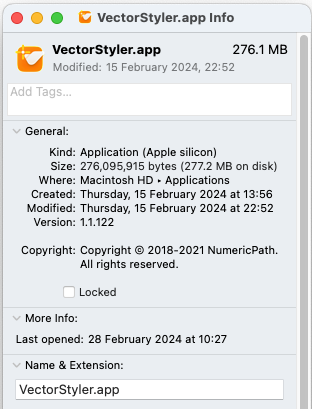
            0_1709116376098_Screenshot 2024-02-28 at 10.31.04.png

            Mac mini (M1, 2020) | Tahoe 26.1 | Wacom Cintiq 16 (1920 x 1080 px)

            VectorStylerV 1 Reply Last reply Reply Quote 1
            • VectorStylerV Offline
              VectorStyler @Jono
              last edited by

              @Jono said in File preview and thumbnails in Mac Finder:

              I think it's the M1 build (screenshot below)

              yes it is. I tested the M1 build here also (only Big Sur so far) and the preview seems to be working, even after moving the file.

              1 Reply Last reply Reply Quote 1
              • J Offline
                Jono
                last edited by

                v 1.2.016 - preview image not displaying

                I can’t seem to get a preview to display on my system (spec shown below).
                Previous version files that have been saved with a preview display ok.

                I have tried the three options (Image, PNG, JPEG) and tried increasing/decreasing the preview size.

                I noticed in the help document under ‘Preview size’ it mentions there should be a ‘store preview check box’ which I think is missing. (screenshot below).
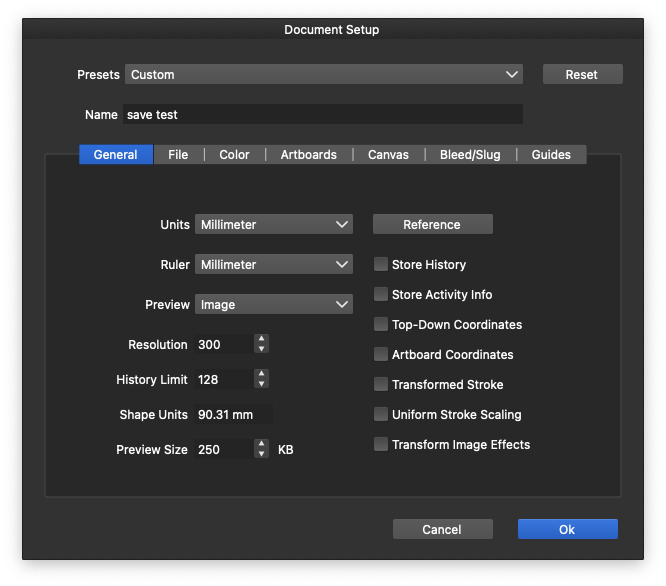
                0_1710324890222_Screenshot 2024-03-13 at 10.01.54.png

                Mac mini (M1, 2020) | Tahoe 26.1 | Wacom Cintiq 16 (1920 x 1080 px)

                VectorStylerV 1 Reply Last reply Reply Quote 0
                • VectorStylerV Offline
                  VectorStyler @Jono
                  last edited by

                  @Jono Do you use the universal build or the M1 specific build?

                  1 Reply Last reply Reply Quote 0
                  • J Offline
                    Jono
                    last edited by

                    I just updated the existing version. Here are the 'Get info' details.
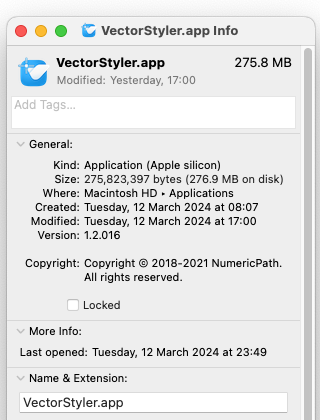
                    0_1710325298211_Screenshot 2024-03-13 at 10.18.59.png

                    Mac mini (M1, 2020) | Tahoe 26.1 | Wacom Cintiq 16 (1920 x 1080 px)

                    VectorStylerV 1 Reply Last reply Reply Quote 1
                    • VectorStylerV Offline
                      VectorStyler @Jono
                      last edited by

                      @Jono There have been reports on problems with preview in Sonoma. I have an open bug on this one, will try to find a solution.

                      J 1 Reply Last reply Reply Quote 0
                      • J Offline
                        Jono @VectorStyler
                        last edited by Jono

                        @VectorStyler Thanks for looking into this.

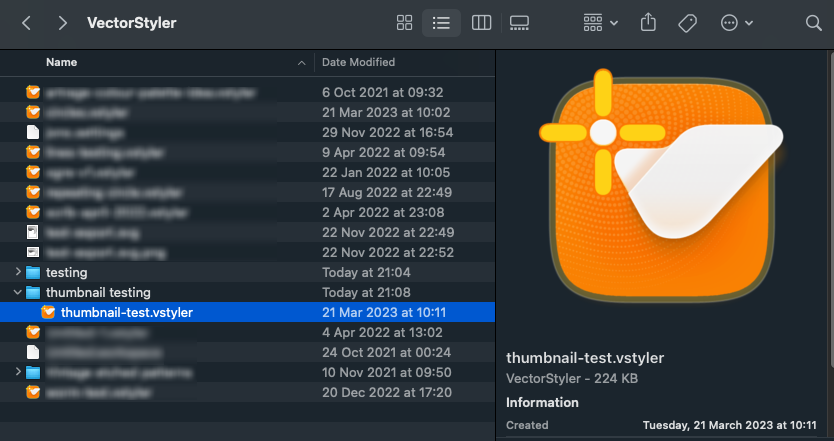
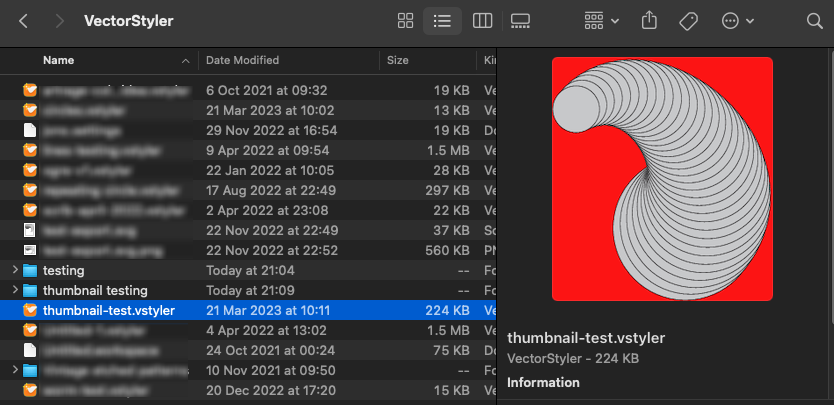
                        For background info I opened (in v1.2) a v1.1 file that had a preview image stored in it and changed the preview type to both PNG & JPEG and saved a new copies. Both versions displayed a preview.

                        I then changed the preview to none and saved a copy which then did not display a preview (as expected).

                        I then resaved the same file after changing the preview back to PNG and the preview displayed ok.

                        The original v1.1 version preview had a red background (as shown in my first post), but the v1.2 preview had a more preferable (imho) white background.

                        For interest the saved file sizes were as follows:

                        1. Original v1.1 file saved with a preview image = 224 KB
                        2. The same (v1.1) file opened in v1.2 and saved with Image = 225 KB
                        3. The same file opened in v1.2 and saved with PNG = 34 KB
                        4. The same file opened in v1.2 and saved with JPEG = 72 KB
                        5. The same file opened in v1.2 and saved with None = 14 KB
                        6. File from 5. (preview set to None) and saved again with PNG = 34 KB

                        Moving any files with previews that previously displayed to a new folder, stops the previews displaying.

                        Mac mini (M1, 2020) | Tahoe 26.1 | Wacom Cintiq 16 (1920 x 1080 px)

                        J 1 Reply Last reply Reply Quote 1
                        • J Offline
                          JuurGroove @Jono
                          last edited by

                          I also cannot see any previews on macOS Sequoia despite what option I check in Document Setup: Preview.

                          VectorStyler 1.2.057 | macOS Sequoia 15.2 | MacBook Pro 14" M1 Pro/16GB (2021) | XPPen Artist Pro 16 (Gen 2)

                          VectorStylerV 1 Reply Last reply Reply Quote 1
                          • VectorStylerV Offline
                            VectorStyler @JuurGroove
                            last edited by

                            @JuurGroove Yes, previews are known issue.

                            1 Reply Last reply Reply Quote 1
                            • First post
                              Last post