VectorStyler
    • Categories
    • Unread
    • Recent
    • Tags
    • Popular
    • Register
    • Login

    Clone (Option+D) issues
    Scheduled Pinned Locked Moved VectorStyler 1.1 Bugs
    11 Posts 3 Posters 13.0k Views 3 Watching
    Loading More Posts
    • Oldest to Newest
    • Newest to Oldest
    • Most Votes
    Reply
    • Reply as topic
    Log in to reply
    This topic has been deleted. Only users with topic management privileges can see it.
    • K Offline
      Kumr
      last edited by

      Just curious about reference function and how it works.

      If I use reference shortcut key child objects are nested as you see in layers panel (In reverse order) and they are labelled as "copy". Not the case if I use name/role method.
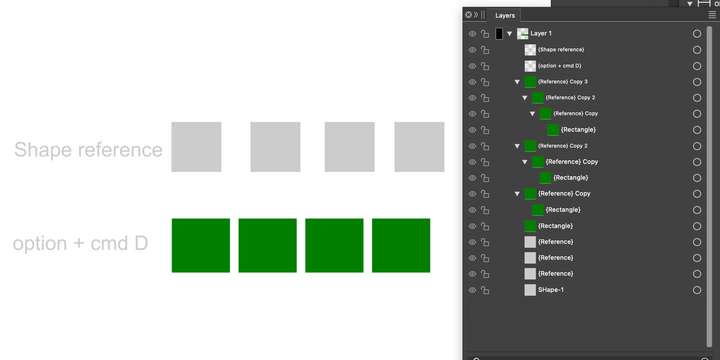
      0_1706193714048_Screenshot 2024-01-25 at 8.03.55 PM.png

      M1 MacBook Air, 16GB, macOS Sonoma 14.4.1

      1 Reply Last reply Reply Quote 0
      • VectorStylerV Offline
        VectorStyler @Kumr
        last edited by

        @Kumr

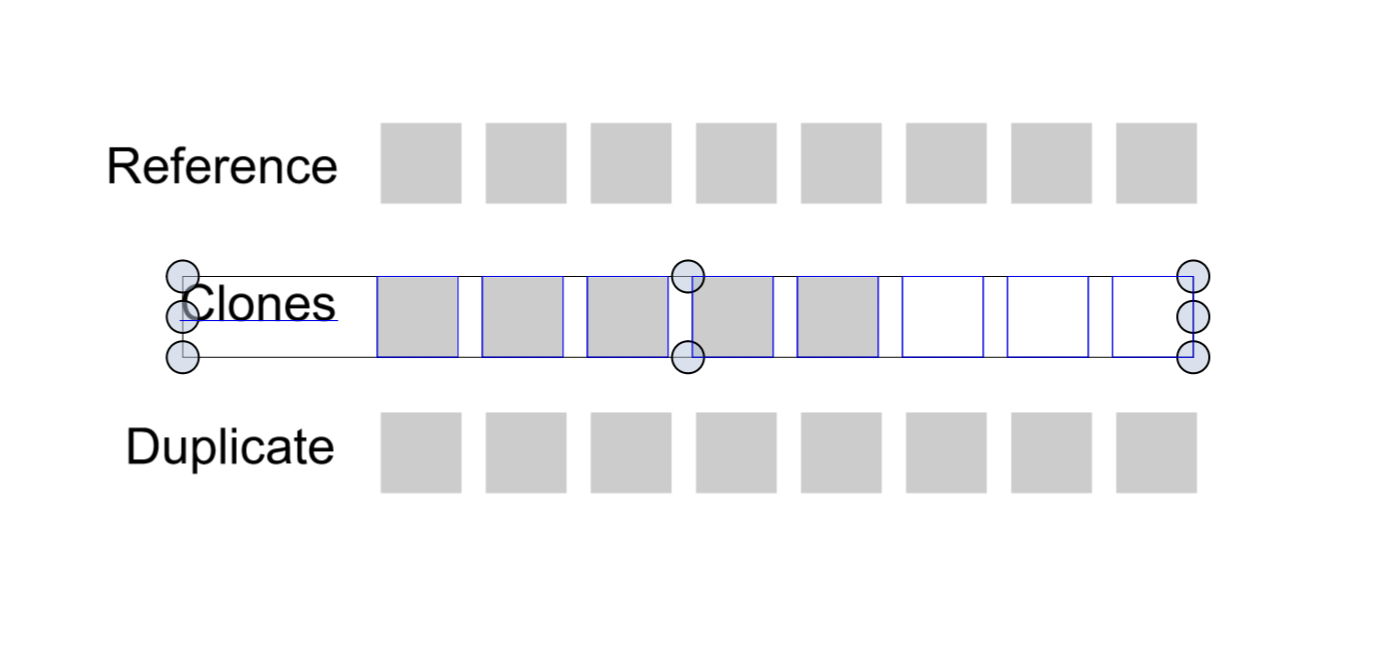
        objects (clones) are not visible after a certain number using the clone shortcut

        I opened a bug on this one.

        Just curious about reference function and how it works.

        A reference is a "reuse" of an object (or a symbol). Unlike a clone where styles can be changed, a reference remains an exact copy of the referenced object.

        1 Reply Last reply Reply Quote 0
        • K Offline
          Kumr
          last edited by

          @VectorStyler Thanks for the explanation. I am still trying to get used to the reference function in VS.

          Currently, if I select an object, all the referenced styles to that selected object are highlighted in the styles panel.
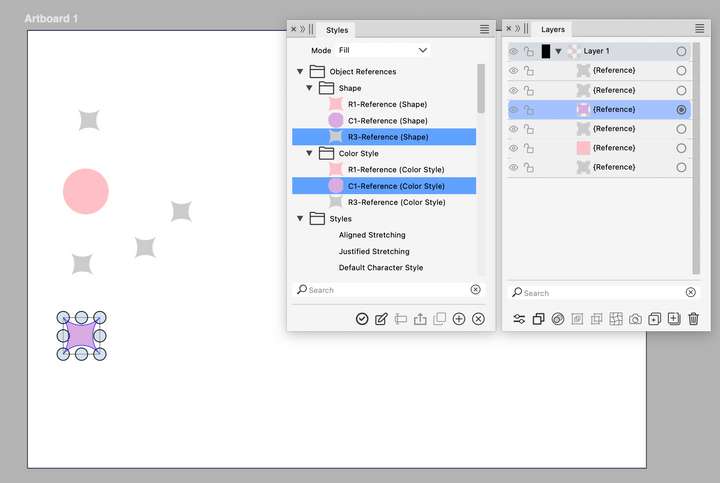
          0_1706361658095_Screenshot 2024-01-27 at 6.34.54 PM.png

          Is there a way to highlight all the objects in the canvas/ layers panel where all selected "reference role or roles" are applied? Perhaps it's already there and I couldn't figure it out.
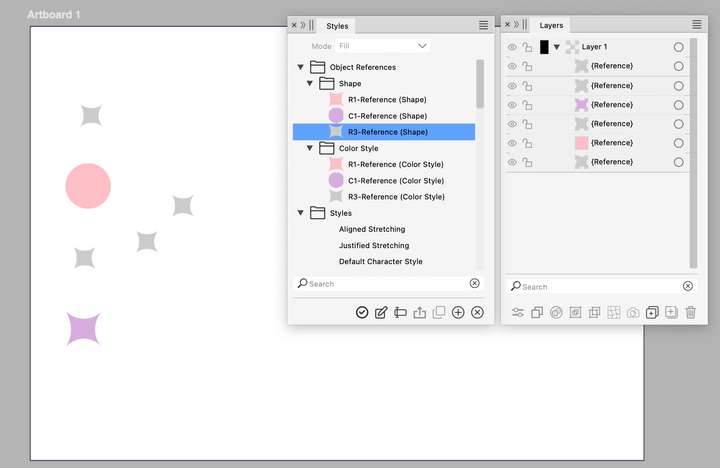
          0_1706361674855_Screenshot 2024-01-27 at 6.49.22 PM.png

          Thanks

          M1 MacBook Air, 16GB, macOS Sonoma 14.4.1

          S VectorStylerV 2 Replies Last reply Reply Quote 0
          • S Offline
            Subpath @Kumr
            last edited by Subpath

            @Kumr

            Hi, you could take a look in
            Menu > Select

            there are many Selection Options
            maybe also the one you looking for

            Win 11
            CPU: AMD Ryzen 5 9600X, 6-core.
            GPU: Nvidia Geforce RTX 5070.

            1 Reply Last reply Reply Quote 0
            • VectorStylerV Offline
              VectorStyler @Kumr
              last edited by

              @Kumr said in Clone (Option+D) issues:

              Is there a way to highlight all the objects in the canvas/ layers panel where all selected "reference role or roles" are applied?

              This would be something like searching for objects using some style.

              I think this should be doable with the Find/Replace feature: press the "More" button to enable more features and setup a condition ([+]).
              But depends what the style (or reference) was used for.

              K 1 Reply Last reply Reply Quote 0
              • K Offline
                Kumr @VectorStyler
                last edited by

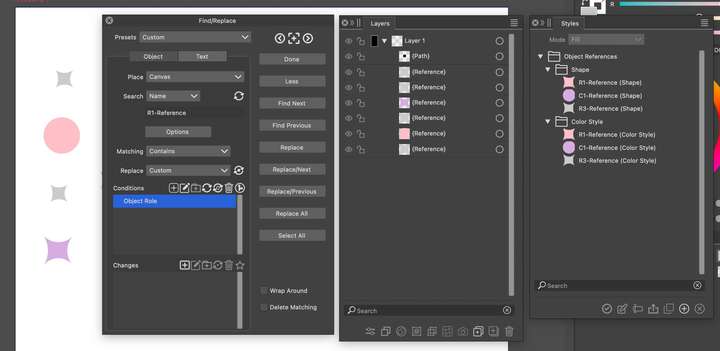
                @VectorStyler I am not sure if I am doing it right. Here is the screenshot of the search panel. Search for objects first then the role. I get a message nothing found.
                0_1706425710987_Screenshot 2024-01-28 at 12.31.01 PM.png

                @Subpath That "select" function is a good tool, I use it often. I was able to select colors or shapes, not a combination (please correct me if I am wrong). I am looking for objects with a particular reference style and role applied to them.

                Thanks

                M1 MacBook Air, 16GB, macOS Sonoma 14.4.1

                VectorStylerV 1 Reply Last reply Reply Quote 0
                • VectorStylerV Offline
                  VectorStyler @Kumr
                  last edited by

                  @Kumr Send me that file. It is not clear what you want to search for. Is it the original reference objects? Or is it the objects that are using those styles?

                  1 Reply Last reply Reply Quote 0
                  • K Offline
                    Kumr
                    last edited by

                    @VectorStyler Sent the file by email

                    M1 MacBook Air, 16GB, macOS Sonoma 14.4.1

                    VectorStylerV 1 Reply Last reply Reply Quote 0
                    • VectorStylerV Offline
                      VectorStyler @Kumr
                      last edited by

                      @Kumr Got the file. The problem is that the find / replace does not list used styles if they are from references. This is a bug / missing feature and will be fixed in the next build.

                      K 1 Reply Last reply Reply Quote 0
                      • K Offline
                        Kumr @VectorStyler
                        last edited by

                        @VectorStyler Thanks

                        M1 MacBook Air, 16GB, macOS Sonoma 14.4.1

                        1 Reply Last reply Reply Quote 0
                        • First post
                          Last post
