VectorStyler
    • Categories
    • Unread
    • Recent
    • Tags
    • Popular
    • Register
    • Login

    WIP - Testing Blending: not yet a tutorial but soon for beginners


    Scheduled Pinned Locked Moved Tutorials
    123 Posts 7 Posters 474.5k Views 7 Watching
    Loading More Posts
    • Oldest to Newest
    • Newest to Oldest
    • Most Votes
    Reply
    • Reply as topic
    Log in to reply
    This topic has been deleted. Only users with topic management privileges can see it.
    • B Offline
      B-Vs-V @Harry
      last edited by

      @Harry Thank you (making these is just a way to learn VS) ☺
      Oh, ok for the tutorial but I just need to feel a little more confident, go through the different options and I'll get to it.

      W11 Pro 25H2 - 12th Gen Intel(R) i7-12700K 3.61 GHz - RAM 64 Go - NVIDIA GF GTX 4070 Ti - Intuos - Dell UP3216Q / Eizo ColorEdge
      W11 Pro 25H2 - 12th Gen Intel(R) i7-12700KF 3.60 GHz -RAM 64 Go - NVIDIA GF GTX 3080 - IntuosPro- ProArt PA329C

      1 Reply Last reply Reply Quote 0
      • B Offline
        B-Vs-V
        last edited by B-Vs-V

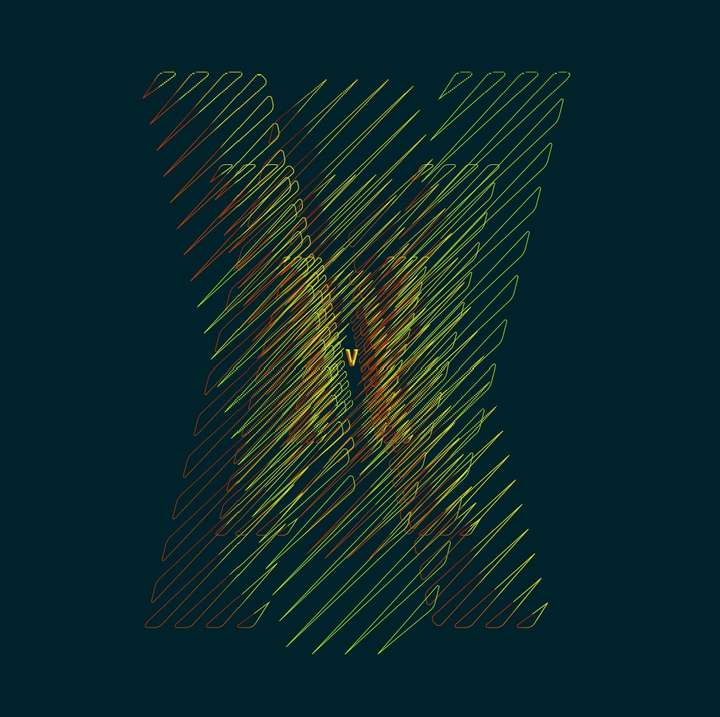
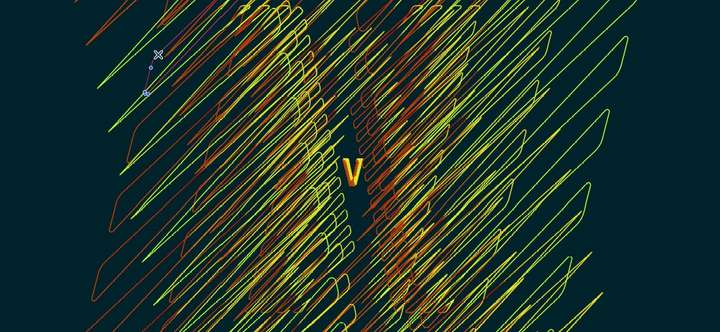
        This is not at all what I wanted to get but as I have some issues with some features, I play with the multiple possibilities of VS. It looks simple but it's full of little steps.
        It would look good for a poster. This will be my next challenge, to make a layout in VS for a poster for a hypothetical event (with grids, etc.).
        0_1670159871352_OfPath.jpg

        0_1670159996007_OfPath.jpg

        W11 Pro 25H2 - 12th Gen Intel(R) i7-12700K 3.61 GHz - RAM 64 Go - NVIDIA GF GTX 4070 Ti - Intuos - Dell UP3216Q / Eizo ColorEdge
        W11 Pro 25H2 - 12th Gen Intel(R) i7-12700KF 3.60 GHz -RAM 64 Go - NVIDIA GF GTX 3080 - IntuosPro- ProArt PA329C

        S 1 Reply Last reply Reply Quote 1
        • S Offline
          Subpath @B-Vs-V
          last edited by

          @Pat

          this one looks so cool 👍
          well done

          Win 11
          CPU: AMD Ryzen 5 9600X, 6-core.
          GPU: Nvidia Geforce RTX 5070.

          B 1 Reply Last reply Reply Quote 1
          • B Offline
            B-Vs-V @Subpath
            last edited by B-Vs-V

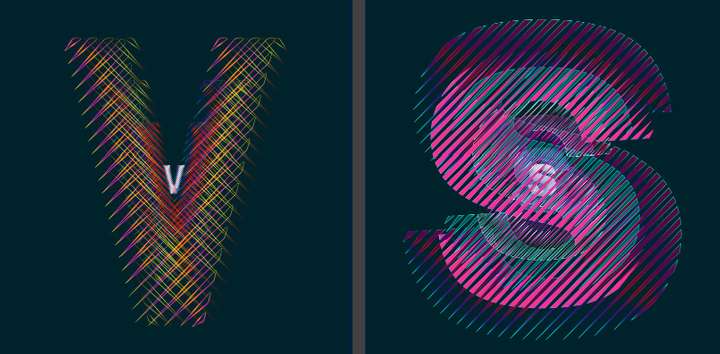
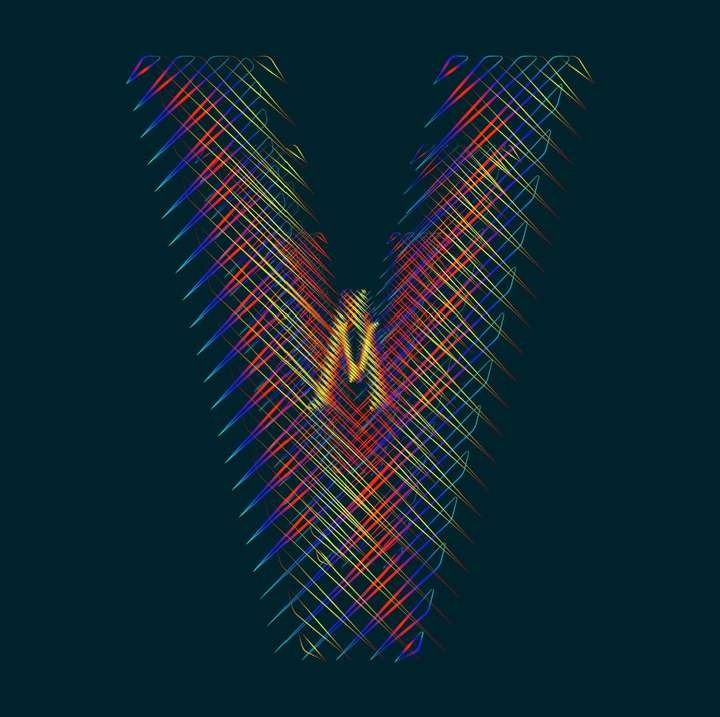
            @Subpath Thank you. Can be modified endlessly. This is the V of VS of course. I'll have to spend some time on the "S" ☺
            0_1670176209542_V.jpg

            W11 Pro 25H2 - 12th Gen Intel(R) i7-12700K 3.61 GHz - RAM 64 Go - NVIDIA GF GTX 4070 Ti - Intuos - Dell UP3216Q / Eizo ColorEdge
            W11 Pro 25H2 - 12th Gen Intel(R) i7-12700KF 3.60 GHz -RAM 64 Go - NVIDIA GF GTX 3080 - IntuosPro- ProArt PA329C

            S 1 Reply Last reply Reply Quote 3
            • S Offline
              Subpath @B-Vs-V
              last edited by Subpath

              @Pat

              "Can be modified endlessly..." thats so very true 🙂

              I like the filigree design and the extra dimension
              with the objects in the background.
              The gradient looks nice as well.

              Win 11
              CPU: AMD Ryzen 5 9600X, 6-core.
              GPU: Nvidia Geforce RTX 5070.

              B 1 Reply Last reply Reply Quote 1
              • B Offline
                B-Vs-V @Subpath
                last edited by

                ... endlessly...

                0_1670184518743_VS.jpg

                W11 Pro 25H2 - 12th Gen Intel(R) i7-12700K 3.61 GHz - RAM 64 Go - NVIDIA GF GTX 4070 Ti - Intuos - Dell UP3216Q / Eizo ColorEdge
                W11 Pro 25H2 - 12th Gen Intel(R) i7-12700KF 3.60 GHz -RAM 64 Go - NVIDIA GF GTX 3080 - IntuosPro- ProArt PA329C

                1 Reply Last reply Reply Quote 4
                • Devil DinosaurD Offline
                  Devil Dinosaur
                  last edited by

                  Your experiments are really interesting 👍

                  Fred.
                  MacBook Pro (M1) - MacOs Sonoma 14

                  B 1 Reply Last reply Reply Quote 1
                  • B Offline
                    B-Vs-V @Devil Dinosaur
                    last edited by

                    @Devil-Dinosaur Thank you. I'll come back with other different objects/shapes.

                    W11 Pro 25H2 - 12th Gen Intel(R) i7-12700K 3.61 GHz - RAM 64 Go - NVIDIA GF GTX 4070 Ti - Intuos - Dell UP3216Q / Eizo ColorEdge
                    W11 Pro 25H2 - 12th Gen Intel(R) i7-12700KF 3.60 GHz -RAM 64 Go - NVIDIA GF GTX 3080 - IntuosPro- ProArt PA329C

                    1 Reply Last reply Reply Quote 0
                    • B Offline
                      B-Vs-V
                      last edited by B-Vs-V

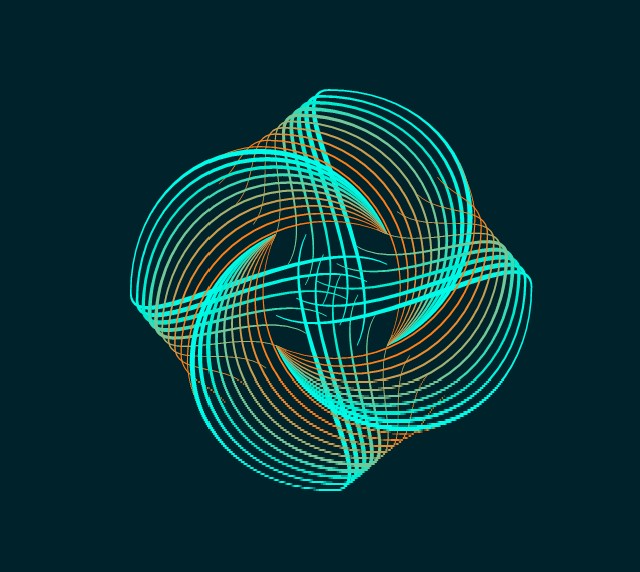
                      Following @Subpath tips in "Converting a tutorial from Illustrator (Blend Function) to VectorStyler", one can have interesting and complex abstract shapes. Nothing fancy below but one need to select the nodes and not the object, otherwise, one can't get this effect. Thanks @Subpath ☺

                      0_1670601173046_Test.jpg

                      0_1670601181253_test2.jpg

                      W11 Pro 25H2 - 12th Gen Intel(R) i7-12700K 3.61 GHz - RAM 64 Go - NVIDIA GF GTX 4070 Ti - Intuos - Dell UP3216Q / Eizo ColorEdge
                      W11 Pro 25H2 - 12th Gen Intel(R) i7-12700KF 3.60 GHz -RAM 64 Go - NVIDIA GF GTX 3080 - IntuosPro- ProArt PA329C

                      S 1 Reply Last reply Reply Quote 4
                      • S Offline
                        Subpath @B-Vs-V
                        last edited by

                        @Pat

                        nice design

                        thanks, like to experiment myself
                        and VS is a pretty good Tool for that
                        as you know 🙂

                        btw here are some inspirations from me
                        where i also used Clones
                        https://www.vectorstyler.com/forum/topic/2142/the-shape-of-things-using-parametric-shapes-for-pattern-making

                        Win 11
                        CPU: AMD Ryzen 5 9600X, 6-core.
                        GPU: Nvidia Geforce RTX 5070.

                        1 Reply Last reply Reply Quote 2
                        • B Offline
                          B-Vs-V
                          last edited by

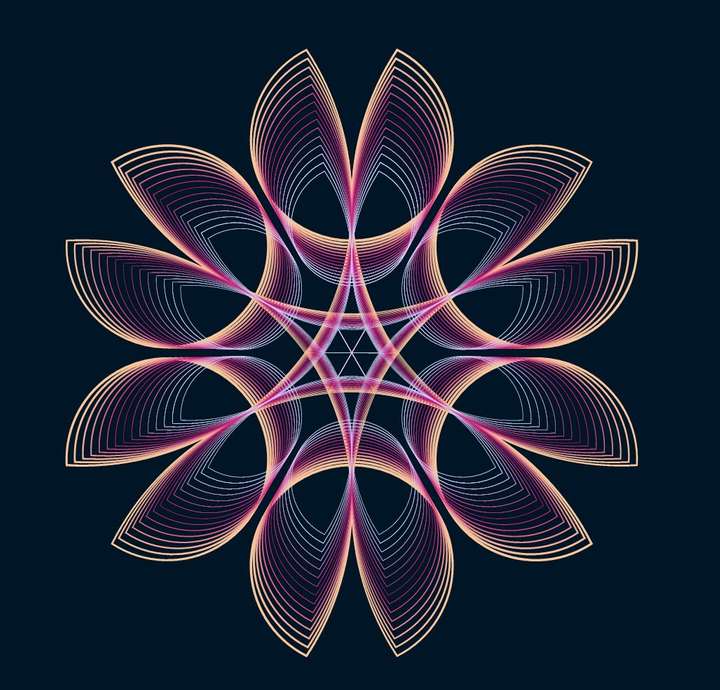
                          Testing .73 & rendering in W10/11 is much better.
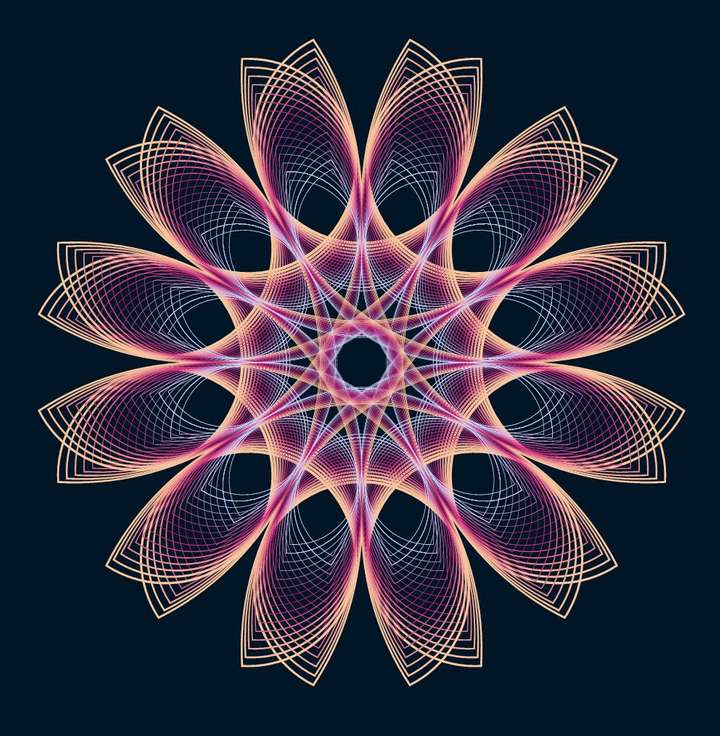
                          Just the transformation of one rectangle:
                          0_1673540222685_Capture.JPG

                          W11 Pro 25H2 - 12th Gen Intel(R) i7-12700K 3.61 GHz - RAM 64 Go - NVIDIA GF GTX 4070 Ti - Intuos - Dell UP3216Q / Eizo ColorEdge
                          W11 Pro 25H2 - 12th Gen Intel(R) i7-12700KF 3.60 GHz -RAM 64 Go - NVIDIA GF GTX 3080 - IntuosPro- ProArt PA329C

                          S 1 Reply Last reply Reply Quote 4
                          • B Offline
                            B-Vs-V
                            last edited by

                            This tutorial by @Subpath gave me the idea to test the pattern creation from this object:
                            0_1673716665691_ForPattern.JPG

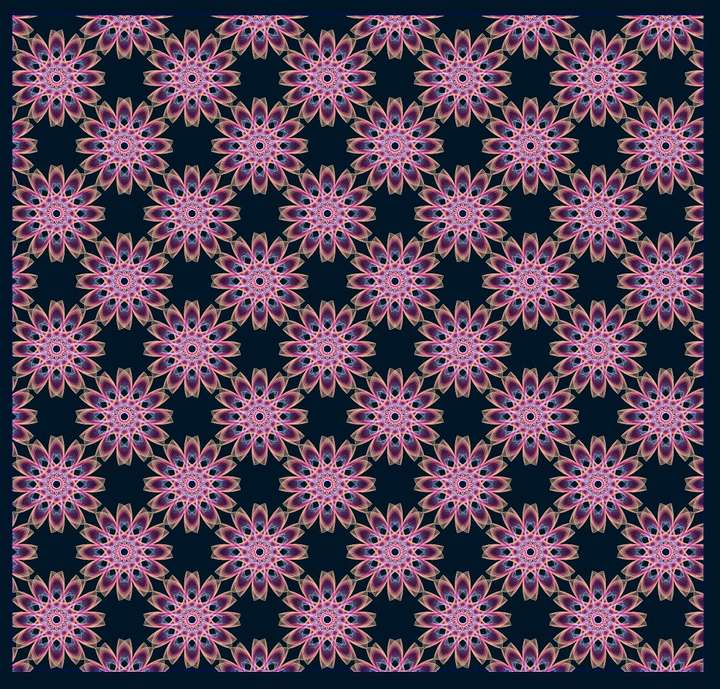
                            Here the pattern, nothing extraordinary but very easy to make in VS (described in the documentation):
                            0_1673716730971_Pattern.JPG

                            W11 Pro 25H2 - 12th Gen Intel(R) i7-12700K 3.61 GHz - RAM 64 Go - NVIDIA GF GTX 4070 Ti - Intuos - Dell UP3216Q / Eizo ColorEdge
                            W11 Pro 25H2 - 12th Gen Intel(R) i7-12700KF 3.60 GHz -RAM 64 Go - NVIDIA GF GTX 3080 - IntuosPro- ProArt PA329C

                            S 1 Reply Last reply Reply Quote 2
                            • S Offline
                              Subpath @B-Vs-V
                              last edited by

                              @Pat

                              cool pattern
                              nice to see that the tutorial was inspirational 🙂
                              I will do a "How to create seamless Pattern for Pattern Fill"
                              Tutorial next.

                              Win 11
                              CPU: AMD Ryzen 5 9600X, 6-core.
                              GPU: Nvidia Geforce RTX 5070.

                              1 Reply Last reply Reply Quote 1
                              • B Offline
                                B-Vs-V
                                last edited by

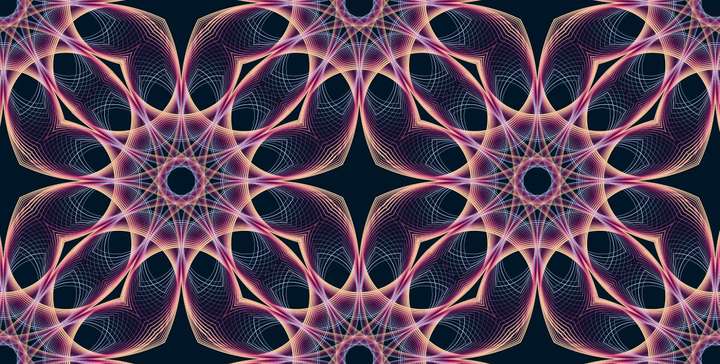
                                We can get very interesting abstract patterns for eventual backgrounds by changing the type (triangular, rhomboid):
                                0_1673881226667_Capture.JPG

                                @VectorStyler ... but I would like to know if it is possible to change the colours of the pattern once the object has been defined as tile.

                                W11 Pro 25H2 - 12th Gen Intel(R) i7-12700K 3.61 GHz - RAM 64 Go - NVIDIA GF GTX 4070 Ti - Intuos - Dell UP3216Q / Eizo ColorEdge
                                W11 Pro 25H2 - 12th Gen Intel(R) i7-12700KF 3.60 GHz -RAM 64 Go - NVIDIA GF GTX 3080 - IntuosPro- ProArt PA329C

                                VectorStylerV 1 Reply Last reply Reply Quote 2
                                • VectorStylerV Offline
                                  VectorStyler @B-Vs-V
                                  last edited by

                                  @Pat said in WIP - Testing Blending: not yet a tutorial but soon for beginners:

                                  but I would like to know if it is possible to change the colours of the pattern once the object has been defined as tile.

                                  Yes, but first the pattern tile must define those colors.
                                  Basically any style used inside the pattern tile (content) can have an override selected using the Style Overrides from the pattern menu.

                                  So use color styles inside the pattern content, then define the pattern content as a "Style" (not a "preset").

                                  B 1 Reply Last reply Reply Quote 1
                                  • B Offline
                                    B-Vs-V @VectorStyler
                                    last edited by

                                    @VectorStyler Thanks, I'll have to think about this... & to test it.

                                    W11 Pro 25H2 - 12th Gen Intel(R) i7-12700K 3.61 GHz - RAM 64 Go - NVIDIA GF GTX 4070 Ti - Intuos - Dell UP3216Q / Eizo ColorEdge
                                    W11 Pro 25H2 - 12th Gen Intel(R) i7-12700KF 3.60 GHz -RAM 64 Go - NVIDIA GF GTX 3080 - IntuosPro- ProArt PA329C

                                    1 Reply Last reply Reply Quote 1
                                    • S Offline
                                      STEVED @B-Vs-V
                                      last edited by

                                      @Pat HI.
                                      I really like this path/design. But I simply do not understand how you created this. Could you possibly outline the steps you used to create it. Thanks,
                                      steve

                                      S B 2 Replies Last reply Reply Quote 1
                                      • S Offline
                                        STEVED @STEVED
                                        last edited by

                                        @STEVED PAT,
                                        I was refering to the design in you post:
                                        "Testing .73 & rendering in W10/11 is much better.
                                        Just the transformation of one rectangle:"
                                        Thanks, steve

                                        1 Reply Last reply Reply Quote 0
                                        • B Offline
                                          B-Vs-V @STEVED
                                          last edited by B-Vs-V

                                          @STEVED Hi Steve,
                                          The starting scheme is indeed one rectangle which is a parametric shape that can be modified in VS using the 'Node tool' (bending of each side).
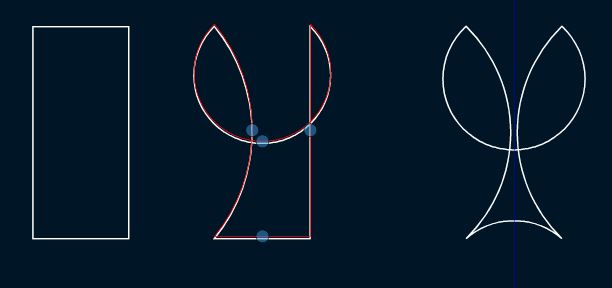
                                          0_1673975888133_Capture.JPG

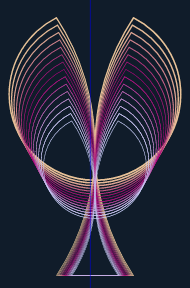
                                          Then, the object is copied (once or several times) & its/their size(s) adjusted as wanted. The blending of the (two) shapes and the rotation (Oject--> Transform--> rotation) of copies do the overall design.
                                          0_1673976150123_231c0152-aea2-48a5-88d0-cdfebb3161f1-image.png

                                          W11 Pro 25H2 - 12th Gen Intel(R) i7-12700K 3.61 GHz - RAM 64 Go - NVIDIA GF GTX 4070 Ti - Intuos - Dell UP3216Q / Eizo ColorEdge
                                          W11 Pro 25H2 - 12th Gen Intel(R) i7-12700KF 3.60 GHz -RAM 64 Go - NVIDIA GF GTX 3080 - IntuosPro- ProArt PA329C

                                          S 1 Reply Last reply Reply Quote 0
                                          • S Offline
                                            STEVED @B-Vs-V
                                            last edited by

                                            @Pat Hi,
                                            Thank you so much for your kind response. Us old simple neophytes need a helping
                                            hand (and arm and leg) more often than not. I'm going to try to work my way thru
                                            your instructions. Best, steve

                                            B 1 Reply Last reply Reply Quote 0
                                            • First post
                                              Last post