Can't grab resize handler when text field is too small,
-
@Arde said in Can't grab resize handler when text field is too small,:
As an additional note: Affinity apps allow scaling of paragraph text with an additional corner handle (outer than the frame resizing bottom right corner handle).
Yes, this is rather limiting compared to the way it is implemented in QuarkXPress for example. In QuarkXPress you get this behavior by holding down the command key (Mac) while dragging one of the handles. This has the advantage of working from any corner or side, where the Affinity products only provide this form of scaling from one corner of the text box.
-
@fde101 said in Can't grab resize handler when text field is too small,:
Yes, this is rather limiting compared to the way it is implemented in QuarkXPress for example.
On the other hand, Quark is quite limited in many other ways. E.g., it does not allow changing properties of multiple selected text frames in one go (I have still version 2018 so this may wall have changed in later versions).
This is an important feature. I can see that VS allows change of text attributes in chained text frames using object selection, which is a good feature (even is potentially a bit hazardous; this is not allowed in InDesign, probably for a good reason). But unchained text frames should be editable by object selection so that text attributes can be assigned in one go. VS allows this but there are still significant limitations. While e.g. text size and many stylistic attributes can be selected in one go, I could not see a way to change the font color or paragraph alignment in one go (these are important features in a drawing app, even if you have text in paragraph text frames, though having text in styles and layers of course offers other means to control text attributes effectively):
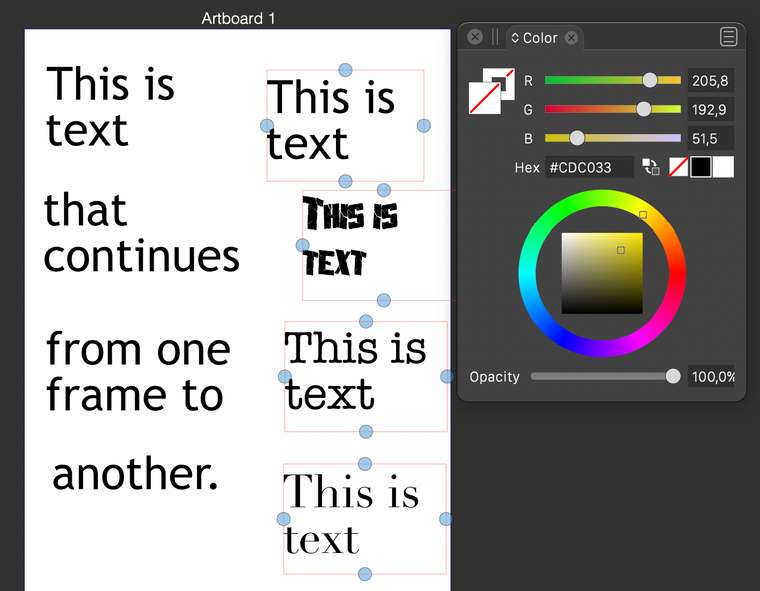
Perhaps I was missing the way to do this, but I think there should be a separate well (and possibly a modifier key) so that you can assign a text fill color (and possibly outline color) also when having text frames selected.
The feature to have paragraph text converted to shape text and vice versa is very useful!
-
@Arde said in Can't grab resize handler when text field is too small,:
But unchained text frames should be editable by object selection so that text attributes can be assigned in one go.
The text styles you seem to be referring to are properties of the text, not of the frames. As you can't select text across multiple frames you won't be able to update the styles of the text (as it is not selected - the frames are); that much seems rather obvious?
In any case, text styles should be used instead of applying those attributes directly, and those work across the entire document, whether the frames are selected or not. This may not be as fast and straghtforward for a smaller more art-centered project such as a poster or similar, but I kind of see QuarkXPress as being more optimized for longer-form documents such as books and magazines where it would be too much of a hassle NOT to use text styles as they are intended. Use of "local" formatting is usually a mistake in such documents.
I do agree that having these options in VectorStyler would be nice (it is a different kind of application).
If instead you happen to be referring to properties of the frames themselves (such as borders), I can change those for multiple selected frames at the same time at least in QuarkXPress 2020.
Granted that each of these programs has its pros and cons; I am certainly not arguing that point.
Meanwhile, back on topic with VectorStyler, I noticed that if multiple "text shape" objects are selected and you try to change the color, only the color of one of them is changed, not of all of those which are selected. That appears to be a bug.
-
@fde101 said in Can't grab resize handler when text field is too small,:
The text styles you seem to be referring to are properties of the text, not of the frames. As you can't select text across multiple frames you won't be able to update the styles of the text (as it is not selected - the frames are); that much seems rather obvious?
E.g. InDesign, Illustrator and Affinity apps allow specifying paragraph alignment, character style and font fill and outline color when multiple individual text frames are selected. They are text properties, not frame properties, but they are applied by selecting text frames. Quark is about the only graphic app I know that does not support this.
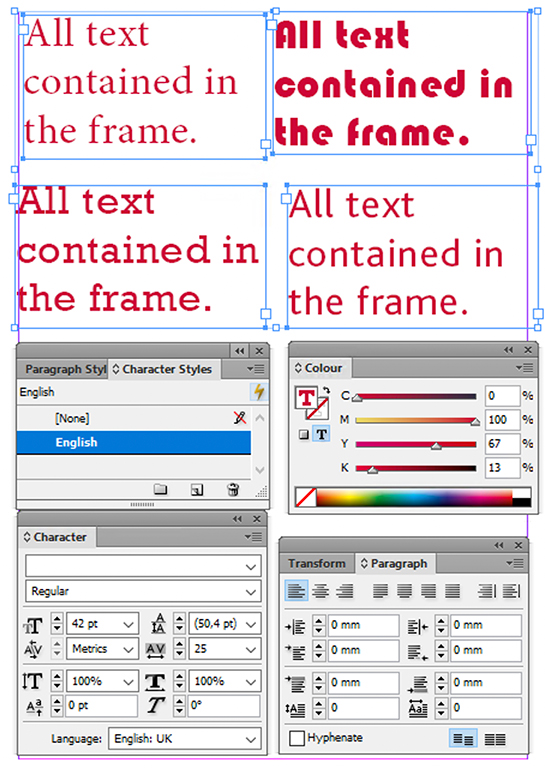
Even if it is more effective and ideal to have text properties defined as character and paragraph styles, often this has not been done (when needing to edit a job done by someone else; quick changes across different styles / fonts as above, are also useful especially when starting a design and creating alternatives. It also allows quick unification and checking that text objects have uniform settings (e.g. correct font size, language, color model, etc. etc.
It is great that this is supported also in VectorStyler, but there are still features that cannot be assigned this way (most importantly, paragraph alignment and font fill color).
-
@vectoradmin said in Can't grab resize handler when text field is too small,:
I added the text scaling issues to the backlog. Currently the scaling is added as a "shape transform" instead of adjusting the font size. I will have to look into how this can be changed.
I would say that not reflecting vertical sizing changes to vector shape text frame in point size is a clear bug. Point size refers to the height of the font and must be changed accordingly even if the text is distorted (e.d. distorted vertically). If it is stretched horizontally then the point size should remain.
I would also suggest changing the behavior so that without a modifier key the corner handle would scale proportionally (and change the point size of the text accordingly -- relative to existing point sizes of the glyphs within the text frame), and distortion would require a modifier key (in addition Affinity apps, CorelDRAW behaves this way, too). But as you mentioned, VS is all about the options, so you might want to make this behavior also on option, to please Illustrator users!
-
@Kyriakos said in Can't grab resize handler when text field is too small,:
By the way the same issue of being unable to resize the text when too small applies to all other shapes as well, if you make a rectangle that's too small then you can't scale it from its corners, but i suppose this is app-wide behaviour and the fix will apply to everything.
This will be fixed in the next build.
-
@Arde said in Can't grab resize handler when text field is too small,:
I could not see a way to change the font color or paragraph alignment in one go
Paragraph alignment should change for multiple selected text frames (both from the Paragraph panel, or from the context panel on the top). I just checked this and it seems to be working.
About fill (and outline): these are currently applied to the frame area (when text frames are selected). I think this behavior (filling the frame) should be kept. Maybe this could be fixed with a modifier key, but only for fill color.
-
@fde101 said in Can't grab resize handler when text field is too small,:
I do agree that having these options in VectorStyler would be nice (it is a different kind of application).
Maybe this refers to something else, but linked character and paragraph styles are available in VS. There are also linked styling possibility for text frame attributes, or some individual attributes like color. or outline style.
-
@fde101 said in Can't grab resize handler when text field is too small,:
Meanwhile, back on topic with VectorStyler, I noticed that if multiple "text shape" objects are selected and you try to change the color, only the color of one of them is changed, not of all of those which are selected. That appears to be a bug.
I could not replicate this issue. Selected multiple text shapes with the pointer tool (make sure that the selection mode is set to the first icon in the context panel). Selected the color from the color panel and it change all text shape colors.
-
@Arde said in Can't grab resize handler when text field is too small,:
It is great that this is supported also in VectorStyler, but there are still features that cannot be assigned this way (most importantly, paragraph alignment and font fill color).
Paragraph alignment should be changeable on multiple selected frames. If it is not, it is a bug, but I could not replicate it.
-
@Arde said in Can't grab resize handler when text field is too small,:
I would also suggest changing the behavior so that without a modifier key the corner handle would scale proportionally (and change the point size of the text accordingly -- relative to existing point sizes of the glyphs within the text frame), and distortion would require a modifier key (in addition Affinity apps, CorelDRAW behaves this way, too). But as you mentioned, VS is all about the options, so you might want to make this behavior also on option, to please Illustrator users!
This will be fixed in the next build.
-
@vectoradmin said in Can't grab resize handler when text field is too small,:
Paragraph alignment should be changeable on multiple selected frames. If it is not, it is a bug, but I could not replicate it.
At leat in macOS M1 version, this is what happens (it does not matter, which select mode is active, this happens with all):
...hmm, it seems I cannot attach a video. Anyway, for me it does not work, if I have multiple paragraph text frames and try to make them all align e.g. to right, only the first selected paragraph frame is affected.
-
@Arde Are these frames in the same text flow?
-
@vectoradmin said in Can't grab resize handler when text field is too small,:
About fill (and outline): these are currently applied to the frame area (when text frames are selected). I think this behavior (filling the frame) should be kept. Maybe this could be fixed with a modifier key, but only for fill color.
Modifier key is not that important, but I think there just should be a separate mode / color wells for assigning color to the text (instead of a frame). Most apps seem to make assigning color to the text fill and outline the primary function, while coloring the frame is secondary (and sometimes can be done only in context of frame/object properties, like in Affinity apps or CorelDRAW). InDesign and Quark allow specifying fill and outline colors for the text and container by offering buttons for switchin the mode.
-
@vectoradmin said in Can't grab resize handler when text field is too small,:
@fde101 said in Can't grab resize handler when text field is too small,:
Meanwhile, back on topic with VectorStyler, I noticed that if multiple "text shape" objects are selected and you try to change the color, only the color of one of them is changed, not of all of those which are selected. That appears to be a bug.
I could not replicate this issue. Selected multiple text shapes with the pointer tool (make sure that the selection mode is set to the first icon in the context panel). Selected the color from the color panel and it change all text shape colors.
Strange, it is working for me now too.
Only thing I can think of, I wonder if I somehow selected a particular fill in the appearance panel and forgot about it or didn't realize it?
In any case, seems ok now.
However, if I create a new document, select the text shape tool, and double-click in two places to add two such objects, then switch to the move tool and try to drag a box around them to select them both, only one of them gets selected. I can shift-click to select the other one, but dragging a box cleanly around both objects is only selecting one.
-
@vectoradmin said in Can't grab resize handler when text field is too small,:
Are these frames in the same text flow?
No, they are separate objects -- I have meant all the time separate text objects so what is important is that an app allows changing of text attributes of individual text frames when they have been selected so that e.g. all selected objects can be given center aligning, color, language setting, hyphenation setting, etc. in one go. The unique settings will be kept (e.g. each selected text frame can have different point size or font, but the user just picks the attributes that are wanted to be common).
-
I can't replicate any of the issues described by @Arde and @fde101, it's working as expected for me.
The only behaviour different from Illustrator is when selecting fields with different fonts and trying to apply the same style to all, i.e. making everything bold, in VectorStyler all the fields will change to the selected font in the font tab, while Illustrator will hide both the font and style and won't let you do it to prevent unwanted result.
-
@Kyriakos Seems that the error occurs if the paragraph attribute (for example alignment) has a local override value. This should be cleared when setting the alignment from the frame, but it is not. This is the big.
-
@vectoradmin said in Can't grab resize handler when text field is too small,:
Seems that the error occurs if the paragraph attribute (for example alignment) has a local override value.
But I can systematically reproduce this error from fresh restart of VS:
-
Create a paragraph text frame and type something, e.g. Text. It has left alignment.
-
Copy the text frame using the Option key twice so that you have three objects.
-
Select them all, now apply right alignment from the Paragraph panel. Only the topmost text frame has alignment changed.
So no local deviations or conflicts here, there should be three identical separate text frames but only one is affected. Note that the same applies to all paragraph related settings (indent, vertical shift, etc.). Settings of the Character panel however work as expected (are applied to all selected text frames).
-
-
@Arde I can reproduce it now, it seems to happen only if you copy-paste the frame but not if you make new ones.
