Click Through Object Selection and Select Next
-
I prefer selecting objects on the Artboard rather than using expanded Layers.
Attempting to "drill down" through a stack of objects left-clicking repeatedly on the same location, I find that-
a looong pause is needed between clicks, to get to the bottommost object.
If successive clicks are fast, like doubleclicks, the ClickThrough function goes inactive. (Double Click/No Key setting is set to Nothing)
Could another setting be hampering me here? -
Click Through will only drill down to objects on the same Layer. Is that intentional?
I would assume it should select all the way down though visible, unlocked objects, regardless of layers? -
Select Next is sort of the same thing, but a menu selection or keyboard action is needed.
Contrary to Click Through action, Select Next traverses Layers.
But Select Next picks upward from the bottom, instead of drilling down from a visual point of view. Probably stack sequence related.
Any tips or experience here that can help me machine-gunning my way down multi layered overlapping artwork?
Or is Click Through Selection buggy?BR/ Lars Herold
1.3.021 Win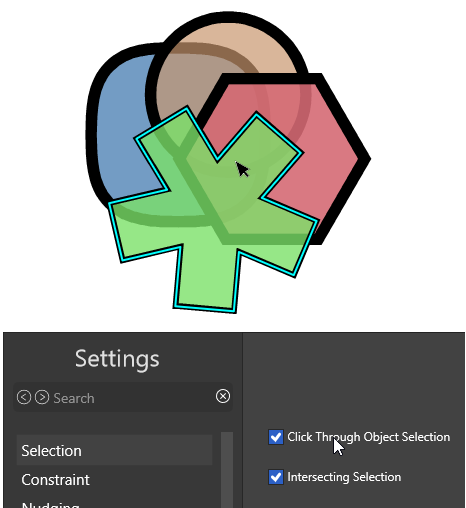
-
-
@larsherold said in Click Through Object Selection and Select Next:
- a looong pause is needed between clicks, to get to the bottommost object.
If successive clicks are fast, like doubleclicks, the ClickThrough function goes inactive. (Double Click/No Key setting is set to Nothing)
Could another setting be hampering me here?
No other settings, the problem is that if it detects a double click it will not do the selection.
I will try to find a way to solve this- Click Through will only drill down to objects on the same Layer. Is that intentional?
Yes. I opened a bug on this
- Select Next is sort of the same thing, but a menu selection or keyboard action is needed.
There is Select Previous also.
Or is Click Through Selection buggy?
Not buggy, just cannot work with double clicks. I will try to find a solution for this
- a looong pause is needed between clicks, to get to the bottommost object.
-
@VectorStyler Great, thank you for your attention to this - as well!

Select Previous - of course, noted..

In Macromedia FreeHand - my usual reference ad nauseam
 - the Click Through action is done by holding Ctrl + Right-click to cycle through the stack.
Hold Shift as well to add or remove Click Through candidates to/from current selection.
Hold Alt as well, to Deep Select into groups, composites, clipping groups, to add or remove Click Through candidates to/from current selection.BR/ Lars Herold
