VectorStyler
    • Categories
    • Unread
    • Recent
    • Tags
    • Popular
    • Register
    • Login

    New Feature Requests

    Scheduled Pinned Locked Moved Features and Ideas
    7 Posts 2 Posters 57 Views 2 Watching
    Loading More Posts
    • Oldest to Newest
    • Newest to Oldest
    • Most Votes
    Reply
    • Reply as topic
    Log in to reply
    This topic has been deleted. Only users with topic management privileges can see it.
    • M Online
      monsterfox
      last edited by

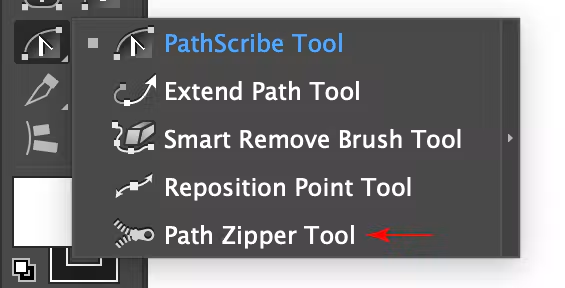
      1,https://docs.astutegraphics.com/vectorscribe/path-zipper-tool
      624e28bf-d9a7-42b8-af4d-e67dbd27f793-image.png
      Request to add Path Zipper Tool
      2,https://docs.astutegraphics.com/widthscribe/width-stamp-overview
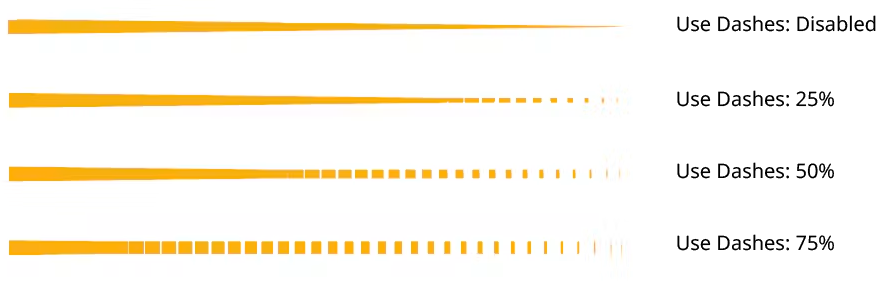
      I hope to add features 15 and 16 to Halftone

      VectorStylerV 1 Reply Last reply Reply Quote 1
      • VectorStylerV Offline
        VectorStyler @monsterfox
        last edited by

        @monsterfox I will add this to the features backlog.

        Is the Width Stamp mostly possible with Vector Halftones ?

        M 2 Replies Last reply Reply Quote 0
        • M Online
          monsterfox @VectorStyler
          last edited by

          @VectorStyler 03ac0bab-931a-4705-b227-dfff223fcd64-0132a51fbfbcb9cc52e09a38eb2b9914.png
          Yes, it is.

          1 Reply Last reply Reply Quote 0
          • M Online
            monsterfox @VectorStyler
            last edited by

            @VectorStyler https://youtu.be/zWRSdrmGW1c
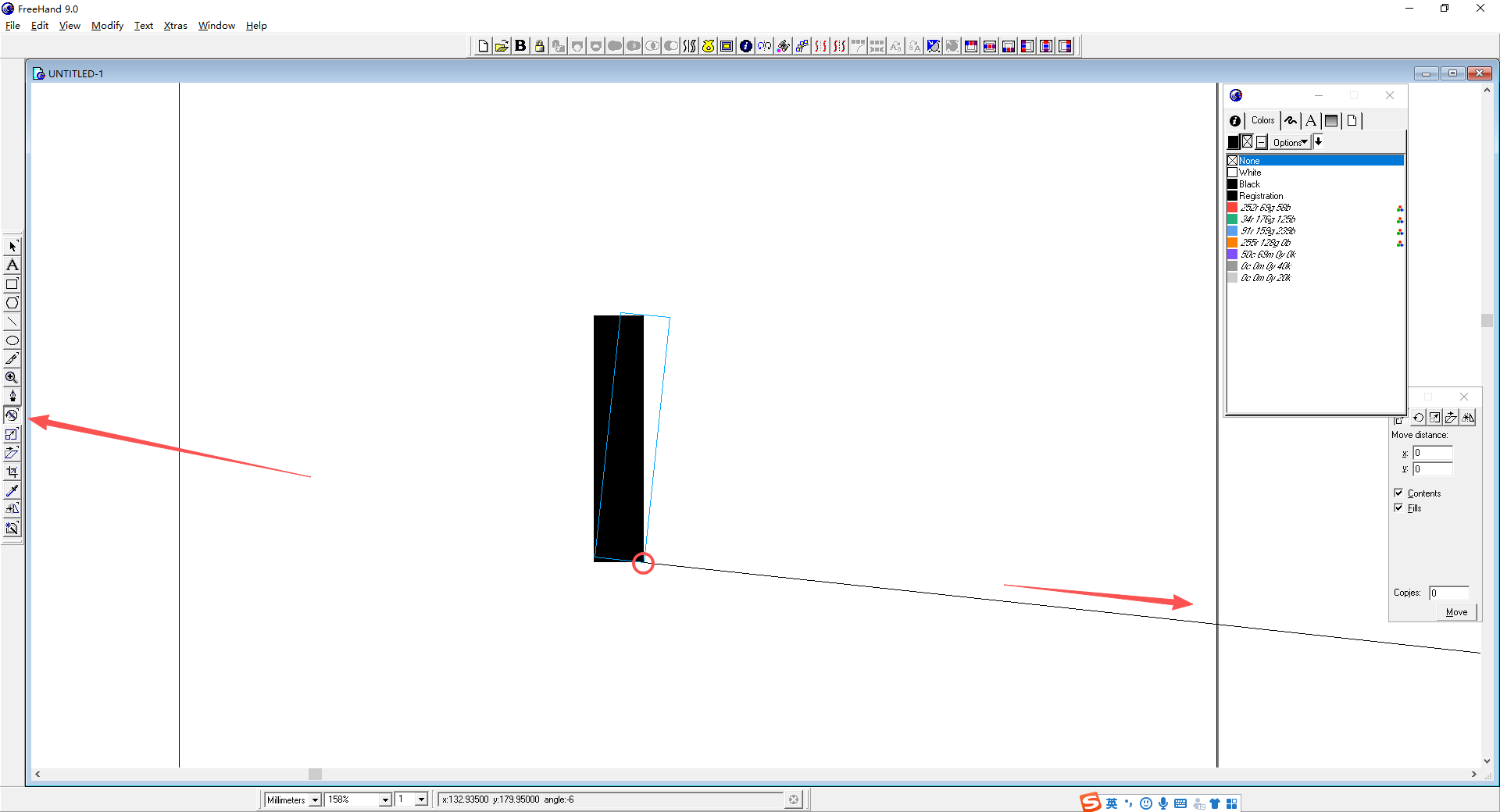
            The previously requested Rotate, Scale, Skew three tools have not changed yet. Hope to add them following FreeHand operations. (Besides: when using these three tools, hold Alt and click the mouse once to enter values in the corresponding panel for adjustment; the click targets the current XY axis.) This way they can match the Reflect tool. Hope this can be added in 1.4. Thanks

            VectorStylerV 1 Reply Last reply Reply Quote 1
            • VectorStylerV Offline
              VectorStyler @monsterfox
              last edited by

              @monsterfox said in New Feature Requests:

              The previously requested Rotate, Scale, Skew three tools have not changed yet

              I will try to add these before 1.5. First I need to understand the difference.

              M 2 Replies Last reply Reply Quote 0
              • M Online
                monsterfox @VectorStyler
                last edited by

                @VectorStyler abddfab5-b144-4a3e-b106-09340be1181b-image.png
                Rotate tool: clicking anywhere on the shape sets the pivot point. Hold and drag to extend the control handle for rotating the object.
                The Scale and Skew tools also allow you to click anywhere to operate, which is more convenient. The built-in transform tools in VS only work outside the shape’s bounding box. These three transform tools in FreeHand have no bounding-box restrictions; they work at any position and in any view, making them much handier.

                1 Reply Last reply Reply Quote 1
                • M Online
                  monsterfox @VectorStyler
                  last edited by

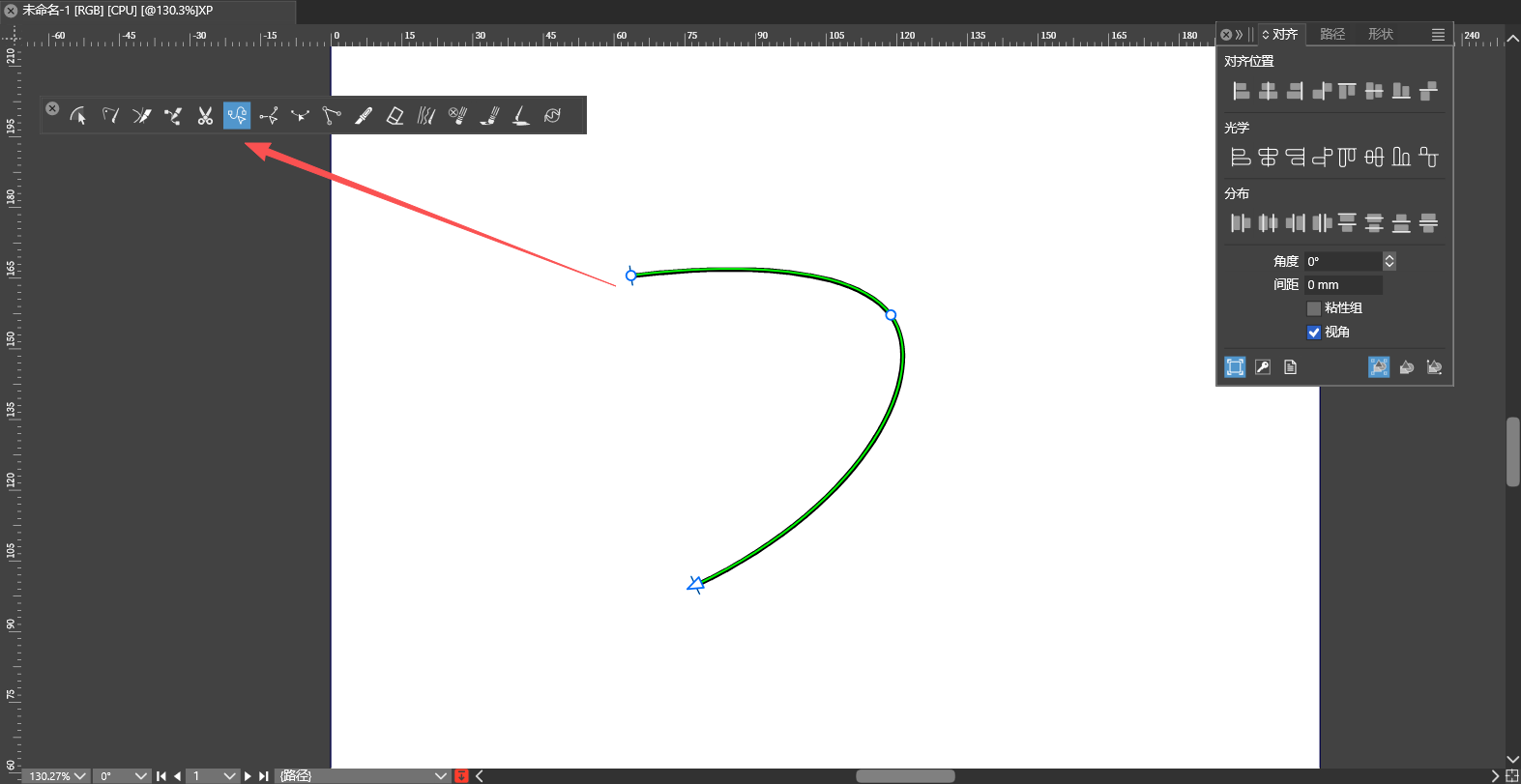
                  @VectorStyler https://docs.astutegraphics.com/vectorscribe/extend-path-tool/extension-modes
                  073e84bd-0d37-4076-bfc9-6fefa21d393c-image.png
                  27dcc5dc-6703-4874-b759-499df70232af-c6e469a294ed99ef764ae1d6698d3c58.png
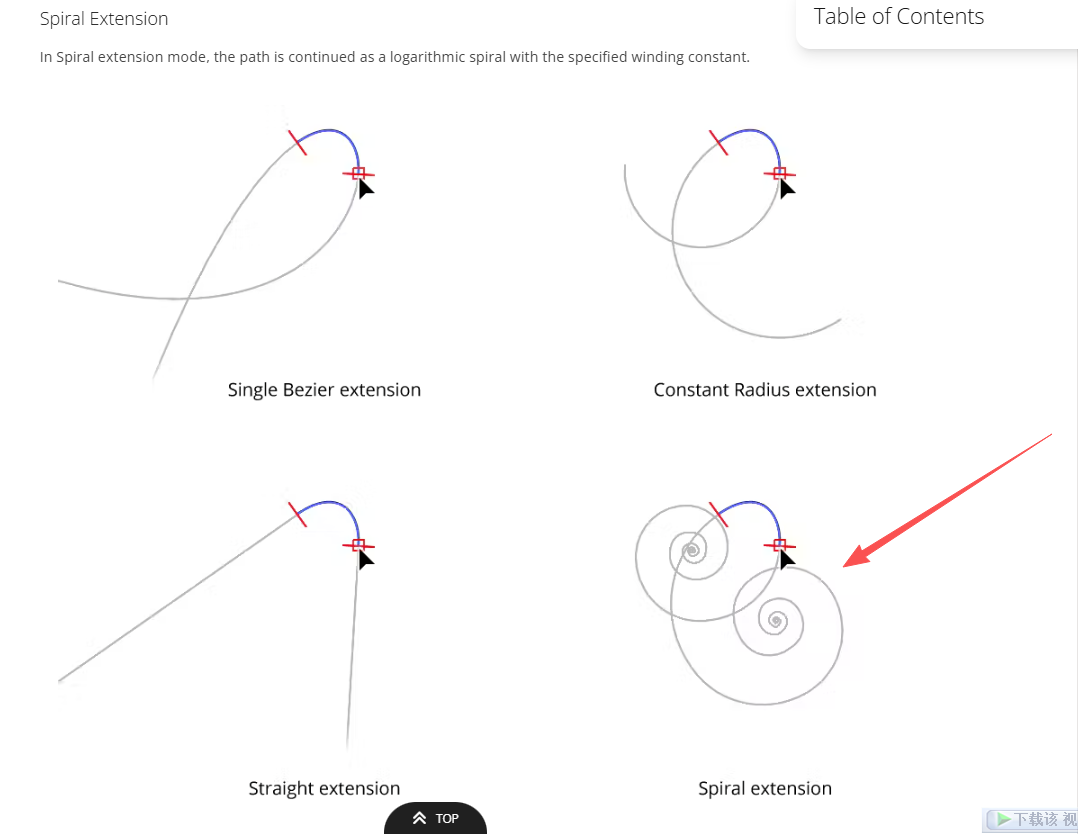
                  This tool needs these three extended modes to be selectable to suit different workflows. The fourth one marked with the red arrow can be omitted.

                  1 Reply Last reply Reply Quote 0
                  • First post
                    Last post