Optional “Organize by Artboard” View in the Layers Panel
-
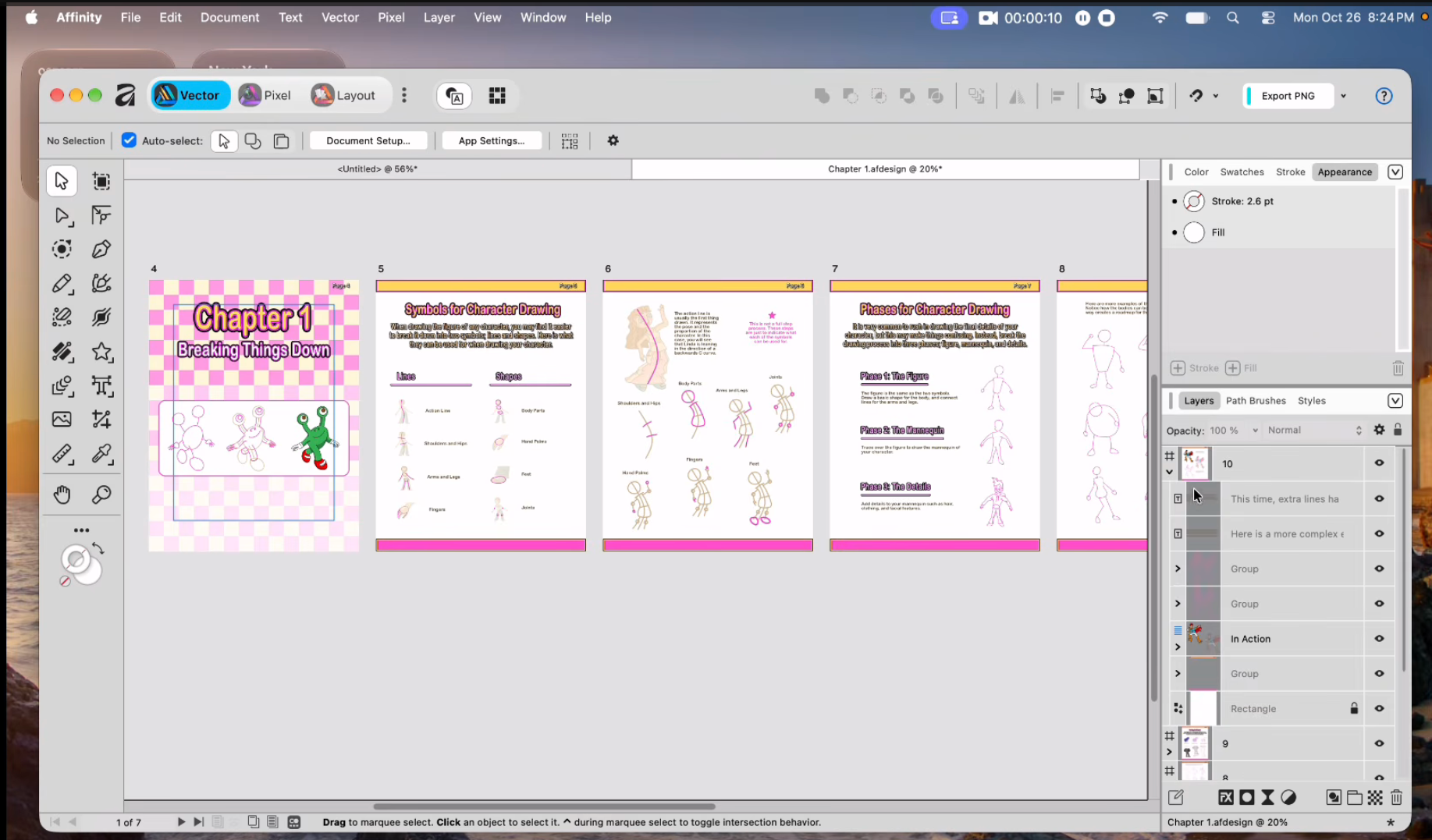
Would it make sense to have an option to organize the Layers panel by artboard, similar to the Affinity example in the attached screenshot?
Each artboard would appear as a collapsible section, allowing us to expand it and browse the layers and objects associated with that area. When working with multiple designs or pages, this would make it easier to find the relevant objects without scrolling through the entire canvas hierarchy.
I understand that VectorStyler’s layers belong to the canvas and that artboards are regions for printing and exporting. My suggestion is an optional organizational view in the panel, preserving the existing layer structure and stacking order.
Ideally, this could include:
- Collapsible sections labeled with each artboard’s name.
- An option to show only content overlapping the active artboard.
- A separate section for objects outside all artboards.
- Objects spanning multiple artboards listed under each relevant artboard, with each entry referring to the same original object.
The existing Layers view could remain the default, with an “Organize by Artboard” toggle for those who prefer it.
Would this be feasible as an alternative way to browse the canvas contents?
-
@Boldline This is actually in the backlog (named "Artboards as Layers"), but I cannot have it for 1.4, maybe after.
-
@VectorStyler: This should be a toggle. It should not be up to the user every single time to ensure that the layers are on the right artboard. I work on multi artboard set up in Affinity all the time, and it is infuriating how easily you can place the layer in the wrong artboard. The solution is simple: A simple toggle at the document set up. "Artboard is Layer". Done.


