VectorStyler
    • Categories
    • Unread
    • Recent
    • Tags
    • Popular
    • Register
    • Login

    How do I keep a certain, chosen brush stroke when drawing new path?

    Scheduled Pinned Locked Moved Questions and Support
    6 Posts 2 Posters 28 Views 2 Watching
    Loading More Posts
    • Oldest to Newest
    • Newest to Oldest
    • Most Votes
    Reply
    • Reply as topic
    Log in to reply
    This topic has been deleted. Only users with topic management privileges can see it.
    • RaaskotR Offline
      Raaskot
      last edited by

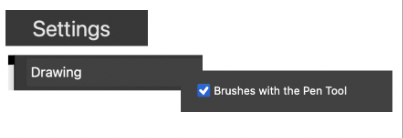
      When drawing In Adobe Illustrator, the pen keeps the current brush in memory, and thus, If I initially select a stroke with specific brush charistics, it applies these when drawing a new path.

      I cant make VS do the same: It only stores the width and color in memory, but not the current brush.

      Is there a VS' option I miss?

      354aa014-44ca-47e0-8eca-c9f247c866d4-image.png

      VectorStylerV 1 Reply Last reply Reply Quote 1
      • VectorStylerV Offline
        VectorStyler @Raaskot
        last edited by

        @Raaskot When using the Brush tool, the current brush will be the brush of the last selected object.

        If a different object is selected after selecting a brush, the current brush is updated from the selected object.

        This can be disabled by unchecking the "Update Default Styles" option in Settings -> Selection

        RaaskotR 1 Reply Last reply Reply Quote 1
        • RaaskotR Offline
          Raaskot @VectorStyler
          last edited by

          @VectorStyler
          I can't replicate your information. VS won't pick up style of last selected object. Is it a bug?
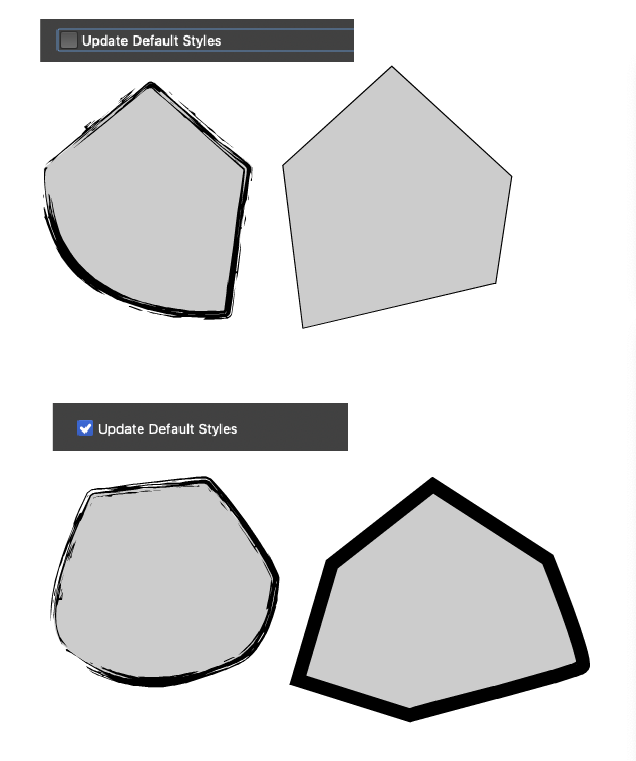
          50943127-c8bf-400e-bef0-193532030a8f-image.png

          VectorStylerV 1 Reply Last reply Reply Quote 0
          • VectorStylerV Offline
            VectorStyler @Raaskot
            last edited by

            @Raaskot Was the Brush tool used to draw those shapes on the right side?

            brushtool.png

            RaaskotR 1 Reply Last reply Reply Quote 1
            • RaaskotR Offline
              Raaskot @VectorStyler
              last edited by

              @VectorStyler
              No, the first tool at the left

              16a556bb-059d-4c50-ae6b-d253c435dcca-image.png

              VectorStylerV 1 Reply Last reply Reply Quote 1
              • VectorStylerV Offline
                VectorStyler @Raaskot
                last edited by

                @Raaskot Yes, that tool does not keep the brush, you can apply only afterwards

                1 Reply Last reply Reply Quote 0
                • First post
                  Last post