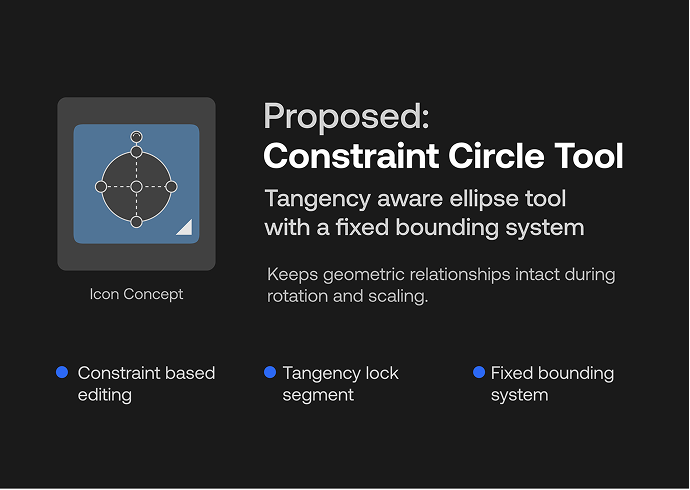
Constraint Circle Tool tangency aware rotation and fixed bounding system
-
This is a proposal for a different kind of ellipse tool one that understands geometric relationships and preserves them throughout the editing process.
The idea comes from a recurring limitation in standard vector tools: the moment an ellipse is rotated or scaled, any tangent relationships it holds with other shapes break silently and need to be corrected manually.
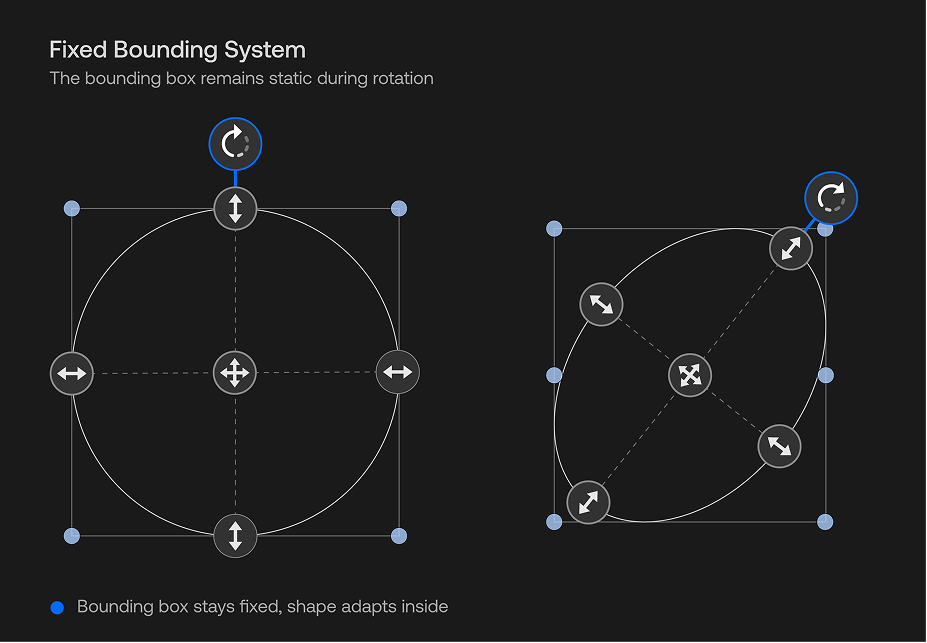
What this tool does differently the bounding box never rotates. It remains fixed on the canvas, independent from the shape. This is similar to the Reset Transform behavior in VectorStyler, where the object and its bounding space are treated separately. The ellipse rotates and adapts within that fixed space, rather than transforming together with it.
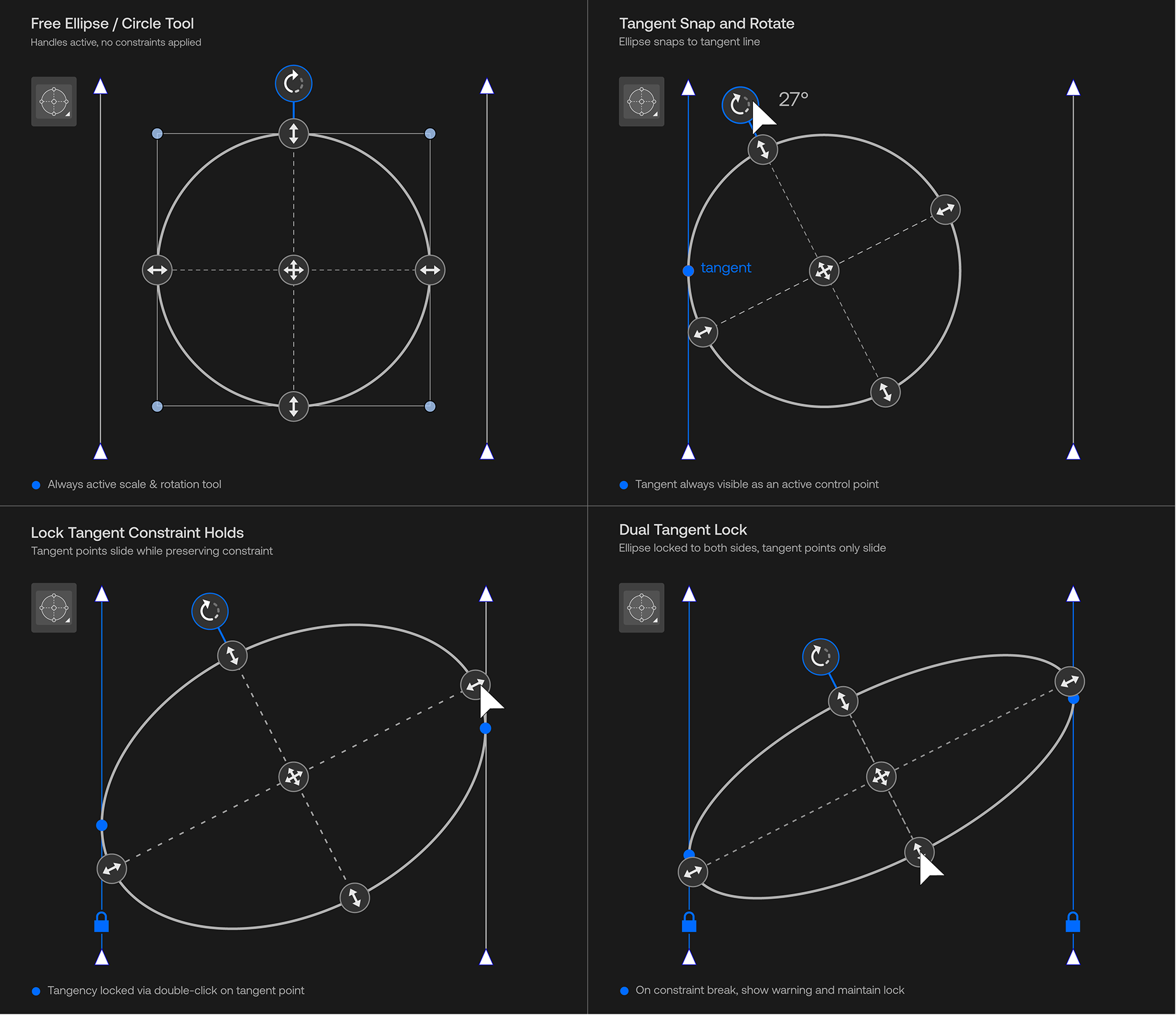
When a tangent point is double-clicked, it locks to a line or another circle. From that moment on, rotating or scaling the ellipse will not break that contact. The tangent point slides along the reference as needed, but the relationship remains intact. The rest of the shape can still be adjusted freely.
The rotation angle is displayed live during interaction, providing continuous visual feedback. I’ve put together a few visuals to help explain the behavior more clearly.
I’ve attached a short video below to demonstrate the behavior more clearly. I’m aware that this might require non-trivial implementation and I may be missing some technical considerations, but I wanted to share the concept as a potential direction.
-
@Honor I will add this to the feature backlog. It is not yet clear how this can be modeled in the existing document model of VS.
If I understand correctly, this would be a separate tool, that would act on existing ellipses?
Are those left and right blue lines guidelines? Currently there is no mechanism to dynamically link guidelines and objects.
The left-lock would imply some movement when scaling.
But the left+right lock would imply additional scaling in opposite direction (or rotation) while scaling to fit between the two sides. -
@VectorStyler Yes, this would be a separate tool mode acting on an already-placed ellipse — not modifying the ellipse tool itself.
To clarify the blue lines — those are regular path segments placed on the canvas, not guidelines. The ellipse snaps to them as it would to any path. Since VectorStyler already snaps to path tangents, the constraint system would work on those same segments no special guideline linking needed.
On left+right lock: when both sides are locked, the ellipse automatically fits itself between the two lines — it figures out the right size and centers itself. The user just adjusts the height. Nothing needs to be dragged or calculated manually.
On scaling behavior after locking: when the left tangent is locked and you scale to the right, the tangent point doesn't stay fixed at one spot — it slides along the segment. It follows the line, moves up or down on it, but never leaves it and never drifts sideways. The constraint stays intact. After scaling you can re-snap in one click to reposition the tangent point exactly where you want it.The key difference from a regular snap the constraint survives rotation. When you rotate the ellipse after locking, the tangent point slides along the segment instead of breaking. That's what makes it more than a one-time snap.
-
To make the idea clearer, I’ve put together a visual overview that highlights the key behaviors and interactions of the tool. This idea comes from observation rather than direct experience, so there might be some flaws in the logic, but I believe a similar behavior could still be worth considering. The idea was also influenced by VectorStyler’s strong snapping system it made me wonder whether a form of tangent locking could exist within a similar logic.