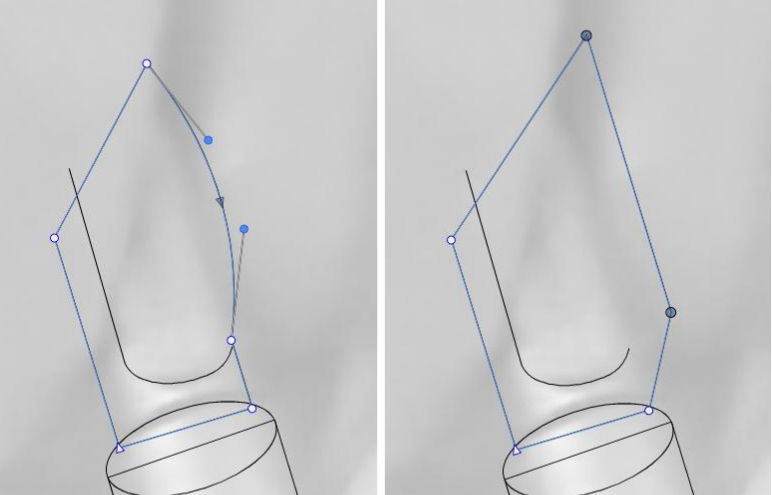
How do I drag a straight segment without bending it?
-
I want to drag a straight segment (or a connection/stroke between two nodes)
- without bending it
- without needing to select the connected nodes one by one first
Can I do that?
-
@Raaskot Only option (2) works now (selecting the ending nodes
-
@Raaskot I only know to select the nodes with the node tool, then select one of the nodes and drag.
It would be nice to separate the translations (moving) from topology changes (Bezier conversion) into two separate tools. But, I don't think there is a way a user can isolate the two functions.
-
@VectorStyler
Just to confirm: Is there no VS-tool (other that A or V + modifier), where you click a segment and the select the adjecent nodes and hence do the operation? -
@Raaskot said in How do I drag a straight segment without bending it?:
@VectorStyler
Just to confirm: Is there no VS-tool (other that A or V + modifier), where you click a segment and the select the adjecent nodes and hence do the operation?No such feature. You have to select the nodes

